
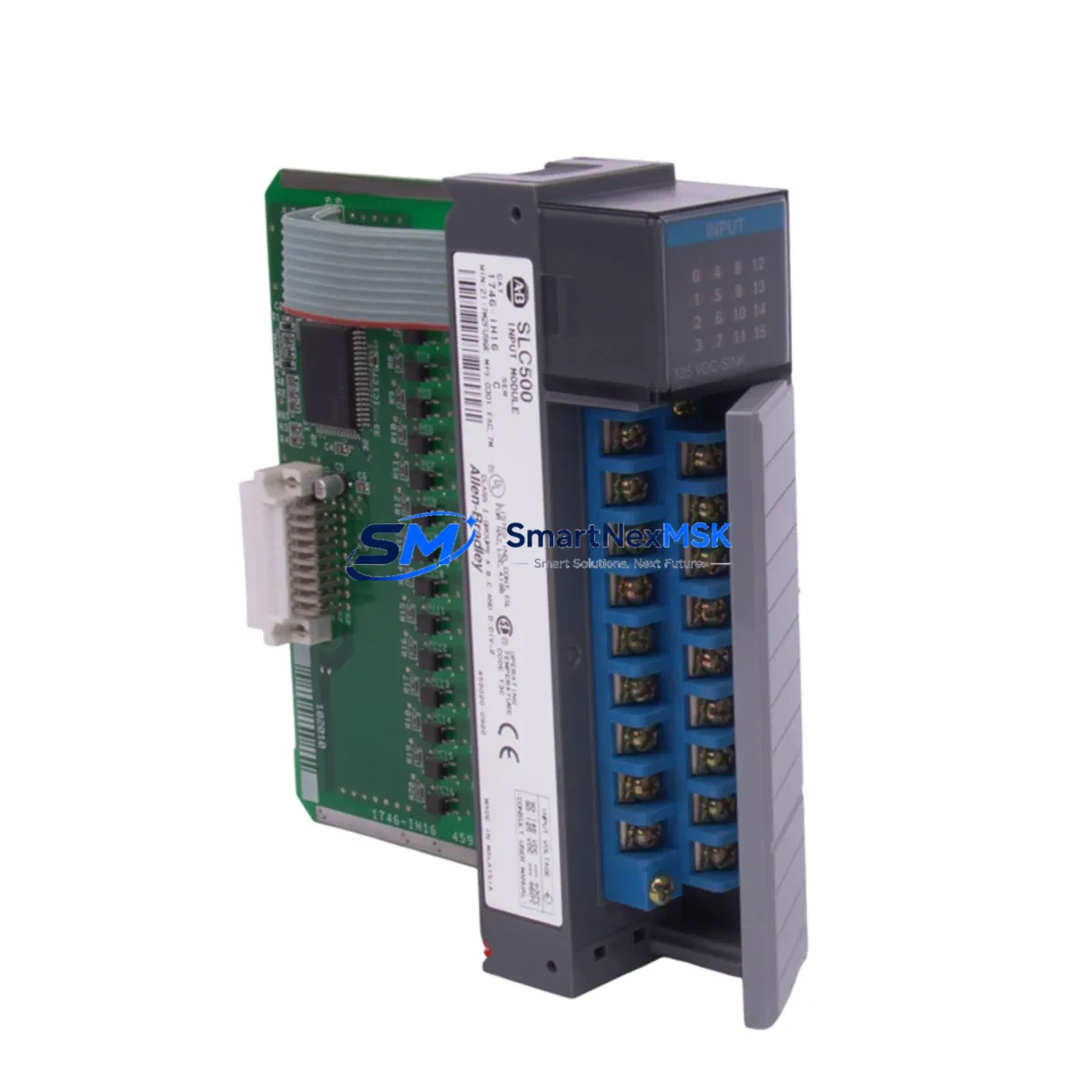
Allen-Bradley 1746-ITV16 Maintenance-Ready Spare SLC 500
The Allen-Bradley 1746-ITV16 is a 16-channel DC input module designed for the SLC 500 modular I/O platform — one of the most widely deployed programmable controller families in discrete manufacturing, material handling, and process automation. As a maintenance-ready original spare, the 1746-ITV16 is sourced, inspected, and tested to ensure drop-in compatibility with existing SLC 500 chassis and backplane configurations. For maintenance engineers managing aging control systems, having a verified replacement on the shelf is the single most effective strategy for minimizing unplanned downtime and accelerating fault recovery.
The 1746-ITV16 accepts 24V DC field signals across 16 isolated input channels, making it suitable for proximity sensors, limit switches, pushbuttons, and discrete field devices commonly found in production lines and conveyor systems. Its compact form factor fits standard 1746 I/O chassis slots, and its LED status indicators per channel allow rapid visual diagnostics during site troubleshooting without requiring a programming terminal. For facilities running SLC 5/03, SLC 5/04, or SLC 5/05 processors, this module remains a critical component in maintaining system continuity and avoiding costly platform migrations.
Every unit shipped by SMARTNEXMSK undergoes functional verification, visual inspection, and burn-in testing prior to dispatch. Each 1746-ITV16 is backed by a 12-month warranty covering manufacturing defects and operational failures under normal industrial use conditions.
Spare Maintenance Table
| Parameter | Specification |
|---|---|
| Part Number / SKU | 1746-ITV16 |
| Brand | Allen-Bradley (Rockwell Automation) |
| Series | SLC 500 Modular I/O |
| Module Type | DC Input Module |
| Number of Input Channels | 16 |
| Input Voltage | 24V DC |
| Input Current (per channel) | Approx. 7 mA at 24V DC |
| ON-State Voltage Range | 15–30V DC |
| OFF-State Voltage Range | 0–5V DC |
| Isolation | Optical isolation, channel-to-backplane |
| Backplane Compatibility | 1746 I/O chassis (4, 7, 10, 13-slot) |
| Processor Compatibility | SLC 5/01, 5/02, 5/03, 5/04, 5/05 |
| Status Indicators | Per-channel LED (green) |
| Operating Temperature | 0°C to 60°C (32°F to 140°F) |
| Relative Humidity | 5–95% non-condensing |
| Mounting | Backplane slot insertion, no tools required |
| Origin | USA |
| Condition | Original, tested, ready to ship |
| Warranty | 12 Months — covers manufacturing defects and operational failure |
Maintenance Planning for Continuous Operation
When a 1746-ITV16 input module fails or is flagged during a scheduled inspection, the fault rarely exists in isolation. Experienced maintenance engineers know that a single module fault often signals broader stress across the control cabinet. Before returning the system to production, a thorough inspection of adjacent components is essential to prevent repeat failures and ensure long-term reliability.
Start with the 1746-P4 or 1746-P7 power supply module — an under-voltage or ripple condition on the 24V DC bus is a common root cause of intermittent input faults. Verify output voltage under load and check for capacitor aging if the power supply has been in service for more than five years. Next, inspect the 1746 I/O chassis backplane for corrosion, bent connector pins, or cracked housing that could cause intermittent slot communication errors.
Review the field wiring connected to the 1746-ITV16 terminal block. Loose or corroded terminals on the 1492 series wiring system — including terminal blocks, fuse holders, and interface modules — are a frequent source of false input signals. If the system uses 1746-OW16 or 1746-OB16 output modules in the same chassis, inspect those simultaneously, as shared power commons and ground loops can affect input signal integrity.
For systems with communication-dependent I/O, check the 1747-SDN DeviceNet Scanner or 1747-KE RS-232 interface module if the SLC 500 is networked. Communication faults can mask or misreport input states. If the installation includes signal isolators or signal conditioners between field sensors and the input module, verify their output voltage levels and response times are within the 1746-ITV16’s ON-state threshold.
HMI panels connected via PanelView 550 or PanelView 600 terminals should be checked for alarm history and input state logs that may reveal the timeline of the fault. Finally, review the 1747-L553 or 1747-L543 SLC 5/05 or 5/04 processor fault table for any I/O configuration errors that may have been triggered by the module replacement. A complete cabinet inspection — covering power, I/O, communications, and field wiring — is the most reliable way to restore confidence in system integrity before resuming production.
Site Replacement Workflow
Replacing the 1746-ITV16 on-site is a straightforward procedure when the correct spare is available and the replacement is approached systematically. Begin by placing the SLC 500 processor in Program mode via the keyswitch or RSLogix 500 software to prevent unintended output activation during the swap. De-energize the I/O chassis power supply and verify zero voltage on the backplane before removing the faulty module.
Label and photograph the field wiring connections on the existing module’s terminal block before disconnecting. The 1746-ITV16 uses a removable terminal block, which allows wiring to be transferred to the replacement module without re-terminating individual conductors — significantly reducing replacement time and the risk of wiring errors. Slide the replacement module into the same chassis slot, ensuring the backplane connector is fully seated, and re-attach the terminal block.
Power up the chassis and return the processor to Run mode. Verify all 16 input channel LEDs reflect the correct field device states. Use RSLogix 500 or RSLogix Micro to monitor the input data file (I-file) in real time and confirm that each channel responds correctly to field signal changes. Document the replacement in the site maintenance log, including the date, replaced part number, and post-replacement test results.
For facilities managing legacy SLC 500 systems where the original 1746-ITV16 is no longer available through standard distribution channels, SMARTNEXMSK maintains long-term inventory of discontinued and hard-to-find Allen-Bradley SLC 500 I/O modules to support extended system life and defer costly platform upgrades.
Spare Parts Support FAQ
Q1: Is the 1746-ITV16 still in production, and how long can I expect spare parts availability?
The 1746-ITV16 has reached end-of-life status in Rockwell Automation’s standard product catalog. However, SMARTNEXMSK maintains verified original stock sourced from authorized channels and legacy inventory. We support long-term supply commitments for facilities that require ongoing access to SLC 500 I/O modules beyond standard distribution availability.
Q2: How is each 1746-ITV16 unit tested before shipment?
Every unit undergoes a multi-stage pre-shipment process: visual inspection for physical damage, backplane connector integrity check, functional power-up test, and per-channel input signal verification. Units that do not pass all stages are quarantined and not shipped. A test report is available upon request for critical applications.
Q3: Can the 1746-ITV16 be used as a direct replacement for other 1746 DC input modules?
The 1746-ITV16 is specifically a 16-channel 24V DC input module. It is compatible with all SLC 500 chassis slots and processors. It is not a direct substitute for AC input modules (such as the 1746-IA16) or analog input modules. Compatibility should always be verified against the existing I/O configuration in RSLogix 500 before installation.
Q4: What does the 12-month warranty cover, and what is the claims process?
The 12-month warranty covers manufacturing defects and operational failures under normal industrial operating conditions. It does not cover damage caused by incorrect installation, overvoltage, or physical mishandling. To initiate a warranty claim, contact [email protected] with the order number, fault description, and site test results. Replacement units are dispatched after fault verification, with priority handling for production-critical applications.
© 2026 SMARTNEXMSK. All rights reserved.
Original Source: https://smartnexmsk.com
Contact: [email protected] | +86 18259474341



