
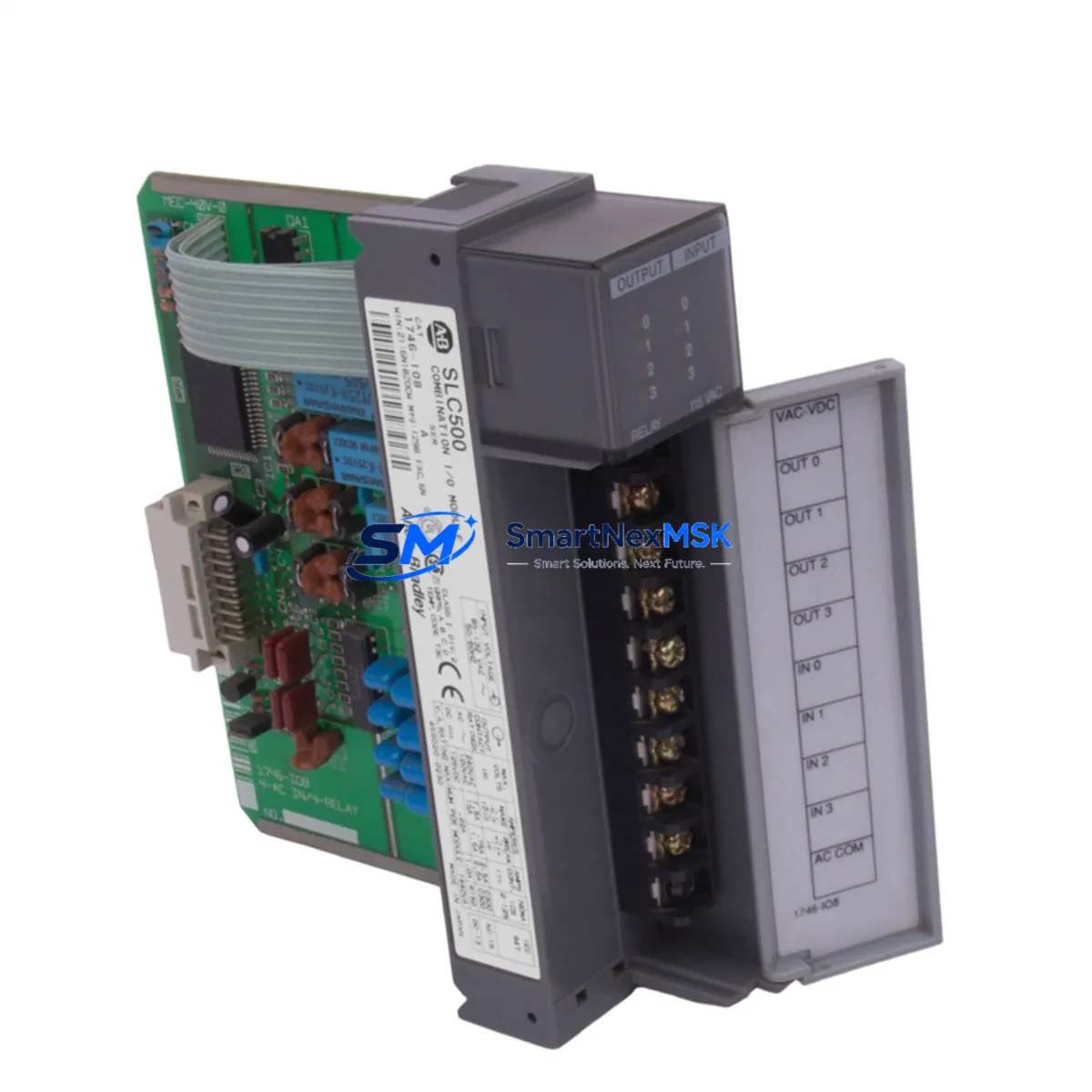
Allen-Bradley 1746-IV32 Retrofit-Ready DC Input Module for SLC 500 Control Systems
The Allen-Bradley 1746-IV32 is a 32-point PNP (sourcing) DC input module designed for the SLC 500 modular chassis platform. As legacy SLC 500 systems approach end-of-life and original spare parts become increasingly scarce, the 1746-IV32 remains one of the most critical retrofit components for engineers tasked with sustaining aging discrete control architectures. Whether you are replacing a failed module in a running production line, upgrading a control cabinet to extend service life, or migrating I/O capacity ahead of a phased MicroLogix or ControlLogix transition, the 1746-IV32 provides a direct, rack-compatible solution that minimizes engineering rework and downtime risk.
Each unit supplied by SMARTNEXMSK undergoes pre-shipment functional verification, including input channel continuity checks, backplane communication handshake validation, and visual inspection of terminal block condition and module locking tabs. All units are covered by a 12-month warranty from date of shipment.
Upgrade Compatibility Table
| Parameter | Detail |
|---|---|
| Module SKU | 1746-IV32 |
| Platform | Allen-Bradley SLC 500 Modular Chassis |
| Compatible Racks | 1746-A4, 1746-A7, 1746-A10, 1746-A13 |
| Input Type | 32-point PNP (sourcing) DC |
| Input Voltage | 10–30V DC |
| Terminal Block | Removable 40-pin screw terminal (field wiring retained on swap) |
| Backplane Interface | SLC 500 parallel backplane — slot-addressed |
| Module Addressing | Slot-based; I:x.0 word map — verify slot assignment in RSLogix 500 before installation |
| Replaces / Compatible With | 1746-IA16, 1746-IB16, 1746-IB32, 1746-IN16 (verify I/O type before substitution) |
| Communication Protocol | SLC 500 backplane (DH-485 / DF1 via 1747-KE or 1747-UIC programming cable) |
| Commissioning Note | Force I/O bits in RSLogix 500 to verify all 32 channels before going live |
| Warranty | 12 Months from shipment date |
Retrofit Planning for Existing Automation Systems
Successful integration of the 1746-IV32 into an existing SLC 500 system requires a structured pre-installation review. Begin by auditing the power budget of the 1746-A7 or 1746-A10 rack — the 1746-P2 or 1746-P4 power supply must have sufficient 5V backplane current headroom to support the additional I/O load. If the rack is already near capacity with analog modules such as the 1746-NI4 or output modules like the 1746-OB32, a power supply upgrade may be necessary before the input module is installed.
Terminal block wiring is a key advantage of the 1746-IV32: the removable 40-pin connector allows field wiring to be disconnected from the failed module and transferred directly to the replacement unit without re-terminating individual conductors. Verify wire labeling against the original panel drawings before transfer, particularly for shared common (COM) terminals used by grouped input circuits.
Slot addressing must be confirmed in the RSLogix 500 project file. The processor — typically a 1747-L532 or 1747-L543 SLC 5/03 or 5/04 CPU — maps each physical slot to an I/O image table address. If the replacement module occupies the same slot as the failed unit, no program changes are required. If the slot position has changed due to rack reconfiguration, update the I/O configuration in RSLogix 500 and perform a full program download via the 1747-UIC USB-to-DH-485 programming cable or a 1747-PIC serial adapter.
For systems that also include a 1747-SDN DeviceNet Scanner or a 1747-SCNR Remote I/O Scanner, confirm that the scanner’s node address table does not conflict with the newly addressed input module. In mixed-protocol cabinets where a 1761-NET-ENI Ethernet adapter bridges the SLC processor to a supervisory SCADA or HMI — such as a PanelView 550 or PanelView Plus 600 — verify that the HMI tag database correctly references the updated I/O addresses after any slot reassignment.
Where the retrofit is part of a broader migration toward a ControlLogix or CompactLogix platform, the 1746-IV32 can serve as a bridge module during a phased cutover. Keeping the SLC 500 rack operational while new 1769-IQ32 CompactLogix input modules are commissioned in parallel allows production to continue without a full system shutdown. This parallel-run strategy is particularly effective in process industries where a single unplanned outage carries significant cost.
Downtime Control During System Migration
Minimizing unplanned downtime during a 1746-IV32 swap begins with preparation before the maintenance window opens. Download and archive the current RSLogix 500 project file — including all rung comments, symbol tables, and force tables — to a secure backup location. Confirm the processor’s operating mode (RUN, PROGRAM, or TEST) and document any active forces or retentive data values that must be preserved across the module replacement.
During the physical swap, power down only the affected rack if the system architecture permits it. In multi-rack SLC 500 configurations using a 1747-SN Remote I/O Scanner, the local rack can often be de-energized while remote racks on the 1771 RIO link continue to operate, preserving partial production continuity. After seating the replacement 1746-IV32 and reconnecting the terminal block, restore rack power and observe the module’s status LED — a solid green indicates normal operation; a flashing red indicates a configuration fault that must be resolved in RSLogix 500 before returning to RUN mode.
Use the RSLogix 500 I/O Force function to individually toggle each of the 32 input channels and confirm field device response before releasing the system to production. Document the commissioning results and update the panel’s as-built drawings to reflect any wiring or addressing changes made during the retrofit. This structured approach consistently reduces total maintenance window duration and eliminates the risk of undocumented changes that cause recurring faults.
Retrofit Support FAQ
Q1: Is the 1746-IV32 a direct drop-in replacement for a failed 1746-IB32?
The 1746-IV32 (PNP/sourcing) and 1746-IB32 (NPN/sinking) are electrically different input types. Before substituting, confirm the field wiring polarity and sensor output type. PNP sensors source current to the input terminal; NPN sensors sink current. Using the wrong module type will result in inputs that do not respond correctly. If your field devices are PNP-output proximity switches or photoelectric sensors, the 1746-IV32 is the correct replacement.
Q2: What programming cable is required to download a revised program after a slot change?
The 1747-UIC USB-to-DH-485 interface cable is the current standard for connecting a laptop running RSLogix 500 to the SLC 5/03 or 5/04 processor’s DH-485 port. Legacy installations may use the 1747-PIC serial cable with a USB-to-RS232 adapter. Ensure the RSLinx Classic driver is configured for the correct COM port and baud rate (typically 19,200 bps for DH-485) before attempting a program download.
Q3: How is pre-shipment testing performed on SMARTNEXMSK-supplied 1746-IV32 modules?
Each 1746-IV32 unit is bench-tested in a live SLC 500 rack prior to shipment. Testing includes backplane communication verification, individual channel input response checks across all 32 points, and visual inspection of the terminal block, module latch, and status LED functionality. A test report is available upon request. All units ship with a 12-month warranty covering manufacturing defects and functional failures under normal operating conditions.
Q4: Can the 1746-IV32 be used in a 1746-A4 four-slot rack alongside a 1747-L20 fixed SLC 500 processor?
The 1746-IV32 is compatible with all SLC 500 modular racks (1746-A4, A7, A10, A13) but is not compatible with SLC 500 fixed (compact) processors such as the 1747-L20, 1747-L30, or 1747-L40, which have integrated I/O and do not accept modular I/O cards. The 1746-IV32 requires a modular SLC 500 processor — 1747-L511, 1747-L514, 1747-L524, 1747-L532, or 1747-L543 — installed in a compatible modular chassis.
© 2026 SMARTNEXMSK. All rights reserved.
Original Source: https://smartnexmsk.com
Contact: [email protected] | +86 18259474341



