
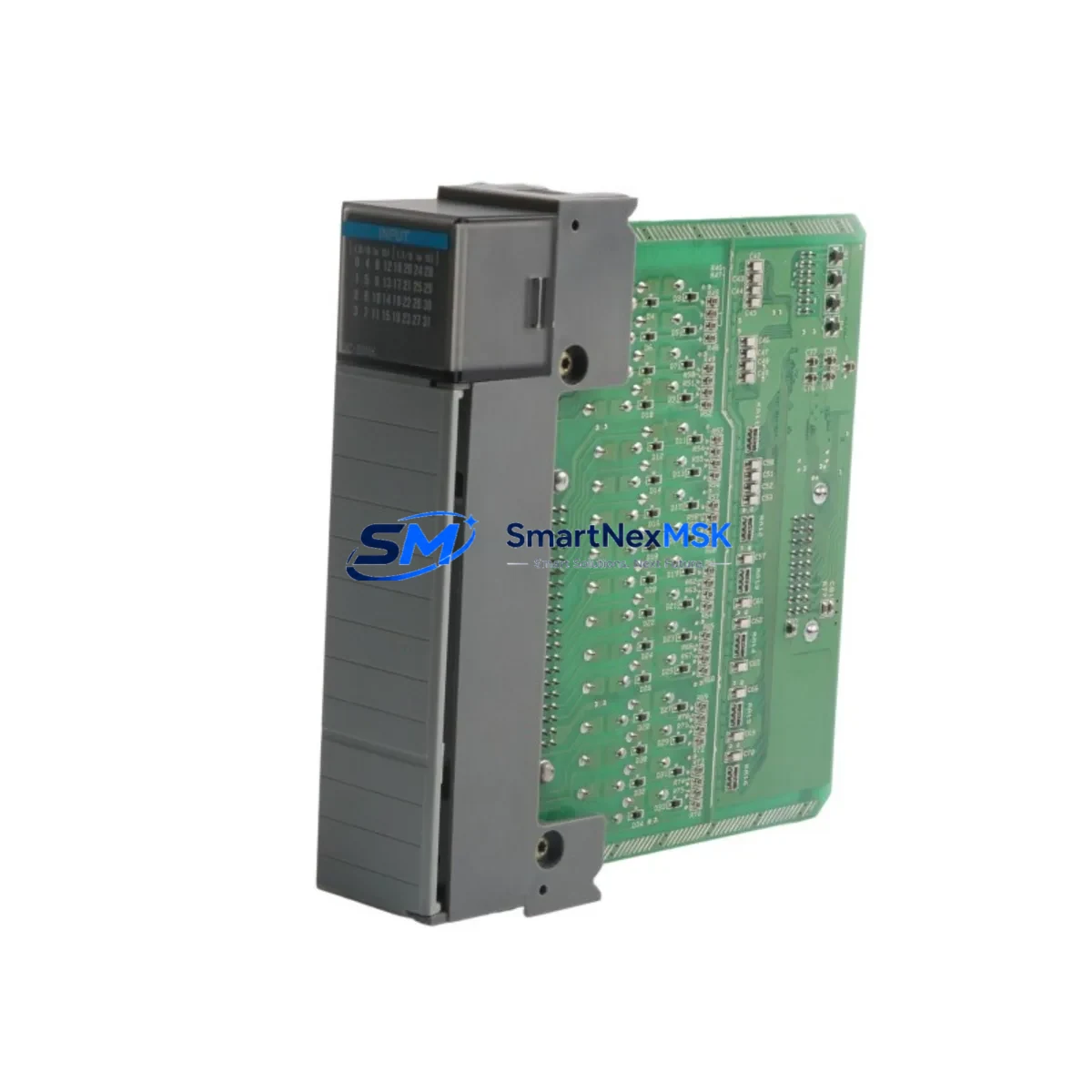
Allen-Bradley 1746-NIO4V Spare for SLC 500 Automation: Reliable Replacement for Continuous Industrial Operation
In any continuous manufacturing or process control environment, unplanned downtime caused by a failed analog I/O module can cascade into hours of lost production, safety interlock failures, and costly emergency maintenance. The Allen-Bradley 1746-NIO4V is a 4-channel combination analog input/output module designed for the SLC 500 modular chassis system, delivering ±10V DC signal range with 16-bit resolution on both input and output channels. For maintenance engineers managing aging SLC 500 control systems in petrochemical plants, water treatment facilities, power generation stations, or continuous manufacturing lines, keeping a verified spare of the 1746-NIO4V on the shelf is not optional — it is a fundamental part of any responsible maintenance strategy.
The 1746-NIO4V occupies a single slot in the SLC 500 modular chassis (1746-A4, 1746-A7, 1746-A10, or 1746-A13) and communicates directly with the SLC 5/03, SLC 5/04, or SLC 5/05 processor via the backplane. Its analog channels are independently configurable, allowing maintenance teams to replace a failed module and restore full I/O mapping without reprogramming the processor or reconfiguring the RSLogix 500 project — provided the replacement module is an original, specification-matched unit. This is precisely why sourcing a genuine 1746-NIO4V from a reliable industrial spare parts supplier matters: counterfeit or non-original modules may pass initial power-on tests but fail under load, temperature cycling, or EMI conditions typical of heavy industrial environments.
Spare Maintenance Table
| Parameter | Specification |
|---|---|
| SKU / Part Number | 1746-NIO4V |
| Brand / Manufacturer | Allen-Bradley (Rockwell Automation) |
| Series | SLC 500 |
| Module Type | Combination Analog Input / Output |
| Analog Input Channels | 2 channels, ±10V DC, 16-bit resolution |
| Analog Output Channels | 2 channels, ±10V DC, 16-bit resolution |
| Input Impedance | ≥ 10 MΩ |
| Output Current Capability | ±10 mA max per channel |
| Backplane Compatibility | SLC 500 modular chassis (1746-A4 / A7 / A10 / A13) |
| Processor Compatibility | SLC 5/03, SLC 5/04, SLC 5/05 |
| Operating Temperature | 0°C to 60°C (32°F to 140°F) |
| Storage Temperature | -40°C to 85°C |
| Relative Humidity | 5% to 95% non-condensing |
| Vibration Resistance | IEC 68-2-6 compliant |
| Chassis Slot Requirement | 1 slot |
| Origin | United States |
| Condition | Original, tested before shipment |
| Warranty | 12-Month Warranty |
Maintenance Planning for Continuous Operation
When a 1746-NIO4V fails in service, the root cause is rarely the module alone. Experienced maintenance engineers know that analog I/O failures in SLC 500 systems are often preceded or accompanied by related issues in the surrounding electrical infrastructure. Before or during a 1746-NIO4V replacement, a thorough inspection of the following components is strongly recommended to prevent repeat failures and ensure long-term system stability.
The 1746-P4 power supply module is the first component to verify. Analog modules are sensitive to power rail noise and voltage sag; a degraded 1746-P4 delivering unstable +5V or +24V backplane power can cause intermittent analog errors that mimic module failure. Alongside the power supply, inspect the 1746-A7 or 1746-A10 chassis backplane for corrosion on the module connector pins, which is a common cause of signal integrity issues in humid or chemically aggressive environments.
Field wiring connected to the 1746-NIO4V’s analog terminals should be checked for insulation degradation, loose terminal connections, and ground loops. In many industrial sites, the 1492-AIFM analog interface module (wiring arm) is used to simplify field wiring to the 1746-NIO4V; if the wiring arm shows signs of heat damage or terminal oxidation, it should be replaced simultaneously with the I/O module. Signal cables running through cable trays near high-voltage drives or contactors should be verified for adequate shielding — unshielded or improperly grounded signal cables are a leading cause of analog drift and noise in SLC 500 systems.
For systems where the 1746-NIO4V interfaces with field transmitters or actuators, inspect the associated signal isolators or signal conditioners in the loop. A failed isolator can inject DC offset or noise into the analog channel, causing the module to report out-of-range values even when the module itself is functional. Similarly, check any 24VDC field power distribution fuses and terminal blocks supplying the transmitters connected to the analog inputs — a blown fuse or high-resistance terminal connection will produce a loss-of-signal fault that appears identical to a module failure.
If the SLC 500 system includes a 1747-SN scanner module or 1747-SDN DeviceNet scanner for distributed I/O, verify that the network communication status is healthy after the module replacement, as some SLC 500 configurations use analog data mapped through the scanner’s I/O image table. Finally, review the SLC 5/04 or SLC 5/05 processor’s fault log in RSLogix 500 for any recurring I/O fault codes (e.g., fault code 0020h or 0021h) that may indicate a systemic backplane or power issue rather than an isolated module failure.
Site Replacement Workflow
Replacing a 1746-NIO4V in a live SLC 500 system requires a structured approach to minimize downtime and avoid configuration errors. The following workflow is recommended for maintenance and reliability engineers:
Step 1 — Pre-replacement documentation: Before removing the failed module, record the current channel configuration (input/output assignment, scaling, filter settings) from the RSLogix 500 project file. Verify that the replacement 1746-NIO4V has the same catalog number and series letter to ensure full hardware compatibility. Note that the 1746-NIO4V Series A and Series B share the same catalog number but may have minor firmware differences; in most SLC 500 applications, both series are interchangeable without software changes.
Step 2 — Safe isolation: Place the SLC 500 processor in Program mode via the keyswitch or RSLogix 500 before removing the module. If the system is part of a safety interlock or emergency shutdown circuit, coordinate with the process control team to ensure the affected loop is placed in a safe manual state before isolation. Remove field wiring from the module terminals or disconnect the 1492-AIFM wiring arm, labeling all conductors for accurate reconnection.
Step 3 — Module installation and verification: Install the replacement 1746-NIO4V into the same chassis slot. Power up the chassis and verify that the module’s green RUN LED illuminates without fault. In RSLogix 500, go online with the processor and verify that the module’s I/O image data is updating correctly. Perform a channel-by-channel signal verification using a calibrated signal source (e.g., a 4–20 mA / 0–10V signal generator) to confirm that all input and output channels are reading and driving within specification before returning the system to automatic operation.
Step 4 — Post-replacement record update: Update the site’s maintenance management system (CMMS) with the replacement date, module serial number, and any observations noted during the replacement. Schedule a follow-up inspection of the power supply and backplane within 30 days to confirm system stability.
Spare Parts Support FAQ
Q1: What is the warranty coverage for the 1746-NIO4V supplied by SMARTNEXMSK?
All 1746-NIO4V modules supplied by SMARTNEXMSK are covered by a 12-month warranty from the date of shipment. Each unit undergoes functional testing prior to dispatch, including power-on verification and channel signal integrity checks. If a module fails within the warranty period under normal operating conditions, SMARTNEXMSK will provide a replacement or full refund. Warranty claims are processed within 5 business days of receiving the returned unit.
Q2: How do I verify compatibility between the 1746-NIO4V and my existing SLC 500 system?
The 1746-NIO4V is compatible with all SLC 500 modular chassis (1746-A4, A7, A10, A13) and is supported by SLC 5/03, SLC 5/04, and SLC 5/05 processors running RSLogix 500. It is not compatible with the SLC 500 fixed hardware platform (e.g., 1747-L20, 1747-L30) or MicroLogix controllers. If you are unsure about compatibility, contact SMARTNEXMSK with your processor catalog number and chassis configuration — our technical team will confirm compatibility before shipment.
Q3: Can SMARTNEXMSK support long-term or recurring supply of the 1746-NIO4V for multi-site maintenance programs?
Yes. SMARTNEXMSK maintains stock of the 1746-NIO4V and other SLC 500 spare modules to support B2B customers with planned maintenance schedules, annual spare parts procurement, and emergency replacement needs. We offer volume pricing for multi-unit orders and can provide advance shipment agreements for customers managing large SLC 500 installed bases across multiple facilities. Contact our sales team to discuss a long-term supply arrangement.
Q4: What pre-shipment testing is performed on each 1746-NIO4V?
Each 1746-NIO4V is tested for power-on functionality, backplane communication integrity, and analog channel signal accuracy before shipment. Modules that do not pass all test criteria are quarantined and not shipped. A test report is available upon request for customers requiring documentation for incoming inspection or quality management system (QMS) records.
© 2026 SMARTNEXMSK. All rights reserved.
Original Source: https://smartnexmsk.com
Contact: [email protected] | +86 18259474341



