
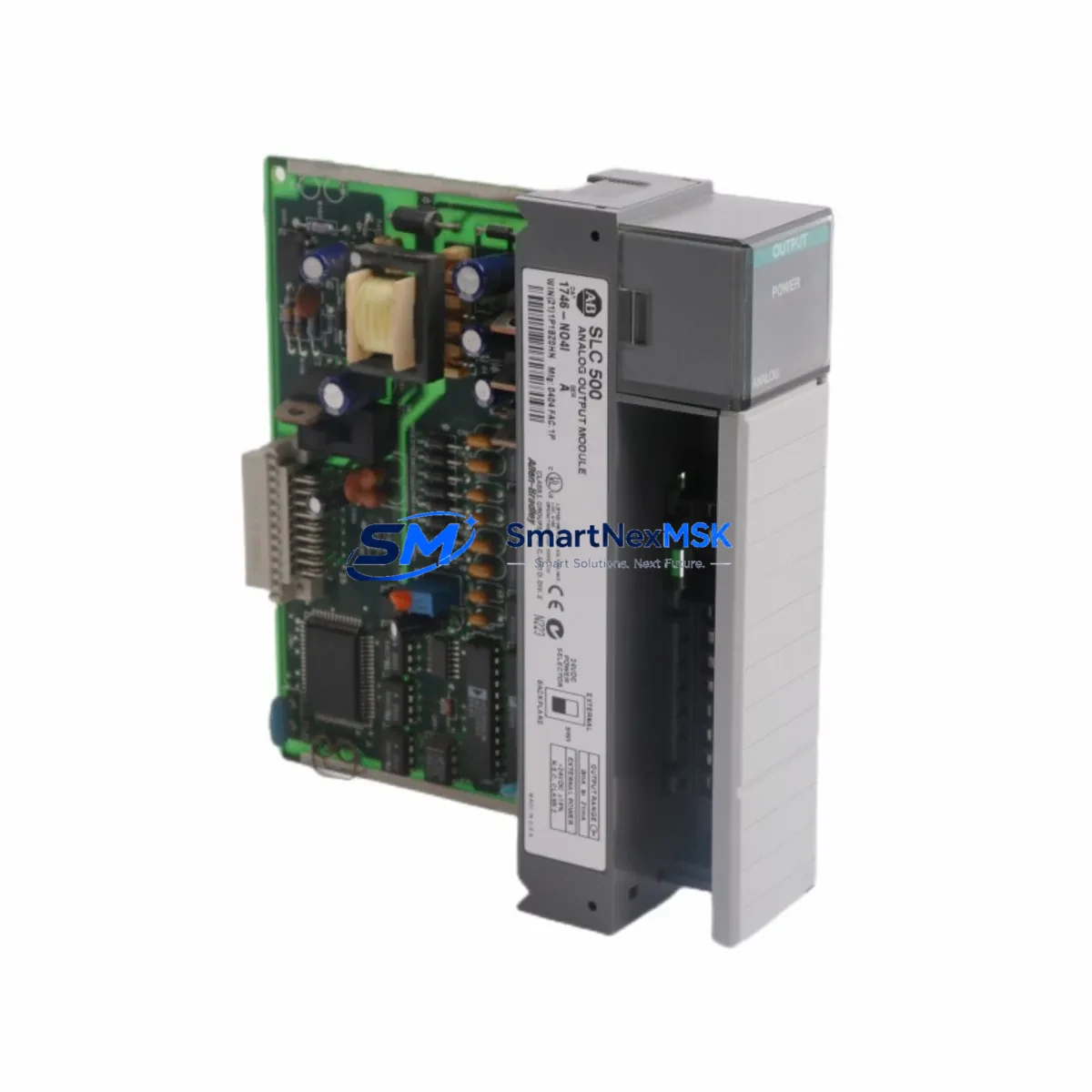
Allen-Bradley 1746-NO4I Spare for SLC 500 Automation
The Allen-Bradley 1746-NO4I is a 4-channel current-sourcing analog output module designed for the SLC 500 modular chassis platform. As a maintenance-ready spare, it enables rapid slot-for-slot replacement in production environments where unplanned downtime carries significant operational cost. Whether you are managing a planned shutdown, responding to a field fault, or building a strategic spare parts buffer, the 1746-NO4I delivers verified compatibility with the SLC 5/03, SLC 5/04, and SLC 5/05 processors and the full range of 1746 I/O chassis configurations.
Each unit shipped by SMARTNEXMSK undergoes pre-shipment functional testing covering output channel integrity, current loop calibration, and backplane communication verification. Units are supplied with a 12-month warranty covering manufacturing defects and operational failures under normal industrial service conditions. Packaging is ESD-safe and suitable for long-distance freight, ensuring the module arrives in field-ready condition.
Spare Maintenance Table
| Parameter | Specification |
|---|---|
| Part Number / SKU | 1746-NO4I |
| Brand | Allen-Bradley (Rockwell Automation) |
| Series | SLC 500 |
| Module Type | Analog Output — Current Sourcing |
| Number of Channels | 4 (independent, isolated) |
| Output Range | 4–20 mA (standard industrial loop) |
| Resolution | 12-bit (0–4095 counts) |
| Load Impedance (max) | 750 Ω per channel |
| Backplane Compatibility | 1746 SLC 500 modular chassis (4, 7, 10, 13 slot) |
| Processor Compatibility | SLC 5/03, SLC 5/04, SLC 5/05 |
| Power Consumption | 120 mA @ 5 VDC (backplane); 4 A @ 24 VDC (field side) |
| Operating Temperature | 0 °C to 60 °C |
| Relative Humidity | 5–95% non-condensing |
| Installation | Slot-based, no tools required; configure via RSLogix 500 |
| Certifications | UL Listed, CE Marked, CSA Certified |
| Country of Origin | United States |
| Warranty | 12 Months — Functional guarantee, tested before shipment |
Maintenance Planning for Continuous Operation
When a 1746-NO4I analog output module fails or is flagged during a scheduled inspection, experienced maintenance engineers know that the fault rarely exists in isolation. A systematic approach to spare parts management and control cabinet inspection is essential to avoid repeat failures and ensure a clean return to service.
Begin by verifying the integrity of the 1746 chassis backplane itself — a damaged backplane connector or cracked slot can cause intermittent faults that mimic module failure. Inspect the 1746-P4 or 1746-P2 power supply module for output voltage stability; a sagging 5 VDC or 24 VDC rail will degrade analog output accuracy and can permanently damage replacement modules if not corrected before installation.
On the field wiring side, check the terminal block assemblies connected to the 1746-NO4I output channels. Loose or corroded terminals in a 4–20 mA current loop introduce resistance that shifts calibration and triggers nuisance alarms at the receiving instrument — typically a control valve positioner, variable frequency drive (VFD) speed reference input, or process transmitter. If the loop includes a signal isolator or loop-powered barrier, verify its output range and load budget before commissioning the replacement module.
For systems running mixed I/O, also inspect adjacent modules in the same chassis: the 1746-NI4 or 1746-NI8 analog input modules share the same backplane power budget and are subject to similar aging patterns. If the cabinet has been in service for more than five years, consider scheduling a concurrent inspection of the 1746-OB16 or 1746-OW16 digital output modules and any installed 1746-BAS or 1746-HSTP1 specialty modules.
Communication health should also be confirmed. If the SLC 500 system uses a 1747-SDN DeviceNet Scanner or a 1747-KE RS-232 Interface Module for SCADA connectivity, verify that the network is stable and that the processor is not generating communication fault codes that could mask the true source of the analog output anomaly. For systems with a PanelView 550 or PanelView 600 HMI connected via DH-485, confirm that the HMI is correctly reflecting the analog output values after module replacement and configuration download.
Finally, review the fuse protection on the 24 VDC field power circuit feeding the 1746-NO4I output channels. A blown or weakened fuse is a common root cause of apparent module failure and should be replaced as a matter of course during any analog output maintenance event.
Site Replacement Workflow
Replacing the 1746-NO4I in a live SLC 500 system follows a structured sequence to minimize downtime and avoid configuration loss:
- Document current configuration: Before powering down, use RSLogix 500 to upload and save the current processor program, including the I/O configuration file (I/O tree) and any analog scaling rungs referencing the output module’s slot address.
- De-energize and isolate: Place the SLC 500 processor in Program mode. Disconnect field wiring from the 1746-NO4I terminal block, labeling each wire by channel number. Remove the module from the chassis slot.
- Inspect and clean: Examine the vacated slot for debris, corrosion, or bent backplane pins. Clean with dry compressed air if necessary.
- Install replacement module: Seat the new 1746-NO4I firmly into the same slot. Reconnect field wiring per the original labeling. Verify terminal torque to manufacturer specification (typically 0.5–0.6 N·m).
- Download and verify: Download the saved program to the processor. Switch to Run mode. Monitor the analog output channels in RSLogix 500 online mode to confirm correct scaling and loop current values at the field instruments.
- Functional test: Command each output channel through its full 4–20 mA range from the HMI or SCADA system and verify response at the connected actuator or drive.
This workflow is compatible with hot-standby SLC 500 configurations and can typically be completed within 30–60 minutes by a qualified maintenance technician, significantly reducing mean time to repair (MTTR) compared to sourcing a replacement module on an emergency basis.
Spare Parts Support FAQ
Q1: Is the 1746-NO4I still available as a new original spare, or only as refurbished stock?
SMARTNEXMSK supplies the 1746-NO4I as original Allen-Bradley stock sourced through authorized industrial distribution channels. Each unit is individually tested before shipment. Condition and production date are disclosed upon request prior to order confirmation.
Q2: How do I verify compatibility with my existing SLC 500 chassis and processor revision?
The 1746-NO4I is compatible with all SLC 500 modular chassis (4, 7, 10, and 13-slot) and all SLC 5/03, 5/04, and 5/05 processor series. Compatibility is determined by chassis type and RSLogix 500 software version, not processor firmware revision. If you are running an older SLC 5/02 fixed controller, please contact us to confirm compatibility before ordering.
Q3: What does the 12-month warranty cover, and how is a warranty claim processed?
The 12-month warranty covers functional failure under normal industrial operating conditions, including backplane communication faults, output channel failure, and calibration drift beyond published specifications. To initiate a claim, contact [email protected] with your order number and a description of the fault. SMARTNEXMSK will arrange return shipping and provide a replacement or full refund within the warranty period.
Q4: Can SMARTNEXMSK support long-term or blanket purchase orders for SLC 500 spare parts?
Yes. SMARTNEXMSK supports long-term supply agreements for SLC 500 components, including the 1746-NO4I and related modules. Blanket orders with scheduled releases are available for maintenance departments managing aging SLC 500 installations. Contact our sales team to discuss volume pricing, lead times, and inventory reservation options.
© 2026 SMARTNEXMSK. All rights reserved.
Original Source: https://smartnexmsk.com
Contact: [email protected] | +86 18259474341



