
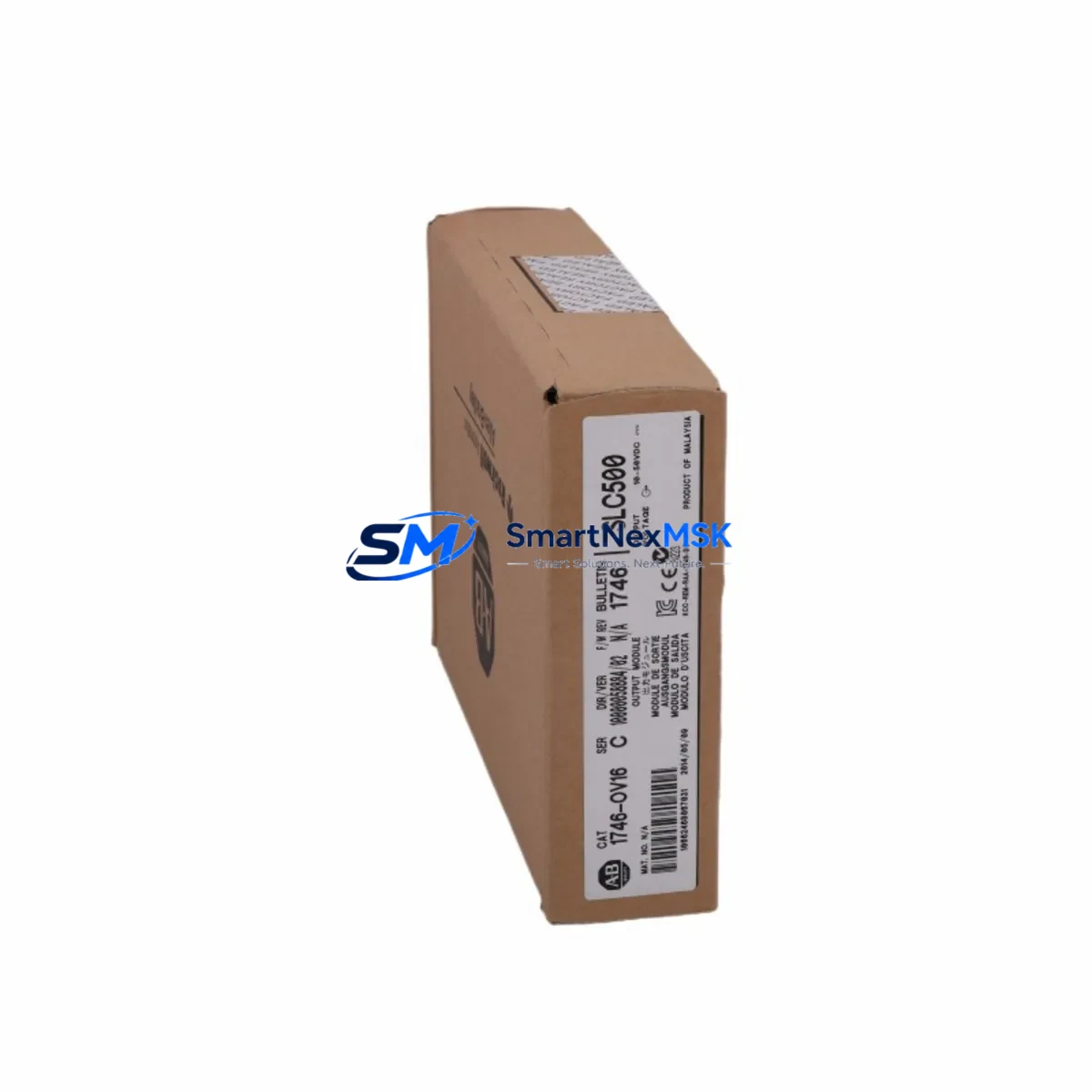
Allen-Bradley 1746-OV16 Retrofit-Ready DC Output for SLC 500 Control Systems
The Allen-Bradley 1746-OV16 is a 16-point DC sourcing output module engineered for the SLC 500 modular control platform. As legacy SLC 500 systems approach end-of-life and spare parts become increasingly scarce, the 1746-OV16 remains one of the most sought-after retrofit components for engineers tasked with sustaining existing production lines, upgrading aging control cabinets, or executing a phased migration to newer platforms. SMARTNEXMSK maintains verified stock of the 1746-OV16, fully tested and backed by a 12-month warranty, ready for immediate dispatch to global industrial sites.
Each 1746-OV16 module occupies a single slot in the SLC 500 modular chassis — compatible with the 1746-A4, 1746-A7, 1746-A10, and 1746-A13 rack assemblies. The module delivers 16 individually fused DC sourcing outputs rated at 10–50 VDC, with a maximum current of 1A per point and 8A per common group. Before installation, engineers should verify that the existing 1746-P2 or 1746-P4 power supply has sufficient current headroom to support the additional I/O load, particularly in high-density chassis configurations where multiple analog and digital modules share the same backplane bus.
Terminal wiring on the 1746-OV16 follows the standard SLC 500 removable terminal block convention, which simplifies field replacement without rewiring the entire panel. When swapping a failed module, technicians should photograph the existing wiring layout, remove the terminal block as a single assembly, and transfer it directly to the replacement unit — significantly reducing the risk of miswiring and cutting replacement time to under 30 minutes in most installations. Confirm that field device load currents do not exceed the per-point rating before re-energizing the output circuit.
Upgrade Compatibility Table
| Parameter | 1746-OV16 Specification | Retrofit Notes |
|---|---|---|
| Output Type | DC Sourcing (PNP), 16 Points | Verify field devices accept sourcing outputs; NPN loads require 1746-OB16 instead |
| Output Voltage Range | 10–50 VDC | Compatible with 24 VDC standard field wiring; confirm supply voltage tolerance |
| Current per Point | 1A max | Derate for high-cycle solenoid or relay loads; add suppression diodes if needed |
| Chassis Compatibility | 1746-A4 / A7 / A10 / A13 | Slot assignment must match RSLogix 500 I/O configuration; update slot addressing after swap |
| Power Supply Compatibility | 1746-P2 / P4 / P7 | Verify available current budget on backplane before adding modules |
| Communication Interface | SLC 500 Backplane Bus | No additional communication module required; module is addressed via chassis slot number |
| Replacement for | 1746-OV16 (same series), discontinued variants | Direct drop-in; no program changes required if slot address is preserved |
| Programming Software | RSLogix 500 / RSLogix Micro | Verify I/O configuration file matches module type after replacement |
| Commissioning Check | Force output test via RSLogix 500 | Use I/O Force function to verify each output point before returning to AUTO mode |
| Warranty | 12-Month Warranty | Covered from date of shipment; includes DOA replacement and functional test certificate |
Retrofit Planning for Existing Automation Systems
A successful 1746-OV16 retrofit begins well before the module arrives on site. Start by auditing the full SLC 500 chassis configuration: document every occupied slot, the module type installed, and the I/O address assigned in the RSLogix 500 project file. In a typical SLC 500 control cabinet, the 1746-OV16 coexists with analog input modules such as the 1746-NI4 or 1746-NI8, analog output modules like the 1746-NO4I, and digital input modules including the 1746-IV16 or 1746-IB16. Each of these modules draws current from the shared backplane, so a power budget review using the 1746-P4 power supply’s load calculation worksheet is essential before adding or replacing any module.
For sites running DeviceNet or DH-485 communication networks, the 1746-OV16 itself does not participate in the network — it is addressed purely through the SLC 500 backplane. However, if the retrofit is part of a broader migration that includes replacing a 1747-SDN DeviceNet scanner or upgrading a 1747-KE DH-485/RS-232 interface module, those changes must be coordinated with the I/O module swap to avoid address conflicts. Similarly, if the control system includes a PanelView 550 or PanelView 600 HMI communicating over DH-485, verify that the HMI screen tags referencing output addresses remain valid after the module replacement — a slot shift caused by inserting or removing an adjacent module will invalidate all downstream I/O addresses.
In multi-rack SLC 500 configurations using a 1746-A10 or 1746-A13 expansion chassis connected via a 1746-C9 or 1746-C16 expansion cable, confirm that the remote chassis I/O addressing is correctly reflected in the RSLogix 500 I/O configuration. The 1746-OV16 in a remote rack must be assigned the correct rack number and slot group in the processor’s I/O configuration table. Failure to update this mapping after a module swap is one of the most common causes of post-retrofit faults. Always perform a full I/O configuration comparison between the online processor file and the physical chassis layout before going live.
Downtime Control During System Migration
Minimizing unplanned downtime during a 1746-OV16 replacement requires a structured pre-outage preparation protocol. Before taking the system offline, upload the current RSLogix 500 program from the SLC 5/04 or SLC 5/05 processor to a laptop using a 1747-UIC USB-to-DH-485 programming cable, and save a timestamped backup. Verify that the backup file opens correctly and that the I/O configuration matches the physical chassis. This step protects against data loss if the processor battery has degraded — a common issue in systems that have been running continuously for more than five years.
During the physical swap, power down the chassis using the 1746-P4 power supply’s main disconnect rather than removing the module under power. The SLC 500 backplane does not support hot-swap on standard digital I/O modules, and removing the 1746-OV16 under power risks corrupting the processor’s I/O table and triggering a major fault. Once the replacement module is seated and the terminal block is reconnected, power up the chassis and allow the processor to complete its self-test sequence. If the processor enters a fault state, use RSLogix 500 to read the fault code and clear it before switching to RUN mode.
For critical production lines where even a 30-minute outage is unacceptable, consider pre-staging a tested spare 1746-OV16 in the control cabinet with the terminal block pre-wired and labeled. SMARTNEXMSK can supply pre-tested modules with a functional test certificate, reducing on-site commissioning time to a simple swap-and-verify procedure. All modules are shipped with anti-static packaging and include a 12-month warranty covering both DOA failures and in-service defects discovered within the warranty period.
Retrofit Support FAQ
Q: Is the 1746-OV16 a direct drop-in replacement for a failed module of the same part number?
A: Yes. The 1746-OV16 is a direct slot-for-slot replacement within any SLC 500 modular chassis. No program changes are required provided the replacement module occupies the same chassis slot as the original. Confirm the I/O configuration in RSLogix 500 shows the correct module type for that slot before returning the processor to RUN mode.
Q: What wiring checks should be performed before powering up the replacement module?
A: Verify that the removable terminal block is fully seated and that all field wiring connections are tight. Check that the DC supply voltage at the output common terminals is within the 10–50 VDC rated range. Confirm that no output point is shorted to ground before energizing. Use the RSLogix 500 I/O Force function to test each output point individually before switching the processor to automatic control.
Q: Can the 1746-OV16 be used in an SLC 500 fixed chassis system?
A: No. The 1746-OV16 is designed exclusively for the SLC 500 modular chassis family (1746-A4, A7, A10, A13). Fixed SLC 500 controllers such as the SLC 5/01 fixed unit have integrated I/O and do not accept modular expansion modules of this type.
Q: What does the 12-month warranty cover, and how is a warranty claim processed?
A: The 12-month warranty covers manufacturing defects, functional failures under normal operating conditions, and DOA (dead-on-arrival) units. To initiate a claim, contact SMARTNEXMSK at [email protected] with the order number, a description of the fault, and any fault codes observed. Replacement units are dispatched within 3 business days of claim approval. The warranty period begins from the date of shipment.
© 2026 SMARTNEXMSK. All rights reserved.
Original Source: https://smartnexmsk.com
Contact: [email protected] | +86 18259474341



