
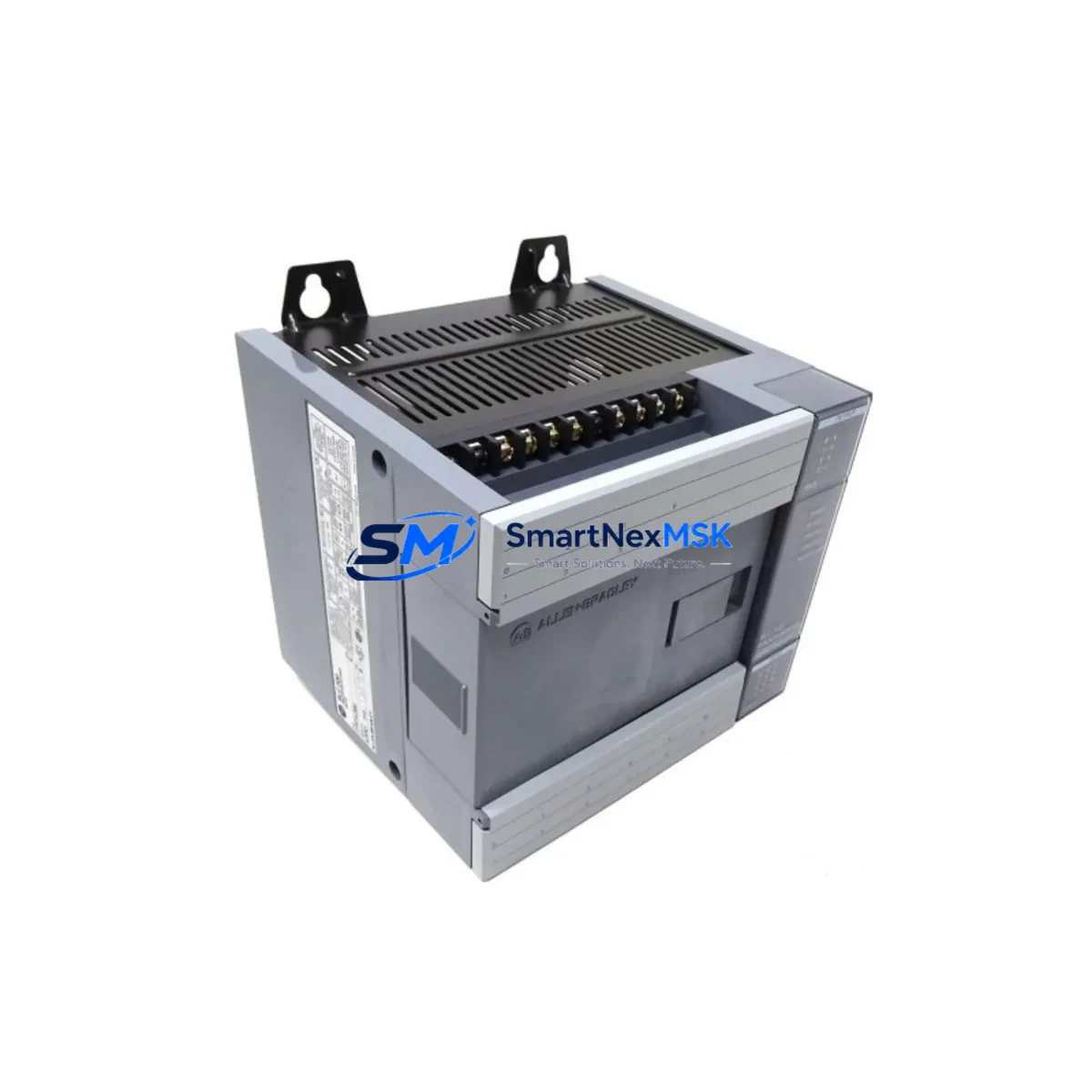
Allen-Bradley 1747-L20C Retrofit-Ready Processor for SLC 500 Control Systems
The Allen-Bradley 1747-L20C is a fixed-chassis SLC 500 processor module designed for small-to-mid-scale discrete control applications. As original equipment reaches end-of-life and OEM support is discontinued, the 1747-L20C has become one of the most sought-after retrofit and replacement components in legacy automation environments. Whether you are restoring a failed control cabinet, migrating from an older SLC 5/01 or SLC 5/02 platform, or consolidating I/O across a multi-rack system, this processor provides a reliable, cost-effective path to system continuity without a full PLC platform overhaul.
Our inventory of the 1747-L20C is sourced from verified industrial channels, fully inspected, and function-tested prior to shipment. Each unit ships with a 12-month warranty covering hardware defects and operational failures under normal industrial use conditions. We maintain stock to support urgent replacement scenarios, including unplanned downtime events where lead time from the OEM is no longer viable.
Upgrade Compatibility Table
| Parameter | Details |
|---|---|
| Compatible Platform | Allen-Bradley SLC 500 Fixed Chassis (1746 series) |
| Replaces / Upgrades From | 1747-L20, 1747-L20A, 1747-L20B (SLC 5/01 variants) |
| Processor Type | SLC 5/02, Fixed I/O, 4K user memory |
| Communication Port | RS-232 DH-485 (Channel 0); compatible with 1747-PIC and 1747-UIC programming cables |
| Backplane Interface | 1746 fixed chassis backplane; not compatible with modular 1746-A4/A7/A10 racks without chassis change |
| Power Supply Compatibility | Requires 1746-P1, 1746-P2, or 1746-P4 power supply; verify VA rating before swap |
| Programming Software | RSLogix 500 (v6.0+) or RSLogix Micro; ACD/RSS file formats supported |
| Installation Requirement | Module address must be re-confirmed after chassis swap; I/O configuration re-download required |
| Retrofit Recommendation | Direct drop-in for same-chassis replacements; verify I/O map and rung addressing before go-live |
| Warranty | 12-Month Hardware Warranty — covers defects and operational failures under normal industrial use |
Retrofit Planning for Existing Automation Systems
Replacing the 1747-L20C within an existing SLC 500 control cabinet requires a structured pre-swap checklist to avoid configuration drift and unplanned downtime. Before removing the original processor, engineers should back up the current program using RSLogix 500 or RSLogix Micro via the 1747-UIC USB-to-DH-485 programming cable. Confirm that the backup file includes all data table values, PID configurations, and any subroutine files (SBR/RET) that may be referenced by the main ladder logic.
Power supply capacity is a critical verification step. The 1746-P2 (24 VDC, 5A backplane) and 1746-P4 (120/240 VAC, 10A backplane) are the most common supplies found in SLC 500 fixed chassis installations. If the existing chassis is running near its VA limit due to added 1746-IB16 input modules or 1746-OB16 output modules, a power budget recalculation is mandatory before installing the replacement processor. Overloading the backplane supply is a leading cause of intermittent faults in retrofitted systems.
Terminal wiring on the fixed chassis I/O does not change during a processor swap, but field wiring documentation should be verified against the current I/O map. Any 1746-NI4 analog input modules or 1746-NO4I analog output modules in the chassis must have their scaling parameters re-confirmed after the program download, as data table initialization can reset analog configuration words to default values.
For systems that include DH-485 network communication — for example, linking the SLC 500 to a PanelView 550 or PanelView 600 HMI terminal — the node address of the replacement 1747-L20C must be set to match the original processor’s network node before reconnecting the communication cable. Failure to match the node address will cause the HMI to lose its data link, requiring a full HMI screen re-tag or communication parameter update in PanelView Builder or FactoryTalk View ME.
In multi-rack configurations where the SLC 500 fixed chassis communicates with a remote I/O rack via a 1747-SN Scanner Module or interfaces with a 1747-SDN DeviceNet Scanner for distributed field devices, the scanner configuration files must be re-downloaded separately after the processor replacement. These scanner modules maintain their own configuration memory, but the processor’s I/O image table mapping must be verified to ensure correct data exchange between the scanner and the new processor’s data files.
Systems that include a 1746-BAS BASIC module for custom serial communication routines or a 1747-AIC Advanced Interface Converter for isolated DH-485 segments should be tested independently after the processor swap to confirm that the BASIC program execution and AIC pass-through behavior remain consistent with the original system design.
Downtime Control During System Migration
Minimizing production downtime during a 1747-L20C replacement begins with pre-staging. Before the maintenance window opens, the replacement processor should be bench-tested with a copy of the production program loaded and verified in offline simulation mode using RSLogix 500. This confirms that the program compiles without errors on the new hardware revision and that all data file structures are intact.
During the swap window, the sequence should follow: (1) controlled shutdown of the process, (2) program backup from the original processor via the 1747-UIC cable, (3) physical module swap with ESD precautions, (4) program download to the replacement unit, (5) I/O forcing verification on critical output channels before returning to RUN mode, and (6) HMI communication link confirmation. For systems with a 1746-BAS module or active 1747-SDN DeviceNet scanner, those subsystems should be brought online last and verified independently.
Where the original processor’s battery-backed data table contains critical setpoints or accumulated values (timers, counters, PID tuning parameters), these values should be documented manually or exported via RSLogix 500’s data monitor export function before the swap. The replacement 1747-L20C ships with a fresh battery, but data table retention is not guaranteed across a cold power cycle without a prior program download.
For facilities with a spare parts program, we recommend maintaining at least one tested 1747-L20C unit on the shelf alongside a current program backup. Given the discontinuation status of this product line, sourcing lead times from the open market can range from days to weeks depending on global inventory levels. Our stock is available for immediate shipment, with same-day dispatch available for orders confirmed before the daily cut-off.
Retrofit Support FAQ
Q1: Is the 1747-L20C a direct drop-in replacement for the 1747-L20A or 1747-L20B?
In most fixed-chassis SLC 500 installations, yes. The 1747-L20C is mechanically and electrically compatible with the same 1746 fixed chassis backplane used by earlier L20A and L20B variants. However, firmware revision differences may affect certain advanced instruction behaviors. We recommend a full program verification in RSLogix 500 before returning the system to production. Our technical team can assist with pre-shipment configuration checks upon request.
Q2: What programming cable and software are required to download a program to the 1747-L20C?
The 1747-L20C uses a DH-485 serial port (Channel 0, RS-232). The recommended programming interface is the 1747-UIC USB-to-DH-485 converter, used with RSLogix 500 or RSLogix Micro software. The 1747-PIC serial programming cable is also compatible for systems with a legacy RS-232 COM port. Ensure the driver (RSLinx Classic) is configured for the correct communication path before attempting a program download.
Q3: Will my existing HMI screens and PanelView tags work after the processor replacement?
Yes, provided the replacement 1747-L20C is configured with the same DH-485 node address as the original unit and the program download preserves the original data file structure. PanelView 550 and PanelView 600 terminals communicate via DH-485 node addressing and data file tag references — as long as these remain unchanged, no HMI re-configuration is required. If the node address was changed during the swap, update the HMI communication settings in PanelView Builder accordingly.
Q4: What does the 12-month warranty cover, and what is the return process?
Our 12-month warranty covers hardware defects and operational failures under normal industrial operating conditions, including temperature, vibration, and electrical environment specifications defined in the Allen-Bradley SLC 500 hardware manual. It does not cover damage resulting from incorrect installation, overvoltage events, or physical impact. To initiate a warranty claim, contact our sales team with the order reference and a description of the fault. We will arrange return shipping and provide a tested replacement unit with priority dispatch to minimize your system downtime.
© 2026 SMARTNEXMSK. All rights reserved.
Original Source: https://smartnexmsk.com
Contact: [email protected] | +86 18259474341



