
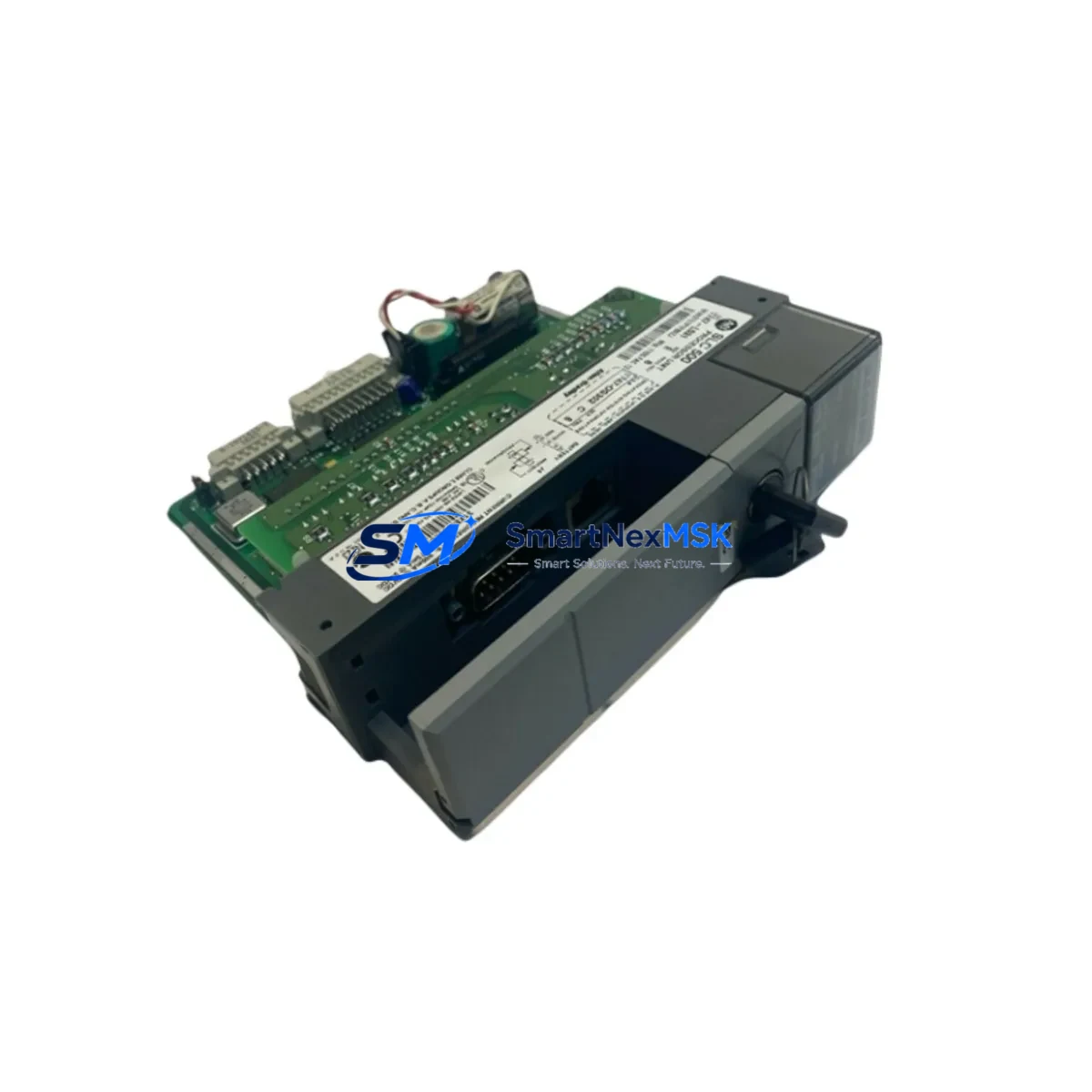
Allen-Bradley 1747-L531/E Spare for SLC 500 Automation: Spare Replacement & Industrial Downtime Risk Control
The Allen-Bradley 1747-L531/E is a fixed-memory SLC 500 series processor module widely deployed in discrete manufacturing, material handling, and process control systems across North America and Asia-Pacific. As legacy SLC 500 platforms continue to operate well beyond their original design life, maintaining a verified, tested spare of the 1747-L531/E is a critical element of any industrial maintenance strategy. Unplanned processor failure in an SLC 500 rack can halt an entire production line within seconds. Having an original, pre-tested replacement on the shelf reduces mean time to repair (MTTR) from days to hours — or even minutes.
This unit is sourced as an original Allen-Bradley component, inspected and functionally tested prior to shipment, and backed by a 12-month warranty. It is suitable for direct replacement in existing SLC 500 control systems without hardware modification, provided the firmware revision and memory configuration are verified against the target application program.
Spare Maintenance Table
| Parameter | Specification / Detail |
|---|---|
| Part Number / SKU | 1747-L531/E |
| Brand | Allen-Bradley (Rockwell Automation) |
| Series | SLC 500 |
| Product Type | PLC Processor Module |
| User Memory | 8K Words |
| I/O Capacity | Up to 4096 I/O points (local + remote) |
| Communication Port | RS-232 (DH-485 compatible) |
| Power Supply Compatibility | SLC 500 modular chassis (1746-Pxxx series) |
| Operating Temperature | 0°C to 60°C |
| Mounting | SLC 500 modular chassis slot 0 |
| Origin | USA |
| Compatibility | SLC 5/03 processor family; 1746 chassis series |
| Maintenance Recommendation | Replace battery (1747-BA) at scheduled intervals; verify DH-485 network integrity after swap |
| Pre-Shipment Testing | Functional power-on and communication test performed |
| Warranty | 12 Months from date of shipment |
Maintenance Planning for Continuous Operation
When a maintenance or procurement engineer plans a replacement of the 1747-L531/E processor, the scope of inspection should extend beyond the processor module itself. A processor swap in an SLC 500 system is an opportunity to audit the entire control cabinet for aging or marginal components that could trigger the next unplanned outage.
Begin with the 1746-P4 or 1746-P7 power supply module — the most common failure point in aging SLC 500 racks. A processor that powers up correctly on the bench may fail intermittently in the field if the rack power supply is delivering marginal voltage under load. Inspect output voltage rails and replace the power supply if it is more than 8–10 years old or shows signs of capacitor bulge.
Next, audit the 1746-IB16 and 1746-OB16 digital I/O modules installed in the same chassis. Worn output transistors or degraded input optocouplers can cause intermittent faults that are misdiagnosed as processor errors. If the system has been running in a high-cycle environment, consider stocking one spare I/O module per critical slot.
For systems using 1746-NI4 or 1746-NI8 analog input modules, verify signal accuracy and channel isolation after the processor swap. Analog modules are sensitive to ground loops introduced during maintenance work, and a processor replacement is a common trigger for latent analog faults to surface.
Check the 1747-SDN DeviceNet Scanner or 1747-KE DH-485 to RS-232 Interface if the system uses distributed I/O or communicates with upstream SCADA or HMI platforms. Communication module firmware should be verified for compatibility with the replacement processor revision. A mismatch in firmware between the 1747-L531/E and the network scanner can cause node dropouts or scan list errors after restart.
Inspect all terminal blocks and wiring harnesses in the I/O section of the cabinet. Loose field wiring is a leading cause of post-maintenance faults. Torque all terminal screws to specification and verify continuity on critical signal circuits before returning the system to service.
If the system includes a PanelView 300 or PanelView 550 HMI communicating via DH-485, test the HMI communication link after the processor swap. HMI tag databases tied to specific processor memory addresses may require re-verification if the replacement unit has a different firmware revision.
For systems with 1746-BAS BASIC module or 1747-SN Remote I/O Scanner, confirm that the remote I/O rack configuration and baud rate settings are preserved in the replacement processor’s program. These parameters are stored in the processor program file and must be downloaded correctly from RSLogix 500 before the system is restarted.
Finally, replace the 1747-BA lithium battery as a matter of course whenever the processor is swapped. A fresh battery ensures program and data retention during power interruptions and eliminates battery-low faults in the first weeks of operation after the repair.
Site Replacement Workflow
Step 1 — Program Backup: Before removing the existing 1747-L531/E, connect a laptop running RSLogix 500 via the RS-232 port and perform a full program upload. Save the .RSS file with a timestamped filename and verify the upload is complete and uncorrupted.
Step 2 — Power Down and Isolation: Place the SLC 500 system in Program mode, then de-energize the control panel at the main disconnect. Follow site lockout/tagout (LOTO) procedures. Allow capacitors in the power supply to discharge for at least 60 seconds before opening the chassis.
Step 3 — Module Removal: Slide the 1747-L531/E out of slot 0. Note the battery condition and record the firmware revision label on the module for documentation purposes.
Step 4 — Replacement Installation: Install the replacement 1747-L531/E into slot 0. Install a new 1747-BA battery. Secure the module latch and verify the chassis backplane connector is fully seated.
Step 5 — Program Download and Verification: Re-energize the panel and connect RSLogix 500. Download the verified program file to the replacement processor. Confirm all I/O modules are recognized in the chassis scan and that no fault codes are present in the processor fault table.
Step 6 — Functional Test: Place the processor in Run mode and verify all field I/O signals, analog channels, and communication links are operating correctly. Test any interlocks or safety circuits before returning the system to production.
This workflow minimizes downtime, preserves system compatibility, and ensures the replacement is documented for future maintenance records. The 1747-L531/E is a direct form-fit-function replacement for earlier SLC 5/03 processor revisions, making it suitable for upgrading aging units without chassis or wiring modifications.
Spare Parts Support FAQ
Q1: Is the 1747-L531/E compatible with all SLC 500 modular chassis?
Yes. The 1747-L531/E is designed for the SLC 500 modular chassis family (1746-Axxx series) and installs in slot 0. It is compatible with all standard 1746 chassis sizes (4-slot through 13-slot). Verify that the chassis power supply (1746-Pxxx) is rated for the total current draw of all installed modules before commissioning.
Q2: What testing is performed before shipment?
Each 1747-L531/E unit undergoes a functional power-on test and communication port verification prior to shipment. Units that fail any test parameter are quarantined and not shipped. A 12-month warranty covers defects in materials and workmanship from the date of shipment.
Q3: Can this unit replace an earlier firmware revision of the SLC 5/03 processor?
The /E revision is a later hardware revision of the SLC 5/03 processor family. In most applications it is a direct replacement for earlier revisions (/A through /D). However, if the application program uses revision-specific features or if the system includes communication modules with strict firmware compatibility requirements, verify the revision compatibility in the Rockwell Automation product compatibility matrix or contact our technical team before installation.
Q4: What is your long-term supply commitment for legacy SLC 500 components?
We maintain dedicated inventory of SLC 500 series components to support customers operating legacy systems through extended service life programs. The 1747-L531/E and related SLC 500 modules are stocked as part of our industrial spare parts program. Orders are typically processed and shipped within 1–3 business days. For large-quantity or blanket-order requirements, contact our sales team to discuss reserved stock arrangements.
© 2026 SMARTNEXMSK. All rights reserved.
Original Source: https://smartnexmsk.com
Contact: [email protected] | +86 18259474341



