
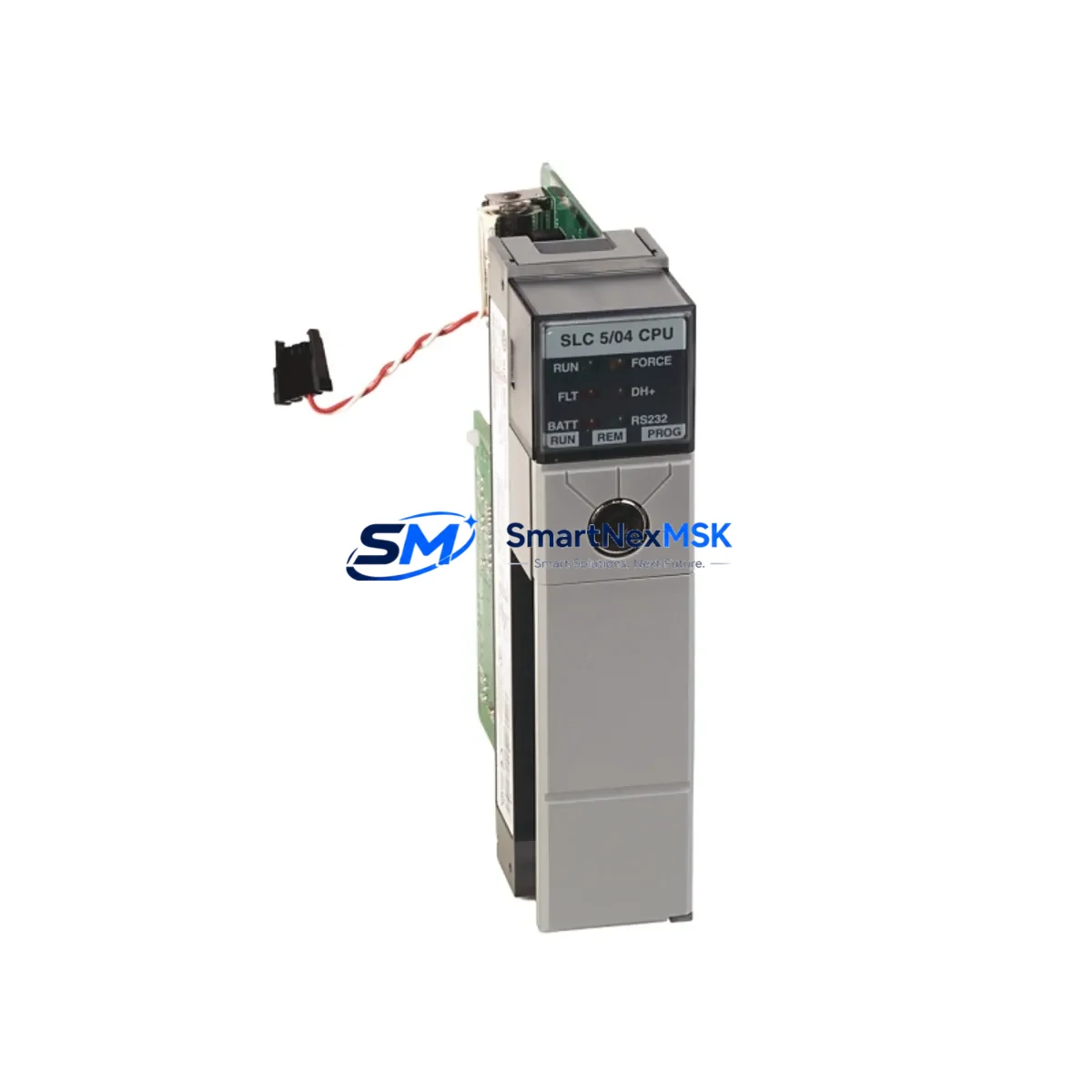
Allen-Bradley 1747-L542/C Retrofit-Ready CPU for SLC 5/04 Control Systems
The Allen-Bradley 1747-L542/C is a high-performance SLC 5/04 CPU module engineered for seamless retrofit integration into existing SLC 500 control architectures. As legacy SLC 5/03 and SLC 5/04 processors reach end-of-life and OEM spare parts become increasingly scarce, the 1747-L542/C stands as the definitive retrofit-ready replacement — preserving your original ladder logic, I/O mapping, and communication links without requiring a full system redesign. Whether you are managing a planned upgrade cycle or responding to an unplanned processor failure, this module delivers the compatibility, reliability, and supply assurance that industrial operations demand.
Sourced from verified supply channels and subject to full functional testing prior to dispatch, every 1747-L542/C unit shipped by SMARTNEXMSK is backed by a 12-month warranty covering hardware defects and operational failures under normal industrial use conditions. Our inventory is maintained to support urgent replacement scenarios, with same-day dispatch available for in-stock units.
Upgrade Compatibility Table
| Parameter | Details |
|---|---|
| Replaces / Compatible With | 1747-L541, 1747-L542, 1747-L542/C, 1747-L543, 1747-L544 (SLC 5/04 family) |
| Backplane Interface | SLC 500 1746 series backplane — direct slot-for-slot installation |
| Communication Ports | DH+ (Channel 1), RS-232/DF1 (Channel 0) — no protocol adapter required |
| Memory Capacity | 64K words user program memory |
| I/O Addressing | Compatible with 1746-IB, 1746-OB, 1746-NI, 1746-NO and analog I/O modules |
| Power Requirement | Supplied via 1746-P series power supply — verify capacity before installation |
| Programming Software | RSLogix 500 / RSLogix Micro — existing .RSS project files load without conversion |
| HMI Compatibility | PanelView 300, 550, 600, 900, 1000 via DH+ or DF1 — no screen rebuild required |
| Installation Type | Direct chassis swap — no new wiring harness required for standard configurations |
| Retrofit Recommendation | Verify module address switches (S:1/15) and DH+ node address before power-up |
| Commissioning Focus | Force I/O test, fault routine verification, communication link confirmation |
| Warranty | 12 months from date of shipment — covers hardware defects under normal operating conditions |
Retrofit Planning for Existing Automation Systems
A successful SLC 5/04 retrofit begins well before the new 1747-L542/C arrives on site. The first step is a thorough audit of the existing control cabinet: confirm that the installed 1746-P4 or 1746-P7 power supply has sufficient current capacity to support the replacement CPU alongside all installed I/O modules. SLC 500 chassis power budgets are fixed, and adding a higher-memory processor variant can occasionally push a marginal supply into overload — particularly in fully populated 1746-A13 chassis configurations.
Next, document all terminal wiring on the installed 1746-IB16 digital input modules and 1746-OB16 digital output modules. While the 1747-L542/C is a direct backplane replacement and does not alter field wiring, having a verified terminal schedule prevents confusion during the post-swap I/O force test. For systems using 1746-NI4 or 1746-NO4I analog I/O modules, confirm that the analog scaling parameters stored in the processor data file are captured in your RSLogix 500 project backup before the swap.
Communication architecture deserves particular attention in multi-node DH+ networks. If the failed processor was acting as a DH+ master or was assigned a specific node address, the replacement 1747-L542/C must be configured with identical node address settings via the onboard rotary switches before the chassis is powered. Failure to match the node address will disrupt communication with upstream SCADA systems, PanelView HMI terminals, and any 1747-SDN DeviceNet Scanner modules sharing the same network segment.
For systems that include a 1747-KFC15 communication module providing a bridge between the SLC backplane and an Ethernet/IP or ControlNet segment, verify that the bridge module firmware is compatible with the replacement CPU revision. In most cases, existing 1747-KFC15 configurations require no changes, but it is good practice to capture the module configuration using RSNetWorx before the swap.
Finally, if the control system includes a 1747-SCNR ScanPort adapter or a 1746-BAS BASIC module for custom communication routines, ensure that the associated data files and program routines are fully backed up. These modules interact directly with the processor data table and their behavior must be verified during the post-installation commissioning run. Systems using a 1747-PIC programming cable or 1784-U2DHP USB-to-DH+ adapter for laptop connectivity should also confirm driver compatibility with the replacement processor firmware revision before the scheduled outage window.
Downtime Control During System Migration
Minimizing unplanned downtime during a processor swap requires a structured pre-outage preparation protocol. Before taking the system offline, use RSLogix 500 to upload and save the complete processor image — including program files, data files, and the processor configuration file — to a secure backup location. Verify the backup by comparing the checksum or performing a compare function within RSLogix 500 against the live processor.
During the physical swap, note the positions of all I/O module slot assignments within the 1746 chassis. The 1747-L542/C occupies slot 0 by default, and all I/O addressing in the existing program is referenced to the physical slot positions of the installed 1746 I/O modules. As long as no modules are moved during the swap, the existing program will address I/O correctly after the new CPU is installed and the program is downloaded.
After installing the replacement processor, download the saved program file before applying power to field devices. Place the processor in Program mode, verify that no fault codes are present in the processor status file (S:1 through S:6), and then perform a controlled I/O force test on a representative sample of inputs and outputs before switching to Run mode. This sequence protects the production process from unexpected actuator movement caused by undetected wiring faults or address conflicts introduced during the swap.
For systems where continuous control is critical, consider staging a pre-configured spare 1747-L542/C with the current program already loaded. This approach reduces the live outage window to the time required for the physical chassis swap and communication link verification — typically under 30 minutes for an experienced technician working from a documented retrofit checklist.
Retrofit Support FAQ
Q1: Is the 1747-L542/C a direct drop-in replacement for the 1747-L541 and 1747-L543?
Yes. The 1747-L542/C is mechanically and electrically compatible with all SLC 5/04 processor variants including the 1747-L541 (16K), 1747-L542 (32K), and 1747-L543 (64K). The replacement unit installs into the same slot 0 position on any 1746 series chassis without modification. Note that if you are replacing a lower-memory variant such as the 1747-L541, the existing program must fit within the 64K memory space of the 1747-L542/C — in practice this is rarely a constraint.
Q2: Will my existing RSLogix 500 program file work without modification?
In the vast majority of retrofit scenarios, the existing .RSS project file downloads and runs without any modification. The 1747-L542/C uses the same instruction set and data file structure as all SLC 5/04 processors. The only cases requiring program review are those where the original program references processor-specific status bits tied to memory size (S:24 through S:27) or where custom communication routines use hardcoded memory addresses that differ between processor revisions.
Q3: How do I verify the DH+ node address and communication settings before commissioning?
The DH+ node address on the 1747-L542/C is set via two rotary switches on the front of the module, accessible without removing the unit from the chassis. Set the switches to match the node address of the processor being replaced — this information is typically recorded on the cabinet door schedule or can be read from the RSLogix 500 Channel Configuration dialog of the backup program file. After installation, use RSLinx Classic to browse the DH+ network and confirm that the replacement processor appears at the correct node address before downloading the program.
Q4: What does the 12-month warranty cover, and what is the claims process?
The 12-month warranty covers all hardware defects and functional failures occurring under normal industrial operating conditions from the date of shipment. It does not cover damage resulting from incorrect installation, overvoltage events, or physical impact. To initiate a warranty claim, contact SMARTNEXMSK at [email protected] with your order reference and a description of the fault. Our technical team will assess the claim and arrange replacement or repair within the agreed service timeline. Pre-shipment functional testing documentation is available upon request for all units.
© 2026 SMARTNEXMSK. All rights reserved.
Original Source: https://smartnexmsk.com
Contact: [email protected] | +86 18259474341



