
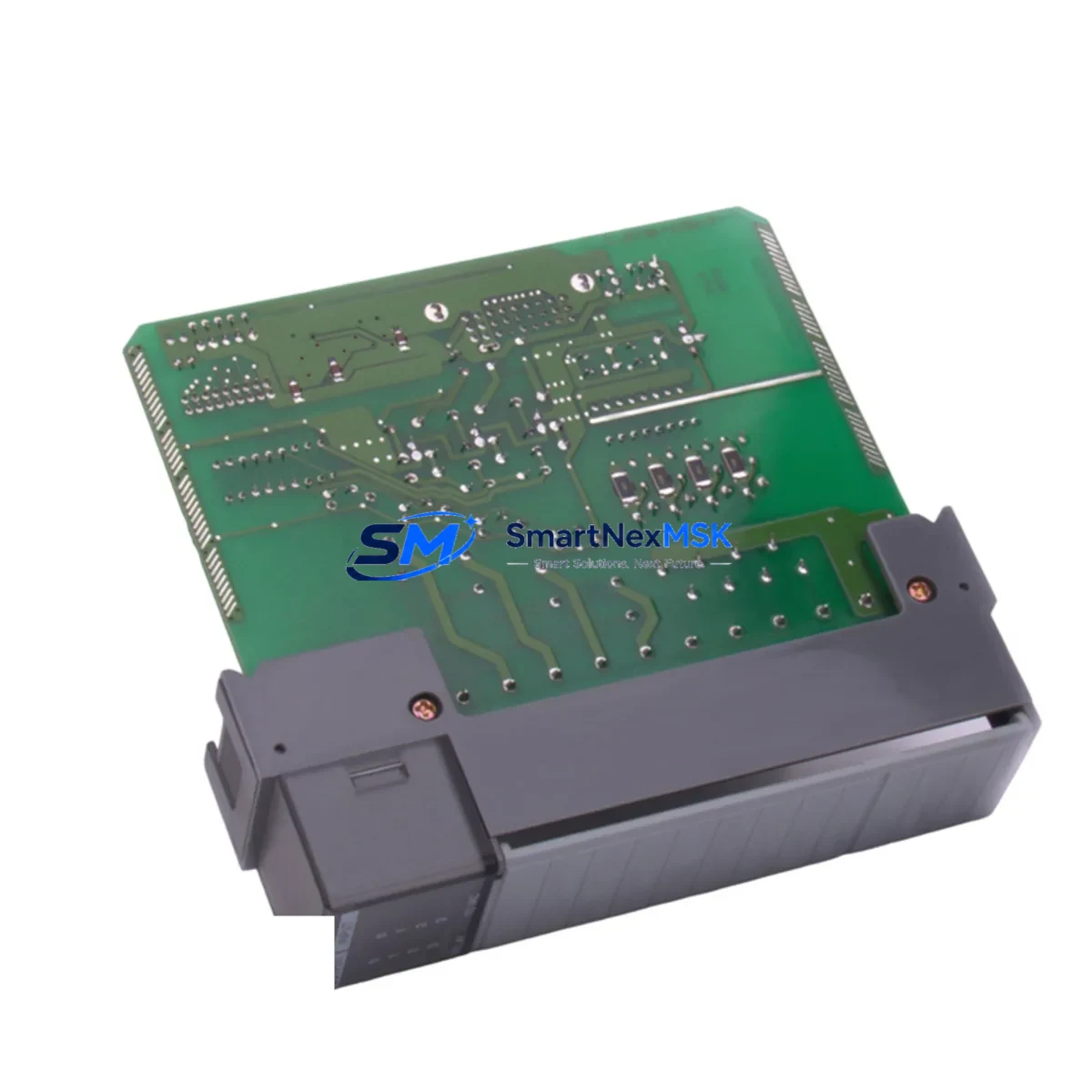
Allen-Bradley 1747-OCVGA1 Maintenance-Ready Spare for SLC 500 Automation
The Allen-Bradley 1747-OCVGA1 is an Open Controller VGA Interface Module designed for the SLC 500 programmable controller platform — one of Rockwell Automation’s most widely deployed legacy control architectures in discrete manufacturing, material handling, and process automation environments. For maintenance engineers managing aging SLC 500 control systems, securing a verified original spare of the 1747-OCVGA1 is a critical step in any downtime-reduction and system-longevity strategy.
This module serves as the VGA display interface within the SLC 500 Open Controller configuration, enabling operator visualization and local HMI interaction directly at the controller level. When this component fails or degrades, the entire operator interface capability of the control cabinet is compromised — making rapid, compatible replacement essential to restoring production continuity. Our stock of the 1747-OCVGA1 is sourced as original Allen-Bradley hardware, individually inspected, and tested prior to shipment to ensure drop-in compatibility with your existing SLC 500 rack and backplane.
Whether you are responding to an unplanned fault, executing a scheduled overhaul, or building a proactive spare parts inventory for a multi-line facility, the 1747-OCVGA1 is a high-priority line item. Its role in the operator interface chain means that any delay in sourcing a replacement directly extends machine downtime and impacts production throughput. We maintain long-term supply availability for this module to support facilities that depend on SLC 500 systems well beyond the platform’s official end-of-life status.
Spare Maintenance Table
| Parameter | Specification |
|---|---|
| Part Number / SKU | 1747-OCVGA1 |
| Brand | Allen-Bradley (Rockwell Automation) |
| Series | SLC 500 Open Controller |
| Module Type | VGA Interface Module |
| Compatibility | SLC 500 Open Controller platform; SLC 5/03, 5/04, 5/05 processor families |
| Interface | VGA display output for local operator visualization |
| Backplane | SLC 500 standard rack backplane compatible |
| Power Supply Requirement | Supplied via SLC 500 rack backplane (1746-P series power supply) |
| Operating Temperature | 0°C to 60°C (32°F to 140°F) |
| Storage Temperature | -40°C to 85°C |
| Relative Humidity | 5% to 95% non-condensing |
| Origin | USA (Original Allen-Bradley manufacture) |
| Condition | Original, inspected, tested before shipment |
| Application Environment | Industrial control cabinets, discrete manufacturing, material handling, process automation |
| Maintenance Recommendation | Inspect VGA connector pins and backplane edge connector during scheduled PM; replace if display artifacts or loss of signal observed |
| Warranty | 12 Months from date of shipment |
Maintenance Planning for Continuous Operation
When a maintenance or procurement engineer identifies the 1747-OCVGA1 as a replacement requirement, it is best practice to treat the event as a trigger for a broader control cabinet inspection. The SLC 500 Open Controller architecture integrates multiple interdependent components, and a failure in the VGA interface module often coincides with — or accelerates — degradation in adjacent hardware.
Begin by verifying the condition of the 1746-P4 or 1746-P7 power supply module, which feeds the entire SLC 500 rack. A power supply operating near its rated capacity or showing output ripple can stress interface modules and accelerate their failure. Alongside the power supply, inspect the 1746-A4 or 1746-A7 rack chassis and backplane connector for oxidation, bent pins, or mechanical damage that could cause intermittent communication faults.
The SLC 5/05 processor module (1747-L553) or equivalent processor in your rack should be checked for firmware currency and battery status — a low processor battery can cause configuration loss events that appear as display or interface faults. If your system uses 1747-SDN DeviceNet Scanner or 1747-SN Remote I/O Scanner modules for distributed I/O, verify their status LEDs and communication health, as I/O faults can cascade into operator interface anomalies.
For facilities running PanelView 550 or PanelView 600 HMI terminals connected to the SLC 500 network, confirm that the DH-485 or DH+ communication link remains stable after the 1747-OCVGA1 replacement. Check 1747-AIC Advanced Interface Converter units if DH-485 topology is in use, as these are common failure points in aging networks. Inspect terminal block wiring and I/O module field wiring — particularly on 1746-IB16 input modules and 1746-OB16 output modules — for loose terminations that may have been disturbed during the module swap.
If signal isolation is part of your cabinet design, verify that any signal isolators or loop-powered transmitters feeding analog input modules such as the 1746-NI4 are functioning within specification. Finally, review the cabinet’s fuse and circuit breaker protection for the 24VDC field power rail — a blown fuse on the field power circuit is a common secondary finding during VGA interface module replacement events.
Site Replacement Workflow
Replacing the 1747-OCVGA1 in a live SLC 500 control cabinet requires a structured approach to minimize downtime and avoid configuration errors. Before beginning, confirm that a current backup of the SLC 500 processor program exists using RSLogix 500 or Studio 5000 Logix Designer (for legacy import). If no recent backup is available, use a 1747-UIC USB-to-DH-485 Interface Cable to upload the current program from the processor before proceeding.
Power down the rack using the 1746-P series power supply switch and allow capacitors to discharge for a minimum of 30 seconds. Remove the 1747-OCVGA1 by releasing the module locking tab and sliding it clear of the backplane. Inspect the backplane slot connector for debris or damage before inserting the replacement module. Seat the new 1747-OCVGA1 firmly until the locking tab engages, then restore power and verify VGA display output.
If the replacement module does not immediately produce a display signal, check the VGA cable continuity and confirm the connected monitor or operator terminal supports the module’s output resolution. In multi-rack configurations, verify that the rack address DIP switch settings on the replacement module match the original configuration. Document the replacement in your maintenance management system with the module serial number, installation date, and next scheduled inspection interval — this supports both warranty tracking and long-term asset lifecycle management.
Our 1747-OCVGA1 units are tested against functional benchmarks before shipment, reducing the risk of DOA scenarios that extend downtime. For facilities managing multiple SLC 500 lines, we recommend maintaining at least one 1747-OCVGA1 as a dedicated on-site cold spare to eliminate sourcing lead time from your emergency response window.
Spare Parts Support FAQ
Q1: Is this 1747-OCVGA1 an original Allen-Bradley module or a third-party replacement?
This is an original Allen-Bradley (Rockwell Automation) 1747-OCVGA1 module. We do not supply third-party clones or rebranded alternatives. Each unit is individually inspected and tested before shipment to confirm it meets original manufacturer specifications for the SLC 500 Open Controller platform.
Q2: What is the warranty coverage and what does it include?
All 1747-OCVGA1 units carry a 12-month warranty from the date of shipment. The warranty covers functional defects and failure under normal operating conditions consistent with the SLC 500 platform’s rated environment. It does not cover damage resulting from incorrect installation, overvoltage events, or physical mishandling. Warranty claims are processed with priority to minimize your system downtime.
Q3: How do I confirm compatibility with my specific SLC 500 rack configuration before ordering?
The 1747-OCVGA1 is designed for the SLC 500 Open Controller platform and is compatible with standard SLC 500 rack chassis (1746-A series) and backplane architecture. To confirm compatibility, provide your existing rack catalog number, processor model (e.g., 1747-L553), and any relevant firmware revision. Our technical team will verify fit before shipment and can advise on any configuration considerations specific to your installation.
Q4: Can you support long-term or recurring supply for facilities with multiple SLC 500 systems?
Yes. We maintain dedicated inventory of the 1747-OCVGA1 and related SLC 500 spare parts to support facilities with ongoing maintenance requirements. For procurement engineers managing multi-site or multi-line SLC 500 installations, we offer scheduled supply agreements and priority allocation to ensure consistent availability. Contact our team to discuss volume requirements, lead times, and spare parts list planning for your facility.
© 2026 SMARTNEXMSK. All rights reserved.
Original Source: https://smartnexmsk.com
Contact: [email protected] | +86 18259474341



