
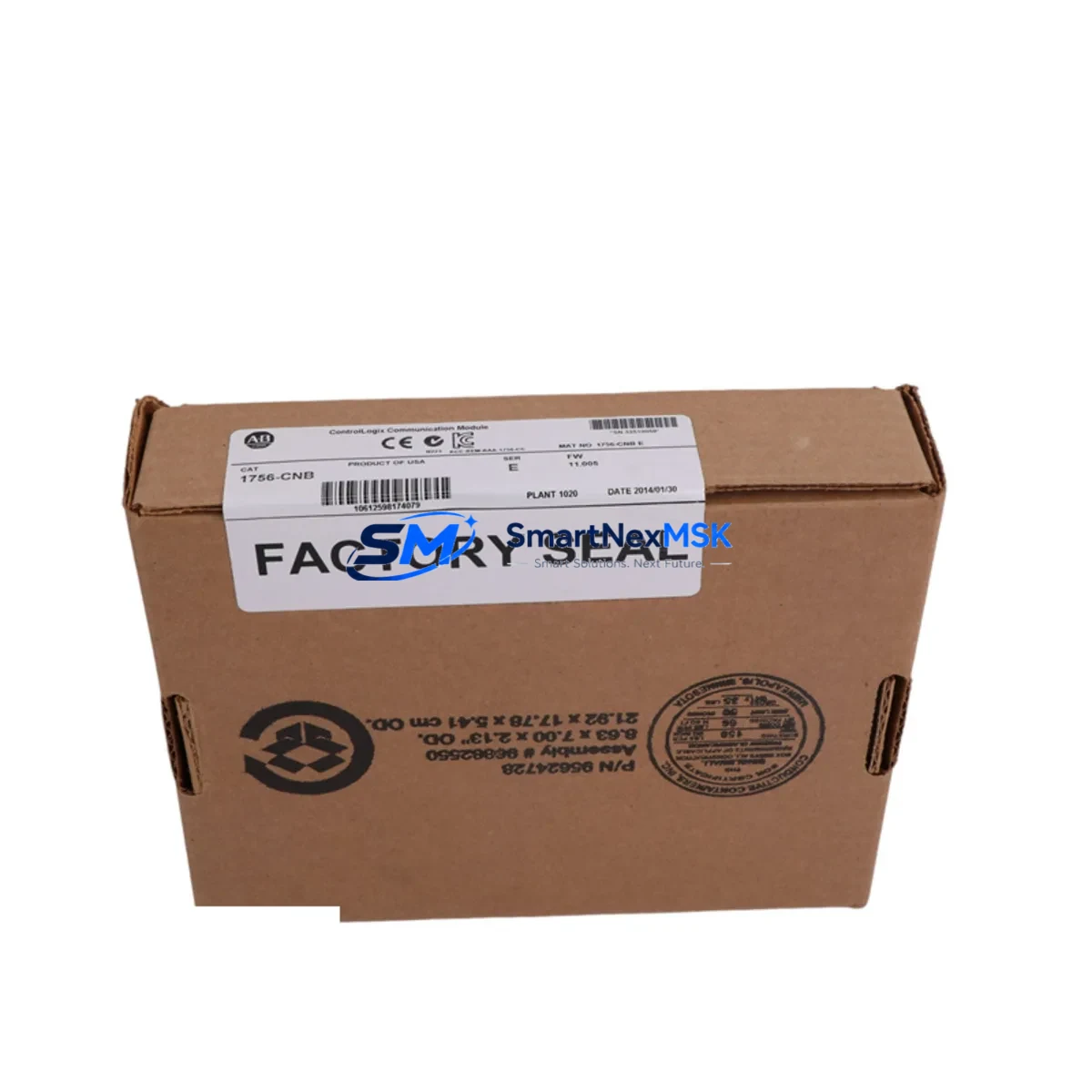
Allen-Bradley 1756-CNB Maintenance-Ready Spare for ControlLogix Automation
The Allen-Bradley 1756-CNB ControlNet Bridge Module is a critical communication interface within the Rockwell Automation ControlLogix 1756 platform. Designed to bridge the ControlLogix backplane to a ControlNet network, the 1756-CNB enables deterministic, high-speed data exchange between PLCs, I/O adapters, and HMI systems across multi-node industrial networks. For maintenance engineers managing aging ControlLogix installations, having a verified, ready-to-deploy 1756-CNB spare on hand is one of the most effective strategies to minimize unplanned downtime and protect production continuity.
In industrial facilities where ControlNet topology connects distributed I/O racks, remote chassis, and motion controllers, a failed 1756-CNB can cascade into a full line stoppage within minutes. Unlike software faults that can be diagnosed remotely, a hardware communication failure at the bridge module level typically demands immediate physical replacement. Procurement engineers sourcing 1756-CNB units should prioritize suppliers who can confirm original manufacture, provide pre-shipment functional testing documentation, and guarantee a 12-month warranty against defects — all of which are standard with every unit shipped from our inventory.
This listing covers the standard 1756-CNB single-port ControlNet bridge. Maintenance teams operating mixed-generation ControlLogix systems should also verify compatibility with their Studio 5000 or RSLogix 5000 firmware revision, as certain ControlNet bridge firmware versions are revision-specific. Our technical team can assist with firmware compatibility checks prior to dispatch.
Spare Maintenance Table
| Parameter | Specification |
|---|---|
| SKU / Part Number | 1756-CNB |
| Brand | Allen-Bradley (Rockwell Automation) |
| Series | ControlLogix 1756 |
| Module Type | ControlNet Bridge / Communication Module |
| Network Protocol | ControlNet (IEC 61158) |
| Backplane Interface | ControlLogix 1756 backplane |
| ControlNet Ports | 1 × BNC (single-port) |
| Data Rate | 5 Mbps |
| Supply Voltage | Backplane-powered (via 1756 chassis) |
| Operating Temperature | 0 °C to 60 °C |
| Mounting | 1756 chassis slot (any slot) |
| Compatibility | ControlLogix 1756 chassis; RSLogix 5000 / Studio 5000 |
| Origin | USA |
| Condition | Original / New Surplus |
| Pre-shipment Test | Functional power-on and communication verification |
| Warranty | 12 Months |
| Typical Application | ControlNet bridge for distributed I/O, remote chassis, motion, HMI |
Maintenance Planning for Continuous Operation
When a 1756-CNB fails or is flagged during a scheduled control cabinet inspection, experienced maintenance engineers know that the replacement workflow extends beyond the bridge module itself. A thorough site assessment should include the following components and subsystems:
First, inspect the 1756-PA72 or 1756-PB72 power supply module in the same chassis. A degraded power supply can cause intermittent ControlNet communication faults that mimic a bridge module failure. Replacing the 1756-CNB without verifying backplane power integrity risks repeat failures within weeks.
Second, check the 1756-CNBR redundant ControlNet bridge if your system is configured for media redundancy. In redundant ControlNet topologies, both the primary and redundant bridge modules should be evaluated simultaneously — a fault in one often indicates stress on the other.
Third, examine the ControlNet coaxial cable, BNC connectors, and terminators at both ends of the network segment. Corroded BNC connectors or missing 75-ohm terminators are a leading cause of ControlNet signal degradation and should be replaced as part of any 1756-CNB maintenance event.
Fourth, audit the 1756-EN2T or 1756-ENBT EtherNet/IP bridge modules in the same chassis. In hybrid ControlNet/EtherNet architectures, a ControlNet fault often prompts engineers to shift traffic to the Ethernet bridge — verifying that the EN2T is operating within normal load parameters prevents a secondary failure during the recovery window.
Fifth, review the 1756-IB16 or 1756-OB16 digital I/O modules connected via the ControlNet network. After restoring ControlNet communication, confirm that all remote I/O modules are re-establishing connections correctly and that no I/O faults have been latched in the controller.
Sixth, inspect terminal blocks and field wiring in the affected control cabinet. Loose terminal connections on 24 VDC I/O circuits can generate spurious faults that are incorrectly attributed to the communication layer. A torque check on all terminal screws is recommended during any unplanned maintenance event.
Seventh, verify the status of any 1756-RM or 1756-RM2 redundancy modules if the system uses ControlLogix redundancy. A ControlNet bridge replacement in a redundant system requires a controlled switchover procedure to avoid a redundancy fault during module swap.
Finally, check the 1756-L7x or 1756-L8x controller module firmware version. Certain ControlNet bridge firmware revisions require a minimum controller firmware level. Mismatched firmware between the 1756-CNB and the controller can prevent the bridge from initializing after replacement.
Maintaining a stocked spare of the 1756-CNB alongside these associated components — power supplies, I/O modules, communication bridges, and cabling — forms the foundation of a resilient spare parts strategy for ControlLogix-based automation systems.
Site Replacement Workflow
Step 1 — Isolate and document: Before removing the 1756-CNB, record the module’s slot position, ControlNet node address, and current firmware revision using RSLogix 5000 or Studio 5000. Export the controller project file as a backup.
Step 2 — Safe removal: Place the controller in Program mode to halt I/O scanning. Remove the 1756-CNB from the chassis slot. Inspect the backplane connector for damage or contamination.
Step 3 — Install replacement unit: Insert the new 1756-CNB into the same slot. The module will power up and begin ControlNet initialization automatically. Verify the NET LED status — a solid green indicates normal operation; flashing green indicates the module is establishing network connections.
Step 4 — Restore and verify: Return the controller to Run mode. Confirm all ControlNet nodes are online in the I/O tree. Check for any inhibited connections or faulted modules and clear latched faults as required.
Step 5 — Document and close: Record the replacement date, new module serial number, and post-replacement test results in your maintenance management system. Update your spare parts inventory to trigger reorder of the consumed 1756-CNB unit.
This workflow is compatible with both simplex and redundant ControlLogix configurations and is designed to minimize total downtime to under 30 minutes for experienced maintenance personnel.
Spare Parts Support FAQ
Q1: Is this 1756-CNB a new original or refurbished unit?
All units listed are original Allen-Bradley manufacture — either factory-new or new surplus from sealed industrial stock. No refurbished or repaired units are offered. Each module undergoes functional power-on and ControlNet communication verification prior to shipment.
Q2: What is the warranty coverage and how is it handled?
Every 1756-CNB ships with a 12-month warranty covering manufacturing defects and functional failures under normal operating conditions. In the event of a warranty claim, we provide advance replacement to minimize your downtime — you receive the replacement unit before returning the defective module.
Q3: How do I confirm firmware compatibility before ordering?
Provide your current controller catalog number (e.g., 1756-L73, 1756-L83) and firmware revision. Our technical team will cross-reference the 1756-CNB firmware revision in stock against Rockwell Automation’s compatibility matrix and confirm suitability before dispatch.
Q4: Can you support long-term or blanket spare parts orders for ControlLogix systems?
Yes. We support scheduled spare parts programs for maintenance teams managing multiple ControlLogix installations. Contact us to discuss volume pricing, reserved stock agreements, and priority dispatch arrangements for critical spare components.
© 2026 SMARTNEXMSK. All rights reserved.
Original Source: https://smartnexmsk.com
Contact: [email protected] | +86 18259474341



