
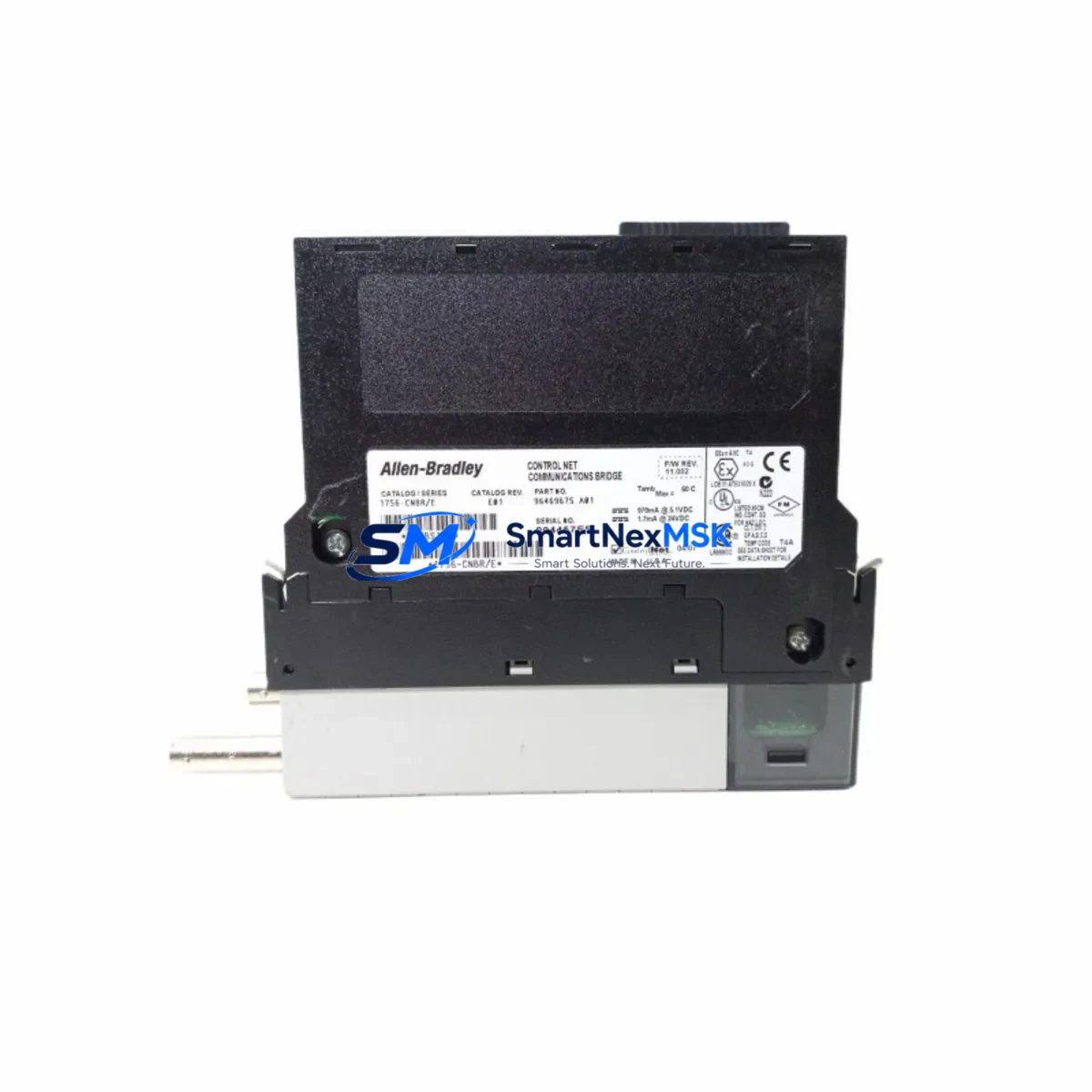
Allen-Bradley 1756-CNBR/E Maintenance-Ready Spare for ControlLogix Automation
The Allen-Bradley 1756-CNBR/E is a ControlNet Bridge Module designed for the ControlLogix 1756 platform, enabling high-speed, deterministic communication between ControlLogix backplanes and ControlNet networks. In industrial environments where production continuity depends on real-time I/O scanning and peer-to-peer messaging, a failed or degraded 1756-CNBR/E can halt an entire control segment within minutes. Maintaining a verified spare of this module is a fundamental element of any serious maintenance strategy for facilities running Allen-Bradley ControlLogix-based automation systems.
This listing provides an original, fully tested 1756-CNBR/E spare module, sourced from authorized supply channels, inspected prior to dispatch, and backed by a 12-month warranty. Whether you are managing a planned shutdown, responding to an unscheduled fault, or building out your critical spare inventory, this module ships ready for immediate installation into any compatible 1756 chassis slot.
Spare Maintenance Table
| Parameter | Specification |
|---|---|
| Part Number | 1756-CNBR/E |
| Series | ControlLogix 1756 — Series E |
| Module Type | ControlNet Bridge Module |
| Network Protocol | ControlNet (IEC 61158) |
| Backplane Compatibility | 1756 ControlLogix Chassis (all slot widths) |
| ControlNet Ports | 2 × BNC (redundant media capable) |
| Max Scheduled Connections | Up to 64 scheduled connections per network |
| Communication Rate | 5 Mbps (ControlNet standard) |
| Power Consumption | Backplane powered — no external supply required |
| Operating Temperature | 0 °C to 60 °C |
| Relative Humidity | 5% to 95% non-condensing |
| Certifications | UL, CE, cUL |
| Firmware | Series E — confirm revision with RSLogix 5000 / Studio 5000 |
| Installation | Hot-swap capable with chassis power on (verify with system integrator) |
| Warranty | 12 Months — tested and verified before dispatch |
| Origin | United States |
| Condition | Original — new or refurbished-to-spec with full functional test |
Maintenance Planning for Continuous Operation
When a 1756-CNBR/E fails or is flagged during a scheduled inspection, the fault rarely exists in isolation. Maintenance engineers and procurement teams should treat the replacement of this bridge module as an opportunity to audit the broader ControlNet communication segment and the associated ControlLogix chassis infrastructure.
Begin with the 1756 chassis and backplane: inspect the 1756-A7, 1756-A10, or 1756-A13 chassis for backplane connector wear, slot damage, or corrosion that may have contributed to the module fault. A compromised backplane can cause intermittent communication errors that are misdiagnosed as module failures. Alongside the chassis, verify the condition of the 1756-PA72 or 1756-PB72 power supply module — an under-voltage or ripple condition on the backplane supply is a common root cause of ControlNet bridge instability.
On the ControlNet network side, inspect the coaxial cable termination resistors (75-ohm BNC terminators) at both ends of the trunk. Degraded terminators cause reflections that disrupt scheduled bandwidth and can trigger NUT (Network Update Time) violations. If the plant uses redundant ControlNet media, verify that both the primary and secondary BNC connections on the 1756-CNBR/E are properly seated and that the 1786-RPA/B ControlNet repeater (if installed) is functioning within specification.
For facilities running distributed I/O over ControlNet, check the health of remote 1794-ACN15 FLEX I/O ControlNet adapters and any associated 1794 I/O modules on the same network segment. A failing remote adapter can generate excessive retries that load the bridge module and accelerate wear. Similarly, if the system includes 1756-CNB or 1756-CNBR bridge modules in other chassis on the same ControlNet segment, confirm their firmware revisions are compatible and their scheduled connection tables are not saturated.
From a control cabinet perspective, inspect the 24 VDC control power supply feeding field devices and I/O racks on the ControlNet segment. Voltage sags during motor starts or contactor switching can propagate through poorly filtered power rails and affect communication module performance. Check terminal block integrity on I/O wiring — loose or oxidized connections on analog or digital I/O modules connected through the ControlNet segment are a frequent source of nuisance faults that are traced back to the bridge module during troubleshooting.
If the system includes an Allen-Bradley PanelView Plus HMI communicating over ControlNet or EtherNet/IP to the same ControlLogix processor, verify that the HMI communication path remains intact after the bridge module replacement. HMI tag subscriptions can time out during module swap and may require a communication reset. Finally, if the plant uses 1756-EN2T or 1756-ENBT EtherNet/IP bridge modules in the same chassis, confirm that the chassis slot configuration in RSLogix 5000 / Studio 5000 correctly reflects the new 1756-CNBR/E installation before going online.
Site Replacement Workflow
Step 1 — Pre-replacement verification: Before removing the faulted 1756-CNBR/E, export the RSNetWorx for ControlNet network configuration file (.xc) and save the RSLogix 5000 / Studio 5000 project. Document the module’s slot position, Series revision (E), and the scheduled connection list. Confirm that the replacement module is Series E to maintain firmware and configuration compatibility.
Step 2 — Safe removal: If the system supports hot-swap, inhibit the module in RSLogix 5000 before physical removal to prevent uncontrolled I/O state changes on connected remote racks. If hot-swap is not confirmed for your chassis revision, coordinate a controlled shutdown of the affected ControlNet segment to avoid process upsets.
Step 3 — Installation and commissioning: Insert the replacement 1756-CNBR/E into the correct chassis slot. Power up and allow the module to complete its self-test sequence (indicated by the OK LED transitioning from red to green). Open RSNetWorx for ControlNet and re-download the saved network configuration to restore scheduled connection parameters and NUT settings.
Step 4 — Functional verification: Go online in RSLogix 5000 / Studio 5000 and verify that all scheduled and unscheduled connections are re-established. Check the module’s diagnostic counters for any residual errors. Confirm that remote I/O racks, HMI communications, and peer-to-peer messaging are operating normally before returning the system to production.
Step 5 — Documentation and spare replenishment: Update the maintenance log with the replacement date, module serial number, and any observations from the fault investigation. Immediately initiate a purchase order for a replacement spare to restore your critical inventory buffer — a single-unit spare strategy leaves the system exposed during the procurement lead time for the next failure event.
Spare Parts Support FAQ
Q1: Is this 1756-CNBR/E compatible with my existing ControlLogix 1756 chassis and RSLogix 5000 project?
The 1756-CNBR/E Series E is compatible with all standard 1756 ControlLogix chassis variants (1756-A4, A7, A10, A13, A17) and is supported in RSLogix 5000 and Studio 5000 Logix Designer. Confirm the Series revision of your existing module before ordering to ensure configuration file compatibility. If your project was created with an earlier Series revision, a firmware update or minor project revision may be required.
Q2: What pre-shipment testing is performed on this module?
Each 1756-CNBR/E unit undergoes functional verification prior to dispatch, including backplane communication test, ControlNet port integrity check, and LED status confirmation. Modules are packaged in anti-static protection and shipped with documentation. The 12-month warranty covers functional defects identified under normal operating conditions.
Q3: How should I manage my spare parts inventory strategy for ControlNet bridge modules?
For facilities with a single ControlNet segment, a minimum of one verified spare 1756-CNBR/E is recommended. For multi-segment or redundant ControlNet architectures, maintain at least one spare per segment. Given that Allen-Bradley ControlLogix hardware is subject to periodic product lifecycle transitions, procuring spares proactively — particularly for Series E revisions — reduces exposure to extended lead times as the product matures in its lifecycle.
Q4: Can I use this module to replace an older 1756-CNB or 1756-CNBR (non-E Series) module?
The 1756-CNBR/E is the current Series E revision of the ControlNet bridge product line. Replacing an earlier Series revision (A, B, C, D) with Series E is generally supported but requires updating the module definition in your RSLogix 5000 / Studio 5000 project and re-downloading the RSNetWorx for ControlNet configuration. Verify compatibility with your specific firmware versions before proceeding in a live production environment.
© 2026 SMARTNEXMSK. All rights reserved.
Original Source: https://smartnexmsk.com
Contact: [email protected] | +86 18259474341



