
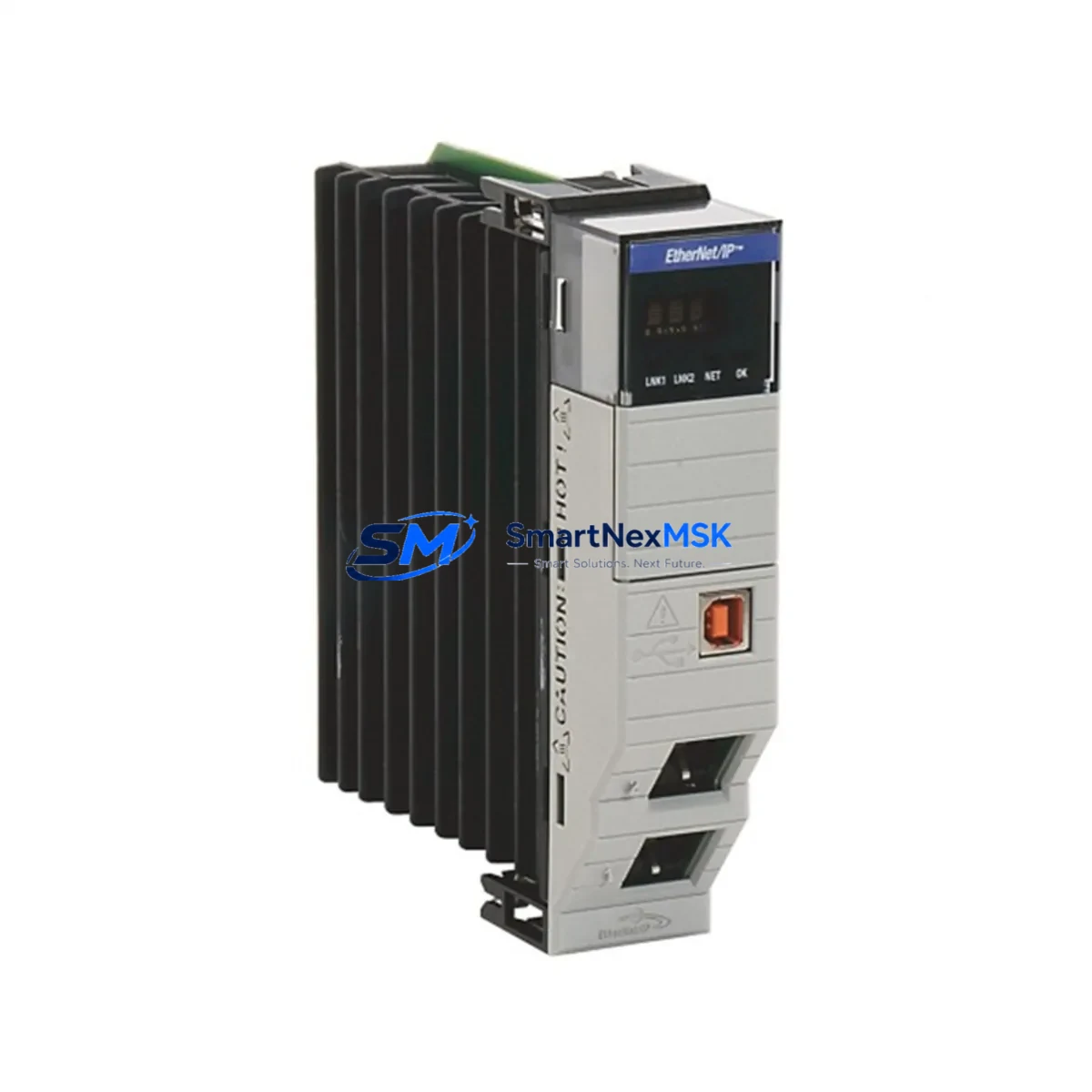
Allen-Bradley 1756-EN2TR Maintenance-Ready Spare for ControlLogix Automation
The Allen-Bradley 1756-EN2TR is a Dual-Port EtherNet/IP Bridge Module designed for the ControlLogix 1756 backplane platform. As a critical communication node in factory automation networks, this module enables high-speed, deterministic EtherNet/IP messaging between controllers, I/O adapters, drives, and HMI systems. When this module fails or reaches end-of-service life, the entire control network segment it manages can go offline — making rapid spare replacement a top priority for maintenance and reliability engineers.
Sourced as an original Allen-Bradley component, the 1756-EN2TR is fully compatible with ControlLogix 5570, 5580, and legacy 5560 series controllers. Its dual-port topology supports Device Level Ring (DLR) architecture, providing built-in network redundancy that reduces unplanned downtime in high-availability production environments. Stocking a verified replacement unit ensures your team can restore communications within minutes rather than waiting days for emergency procurement.
Spare Maintenance Table
| Parameter | Specification |
|---|---|
| Part Number / SKU | 1756-EN2TR |
| Brand | Allen-Bradley (Rockwell Automation) |
| Series | ControlLogix 1756 |
| Module Type | Dual-Port EtherNet/IP Bridge Module |
| Network Protocol | EtherNet/IP (CIP) |
| Port Configuration | 2 × RJ-45, supports DLR (Device Level Ring) |
| Data Rate | 10/100 Mbps, auto-negotiation |
| Backplane Compatibility | 1756 ControlLogix Chassis (all slot widths) |
| Controller Compatibility | ControlLogix 5560, 5570, 5580 series |
| Operating Temperature | 0 °C to 60 °C (32 °F to 140 °F) |
| Power Consumption | Supplied via 1756 backplane (no external power required) |
| Firmware Upgrade | Supported via ControlFLASH or Studio 5000 |
| Certifications | CE, UL, cUL, ATEX (Zone 2) |
| Origin | United States |
| Condition | Original, factory-tested spare |
| Warranty | 12 Months |
| Shipping | Tested before dispatch, secure industrial packaging |
Maintenance Planning for Continuous Operation
When a 1756-EN2TR fails in service, the root cause is rarely isolated to the communication module alone. A thorough maintenance inspection should extend to the entire control cabinet and network segment. Maintenance engineers should simultaneously inspect the 1756-PA75 or 1756-PB75 power supply module that feeds the ControlLogix chassis — a degraded power supply can cause intermittent module resets that mimic communication faults. The 1756-A10 or 1756-A17 chassis backplane itself should be checked for bent connector pins or corrosion that may have contributed to the module failure.
On the network side, verify the integrity of the EtherNet/IP ring topology. Inspect all Cat5e/Cat6 industrial Ethernet patch cables and managed switch ports connected to the DLR ring — a single degraded cable can collapse the ring and isolate downstream I/O. If the plant uses a Stratix 5700 or Stratix 2000 managed Ethernet switch, review its port diagnostics and RSTP/DLR configuration logs before reinstalling the replacement 1756-EN2TR.
For I/O integrity, check the 1756-IB16 digital input modules and 1756-OB16E digital output modules in the same chassis. A communication fault can mask latent I/O errors that only surface after the network is restored. Analog signal chains should also be verified — inspect 1756-IF8 analog input modules for drift or calibration errors that may have accumulated during the outage period.
If the system includes remote I/O over EtherNet/IP, verify that 1734-AENT or 1734-AENTR POINT I/O adapter modules have re-established connections after the 1756-EN2TR replacement. These adapters store their own IP configuration and may require a connection reset. For plants running safety-rated circuits, confirm that any 1791DS-IB12 GuardLogix safety I/O modules have re-validated their safety connections through the restored network path.
Finally, if the control system includes an HMI, verify that the PanelView Plus 7 or PanelView 800 terminal has re-established its EtherNet/IP tag subscriptions to the ControlLogix controller. Communication module replacements frequently require an HMI connection reset or a brief controller download to re-synchronize tag paths.
Site Replacement Workflow
Step 1 — Pre-replacement verification: Before removing the 1756-EN2TR, document the module’s IP address, subnet mask, gateway, and DLR port assignments using RSLinx Classic or Studio 5000 Logix Designer. Export the current controller project as a backup ACD file.
Step 2 — Safe removal: The 1756-EN2TR supports hot-swap removal in most ControlLogix configurations. Confirm the chassis power supply is stable, then press the module latch and slide the module out. Avoid touching the backplane connector pins.
Step 3 — Replacement installation: Insert the new 1756-EN2TR into the same chassis slot. The module will power up and begin its self-test sequence. The STATUS LED should cycle from red to flashing green before settling to solid green.
Step 4 — IP configuration: Use BOOTP/DHCP Server or RSLinx to assign the same IP address as the replaced module. If the controller project uses a fixed module path, no project download is required — the controller will automatically reconnect once the IP is confirmed.
Step 5 — DLR ring verification: Use the Studio 5000 EtherNet/IP Diagnostics or a Stratix switch port monitor to confirm the DLR ring has re-formed and all nodes are reporting healthy status.
Step 6 — Functional test: Cycle the controller from Program to Run mode and verify all I/O connections, HMI tag subscriptions, and drive communications are restored. Log the replacement event in your CMMS with the new module serial number and installation date.
This workflow minimizes downtime to under 30 minutes for experienced maintenance teams and ensures full system compatibility without requiring a controller firmware upgrade or project re-download in standard replacement scenarios.
Spare Parts Support FAQ
Q1: Is the 1756-EN2TR a direct drop-in replacement for the 1756-EN2T (single-port version)?
The 1756-EN2TR is not a direct pin-compatible replacement for the 1756-EN2T in all configurations. The EN2TR adds a second RJ-45 port for DLR ring support. If your existing network topology uses a linear (non-ring) EtherNet/IP layout, the EN2TR will function correctly using only Port 1, making it a functional upgrade replacement. Confirm your Studio 5000 project module definition matches the EN2TR catalog number before going online.
Q2: How do you verify the spare unit before shipment?
Each 1756-EN2TR spare is powered up in a live ControlLogix test chassis, assigned a test IP address, and verified for backplane communication, both Ethernet port link status, and DLR ring participation before packaging. A test report is available upon request. Units are shipped in anti-static packaging with foam protection to prevent transit damage.
Q3: What is the warranty coverage and what does it include?
All units carry a 12-month warranty from the date of delivery. Coverage includes defects in materials and workmanship, module failure under normal operating conditions, and firmware compatibility issues identified within the warranty period. The warranty does not cover damage from incorrect installation, overvoltage events, or physical impact. Replacement or repair is provided at no charge within the warranty term.
Q4: Can you supply multiple units for a blanket spare parts order?
Yes. We support blanket purchase orders for maintenance stock programs. Quantity pricing is available for orders of 3 or more units. Lead times for stocked units are typically 1–3 business days for standard shipping. For critical plant shutdowns requiring same-day dispatch, contact our sales team directly to confirm availability and expedited shipping options.
© 2026 SMARTNEXMSK. All rights reserved.
Original Source: https://smartnexmsk.com
Contact: [email protected] | +86 18259474341



