
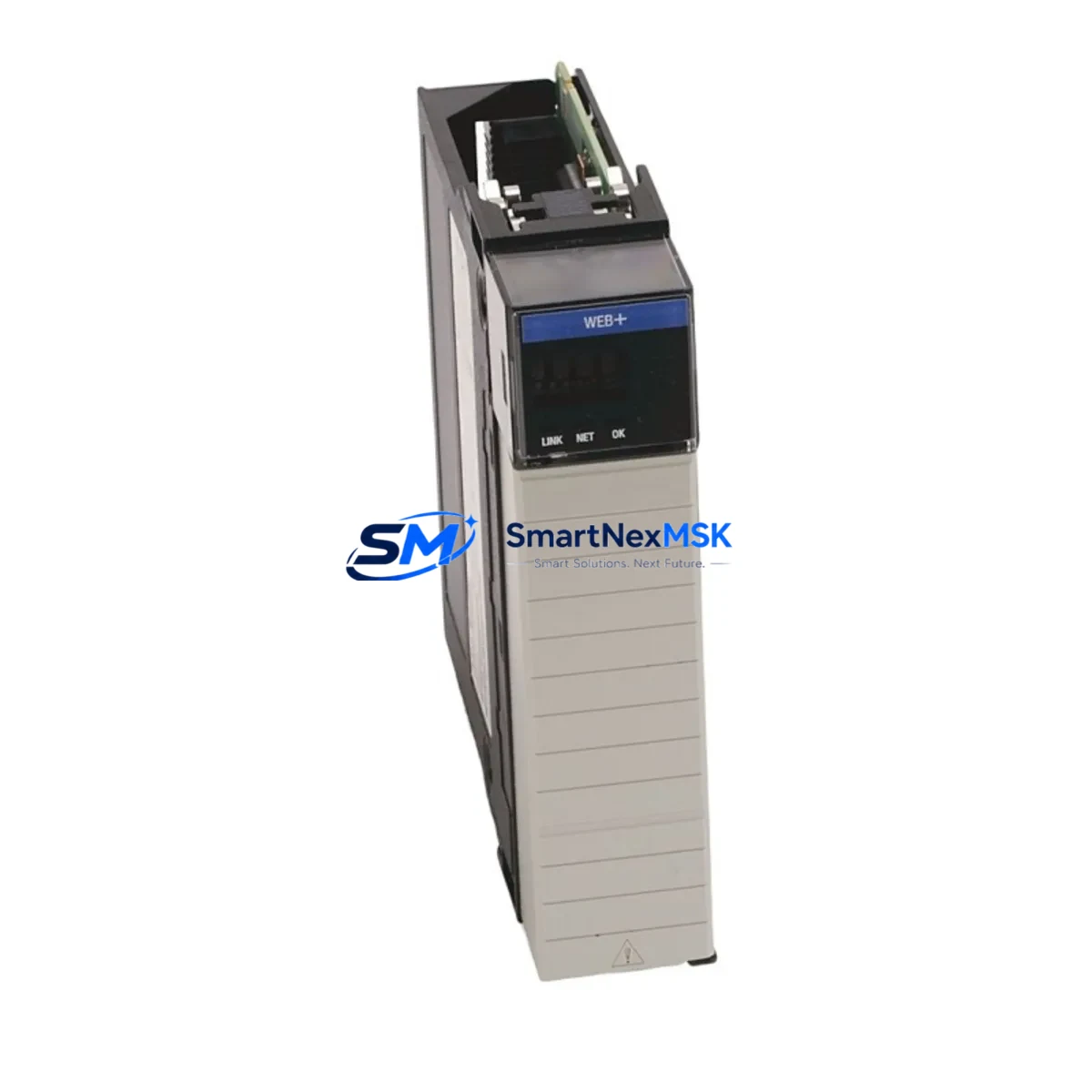
Allen-Bradley 1756-EWEB Spare for ControlLogix Automation: Spare Replacement & Industrial Downtime Risk Control
The Allen-Bradley 1756-EWEB is an EtherNet/IP web server communication module designed for the ControlLogix 1756 platform. In industrial maintenance environments, this module plays a critical role in enabling remote monitoring, web-based diagnostics, and real-time data visibility across plant-floor control networks. When this module fails or reaches end-of-life, the consequences extend beyond communication loss — they can disrupt production visibility, delay fault isolation, and compromise the integrity of your entire ControlLogix control architecture.
SMARTNEXMSK supplies the 1756-EWEB as a maintenance-ready original spare, fully tested before shipment, backed by a 12-month warranty, and available for fast international delivery. Whether you are managing a planned shutdown, responding to an unscheduled fault, or building a strategic spare parts inventory for aging ControlLogix systems, this module is sourced and verified to meet your operational continuity requirements.
Spare Maintenance Table
| Parameter | Specification |
|---|---|
| Part Number / SKU | 1756-EWEB |
| Brand | Allen-Bradley (Rockwell Automation) |
| Series | ControlLogix 1756 |
| Module Type | EtherNet/IP Web Server Communication Module |
| Communication Protocol | EtherNet/IP, HTTP, FTP, SMTP |
| Network Interface | 10/100 Mbps Ethernet (RJ-45) |
| Backplane Compatibility | 1756 ControlLogix Chassis (all slot sizes) |
| Power Consumption | Supplied via 1756 backplane |
| Operating Temperature | 0°C to 60°C |
| Relative Humidity | 5% to 95% non-condensing |
| Certifications | UL, CE, cUL |
| Installation | Hot-swap capable in ControlLogix chassis |
| Firmware Compatibility | Compatible with RSLogix 5000 / Studio 5000 Logix Designer |
| Condition | Original, tested before shipment |
| Warranty | 12 Months |
| Lead Time | In stock — ships within 1–3 business days |
| Application Environment | Industrial automation, process control, SCADA integration |
| Maintenance Recommendation | Inspect Ethernet port, verify IP configuration, check backplane seating and LED status indicators on replacement |
Maintenance Planning for Continuous Operation
For maintenance engineers managing ControlLogix-based control systems, replacing the 1756-EWEB is rarely an isolated task. A thorough site inspection and spare parts review should accompany any communication module replacement to prevent secondary faults and ensure system stability after restart.
When servicing the 1756-EWEB, maintenance teams should simultaneously inspect the 1756-PA72 or 1756-PB72 power supply module to confirm stable backplane voltage, as communication module faults are frequently triggered by power irregularities rather than module failure alone. The 1756-L71 or 1756-L73 ControlLogix processor should be verified for firmware version compatibility with the replacement module, particularly if the system has not been updated in several years.
Ethernet infrastructure components deserve equal attention. The 1783-US5T or 1783-US8T Stratix unmanaged switch connected to the 1756-EWEB port should be inspected for port faults, cable degradation, and VLAN configuration integrity. In systems where the 1756-EWEB feeds data to a SCADA or historian platform, the 1756-EN2T or 1756-EN3TR EtherNet/IP bridge module in the same chassis should be checked for I/O connection counts and network load.
For control cabinets with mixed I/O architectures, the 1756-IB16 digital input module and 1756-OB16E digital output module should be inspected for terminal block integrity and wiring condition during the same maintenance window. If the system includes analog signal loops, the 1756-IF8 analog input module calibration and channel health should be verified to rule out signal drift that may have been masked by the communication fault.
In systems where the 1756-EWEB supports remote HMI access, the associated PanelView Plus 7 or PanelView 800 HMI terminal should be tested for connectivity restoration after module replacement. Additionally, 1492-CABLE series pre-wired cables and terminal block assemblies in the cabinet should be inspected for insulation wear, particularly in high-vibration or high-temperature environments. Fuse holders and 1492-GH circuit breakers protecting the control cabinet power distribution should also be checked as part of a complete cabinet audit.
Site Replacement Workflow
Step 1 — Pre-Replacement Verification: Before removing the 1756-EWEB, document the module’s IP address, subnet mask, gateway, and web server configuration using RSLinx Classic or Studio 5000. Export the current project file from the ControlLogix processor as a backup. Confirm the replacement module firmware revision matches or is compatible with the existing system configuration.
Step 2 — Safe Module Removal: The 1756-EWEB supports hot-swap in most ControlLogix chassis configurations. Disconnect the Ethernet cable, release the top and bottom locking tabs, and slide the module out of the chassis slot. Inspect the backplane connector for bent pins or contamination before inserting the replacement unit.
Step 3 — Replacement Installation: Insert the new 1756-EWEB into the same chassis slot. Reconnect the Ethernet cable and observe the module status LEDs — the OK LED should illuminate solid green within 30–60 seconds of backplane power-up. If the LED flashes red, verify IP configuration and backplane slot assignment in the controller project.
Step 4 — Configuration Restore: Use RSLinx or the module’s built-in web interface to restore the IP address and web server settings. Verify EtherNet/IP connections are re-established with all configured I/O adapters and communication peers. Confirm SCADA or historian data feeds resume normal operation.
Step 5 — System Validation: Run a full I/O scan and verify all tags are updating correctly in the controller. Document the replacement in the site maintenance log, including the new module serial number, firmware version, and date of installation. Update the spare parts inventory to trigger reorder of a replacement 1756-EWEB for future readiness.
Spare Parts Support FAQ
Q1: Is the 1756-EWEB supplied by SMARTNEXMSK an original Allen-Bradley module?
Yes. All 1756-EWEB units are sourced as original Allen-Bradley components. Each module undergoes functional testing prior to shipment to verify communication, backplane interface, and LED status behavior. A test report is available upon request.
Q2: What is the warranty coverage and what does it include?
Every 1756-EWEB supplied by SMARTNEXMSK is covered by a 12-month warranty from the date of shipment. The warranty covers manufacturing defects and functional failures under normal operating conditions. Damage caused by incorrect installation, overvoltage, or environmental factors outside the module’s rated specifications is excluded.
Q3: Can the 1756-EWEB replace older ControlLogix communication modules in legacy systems?
The 1756-EWEB is designed specifically for the ControlLogix 1756 chassis platform and is compatible across all standard 1756 chassis sizes. It can replace a failed unit of the same part number directly. For systems running older firmware, it is recommended to verify Studio 5000 project compatibility before installation. SMARTNEXMSK technical support can assist with compatibility confirmation prior to purchase.
Q4: How should maintenance teams manage long-term spare parts inventory for the 1756-EWEB?
Given that the ControlLogix platform has an extended installed base across global industrial facilities, maintaining at least one 1756-EWEB as a cold spare is recommended for any site with more than two ControlLogix chassis. SMARTNEXMSK supports long-term supply agreements and can provide scheduled restocking to ensure your spare parts inventory remains current without capital overcommitment.
© 2026 SMARTNEXMSK. All rights reserved.
Original Source: https://smartnexmsk.com
Contact: [email protected] | +86 18259474341



