
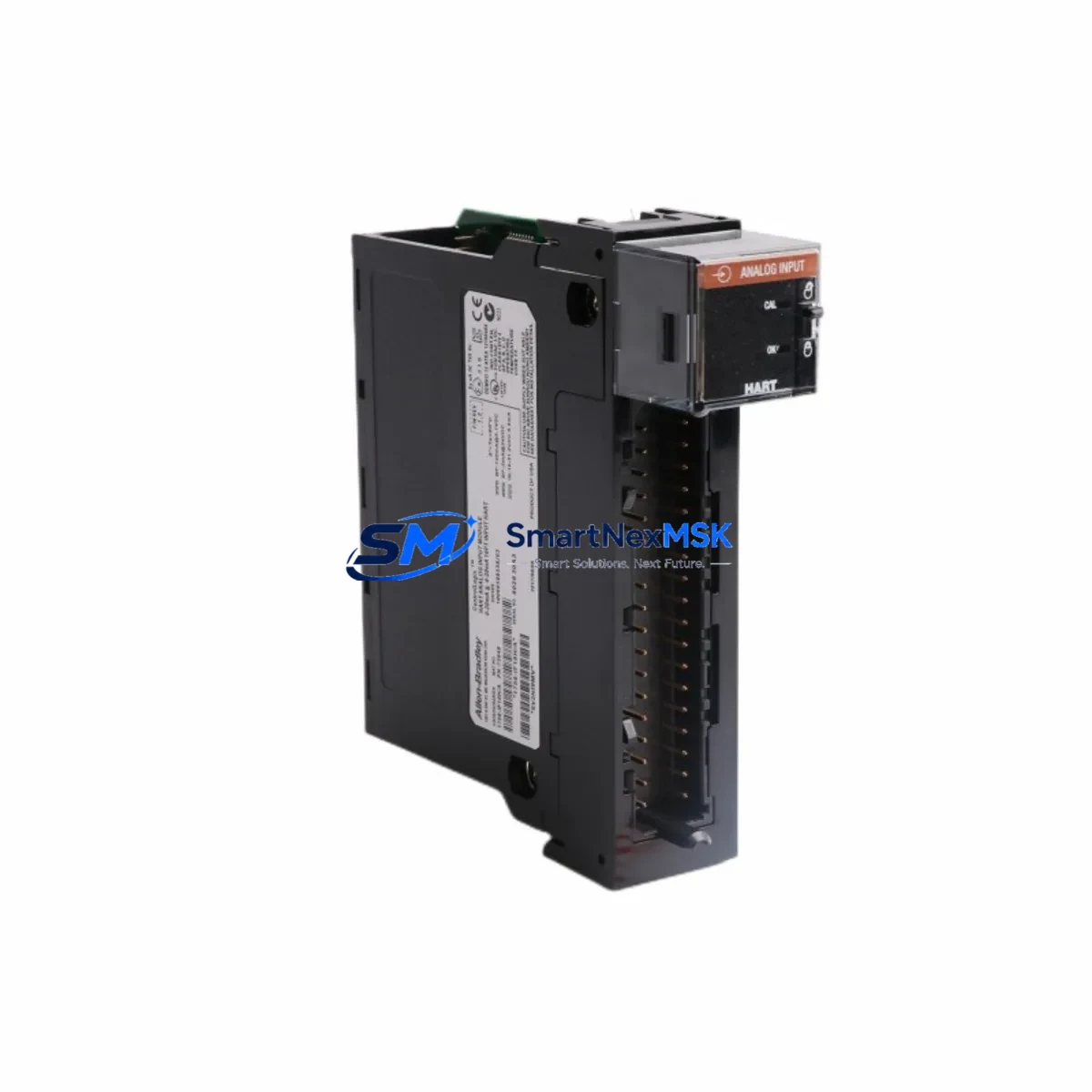
Allen-Bradley 1756-IF16H/A HART Analog Input Module: Retrofit-Ready Upgrade for ControlLogix Control Systems
The Allen-Bradley 1756-IF16H/A is a 16-channel HART-enabled analog input module designed for the ControlLogix 1756 platform. As legacy automation systems age and original spare parts become increasingly difficult to source, the 1756-IF16H/A has become one of the most sought-after retrofit components for engineers managing aging DCS and PLC infrastructure. Whether you are replacing a failed module in a running production line, upgrading an older 1756-IF16 (non-HART) installation to gain HART pass-through capability, or consolidating I/O density during a control cabinet modernization project, this module delivers the signal integrity, channel density, and protocol compatibility required for seamless integration into existing ControlLogix architectures.
SMARTNEXMSK maintains verified stock of the 1756-IF16H/A with full functional testing prior to shipment, 12-month warranty coverage, and same-week dispatch for urgent retrofit and breakdown recovery orders.
Upgrade Compatibility Table
| Parameter | 1756-IF16H/A Specification | Retrofit / Replacement Notes |
|---|---|---|
| Platform Compatibility | ControlLogix 1756 chassis (all generations) | Direct slot-for-slot replacement in 1756-A4, 1756-A7, 1756-A10, 1756-A13, 1756-A17 backplanes |
| Channel Count | 16 differential analog input channels | Replaces 1756-IF16 (non-HART); retains same channel mapping |
| HART Protocol | HART 5 / HART 6 pass-through per channel | Enables HART device diagnostics without additional multiplexers |
| Input Range | 4–20 mA (current), ±10 V (voltage) | Verify field wiring polarity and shielding before hot-swap |
| Backplane Interface | ControlLogix 1756 backplane connector | Compatible with 1756-L6x, 1756-L7x, 1756-L8x controllers |
| Module Addressing | Slot-based addressing via RSLogix 5000 / Studio 5000 | Re-use existing tag database; update module profile if upgrading from 1756-IF16 |
| Communication | ControlNet / EtherNet/IP via 1756-CNB or 1756-ENBT bridge | No protocol migration required for existing ControlNet or EtherNet/IP topologies |
| Power Consumption | Verify chassis power budget with 1756-PA75 or 1756-PB75 PSU | Confirm available backplane current before adding modules to a loaded chassis |
| Installation Form Factor | Single-slot ControlLogix module | No additional mounting hardware required |
| Warranty | 12-Month Warranty — functional test report available on request | |
Retrofit Planning for Existing Automation Systems
Successful integration of the 1756-IF16H/A into a legacy control system begins well before the module arrives on site. Engineers replacing an older 1756-IF16 or a discontinued third-party analog input card should start by auditing the existing chassis configuration. In a typical ControlLogix rack, the 1756-IF16H/A shares the backplane with components such as the 1756-L73 or 1756-L74 controller, a 1756-EN2T EtherNet/IP communication module, and potentially a 1756-DNB DeviceNet bridge if the plant network includes legacy field devices. Confirming that the 1756-PA75 power supply has sufficient remaining backplane current capacity is a mandatory pre-installation step — adding a 16-channel HART module to an already-loaded chassis without this check is a common cause of unexpected system faults.
Terminal wiring is the next critical checkpoint. The 1756-IF16H/A uses a removable terminal block (RTB) that is compatible with the 1756-TBNH or 1756-TBNF wiring systems. If the existing installation uses a 1492-IFM (interface module) with pre-wired terminal strips, verify that the IFM model matches the H/A variant’s pinout before reusing field cables. For HART-enabled field instruments — such as pressure transmitters, flow meters, or temperature sensors communicating over the 4–20 mA loop — the HART pass-through feature eliminates the need for a separate HART multiplexer like the 475 Field Communicator gateway, reducing panel footprint and wiring complexity.
On the software side, the module profile for the 1756-IF16H/A must be installed in Studio 5000 Logix Designer before the controller can recognize the new module. If the replacement is a like-for-like swap from a previously configured 1756-IF16H/A, the existing program tags, scaling parameters, and alarm limits can be retained without modification. If upgrading from the non-HART 1756-IF16, the module profile differs and a new module definition must be created in the I/O tree — existing analog input tags will need to be remapped. For systems using FactoryTalk View SE or ME for HMI visualization, verify that the tag paths referenced in display faceplates and trend objects still resolve correctly after the module swap. In distributed I/O architectures where the 1756-IF16H/A is housed in a remote chassis connected via a 1756-CNB ControlNet bridge module, confirm that the ControlNet network schedule has been updated to include the new module’s scheduled connection.
Downtime Control During System Migration
Minimizing unplanned downtime is the primary concern for any retrofit involving live production equipment. For the 1756-IF16H/A, the recommended approach is to pre-configure the replacement module offline using a spare chassis or a bench test setup before the scheduled maintenance window. Load the correct firmware version, verify the module profile in Studio 5000, and confirm that all 16 channel configurations — including engineering unit scaling, filter frequencies, and HART enable flags — match the outgoing module’s settings exactly. This offline validation step typically takes 30–60 minutes and eliminates the most common source of extended downtime: discovering configuration mismatches after the old module has already been removed.
During the physical swap, the ControlLogix platform supports module replacement without a full controller restart in most configurations, provided the replacement module is of the same type and the controller is in Run mode with the inhibit module option temporarily enabled. After seating the 1756-IF16H/A in the chassis slot, re-enable the module connection and monitor the I/O status indicators. Green status on all 16 channels confirms that field wiring is intact and HART communication has been established. For critical process loops — such as those feeding PID control blocks in the controller program — have a field technician confirm live readings at the HMI before releasing the loop back to automatic control. Document the as-found and as-left channel readings as part of the commissioning record, and retain the functional test report provided with the module for maintenance traceability.
Retrofit Support FAQ
Q1: Is the 1756-IF16H/A a direct drop-in replacement for the 1756-IF16?
The 1756-IF16H/A occupies the same single chassis slot and uses the same backplane connector as the 1756-IF16, making it physically interchangeable. However, the module profiles differ in Studio 5000 because the H/A variant includes HART channel configuration parameters. You will need to update the module definition in your I/O tree and remap any affected tags. Field wiring and terminal block connections are compatible without modification.
Q2: What commissioning steps are required after installing the replacement module?
After seating the module, confirm the module status LED shows green, verify that all 16 analog input channels are reading within expected engineering unit ranges in Studio 5000 or FactoryTalk View, and enable HART communication on any channels connected to HART-capable field devices. For loops in automatic control, perform a bump test or manual override check before returning to auto mode. Retain the functional test report shipped with the module as part of your site commissioning documentation.
Q3: How do I verify power supply compatibility before installation?
Open the chassis properties in Studio 5000 and review the backplane power budget summary, or use the 1756 Chassis Power Estimator tool available from Rockwell Automation. The 1756-IF16H/A draws backplane current from the 1756-PA75 or 1756-PB75 power supply. If the chassis is near its current limit, consider redistributing modules across slots or upgrading to a higher-capacity PSU before adding the new analog input module.
Q4: What does the 12-month warranty cover, and is a test report available?
All 1756-IF16H/A units supplied by SMARTNEXMSK are functionally tested prior to shipment and covered by a 12-month warranty against manufacturing defects and functional failure under normal operating conditions. A functional test report documenting channel-by-channel verification is available on request at the time of order. Warranty claims are processed with priority turnaround to minimize impact on production continuity.
© 2026 SMARTNEXMSK. All rights reserved.
Original Source: https://smartnexmsk.com
Contact: [email protected] | +86 18259474341



