
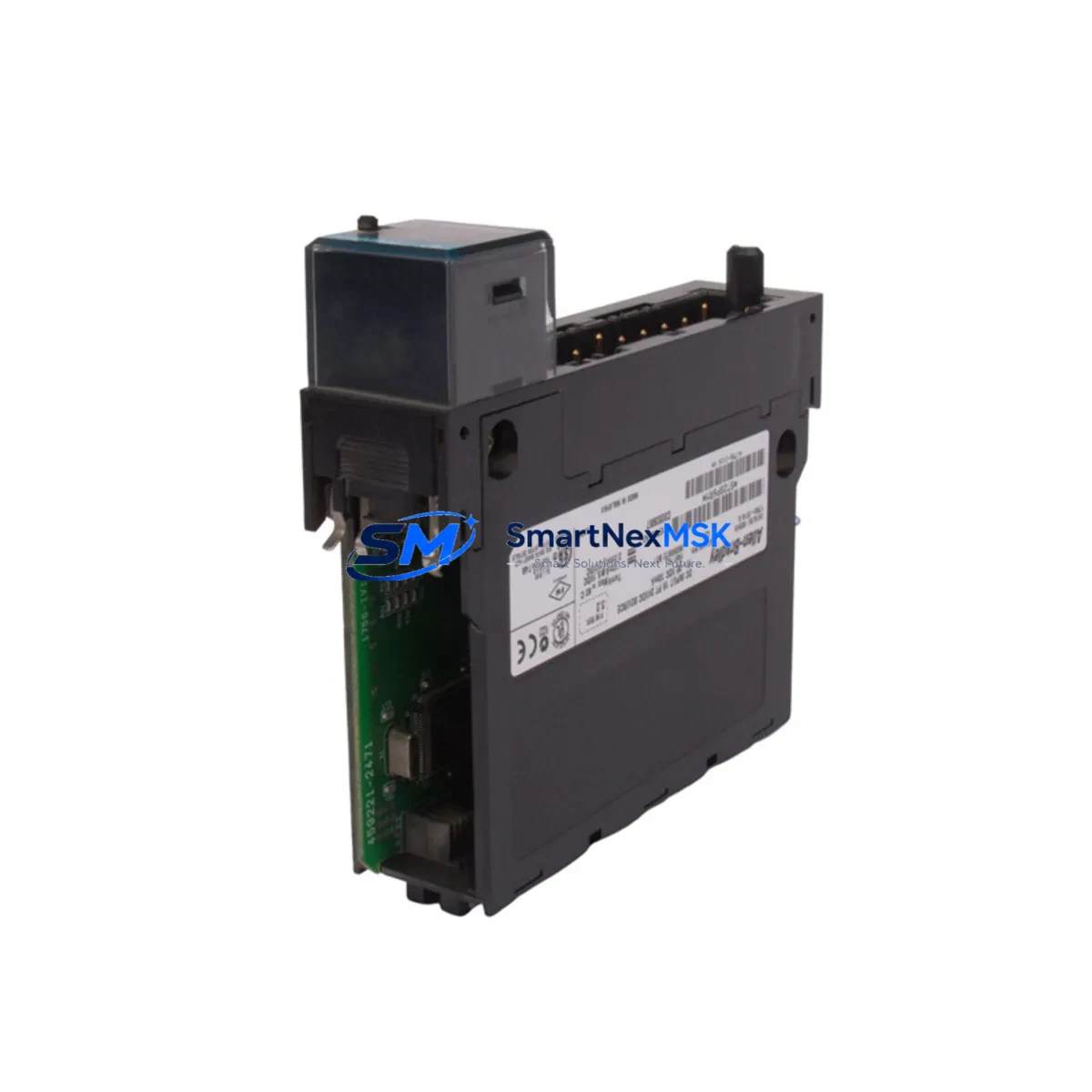
Allen-Bradley 1756-IV16 Retrofit-Ready Input for ControlLogix Systems
The Allen-Bradley 1756-IV16 is a 16-point, 12/24V DC discrete input module designed for the ControlLogix 1756 chassis platform. As legacy automation systems approach end-of-life or require capacity expansion, the 1756-IV16 serves as a proven retrofit solution — offering direct compatibility with existing ControlLogix backplanes, I/O trees, and Logix 5000 program logic without requiring controller replacement or full system redesign. Whether you are replacing a discontinued input card, recovering from an unplanned failure, or upgrading a legacy SLC 500 or PLC-5 line to a modern ControlLogix architecture, the 1756-IV16 provides a reliable, field-verified migration path.
Each unit shipped by SMARTNEXMSK undergoes pre-shipment functional verification, including channel-level input response testing, backplane communication handshake confirmation, and firmware revision inspection. Stock is maintained for immediate dispatch, supporting both planned maintenance windows and emergency breakdown recovery scenarios.
Upgrade Compatibility Table
| Parameter | Detail |
|---|---|
| Module SKU | 1756-IV16 |
| Series / Platform | ControlLogix 1756 |
| Input Points | 16-point, Isolated Groups of 2 |
| Input Voltage | 12/24V DC (10.2–26.4V DC operating range) |
| Backplane Interface | 1756 ControlLogix Chassis (any slot) |
| Communication | ControlBus (backplane), compatible with 1756-EN2T, 1756-CN2, 1756-DHRIO |
| Replacement Candidates | 1756-IV16 (earlier series), 1746-IB16 (SLC migration), 1771-IBD (PLC-5 migration) |
| Installation Requirement | 1756 chassis slot; no external power supply required for module logic |
| Commissioning Note | Module address assigned via RSLogix 5000 / Studio 5000 I/O tree; no DIP switch configuration |
| Warranty | 12 Months — covers manufacturing defects and functional failure under normal operating conditions |
Retrofit Planning for Existing Automation Systems
Integrating the 1756-IV16 into a retrofit project requires systematic verification across several interdependent system layers. Before removal of the legacy module, engineers should document the existing I/O map within Studio 5000 or RSLogix 5000, noting the slot address, module tag assignments, and any alias tags referenced in ladder logic or function block routines. If the original system used a 1746-IB16 on an SLC 500 platform or a 1771-IBD on a PLC-5 rack, the migration to ControlLogix will require a chassis change — typically to a 1756-A7, 1756-A10, or 1756-A13 rack — along with a compatible 1756-L7x or 1756-L8x ControlLogix controller.
Power budget planning is critical. The 1756-IV16 draws from the 1756-PA72 or 1756-PB72 chassis power supply via the backplane. Confirm that the existing power supply has sufficient current headroom after accounting for all installed modules, including communication adapters such as the 1756-EN2T EtherNet/IP bridge or 1756-CN2 ControlNet adapter, and any analog modules like the 1756-IF16 or 1756-OF8. Overloaded power supplies are a common cause of intermittent module faults during retrofit commissioning.
Terminal wiring on the 1756-IV16 uses a removable 20-pin RTB (Removable Terminal Block). If the legacy system used a fixed-terminal wiring scheme, pre-wiring the RTB off-line before the maintenance window significantly reduces downtime. Field devices — proximity sensors, limit switches, pushbuttons — should be verified for 12/24V DC sourcing compatibility before connection. The module supports sinking input configurations; verify field device output type accordingly.
For systems incorporating HMI displays — such as PanelView Plus 7 or PanelView 800 terminals — confirm that tag names referenced in HMI screens align with the new ControlLogix tag database. If migrating from a legacy DH+ network using a 1756-DHRIO module, verify that the HMI communication path is updated to reflect the new controller slot and network node address. EtherNet/IP-based HMI connections via 1756-EN2T are generally more straightforward to reconfigure.
Where the retrofit involves expanding I/O capacity rather than direct replacement, the 1756-IV16 can be added to an existing chassis alongside other installed modules without disrupting active I/O. Studio 5000 supports online module addition with inhibit/uninhibit workflows, allowing the new module to be configured and tested before going live — a key technique for minimizing production impact in continuous-process environments.
Downtime Control During System Migration
Minimizing unplanned downtime during a ControlLogix retrofit begins with pre-staging. Before the maintenance window opens, the replacement 1756-IV16 should be bench-tested in a spare chassis alongside a 1756-L7x controller running a copy of the production program. Verify that all 16 input channels respond correctly to simulated field signals, and that the module communicates cleanly on the backplane without generating inhibited or faulted status in the I/O tree.
During the live swap, follow a structured sequence: inhibit the module in Studio 5000, remove the RTB (preserving field wiring), extract the faulted or end-of-life module, insert the replacement 1756-IV16, reconnect the RTB, and uninhibit the module. The controller will re-establish communication within seconds. Confirm input status tags are updating correctly in the controller tag monitor before releasing the system to production.
For critical lines where even brief interruptions are unacceptable, consider a parallel commissioning approach: install the new module in an adjacent chassis slot, configure it as a secondary I/O path, and perform a controlled switchover during a scheduled micro-window. This approach is particularly effective when the retrofit is part of a broader migration from SLC 500 or PLC-5 platforms, where the 1756-DHRIO or 1756-CN2 may be used to maintain legacy network communication during the transition period.
All units supplied by SMARTNEXMSK are shipped with pre-verified firmware and include documentation of pre-shipment test results. 12-month warranty coverage begins from the date of shipment and covers functional failure under normal industrial operating conditions.
Retrofit Support FAQ
Q1: Is the 1756-IV16 a direct drop-in replacement for an earlier series 1756-IV16?
Yes. The 1756-IV16 is backward compatible across ControlLogix chassis generations. The module occupies a standard 1756 chassis slot and is recognized automatically by Studio 5000 / RSLogix 5000 using the existing module profile. No program changes are required if the slot address is preserved.
Q2: Can the 1756-IV16 replace a 1746-IB16 from an SLC 500 system?
Not as a direct plug-in replacement — the SLC 500 and ControlLogix platforms use different chassis and backplane architectures. However, the 1756-IV16 is the functional equivalent for ControlLogix-based migrations from SLC 500. The I/O logic must be remapped in Studio 5000, and field wiring must be re-terminated to the 1756-IV16 RTB. SMARTNEXMSK can advise on migration planning upon request.
Q3: What commissioning steps are required after installing the replacement module?
After physical installation and RTB reconnection, uninhibit the module in Studio 5000 and verify that all 16 input channels display correct status in the controller tag monitor. Check the module’s diagnostic indicators (OK LED) and confirm no faults appear in the controller’s I/O fault log. For EtherNet/IP-connected systems, verify network path integrity via RSLinx Classic or FactoryTalk Linx.
Q4: What does the 12-month warranty cover?
The 12-month warranty covers manufacturing defects and functional failure under normal industrial operating conditions from the date of shipment. It does not cover damage resulting from incorrect installation, overvoltage, or physical mishandling. SMARTNEXMSK provides pre-shipment test documentation with each unit to support warranty claims and incoming inspection processes.
© 2026 SMARTNEXMSK. All rights reserved.
Original Source: https://smartnexmsk.com
Contact: [email protected] | +86 18259474341



