
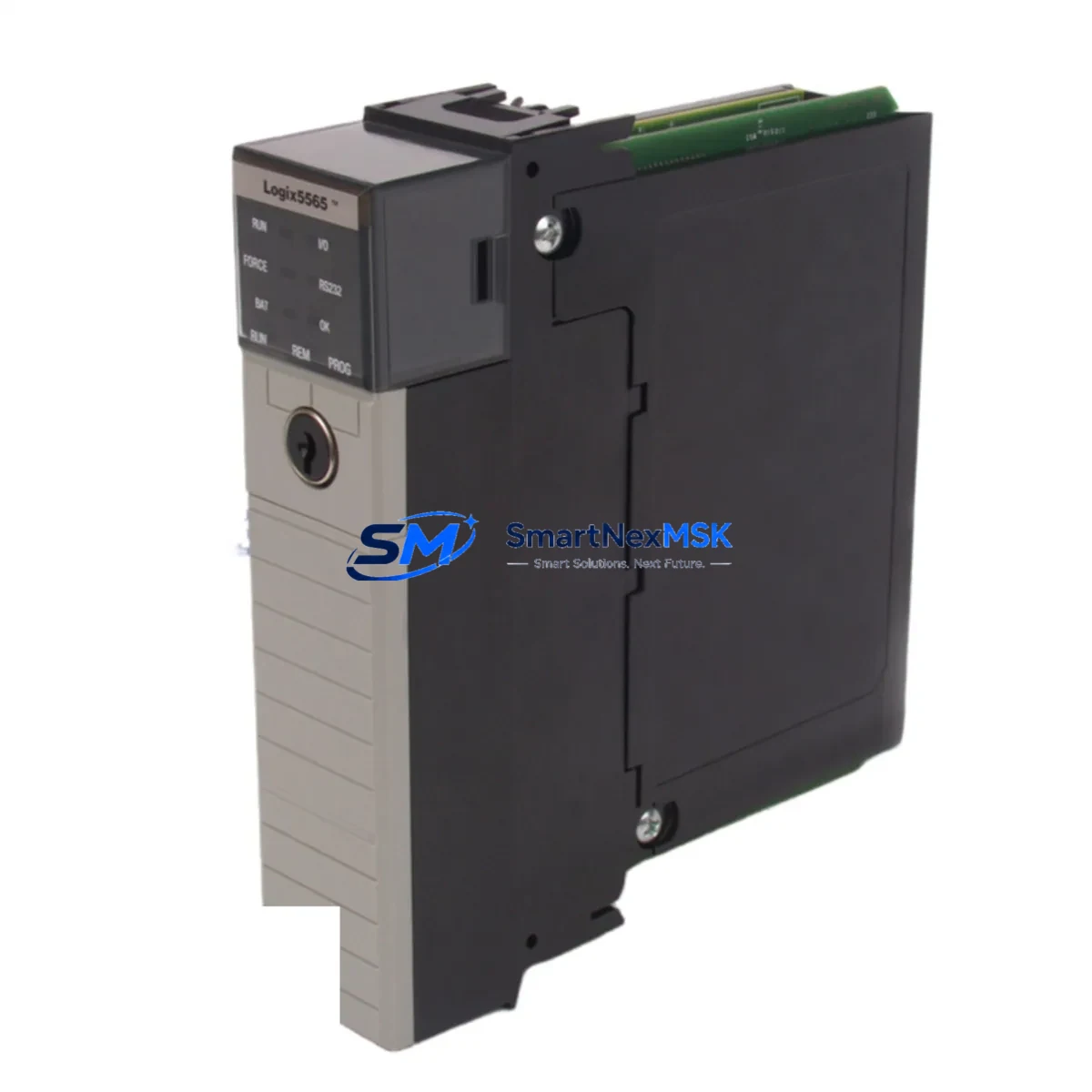
Allen-Bradley 1756-L65 Spare for ControlLogix Automation: Rapid Replacement & Downtime Risk Control
The Allen-Bradley 1756-L65 (Logix5565) is a high-performance ControlLogix processor module widely deployed across discrete manufacturing, process control, and critical infrastructure automation systems. When this processor fails or reaches end-of-service life, every minute of unplanned downtime translates directly into production loss. SMARTNEXMSK maintains verified original 1756-L65 units in stock to support maintenance engineers and procurement teams who need a reliable, tested spare — ready to ship, ready to install.
Whether you are executing a planned shutdown, responding to an emergency fault, or building out your site spare parts inventory, the 1756-L65 replacement workflow demands precision: correct firmware baseline, chassis slot compatibility, I/O tree integrity, and communication path restoration. This page provides the technical and procedural context your team needs to execute a confident, low-risk processor swap.
Spare Maintenance Table
| Parameter | Specification / Detail |
|---|---|
| Part Number | 1756-L65 |
| Processor Name | Logix5565 |
| Series | ControlLogix 1756 |
| Brand | Allen-Bradley / Rockwell Automation |
| Memory | 2 MB User Memory |
| I/O Capacity | Up to 128,000 I/O points |
| Communication Ports | USB (programming), EtherNet/IP via 1756-ENBT/EN2T modules |
| Backplane Compatibility | 1756 ControlLogix Chassis (4, 7, 10, 13, 17-slot) |
| Power Supply Compatibility | 1756-PA72, 1756-PB72, 1756-PA75, 1756-PB75 |
| Operating Temperature | 0°C to 60°C |
| Firmware | Upgradeable via ControlFLASH; confirm project firmware revision before swap |
| Origin | United States (Original Allen-Bradley) |
| Condition | Original Spare — Tested & Inspected |
| Installation | Hot-swap capable chassis slot; follow Rockwell SB1000 safety procedure |
| Warranty | 12 Months — SMARTNEXMSK Quality Guarantee |
| Shipping | ESD-safe packaging; DHL / FedEx express available |
Maintenance Planning for Continuous Operation
A processor replacement rarely occurs in isolation. Maintenance engineers who have performed 1756-L65 swaps in the field consistently report that the processor fault is often a symptom of broader control cabinet stress. Before or during a planned 1756-L65 replacement, a thorough inspection of the surrounding components is essential to prevent repeat failures and ensure system stability after restart.
Begin with the 1756-PA72 or 1756-PB72 chassis power supply. A degraded power supply delivering marginal voltage under load is one of the most common root causes of processor faults and memory corruption. Measure output voltage under full chassis load and replace proactively if ripple or sag is detected. Alongside the power supply, inspect the 1756 chassis backplane itself — connector wear, oxidation on the backplane bus, or physical damage to the chassis can cause intermittent processor communication errors that survive a processor swap.
Next, audit the 1756-ENBT or 1756-EN2T EtherNet/IP communication module. The processor’s network path to SCADA, historian, and HMI systems depends entirely on this module. A failing EN2T can cause the replacement processor to appear unresponsive on the network even after a successful hardware swap. Similarly, review the 1756-DNB DeviceNet Bridge or 1756-CN2 ControlNet module if your system uses those fieldbus architectures — these modules store their own configuration and may require re-commissioning after a processor replacement.
On the I/O side, inspect 1756-IB16 digital input modules and 1756-OB16E digital output modules for blown fuses, failed output drivers, or wiring terminal corrosion. A processor swap is the ideal time to perform a full I/O diagnostic scan. For analog loops, verify the 1756-IF16 analog input module calibration and check signal isolators on 4–20 mA loops — degraded isolation can introduce ground loops that corrupt analog readings and trigger nuisance faults on the new processor.
Do not overlook the 1756-SYNCH time synchronization module if your system relies on CIP Sync for coordinated motion or process sequencing. After a processor swap, the system clock must be re-synchronized. Finally, if your cabinet includes a PanelView Plus HMI (such as the 2711P series), verify that the HMI communication path to the new processor is restored and that tag database connections are intact before returning the system to automatic mode.
For sites running redundant ControlLogix configurations, the 1756-RM2 redundancy module pair must be inspected and the redundancy qualification process re-executed after any primary chassis processor replacement. Skipping this step leaves the system in a non-redundant state that may not be immediately visible to operators.
Site Replacement Workflow
Step 1 — Pre-Replacement Preparation: Back up the current processor program using RSLogix 5000 or Studio 5000 Logix Designer. Record the firmware revision (Major.Minor) from the controller properties. Confirm the replacement 1756-L65 unit’s firmware revision matches or can be upgraded to match. Download the ControlFLASH firmware kit if an upgrade is required.
Step 2 — Safe Isolation: Place the system in Program mode. Notify operators and DCS/SCADA supervisors. If the chassis is not hot-swap rated for your application, de-energize the 1756 chassis power supply. Follow your site’s LOTO (Lockout/Tagout) procedure.
Step 3 — Module Removal: Remove the faulty 1756-L65 from its chassis slot. Note the slot number — the replacement must be installed in the same slot for the I/O tree and communication paths to resolve correctly without program modification.
Step 4 — Replacement Installation: Insert the replacement 1756-L65 into the same chassis slot. Apply power. The processor will boot to Program mode. If firmware upgrade is required, execute ControlFLASH before downloading the program.
Step 5 — Program Download & Verification: Download the backed-up program from Studio 5000. Verify all I/O modules go online (green status). Check EtherNet/IP communication paths. Confirm HMI tag connections. Run a full I/O force test if site procedures require it.
Step 6 — Return to Service: Switch the controller to Run mode. Monitor the first 15–30 minutes of operation for any fault codes. Document the replacement in your site maintenance log with the new processor serial number and firmware revision.
This workflow applies equally to planned maintenance replacements and emergency fault recovery scenarios. SMARTNEXMSK units are pre-tested and shipped with a test report, reducing the risk of receiving a DOA spare during a critical outage.
Spare Parts Support FAQ
Q1: Is the 1756-L65 still available as a new original spare, or only as refurbished?
SMARTNEXMSK supplies original Allen-Bradley 1756-L65 units sourced from authorized distribution channels and verified factory stock. Each unit undergoes incoming inspection and functional testing before dispatch. Units are not relabeled, remanufactured, or cloned. A test report is included with every shipment.
Q2: What firmware revision will the replacement unit carry, and can it be upgraded on-site?
Firmware revision varies by production batch. SMARTNEXMSK will confirm the firmware revision of the specific unit prior to shipment upon request. On-site firmware upgrade is performed using Rockwell’s ControlFLASH utility, which is freely available from the Rockwell Automation support portal. Ensure your Studio 5000 project file firmware revision is known before ordering.
Q3: How does the 12-month warranty work for field-installed spare parts?
All 1756-L65 units supplied by SMARTNEXMSK carry a 12-month warranty from the date of shipment. If the unit exhibits a hardware defect within the warranty period under normal operating conditions, SMARTNEXMSK will provide a replacement unit or full refund. Warranty claims require the original invoice and a brief fault description. Physical damage caused by incorrect installation, overvoltage, or ESD mishandling is excluded.
Q4: Can I use the 1756-L65 as a direct replacement for the 1756-L61, 1756-L62, or 1756-L63?
The 1756-L65 is slot-compatible with all standard 1756 ControlLogix chassis and is a functional upgrade over the L61, L62, and L63 processors (larger memory, same instruction set). The program from a lower-memory processor will download successfully to the L65 provided the firmware revision is compatible. Verify your Studio 5000 project targets the correct controller type before downloading. SMARTNEXMSK technical support can assist with compatibility confirmation prior to purchase.
© 2026 SMARTNEXMSK. All rights reserved.
Original Source: https://smartnexmsk.com
Contact: [email protected] | +86 18259474341



