
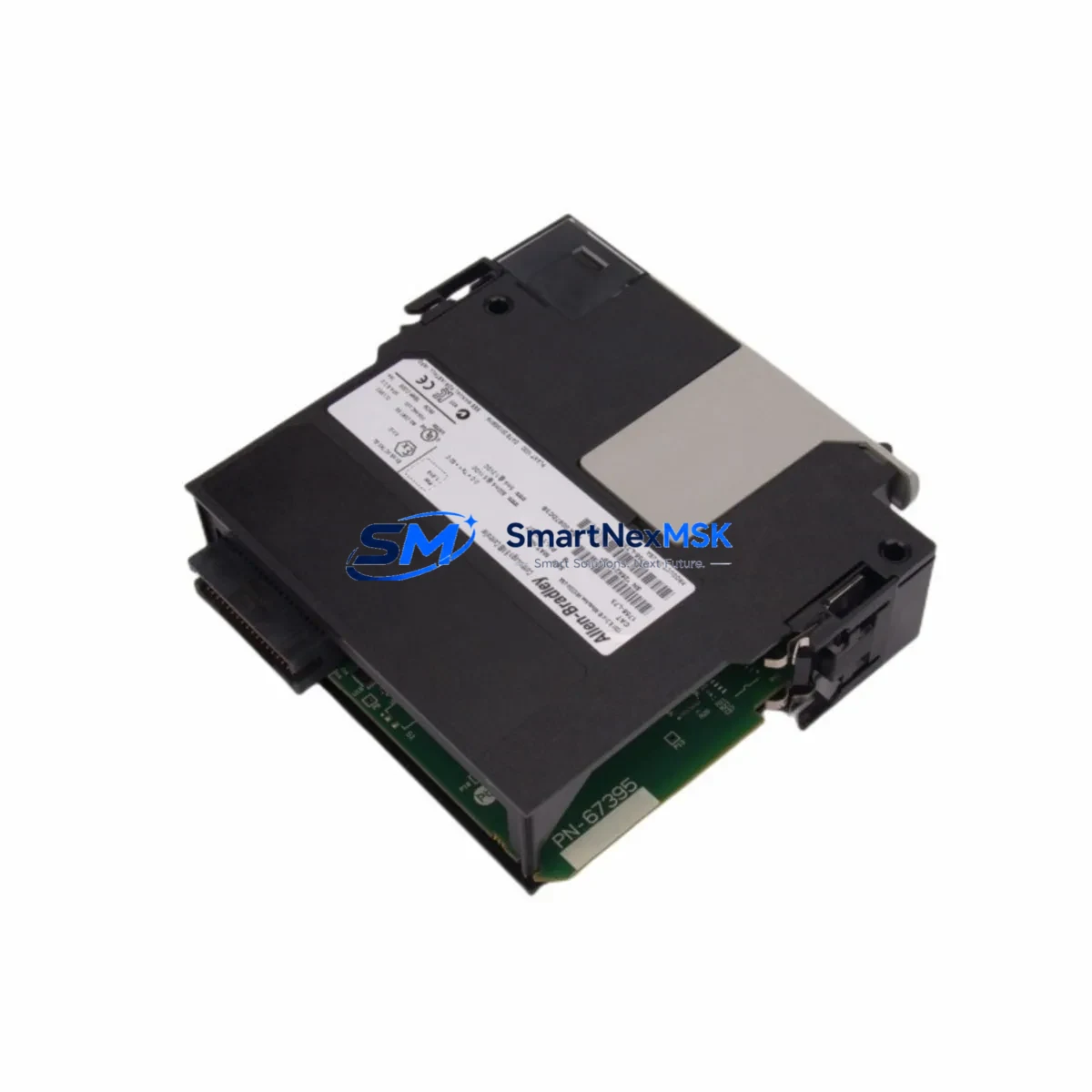
Allen-Bradley 1756-L7SP Retrofit-Ready Safety Partner for ControlLogix L7 Control Systems
The Allen-Bradley 1756-L7SP is a dedicated Safety Partner module engineered for the ControlLogix L7 controller platform. Designed to work in tandem with the 1756-L7xS Safety Controller family, the 1756-L7SP enables SIL 3 (IEC 61508) and PLe (ISO 13849) rated safety functions within a standard ControlLogix chassis — making it one of the most widely deployed safety co-processors in process automation, oil & gas, and discrete manufacturing environments worldwide. As legacy L6 and early L7 safety architectures reach end-of-life, the 1756-L7SP has become a critical retrofit component for plants seeking to modernize their safety instrumented systems (SIS) without a full control system overhaul.
When replacing an aging 1756-L62S or 1756-L63S Safety Controller from the ControlLogix L6 generation, engineers must evaluate whether the existing 1756-A7, 1756-A10, or 1756-A17 chassis backplane can support the updated L7 module footprint. The 1756-L7SP occupies a single slot and pairs exclusively with a compatible 1756-L7xS controller; it cannot operate as a standalone unit. During retrofit planning, confirm that the chassis firmware revision supports the L7 safety partner handshake protocol, and that the 1756-PA75 or 1756-PB75 power supply provides sufficient current budget for the expanded module set.
Upgrade Compatibility Table
| Parameter | Legacy (L6 Safety) | 1756-L7SP (L7 Safety Partner) |
|---|---|---|
| Safety Rating | SIL 2 / PLd | SIL 3 / PLe |
| Chassis Compatibility | 1756-A7 / A10 / A17 | 1756-A7 / A10 / A17 (firmware update required) |
| Backplane Interface | ControlBus (L6) | ControlBus (L7, enhanced) |
| Paired Controller | 1756-L62S / 1756-L63S | 1756-L71S / 1756-L72S / 1756-L73S / 1756-L74S / 1756-L75S |
| Communication Protocol | EtherNet/IP (CIP Safety) | EtherNet/IP (CIP Safety, updated stack) |
| Programming Software | RSLogix 5000 v17–v19 | Studio 5000 Logix Designer v21+ |
| Installation Slot | Adjacent to L6S controller | Adjacent to L7xS controller (mandatory) |
| Retrofit Complexity | — | Medium — firmware, program migration, SIS validation required |
| Debugging Tool | RSLinx Classic | Studio 5000 / FactoryTalk Diagnostics |
| Warranty (SMARTNEXMSK) | — | 12 Months |
Retrofit Planning for Existing Automation Systems
A successful 1756-L7SP retrofit begins well before the module arrives on-site. Start by auditing the existing control cabinet layout: identify the current 1756-L6xS controller slot position, document all adjacent I/O modules — including 1756-IB16, 1756-OB16E, and 1756-IF8 analog input cards — and map every terminal block connection on the 1756-TBCH or 1756-TBS6H wiring bases. This documentation becomes the baseline for post-migration verification.
Next, assess the communication architecture. If the plant relies on a 1756-EN2T or 1756-EN2TR EtherNet/IP communication module for CIP Safety messaging to remote I/O drops or safety-rated drives, verify that the updated CIP Safety stack in the L7 platform is backward-compatible with existing safety connections. In most cases, safety connections to 1791DS-IB12 or 1791DS-IB12XOB4 distributed safety I/O modules will require re-establishment after the controller swap, which must be factored into the planned maintenance window.
For plants using a PanelView Plus 7 or PanelView Plus 6 HMI, review all safety-tagged faceplates and alarm displays that reference the L6S controller’s safety task. After migrating the program to Studio 5000 and re-targeting it to the 1756-L7xS / 1756-L7SP pair, re-validate all HMI tag bindings — particularly those linked to safety status bits, bypass permissives, and emergency stop feedback signals. A 1747-PIC or 1784-U2DHP programming cable may be needed for legacy devices still on the DH+ network segment.
Power budget verification is non-negotiable. The 1756-L7SP draws additional backplane current compared to the L6 safety partner. Confirm that the installed 1756-PA75 or 1756-PB75 power supply has sufficient headroom after accounting for all populated slots. If the chassis is near capacity, consider redistributing I/O to a remote 1756-A7 expansion chassis connected via a 1756-RM or 1756-RM2 redundancy module, or offloading standard I/O to a POINT I/O drop using a 1734-AENT adapter.
Downtime Control During System Migration
Minimizing unplanned downtime during a safety system migration requires a structured cutover strategy. Begin by creating a full offline backup of the existing RSLogix 5000 project file and exporting all controller tags, safety task configurations, and I/O tree definitions. Use the Studio 5000 Import/Export utility to migrate the project to the L7-compatible format, then perform a complete offline simulation to verify that all safety routines — including SIL-rated function blocks and safety-certified AOIs — execute correctly before any physical hardware is touched.
Schedule the physical swap during a planned shutdown window. Remove the 1756-L6xS controller and install the 1756-L7xS in the same slot, then seat the 1756-L7SP in the immediately adjacent slot as required by the architecture. Download the migrated program, perform a safety signature verification, and confirm that all CIP Safety connections re-establish within the expected timeout period. Keep the original L6S hardware on standby until the new system has completed a full functional acceptance test, including proof-test of all safety loops. This approach protects original program logic and maintains field control continuity throughout the transition.
Retrofit Support FAQ
Q1: Can the 1756-L7SP directly replace a 1756-L62S or 1756-L63S without additional hardware?
No. The 1756-L7SP is a Safety Partner module, not a standalone controller. It must be paired with a 1756-L7xS Safety Controller (e.g., 1756-L71S through 1756-L75S). A direct replacement of an L6S controller requires both the new L7xS controller and the L7SP partner module, plus a chassis firmware update.
Q2: What wiring changes are required when retrofitting from an L6 safety system?
Terminal block wiring to standard I/O modules typically carries over without modification if the same 1756-TBCH or 1756-TBS6H wiring bases are retained. However, safety I/O wiring connected to 1791DS distributed safety modules must be re-verified against the new safety task configuration, and all dual-channel wiring must be re-tested per IEC 62061 proof-test procedures.
Q3: How is compatibility verified before shipment?
All 1756-L7SP units supplied by SMARTNEXMSK undergo pre-shipment functional testing, including backplane communication verification, safety partner handshake confirmation, and firmware revision check. A test report is available upon request. Each unit is covered by a 12-month warranty from the date of shipment.
Q4: What is the typical lead time and do you hold stock?
SMARTNEXMSK maintains ready inventory of the 1756-L7SP to support urgent retrofit and breakdown recovery scenarios. Standard orders ship within 1–3 business days. For large-quantity or project-based procurement, contact our sales team for availability confirmation and project pricing.
© 2026 SMARTNEXMSK. All rights reserved.
Original Source: https://smartnexmsk.com
Contact: [email protected] | +86 18259474341



