
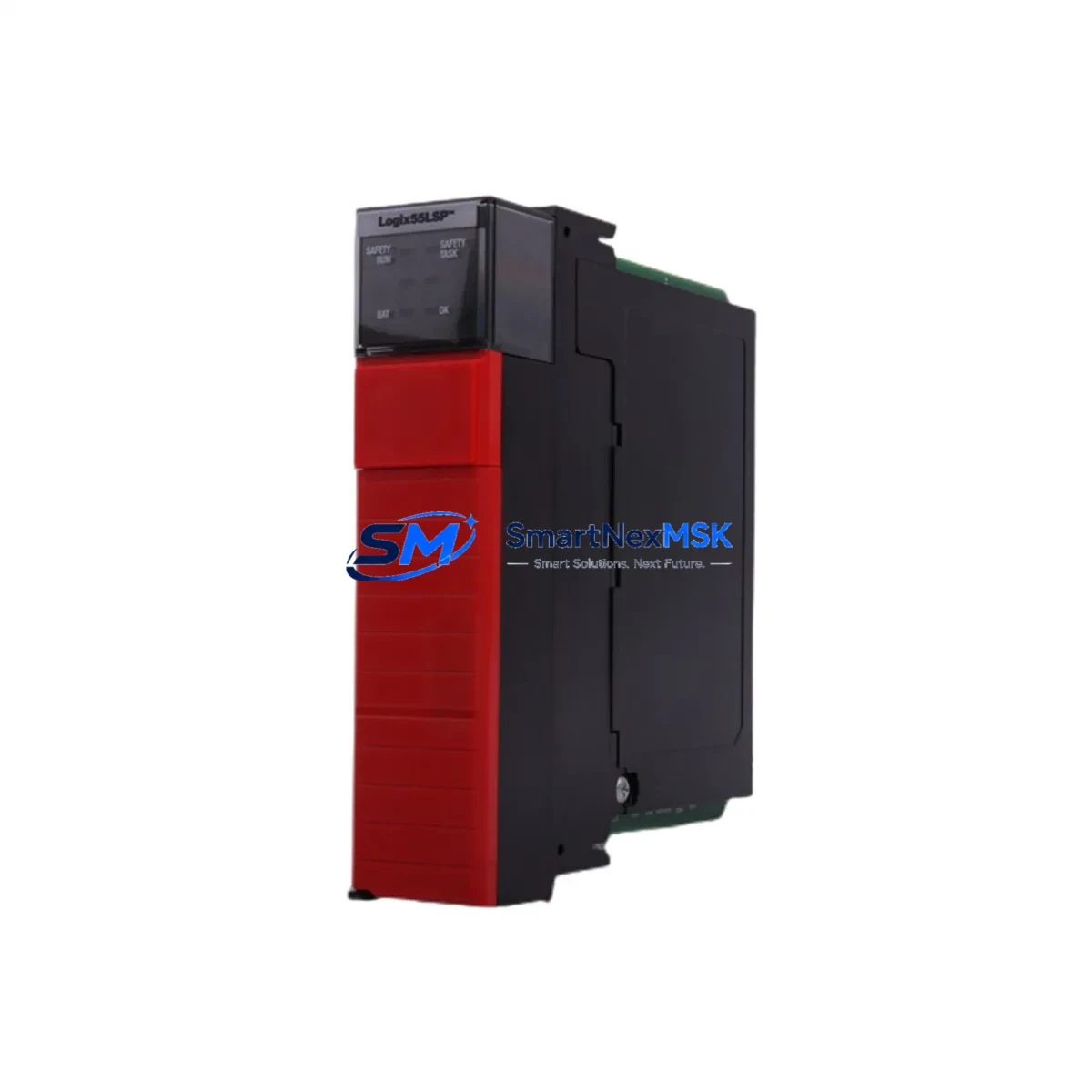
Allen-Bradley 1756-LSP Retrofit-Ready Safety Partner for ControlLogix Systems
The Allen-Bradley 1756-LSP GuardLogix Safety Partner module is a critical component for facilities undertaking legacy safety system modernization. Designed to work in tandem with the 1756-L6xS or 1756-L7xS GuardLogix Safety Controller, the 1756-LSP provides the redundant safety execution path required to achieve SIL 2 and PLe safety integrity levels in existing 1756 ControlLogix chassis installations. For plants running aging safety architectures — including earlier GuardLogix 1.x platforms or standalone safety relay panels — the 1756-LSP represents a direct, validated upgrade path that preserves existing rack infrastructure and minimizes engineering rework.
When planning a retrofit around the 1756-LSP, engineers must first audit the host chassis. The module occupies one slot in any standard 1756 ControlLogix chassis, including the 1756-A4, 1756-A7, 1756-A10, 1756-A13, and 1756-A17 backplanes. Power budget verification is essential: the 1756-LSP draws from the chassis backplane, and the installed 1756-PA72 or 1756-PB72 power supply must have sufficient remaining capacity after accounting for all co-resident I/O, communication, and controller modules. Slot addressing must be configured in Studio 5000 Logix Designer to match the physical slot position, and the safety task must be re-validated after any slot reassignment.
Terminal wiring and I/O compatibility are equally important during migration. Facilities replacing older safety relay logic with a GuardLogix-based architecture will typically integrate 1791DS or 1732DS ArmorBlock Guard I/O modules over DeviceNet Safety or EtherNet/IP Safety networks. The 1756-LSP itself does not carry field wiring — all safety I/O is handled through dedicated safety I/O modules or distributed safety blocks — but the communication modules sharing the chassis, such as the 1756-EN2T EtherNet/IP bridge or 1756-DNB DeviceNet scanner, must be confirmed compatible with the target firmware revision of the GuardLogix controller.
Program compatibility is a key concern in any GuardLogix retrofit. Safety programs developed in RSLogix 5000 for earlier GuardLogix 1.x controllers require re-validation in Studio 5000 after migration to a GuardLogix 2.0 or later platform. Safety signatures must be regenerated, and all safety-rated function blocks — including safety contacts, safety output instructions, and dual-channel input monitoring routines — must be re-tested against the original functional safety specification. Where HMI integration exists via FactoryTalk View SE or ME panels, screen tags referencing safety controller data must be verified for correct data type mapping after the controller upgrade.
Communication link continuity is another migration checkpoint. Systems using 1756-ENBT or 1756-EN2T modules for EtherNet/IP backplane bridging should confirm that the existing network topology supports the safety producer/consumer relationships required by the GuardLogix safety task. Where legacy ControlNet infrastructure is present — including 1756-CNB or 1756-CNBR modules — the migration plan should account for any protocol transition to EtherNet/IP Safety, which may require replacing ControlNet-based safety I/O with EtherNet/IP Safety equivalents such as the 1734-IE4S or 1734-OE4S POINT Guard I/O modules.
Upgrade Compatibility Table
| Parameter | Detail |
|---|---|
| SKU / Part Number | 1756-LSP |
| Compatible Controllers | 1756-L6xS, 1756-L7xS GuardLogix Safety Controllers |
| Compatible Chassis | 1756-A4, 1756-A7, 1756-A10, 1756-A13, 1756-A17 |
| Compatible Power Supplies | 1756-PA72, 1756-PB72, 1756-PA75, 1756-PB75 |
| Safety Rating | SIL 2 (IEC 61508), PLe (ISO 13849) |
| Communication Compatibility | EtherNet/IP Safety, DeviceNet Safety (via co-resident scanner) |
| Installation Requirement | Adjacent slot to GuardLogix controller; slot address configured in Studio 5000 |
| Firmware Compatibility | GuardLogix firmware v16 and above; Studio 5000 v21+ |
| Replacement Recommendation | Direct replacement for 1756-LSP in existing GuardLogix 1.x and 2.x systems |
| Commissioning Note | Safety signature re-generation and SIL validation required after installation |
| Warranty | 12-Month Warranty — tested and verified before shipment |
Retrofit Planning for Existing Automation Systems
A successful 1756-LSP retrofit begins with a complete bill-of-materials audit of the existing control cabinet. In a typical GuardLogix upgrade project, the safety partner module is installed alongside a replacement 1756-L73S or 1756-L75S controller, with the existing 1756-A10 or 1756-A13 chassis retained to reduce mechanical rework. Engineers should document all co-resident modules — including 1756-EN2T communication bridges, 1756-OB16I digital output modules, 1756-IB16 digital input modules, and any 1756-IF8 analog input modules — and verify each against the target firmware compatibility matrix published by Rockwell Automation.
For facilities with distributed safety I/O, the retrofit plan must account for the safety network topology. Systems using 1791DS-IB12 or 1791DS-OB8 ArmorBlock Guard I/O nodes over DeviceNet Safety will require the 1756-DNB DeviceNet scanner to remain in the chassis or be replaced with an equivalent. Where the migration path leads to EtherNet/IP Safety, 1734-IB8S or 1734-OB8S POINT Guard I/O modules on a 1734-AENTR adapter provide a modern, scalable alternative. Programming cables such as the 1756-CP3 or standard USB-to-serial adapters used with RSLinx Classic must be confirmed compatible with the replacement controller’s programming port before on-site commissioning begins.
HMI integration should be addressed early in the retrofit schedule. FactoryTalk View ME panels connected via EtherNet/IP to the GuardLogix controller will require tag database updates if controller slot assignments or safety task structures change. Where legacy PanelView Plus terminals are in service, firmware updates may be required to support the data types used by the upgraded GuardLogix safety task. Coordinating HMI updates with the controller cutover minimizes the risk of display errors or lost alarm annunciation during the transition period.
Downtime Control During System Migration
Minimizing production downtime during a GuardLogix safety partner replacement requires a structured cutover plan. The recommended approach is to pre-configure the replacement 1756-LSP and its host controller offline in Studio 5000, import the existing safety program, regenerate the safety signature, and perform a full offline simulation before the scheduled maintenance window. Where the plant safety plan permits, a hot-swap procedure can be executed during a controlled shutdown: the existing safety task is placed in Program mode, the old 1756-LSP is removed, the replacement is installed in the same slot, and the controller is returned to Run mode after the safety signature is verified.
To protect original program logic, a full backup of the controller project — including safety task, standard tasks, and all add-on instruction definitions — should be exported from Studio 5000 and stored offline before any hardware change. Safety I/O device configurations, including 1791DS node addresses and DeviceNet Safety network parameters, should also be documented and backed up using RSNetWorx for DeviceNet. This ensures that if the cutover encounters an unexpected issue, the original configuration can be restored without relying on memory or incomplete field notes.
Field continuity during migration is maintained by keeping safety outputs de-energized (safe state) until the replacement module has been fully commissioned and the safety signature confirmed. Operators should be briefed on the expected duration of the safe-state period, and any interlocked downstream equipment — conveyors, presses, or robotic cells — should be confirmed in a safe, locked-out condition before the cutover begins. Post-installation, a structured commissioning checklist covering power-up sequence, safety I/O diagnostics, HMI tag verification, and a witnessed safety function test should be completed and signed off before returning the system to production.
Retrofit Support FAQ
Q: Is the 1756-LSP a direct drop-in replacement for an existing GuardLogix Safety Partner in a 1756 chassis?
A: Yes. The 1756-LSP is designed as a direct slot-compatible replacement within any standard 1756 ControlLogix chassis. The module must be installed in the slot immediately adjacent to the GuardLogix controller as configured in Studio 5000. After installation, the safety signature must be regenerated and verified before returning the system to Run mode.
Q: What wiring or terminal changes are required when replacing the 1756-LSP?
A: The 1756-LSP does not carry field wiring directly — it communicates with the GuardLogix controller via the chassis backplane. No terminal rewiring is required for the safety partner module itself. However, if the retrofit also involves replacing safety I/O modules such as 1791DS or 1734 POINT Guard I/O, terminal wiring for those modules must be verified against the new module’s wiring diagrams and safety ratings.
Q: How is compatibility with existing safety programs verified after installing the replacement 1756-LSP?
A: After installation, open the controller project in Studio 5000 and verify that the safety task compiles without errors. Regenerate the safety signature and compare it against the documented pre-retrofit signature. Perform a full safety function test — including all safety-rated inputs, dual-channel monitoring, and safety output de-energization — before signing off on the commissioning record.
Q: What does the 12-month warranty cover, and how is the module tested before shipment?
A: Every 1756-LSP unit supplied by SMARTNEXMSK is tested for power-up functionality, backplane communication integrity, and firmware version verification before shipment. The 12-month warranty covers defects in materials and workmanship under normal operating conditions. Units are shipped with protective packaging to prevent ESD damage. For warranty claims or technical support, contact [email protected] or call +86 18259474341.
© 2026 SMARTNEXMSK. All rights reserved.
Original Source: https://smartnexmsk.com
Contact: [email protected] | +86 18259474341



