
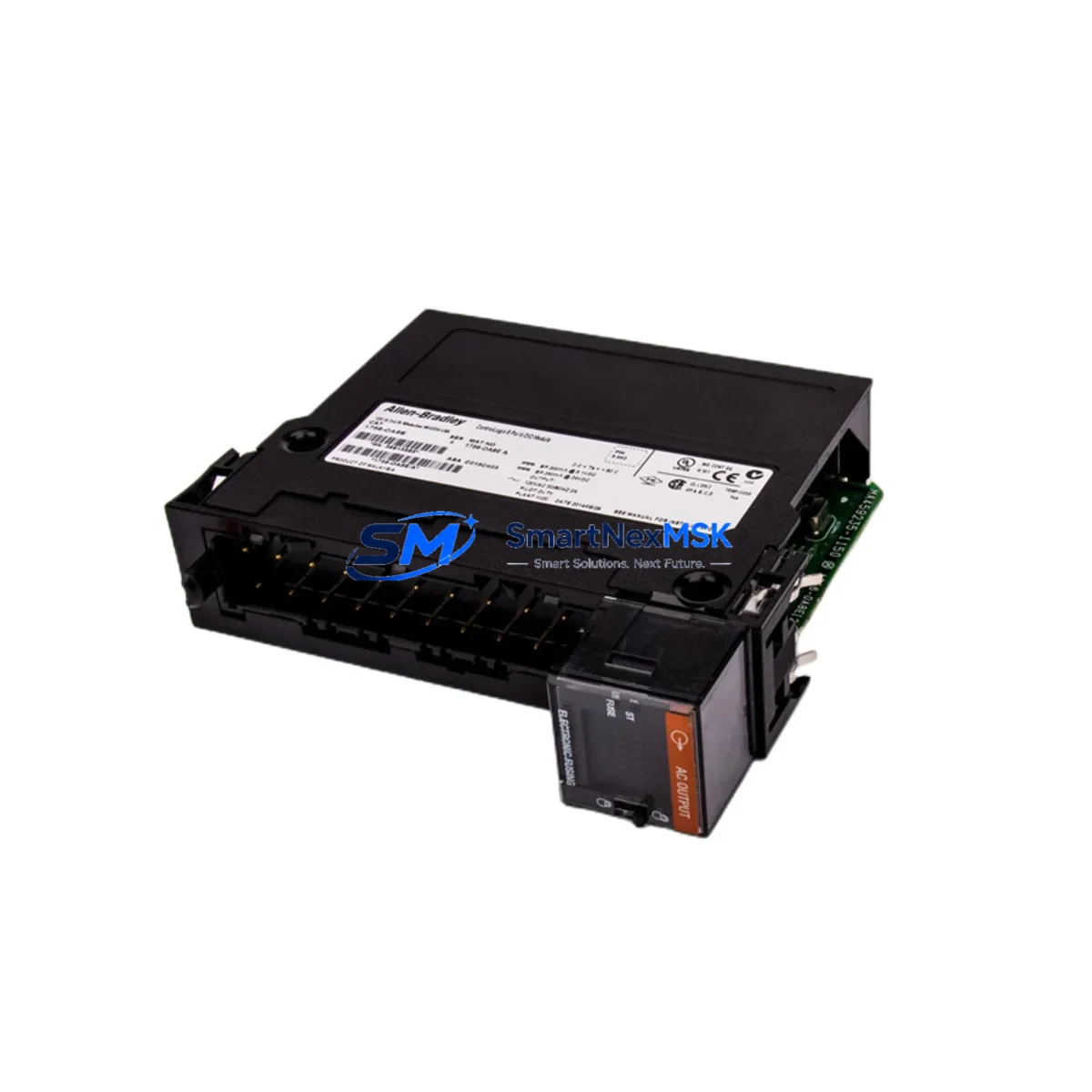
Allen-Bradley 1756-OA8E Maintenance-Ready Spare for ControlLogix Automation
The Allen-Bradley 1756-OA8E is an 8-point, 120/240V AC digital output module designed for the ControlLogix 1756 platform — one of the most widely deployed programmable automation controller (PAC) architectures in discrete manufacturing, utilities, and process industries. As a maintenance-ready original spare, the 1756-OA8E is stocked, tested, and shipped to support rapid fault recovery, planned turnaround maintenance, and long-term system continuity for aging ControlLogix installations.
For maintenance engineers managing ControlLogix control cabinets, the 1756-OA8E is a critical output interface between the controller backplane and field-side AC loads — including motor starters, solenoid valves, pilot lights, and contactor coils. When this module fails or degrades, the downstream impact can halt an entire production line. Having a verified spare on the shelf is the single most effective strategy to minimize mean time to repair (MTTR).
Spare Maintenance Table
| Parameter | Specification |
|---|---|
| SKU / Catalog Number | 1756-OA8E |
| Brand | Allen-Bradley (Rockwell Automation) |
| Series | ControlLogix 1756 |
| Module Type | AC Digital Output Module |
| Output Points | 8 Points |
| Output Voltage Range | 74–265V AC (47–63 Hz) |
| Output Current per Point | 0.5A continuous per point |
| Isolation | Group isolated (4 points per group) |
| Backplane Compatibility | 1756 ControlLogix Chassis (all sizes) |
| Wiring Style | Removable terminal block (RTB) |
| Diagnostics | Electronic fusing, blown fuse detection per point |
| Operating Temperature | 0°C to 60°C (32°F to 140°F) |
| Certifications | UL, CE, CSA |
| Installation | Hot-swappable in ControlLogix chassis |
| Replacement Compatibility | Direct drop-in for 1756-OA8, 1756-OA8D (verify firmware) |
| Condition | Original, new or tested-serviceable |
| Warranty | 12 Months from shipment date |
| Pre-shipment Testing | Function-verified before dispatch |
Maintenance Planning for Continuous Operation
When a 1756-OA8E output module is flagged during a routine control cabinet inspection or triggers a fault code in RSLogix 5000 / Studio 5000, the replacement procedure should be treated as a system-level maintenance event — not an isolated module swap. Experienced maintenance engineers know that a failed output module is often a symptom of broader electrical stress in the cabinet.
Before or during replacement of the 1756-OA8E, the following components in the same ControlLogix chassis and field wiring circuit should be inspected and, where appropriate, included in the spare parts order:
- 1756-PA75 / 1756-PB75 Power Supply: The chassis power supply feeds all modules on the backplane. A degraded power supply can cause intermittent output faults that mimic module failure. Verify output voltage stability and ripple before commissioning the replacement module.
- 1756-A7 / 1756-A13 / 1756-A17 Chassis Backplane: Inspect the backplane connector for oxidation, bent pins, or thermal damage. A compromised backplane slot can damage a new module within hours of installation.
- 1756-L7x / 1756-L8x ControlLogix Controller: Confirm the controller firmware is compatible with the 1756-OA8E revision being installed. Mismatched firmware can prevent the module from going online.
- 1492-IFM Series Interface Modules and Terminal Blocks: The removable terminal block (RTB) wiring side should be inspected for loose terminations, insulation breakdown, and overheated conductors — especially on high-cycle output points driving solenoids or contactors.
- 1756-IB16 / 1756-IB32 Digital Input Modules: In fault-isolation workflows, input modules in the same chassis should be verified to confirm that field feedback signals (e.g., valve position, contactor auxiliary contacts) are returning correctly after the output module is replaced.
- 1756-EN2T / 1756-EN3TR EtherNet/IP Communication Modules: If the ControlLogix system uses EtherNet/IP for I/O messaging or controller-to-controller communication, verify that the network module is online and that no I/O connection timeouts are masking the root cause of the output fault.
- Miniature Circuit Breakers and Fuse Holders (Field Side): The 1756-OA8E includes electronic fusing per output point, but field-side protection devices — including DIN-rail mounted MCBs and fuse holders — should be tested for continuity and correct trip ratings before re-energizing the circuit.
- Interposing Relays (e.g., 700-HLT Series): Where the 1756-OA8E drives interposing relays to switch higher-current loads, inspect relay coil resistance, contact wear, and socket seating. Relay contact failure is a common cause of apparent output module faults.
- 1756-OB16E / 1756-OB32E DC Output Modules (Mixed Cabinets): In control cabinets with both AC and DC output circuits, verify that DC output modules sharing the same chassis are not contributing to backplane current overload.
- PanelView Plus HMI (2711P Series): If the HMI is used to monitor output status or acknowledge alarms related to the 1756-OA8E circuit, confirm that the HMI tag database reflects the correct module slot assignment after replacement, particularly if the module is installed in a different chassis slot.
Stocking the 1756-OA8E alongside these associated components as a coordinated spare kit significantly reduces diagnostic time during unplanned outages and supports a structured preventive maintenance (PM) program for ControlLogix-based systems.
Site Replacement Workflow
The 1756-OA8E supports hot-swap installation in a powered ControlLogix chassis, which is one of its key advantages for minimizing production downtime. The following workflow is recommended for site replacement:
- Fault Confirmation: In Studio 5000 or RSLogix 5000, navigate to the I/O tree and confirm the module fault code. Common faults include electronic fuse blown (per-point), module communication fault, or configuration mismatch. Export the module configuration before removal.
- Field Isolation: De-energize the field-side AC loads connected to the module’s terminal block. Do not rely solely on the module’s electronic fusing — physically isolate the field circuit at the MCB or disconnect switch.
- RTB Removal: Unlatch and remove the removable terminal block (RTB) from the module face. The RTB retains all field wiring, allowing the module body to be swapped without re-terminating conductors.
- Module Swap: Remove the faulty 1756-OA8E from the chassis slot. Insert the replacement module. The ControlLogix chassis will automatically download the stored configuration from the controller if the module is configured for auto-configuration.
- Verification: In Studio 5000, confirm the module goes online without faults. Force-test each output point against its field device before returning the system to automatic mode.
- Documentation: Record the replacement in the maintenance log, including the module serial number, slot number, chassis ID, and date. Update the spare parts inventory accordingly.
This workflow applies equally to planned maintenance windows and emergency fault recovery scenarios. The 1756-OA8E’s compatibility with older 1756-OA8 and 1756-OA8D catalog numbers makes it a practical upgrade path for systems running legacy module revisions that are no longer available through standard distribution channels.
Spare Parts Support FAQ
Q1: What is the shelf life and storage requirement for a 1756-OA8E spare?
The 1756-OA8E has no defined shelf life under normal storage conditions (15°C–25°C, <75% RH, non-condensing, ESD-protected packaging). For long-term spare inventory, store the module in its original anti-static bag inside a sealed carton. Inspect and power-cycle the module annually if stored for more than 24 months to verify capacitor health and contact integrity.
Q2: How do I verify compatibility between the replacement 1756-OA8E and my existing ControlLogix system?
Compatibility is determined by the module catalog number, hardware revision, and firmware revision. The 1756-OA8E is compatible with all 1756 ControlLogix chassis and all ControlLogix controller firmware versions that support Series B or later I/O modules. If your system uses an older controller firmware (pre-v16), verify the module series letter on the product label before installation. Our team provides pre-shipment compatibility verification upon request.
Q3: What pre-shipment testing is performed on the 1756-OA8E before dispatch?
Every 1756-OA8E unit is function-tested prior to shipment. Testing includes backplane communication verification, per-point output switching test, electronic fuse continuity check, and visual inspection for physical damage. A test report is available upon request for critical spare applications. All units are shipped in ESD-safe packaging with a 12-month warranty from the shipment date.
Q4: Can the 1756-OA8E be used as a long-term replacement for discontinued or obsolete ControlLogix output modules?
Yes. The 1756-OA8E is a current-production catalog number and serves as a direct functional replacement for the earlier 1756-OA8 and 1756-OA8D modules in most applications. For systems where the original module is no longer available through Rockwell Automation’s standard distribution, the 1756-OA8E provides a validated upgrade path that preserves existing field wiring, chassis slot assignments, and controller configuration — minimizing re-engineering effort and extending the operational life of legacy ControlLogix systems.
© 2026 SMARTNEXMSK. All rights reserved.
Original Source: https://smartnexmsk.com
Contact: [email protected] | +86 18259474341



