
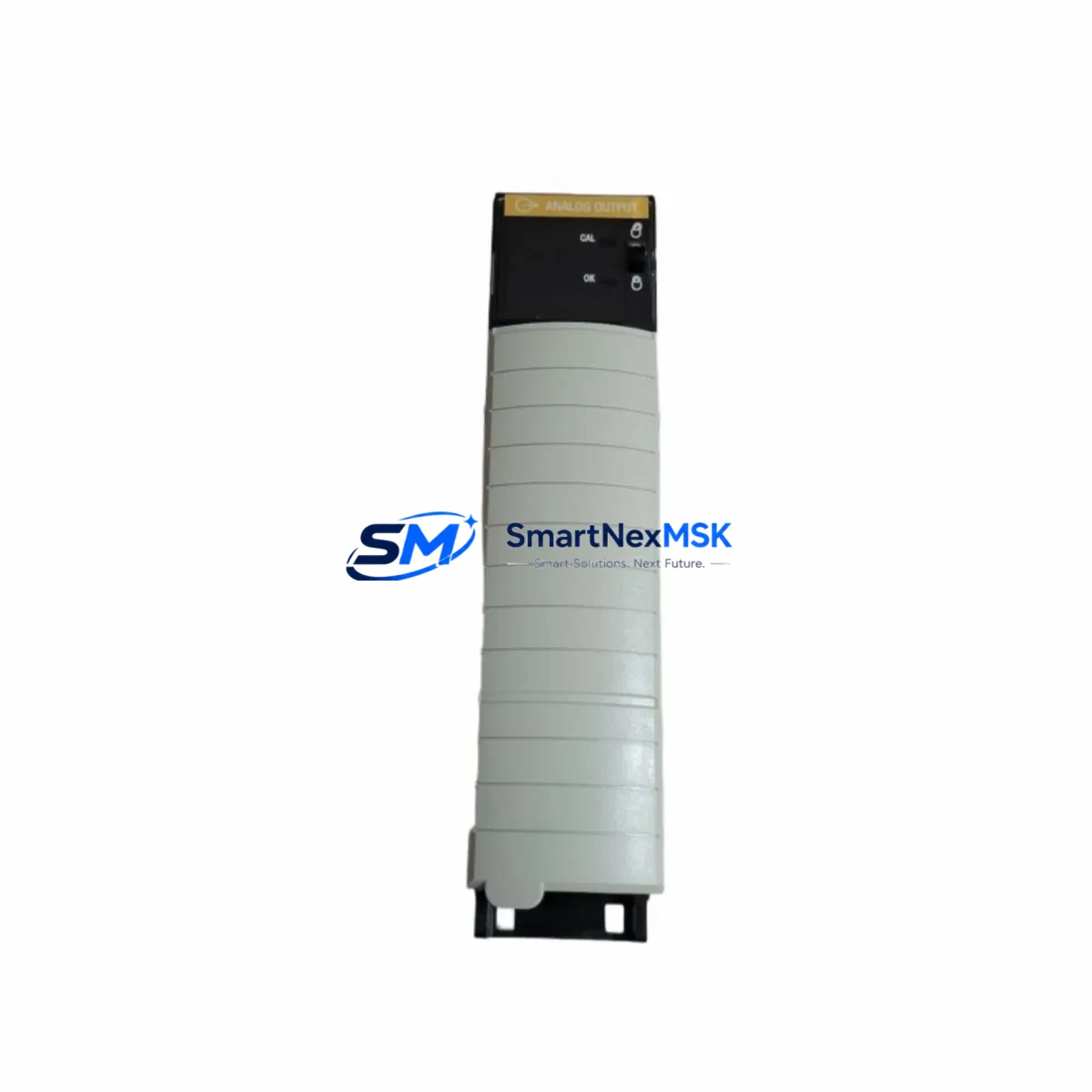
Allen-Bradley 1756-OF6CI Maintenance-Ready Spare ControlLogix: Spare Replacement & Industrial Downtime Risk Control
The Allen-Bradley 1756-OF6CI is a 6-channel isolated analog output module designed for the ControlLogix 1756 platform — one of the most widely deployed programmable automation controller (PAC) architectures in process and discrete manufacturing environments. When this module fails or degrades, the impact is immediate: analog control loops drop out, process variables go uncontrolled, and production lines halt. Maintaining a verified, tested spare of the 1756-OF6CI is not optional for facilities running continuous or batch processes — it is a fundamental element of any credible maintenance strategy.
This listing provides an original Allen-Bradley 1756-OF6CI spare, sourced, inspected, and shipped with a 12-month warranty. Each unit undergoes pre-shipment functional verification to confirm channel isolation integrity, output range accuracy (4–20 mA / 0–10 V), and backplane communication status before dispatch. Whether you are a maintenance engineer managing a planned shutdown or a procurement engineer building a critical-spare inventory, this module ships ready for immediate installation.
Spare Maintenance Table
| Parameter | Specification / Detail |
|---|---|
| SKU / Part Number | 1756-OF6CI |
| Brand | Allen-Bradley (Rockwell Automation) |
| Series | ControlLogix 1756 |
| Module Type | Analog Output Module — 6-Channel Isolated Current |
| Output Channels | 6 (individually isolated) |
| Output Signal Range | 4–20 mA (current); configurable per channel |
| Resolution | 16-bit |
| Isolation | Channel-to-channel and channel-to-backplane isolation |
| Backplane Compatibility | 1756 ControlLogix chassis (all standard rack sizes) |
| Power Consumption | Backplane: 325 mA @ 5 VDC; 3 mA @ 24 VDC |
| Operating Temperature | 0 °C to 60 °C (32 °F to 140 °F) |
| Certifications | UL, CE, C-Tick |
| Origin | United States |
| Installation | Hot-swappable in ControlLogix chassis; no rack power-down required |
| Firmware Compatibility | Compatible with RSLogix 5000 / Studio 5000 Logix Designer |
| Warranty | 12 Months — covers manufacturing defects and functional failure |
| Pre-Shipment Test | Channel output verification, isolation test, backplane communication check |
| Shipping | Anti-static packaging; expedited and standard international options available |
Maintenance Planning for Continuous Operation
When a 1756-OF6CI fails in service, the root cause is rarely the module alone. Experienced maintenance engineers know that analog output faults often cascade from upstream or downstream issues — and a thorough site inspection during replacement is essential to prevent repeat failures.
Begin by inspecting the 1756-PA75 or 1756-PB75 power supply module feeding the chassis. Voltage sag or ripple on the backplane rail can corrupt analog output calibration and cause intermittent channel faults that mimic module failure. If the power supply is more than five years old or shows any thermal discoloration on its housing, schedule it for replacement alongside the 1756-OF6CI.
Next, verify the 1756-A7 or 1756-A13 chassis backplane for physical damage, corrosion on the module connector pins, or signs of moisture ingress. A compromised backplane slot will damage a new module within weeks. While the chassis is partially depopulated during the swap, this is the ideal moment to inspect adjacent modules — particularly any 1756-IF16 analog input modules sharing the same rack, as they operate in the same signal environment and are subject to the same environmental stressors.
Check all field wiring terminations at the 1492-AIFM analog interface module or equivalent terminal block assembly connected to the 1756-OF6CI. Loose or corroded terminals on 4–20 mA loops are a leading cause of output drift and nuisance alarms. Inspect each channel’s loop wiring for insulation integrity, correct shielding grounding, and proper ferrule crimping.
If the system includes a 1756-EN2T or 1756-EN2TR EtherNet/IP communication module, confirm that the controller can re-establish I/O ownership of the replacement module without requiring a full program download. In some configurations, the module’s electronic keying settings must be adjusted in Studio 5000 to accept the replacement unit — particularly if the firmware revision differs from the original.
For facilities running mixed analog and digital I/O in the same cabinet, also inspect the 1756-OB16E digital output module and any associated 1756-IB16 digital input modules for signs of overcurrent damage or blown output drivers — conditions that sometimes accompany analog loop faults caused by field-side short circuits. Additionally, if signal isolation is required between the PLC and field instruments, verify that any installed signal isolators or loop-powered barriers (such as those from the MTL or P+F series commonly paired with ControlLogix systems) are within their rated operating range and have not drifted out of calibration.
Finally, if the facility uses a PanelView Plus HMI connected to the same ControlLogix controller, confirm that analog output faceplate displays and trend screens return to normal after the module replacement and that no latched alarms remain active in the HMI alarm log. Uncleared alarms can mask new faults and delay detection of any residual issues in the control loop.
Site Replacement Workflow
Step 1 — Pre-Replacement Verification: Before removing the faulted 1756-OF6CI, document the module’s slot position, electronic keying configuration, and I/O tag mapping in Studio 5000. Export the current program to a backup file. Confirm that all downstream actuators and control valves connected to the module’s output channels are in a safe state or placed in manual mode at the DCS or local control station.
Step 2 — Hot-Swap Removal: The 1756-OF6CI supports hot-swap removal in a powered ControlLogix chassis. Loosen the top and bottom captive screws, pull the module handle forward, and slide the module out of the backplane slot. Inspect the backplane connector on the chassis side for bent pins or debris before inserting the replacement unit.
Step 3 — Replacement Installation: Insert the new 1756-OF6CI into the same slot. The module will automatically inherit the I/O configuration stored in the controller if the electronic keying is set to “Compatible Module” or “Disable Keying.” If keying is set to “Exact Match,” verify that the catalog number and revision of the replacement unit match the original configuration in Studio 5000 before insertion.
Step 4 — Loop Verification: After the module comes online, use the Studio 5000 online diagnostic view to confirm that all six output channels report healthy status. Command each channel to a known engineering unit value and verify the corresponding field signal at the terminal block using a calibrated loop calibrator. This step confirms both the module’s output accuracy and the integrity of the field wiring.
Step 5 — Return to Automatic: Once all channels are verified, return downstream actuators to automatic control mode. Monitor the first 15–30 minutes of operation for any residual loop instability that might indicate a field-side issue not resolved by the module replacement alone.
This structured replacement workflow minimizes total downtime to under 30 minutes in most ControlLogix installations and eliminates the risk of re-faulting a new module due to unresolved field-side conditions.
Spare Parts Support FAQ
Q1: Is this 1756-OF6CI an original Allen-Bradley unit or a third-party compatible replacement?
This is an original Allen-Bradley 1756-OF6CI module manufactured by Rockwell Automation. It is not a clone, compatible substitute, or refurbished unit from an unauthorized source. Each unit is sourced through verified supply channels and carries a 12-month warranty covering manufacturing defects and functional failure under normal operating conditions.
Q2: How do I verify compatibility with my existing ControlLogix chassis and firmware version?
The 1756-OF6CI is compatible with all standard 1756 ControlLogix chassis (1756-A4, 1756-A7, 1756-A10, 1756-A13, 1756-A17) and is supported by RSLogix 5000 v16 and later, including all Studio 5000 Logix Designer versions. If your system uses an older firmware revision, contact us with your controller catalog number and firmware version before ordering — we can confirm compatibility and advise on any keying configuration requirements.
Q3: What pre-shipment testing is performed on each unit?
Every 1756-OF6CI shipped from our inventory undergoes a functional verification process that includes: backplane communication handshake test, per-channel analog output accuracy check across the 4–20 mA range, channel isolation resistance measurement, and visual inspection of the module housing, connector, and label. A test report is available upon request for critical spare applications requiring documented traceability.
Q4: What is your long-term supply commitment for this module, and what happens if it reaches end-of-life?
We maintain standing inventory of the 1756-OF6CI and actively monitor Rockwell Automation’s product lifecycle announcements. If this module transitions to end-of-life or limited availability status, we will proactively notify customers with open orders and provide guidance on compatible migration paths — including the 1756-OF6CIS (SIL-rated variant) or migration to the ControlLogix 5580 platform — to support long-term system continuity without forced emergency upgrades.
© 2026 SMARTNEXMSK. All rights reserved.
Original Source: https://smartnexmsk.com
Contact: [email protected] | +86 18259474341



