
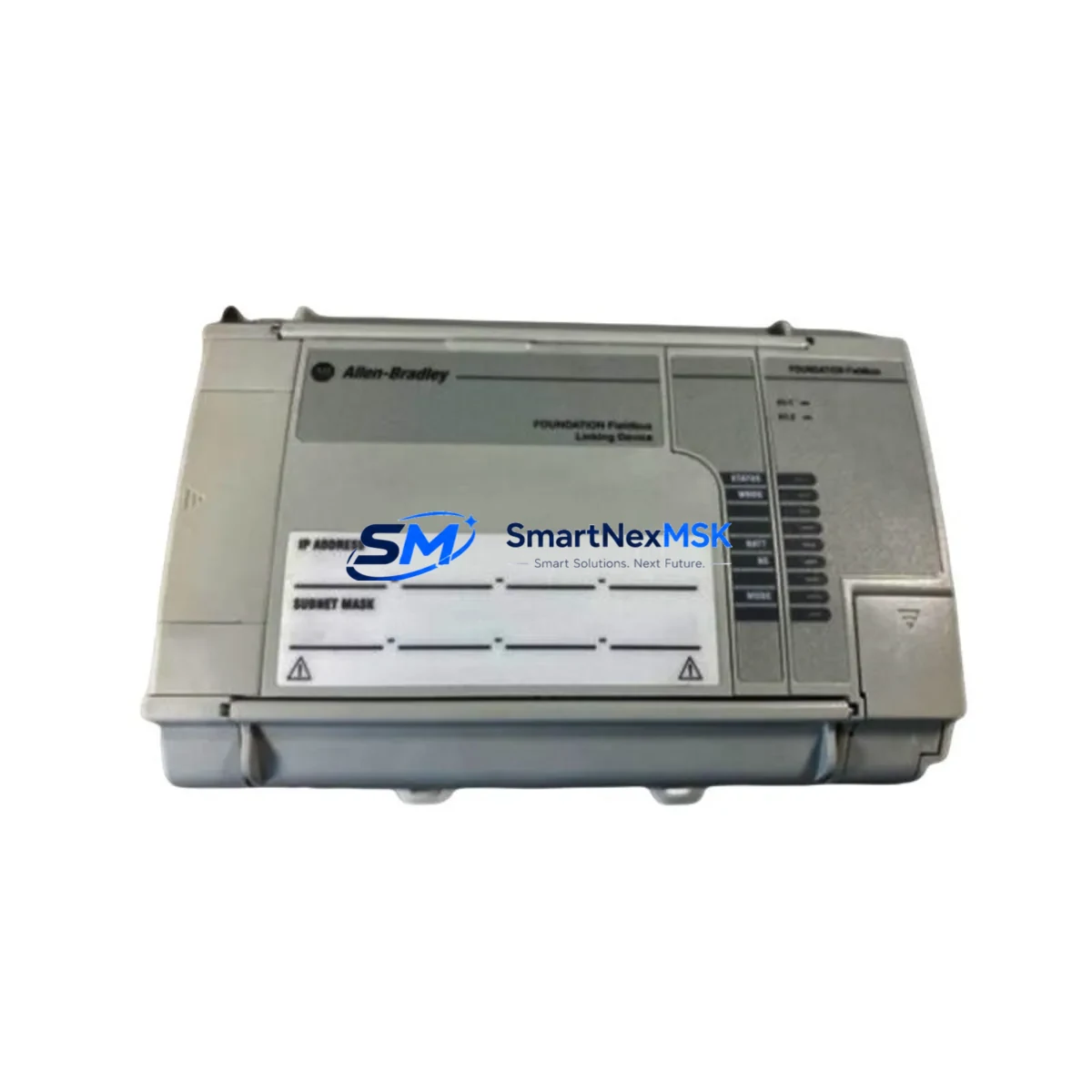
Allen-Bradley 1757-FFLD2 Spare for 1757 Series Automation: Fieldbus Replacement & Downtime Risk Control
The Allen-Bradley 1757-FFLD2 is a ControlNet-compatible Fieldbus Linking Module designed for FOUNDATION Fieldbus H1 segment integration within Rockwell Automation’s 1757 Series process control architecture. In industrial facilities running continuous or batch processes — including oil & gas, chemical, water treatment, and power generation — this module serves as the critical bridge between the ControlNet backplane and H1 field device segments. An unplanned failure of the 1757-FFLD2 can isolate entire field device loops, triggering process shutdowns and costly unplanned downtime. Maintaining a verified spare on-site is the single most effective strategy for rapid restoration.
This listing provides an original, tested 1757-FFLD2 unit sourced for maintenance-ready deployment. Each unit undergoes pre-shipment functional verification and ships with a 12-month warranty, supporting your site’s spare parts lifecycle management and audit requirements.
Spare Maintenance Table
| Parameter | Specification / Detail |
|---|---|
| Part Number / SKU | 1757-FFLD2 |
| Brand / Manufacturer | Allen-Bradley (Rockwell Automation) |
| Series | 1757 Series — FOUNDATION Fieldbus Linking Device |
| Product Type | Fieldbus Linking Module (ControlNet to H1) |
| Network Interface | ControlNet (upper network) + FOUNDATION Fieldbus H1 (field side) |
| H1 Segments Supported | 2 independent H1 segments |
| Devices per H1 Segment | Up to 16 field devices per segment (application dependent) |
| Power Supply Requirement | 24 VDC (supplied via 1757 Series backplane or external) |
| Operating Temperature | 0°C to 60°C (32°F to 140°F) |
| Mounting | 1757 Series chassis / backplane slot |
| Compatibility | 1757-FFLDC, 1757-FFLD, ControlLogix / PlantPAx environments |
| Application Environment | Process automation, DCS hybrid, continuous manufacturing |
| Condition | Original spare — pre-shipment tested |
| Warranty | 12 Months |
| Lead Time | In-stock — ships within 1–3 business days |
| Origin | United States |
Maintenance Planning for Continuous Operation
When a 1757-FFLD2 replacement is scheduled or triggered by fault diagnostics, experienced maintenance engineers treat it as an opportunity to audit the entire H1 segment and ControlNet node. A disciplined inspection at the time of module swap significantly reduces the risk of secondary failures and repeat callouts.
Begin with the 1757 Series chassis and backplane itself — inspect for corrosion on backplane connectors, verify slot seating, and confirm the chassis power rail is delivering stable 24 VDC. The 1757-SRM (System Redundancy Module), if installed, should be checked for active/standby switchover health before and after the swap. On the ControlNet side, verify the 1786-RPA/B ControlNet repeater or coax tap connections are intact, as signal degradation on the ControlNet trunk is a common root cause of linking module faults that are misdiagnosed as module failures.
On the H1 field side, inspect the Fieldbus H1 segment conditioner or power conditioner (such as a Pepperl+Fuchs or MTL unit) for output voltage stability — H1 segments require a tightly regulated 9–32 VDC bus. Check H1 segment terminators at both ends of each spur; missing or double-terminated segments cause communication errors that stress the linking module. Review connected field devices — FOUNDATION Fieldbus transmitters, control valves with FF positioners, and FF-capable analyzers — for device descriptor (DD) version compatibility with the replacement module firmware.
Inspect DIN rail terminal blocks and field wiring at the H1 junction box for insulation integrity and correct polarity. If the control cabinet houses a 1756-EN2T or 1756-CN2 ControlNet bridge module in a ControlLogix chassis upstream, verify its node address table reflects the 1757-FFLD2 correctly after replacement. For sites running PlantPAx DCS, confirm that the Process Object (P_Device) faceplates in FactoryTalk View SE re-establish communication within the expected timeout window post-swap.
Finally, review the 24 VDC bulk power supply feeding the 1757 chassis — a marginal power supply is a leading cause of intermittent module resets. Document all findings in your CMMS and update the spare parts BOM to reflect the confirmed 1757-FFLD2 as the validated replacement unit for this node.
Site Replacement Workflow
Step 1 — Pre-Replacement Verification: Confirm the replacement 1757-FFLD2 firmware revision matches or is compatible with the existing 1757 Series chassis firmware. Download the current module configuration (H1 segment addresses, device tags, macrocycle settings) from RSFieldbus or Studio 5000 Logix Designer before powering down.
Step 2 — Safe Isolation: Place the affected H1 segments in manual mode at the DCS/PLC level. Notify the control room. De-energize the 1757 chassis slot using the keyswitch or by removing backplane power — do not hot-swap unless the chassis explicitly supports it for this module type.
Step 3 — Physical Swap: Remove the faulty 1757-FFLD2 by releasing the top and bottom locking tabs. Insert the replacement unit firmly until the backplane connector seats fully. Restore power and observe the module status LEDs — the OK LED should illuminate solid green within 30 seconds of a successful initialization.
Step 4 — Configuration Restore: Download the saved H1 configuration to the replacement module via RSFieldbus. Verify all field devices re-register on both H1 segments. Confirm device tag assignments and scheduled function block execution are restored correctly.
Step 5 — Return to Auto: Confirm process values are reading correctly at the HMI. Return loops to automatic control sequentially. Log the replacement event, module serial numbers, and firmware versions in your CMMS for traceability and warranty records.
This workflow minimizes mean time to repair (MTTR) and ensures system compatibility is maintained without requiring a full re-commissioning cycle — a critical advantage when managing legacy 1757 Series installations that may no longer have active OEM support.
Spare Parts Support FAQ
Q1: Is this 1757-FFLD2 compatible with both early and late revisions of the 1757 Series chassis?
The 1757-FFLD2 is designed for the 1757 Series Fieldbus Linking Device platform. Compatibility across chassis revisions depends on firmware alignment. We recommend confirming the existing chassis firmware version prior to ordering. Our technical team can assist with revision matching based on your site’s installed base documentation.
Q2: What pre-shipment testing is performed on this unit?
Each 1757-FFLD2 unit undergoes functional power-on verification and communication port integrity checks before shipment. Units are inspected for physical condition, connector integrity, and correct LED initialization behavior. A test report is available upon request for quality-controlled procurement processes.
Q3: How should this spare be stored if not immediately installed?
Store the 1757-FFLD2 in its original anti-static packaging in a dry environment between -40°C and 85°C with relative humidity below 95% non-condensing. Avoid storage near strong electromagnetic fields. Inspect the unit annually if held in long-term strategic stock, and rotate stock on a first-in, first-out basis to maintain readiness.
Q4: What does the 12-month warranty cover?
The 12-month warranty covers manufacturing defects and functional failures under normal operating conditions from the date of shipment. It does not cover damage resulting from incorrect installation, overvoltage events, physical impact, or use outside the module’s rated environmental specifications. Warranty claims are supported with return merchandise authorization (RMA) and replacement dispatch within agreed lead times.
© 2026 SMARTNEXMSK. All rights reserved.
Original Source: https://smartnexmsk.com
Contact: [email protected] | +86 18259474341



