
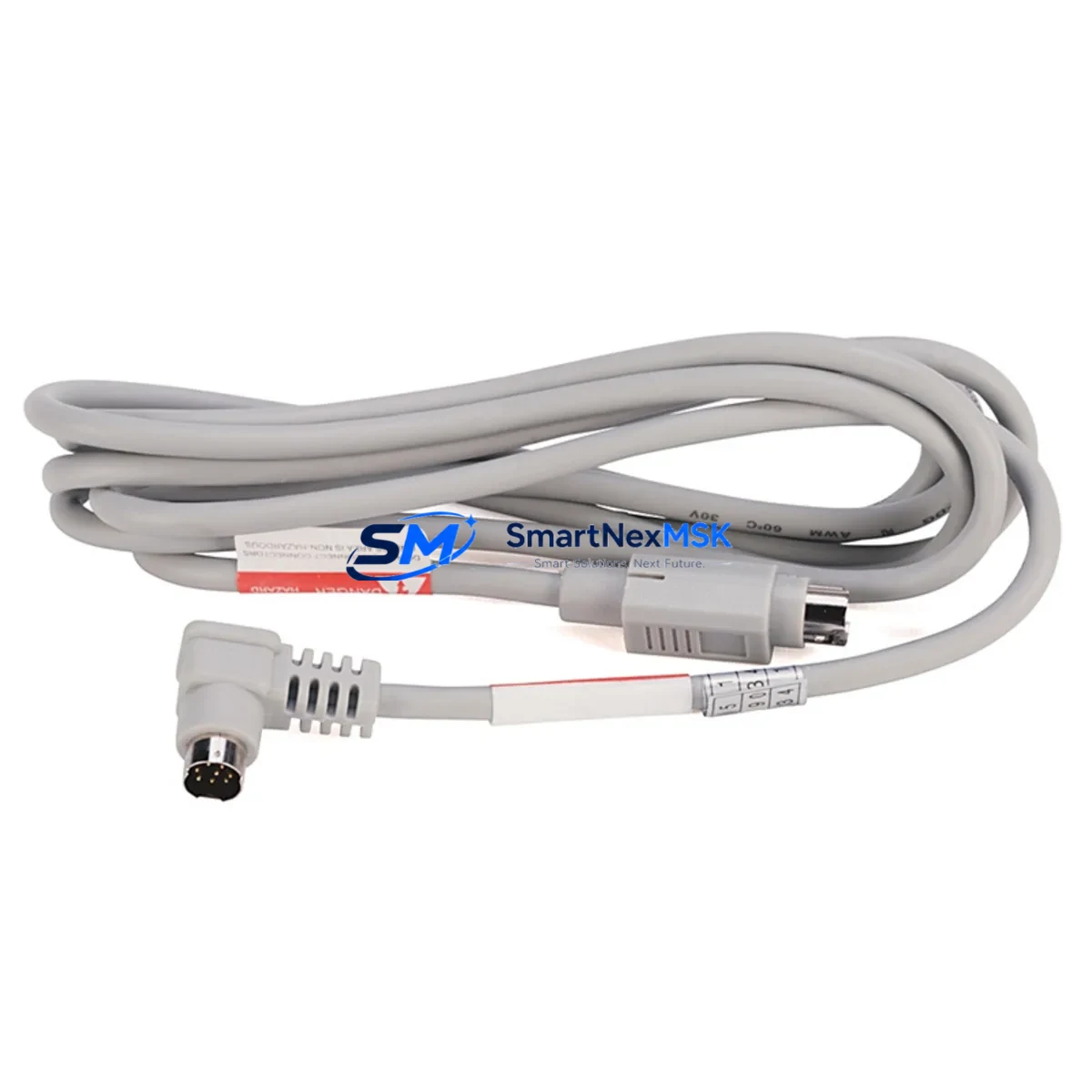
Allen-Bradley 1761-CBL-HM02 Retrofit-Ready Programming Cable for MicroLogix Control Systems
The Allen-Bradley 1761-CBL-HM02 is a hand-held programmer (HHP) interface cable designed for direct communication between a programming terminal and MicroLogix series programmable logic controllers. As legacy MicroLogix 1000, MicroLogix 1100, MicroLogix 1200, and MicroLogix 1500 installations continue to operate in manufacturing, water treatment, HVAC, and material handling environments, the 1761-CBL-HM02 remains a critical field tool for engineers performing program uploads, downloads, online monitoring, and forced I/O operations during retrofit and modernization projects.
When a control cabinet undergoes a partial upgrade — replacing a failed MicroLogix 1000 controller with a MicroLogix 1200 or migrating from a legacy DH-485 network segment to an EtherNet/IP backbone — the programming cable is the first tool required on-site. Before any logic transfer or parameter verification can begin, the technician must establish a reliable serial link between the HHP port on the controller and the programming device running RSLogix 500 or RSLogix Micro. The 1761-CBL-HM02 provides that link with the correct DIN-8 to RJ12 pinout, eliminating the need for custom wiring adapters that introduce signal integrity risk during time-sensitive commissioning windows.
In retrofit scenarios where the original MicroLogix 1000 (catalog 1761-L10BWA, 1761-L16BWA, or 1761-L32AWA) is being replaced by a MicroLogix 1100 (1763-L16BWA) or MicroLogix 1200 (1762-L24BWA), engineers must verify that the existing ladder logic program is compatible with the target controller’s instruction set and I/O map. The 1761-CBL-HM02 allows the technician to connect directly to the comm port of the replacement controller, upload the converted program from RSLogix 500, and perform a live comparison before disconnecting the original unit. This step is essential when the control system also includes expansion I/O modules such as the 1762-IQ8 digital input module, 1762-OW8 relay output module, or 1762-IF4 analog input module, all of which must be addressed correctly in the new controller’s I/O configuration.
For installations that include a PanelView 300 Micro or PanelView 550 HMI communicating over DH-485, the retrofit plan must account for HMI screen tag remapping after the controller swap. The 1761-CBL-HM02 supports the initial controller-side verification before the HMI communication link is re-established, allowing the field team to confirm program integrity independently of the HMI layer. Similarly, when a 1761-NET-AIC Advanced Interface Converter is present in the panel to bridge DH-485 and RS-232 segments, the programming cable provides a direct fallback connection path that bypasses the network converter entirely — a valuable contingency during fault diagnosis.
Power supply compatibility is another critical checkpoint during MicroLogix retrofit work. The replacement controller must be matched to the existing 24 VDC panel supply, and the 1761-CBL-HM02 allows the programmer to go online and verify the controller’s power consumption parameters and I/O status before the machine is returned to production. If the panel also houses a 1761-L32BWA with an onboard 10/100 Ethernet port for remote monitoring via RSLinx Classic, the programming cable remains the preferred tool for local, offline program management — particularly in environments where network access is restricted by plant IT policy.
Downtime control is the primary concern in any MicroLogix retrofit. Having a verified, in-stock 1761-CBL-HM02 on hand before the maintenance window begins eliminates one of the most common causes of extended outages: the inability to connect to the replacement controller. SMARTNEXMSK maintains ready inventory of the 1761-CBL-HM02 with same-day dispatch capability, pre-shipment continuity testing, and a 12-month warranty covering cable integrity, connector retention, and signal performance.
Upgrade Compatibility Table
| Parameter | Detail |
|---|---|
| SKU / Catalog Number | 1761-CBL-HM02 |
| Compatible Controllers | MicroLogix 1000, 1100, 1200, 1500 (HHP port models) |
| Connector Type | DIN-8 (controller side) to RJ12 (HHP side) |
| Communication Interface | RS-232 / DH-485 serial |
| Software Compatibility | RSLogix 500, RSLogix Micro, RSLinx Classic |
| Installation Requirement | No tools required; direct plug-in to HHP comm port |
| Retrofit Recommendation | Direct drop-in replacement for OEM 1761-CBL-HM02 |
| Commissioning Note | Verify DH-485 node address before going online |
| Warranty | 12 Months — connector, cable, and signal integrity |
| Origin | USA (Allen-Bradley / Rockwell Automation) |
Retrofit Planning for Existing Automation Systems
A complete MicroLogix retrofit typically involves more than a controller swap. The 1761-CBL-HM02 is the starting point, but the full bill of materials for a successful migration commonly includes the replacement MicroLogix controller itself (e.g., 1763-L16BWA for a MicroLogix 1100 target), expansion I/O modules such as the 1762-IQ8 and 1762-OW8, a 1761-NET-AIC for DH-485 network bridging, and a 1761-L32AWA or 1761-L20AWA as the legacy unit being retired. Panel power is typically supplied by a 1606-XLP72E or equivalent 24 VDC DIN-rail power supply, and the HMI layer often involves a PanelView 300 Micro or PanelView 550 that requires tag database updates after the controller migration. Programming is performed via a laptop running RSLogix 500 connected through the 1761-CBL-HM02, with RSLinx Classic managing the driver configuration. In some installations, a 1747-PIC or 1784-U2DHP USB-to-DH+ adapter is also present for legacy SLC 500 segments sharing the same control cabinet, and the field team must ensure that the DH-485 node addressing does not conflict across both platforms during the transition period.
Downtime Control During System Migration
Minimizing unplanned downtime during a MicroLogix migration requires a structured pre-commissioning checklist. Before the maintenance window opens, the replacement controller should be bench-tested using the 1761-CBL-HM02 and a laptop with RSLogix 500 to confirm that the converted program compiles without errors and that all I/O addresses resolve correctly against the physical module configuration. The original program should be archived from the legacy controller using the same cable before any hardware is removed, preserving the last-known-good logic as a recovery baseline. During the cutover, terminal block wiring should be documented with photographs and the I/O module slot assignments verified against the program’s I/O configuration tree. Once the replacement controller is installed and powered, the 1761-CBL-HM02 provides the local connection for a final online verification — confirming that all input status bits reflect actual field device states and that output forcing is disabled before the machine is released to production. This process, when executed with pre-tested hardware and a verified cable, consistently achieves controller swap completion within a single 4–8 hour planned maintenance window.
Retrofit Support FAQ
Q: Is the 1761-CBL-HM02 compatible with all MicroLogix models?
A: The 1761-CBL-HM02 is compatible with MicroLogix 1000, 1100, 1200, and 1500 controllers that feature the HHP (hand-held programmer) communication port. Controllers with only an RJ45 Ethernet port (such as certain MicroLogix 1100 variants configured for EtherNet/IP only) require a different connection method via RSLinx over the network interface.
Q: Can I use this cable to upload a program from a failed controller before replacement?
A: Yes. If the controller is still partially powered and the comm port is functional, the 1761-CBL-HM02 allows RSLogix 500 to go online and upload the existing ladder logic program. This is the recommended first step in any unplanned replacement scenario to preserve the current program state before the unit is removed.
Q: What commissioning checks should be performed after connecting with the 1761-CBL-HM02?
A: After establishing the RSLogix 500 online connection, verify the controller’s DH-485 node address, confirm the I/O module configuration matches the physical rack, check that all input status bits are reading correctly, and perform a controlled output test on non-critical outputs before enabling full machine operation. Disable any forced I/O bits that may have been set during the previous fault condition.
Q: What does the 12-month warranty cover?
A: The 12-month warranty covers manufacturing defects in the cable assembly, connector retention force, and signal continuity. Each unit undergoes pre-shipment continuity and insulation testing. Warranty claims are processed within 5 business days with advance replacement shipping available for critical production environments.
© 2026 SMARTNEXMSK. All rights reserved.
Original Source: https://smartnexmsk.com
Contact: [email protected] | +86 18259474341



