
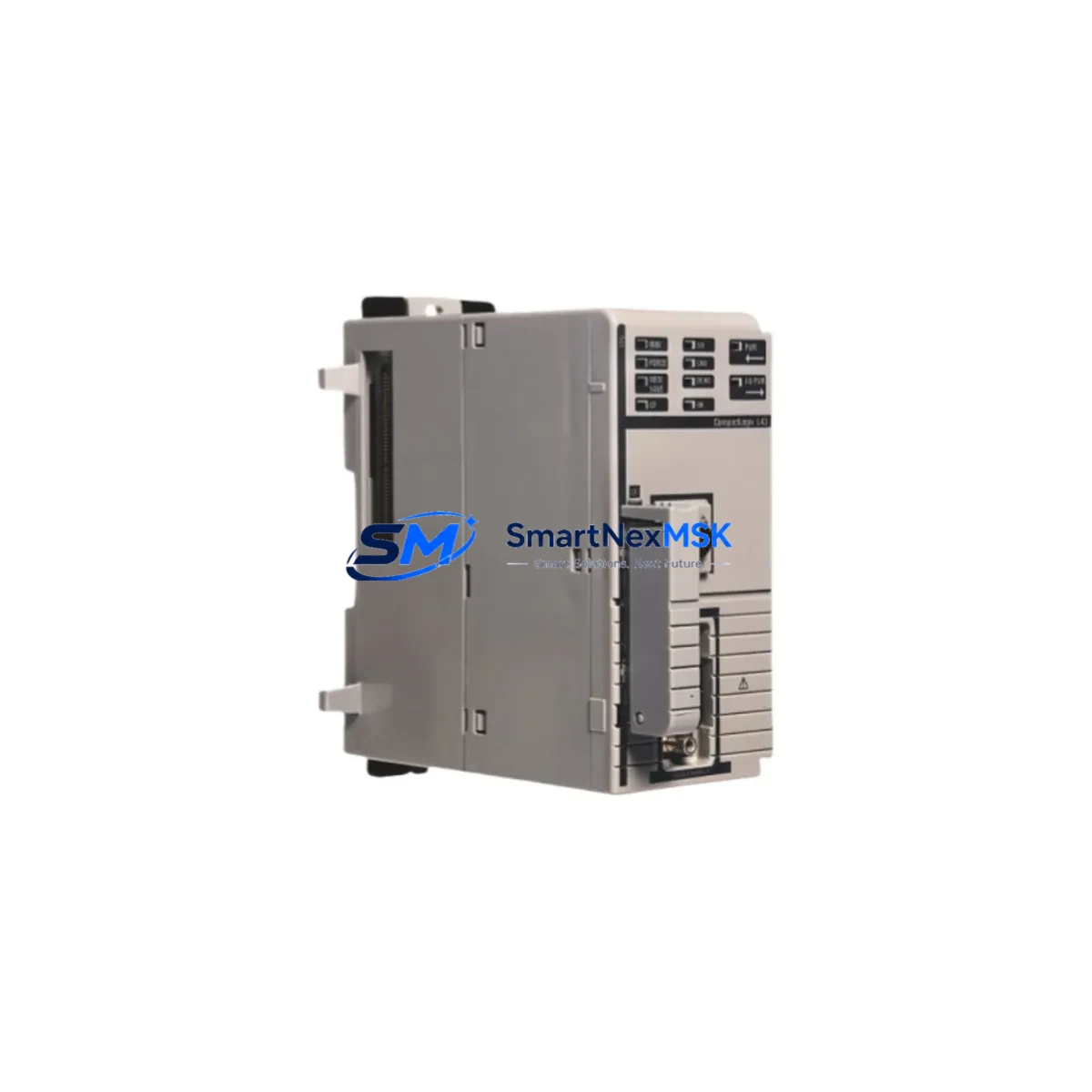
Allen-Bradley 1768-L45/C Retrofit-Ready PLC Processor for CompactLogix Control Systems
The Allen-Bradley 1768-L45/C is a high-performance CompactLogix 5345 PLC processor designed to serve as a direct retrofit solution for aging or discontinued Logix-family controllers. Whether you are replacing a failed 1768-L43 or migrating from an older SLC 500 or MicroLogix 1500 platform, the 1768-L45/C delivers the processing power, memory capacity, and communication flexibility required to modernize your control architecture with minimal disruption to existing field wiring and program logic.
This processor supports up to 2 MB of user memory and is compatible with the 1768 CompactLogix local chassis, accepting standard 1769 Compact I/O expansion modules on the right-hand side of the rack. When planning a retrofit, engineers must verify the existing 1768-PA3 or 1768-PB3 power supply capacity against the new module load, as additional I/O expansion — such as 1769-IQ16 digital input modules or 1769-OF4 analog output modules — may increase total current draw beyond the original design margin.
Terminal wiring compatibility is a critical checkpoint during any CompactLogix upgrade. The 1768-L45/C uses the same backplane connector standard as the 1768-L43 and 1768-L45, meaning existing 1768 chassis installations can accept the replacement processor without mechanical modification. However, engineers should audit all field terminal blocks and confirm that I/O module slot assignments remain consistent with the original program’s tag database to avoid address conflicts during commissioning.
Upgrade Compatibility Table
| Parameter | 1768-L43 (Legacy) | 1768-L45/C (Retrofit) |
|---|---|---|
| User Memory | 1 MB | 2 MB |
| Chassis Compatibility | 1768 Local Chassis | 1768 Local Chassis |
| Communication Ports | 1x EtherNet/IP, 1x RS-232 | 1x EtherNet/IP, 1x RS-232 |
| I/O Expansion | 1769 Compact I/O (right side) | 1769 Compact I/O (right side) |
| Programming Software | Studio 5000 / RSLogix 5000 | Studio 5000 / RSLogix 5000 |
| Firmware Upgrade Required | N/A | Match existing project firmware rev |
| Module Address Reassignment | N/A | Verify slot 0 processor address |
| HMI Compatibility | PanelView Plus 6 / 7 | PanelView Plus 6 / 7 (no change) |
| Warranty | — | 12 Months |
Retrofit Planning for Existing Automation Systems
A successful 1768-L45/C retrofit begins well before the maintenance window opens. Start by exporting the existing ACD project file from Studio 5000 or RSLogix 5000 and archiving it alongside the current firmware version. The replacement processor must be loaded with a firmware revision that matches or is compatible with the project file to prevent task execution errors on first power-up.
In multi-axis motion applications, confirm that any 1768-M04SE servo drive interface modules remain in their original chassis slots, as the motion group configuration within the Logix project references physical slot numbers. Similarly, if the system includes a 1768-ENBT EtherNet/IP bridge module for remote I/O communication, verify that the IP address assignments and connection parameters in the I/O tree are preserved after the processor swap.
For systems that include 1769-SDN DeviceNet scanner modules or 1769-ASCII serial communication modules, review the communication channel configuration in the controller properties dialog before going live. DeviceNet node addresses and baud rates stored in the scanner’s electronic data sheet (EDS) mapping must align with the field device configuration to re-establish network communication without manual re-commissioning of each node.
HMI screens built on PanelView Plus 6 or PanelView Plus 7 terminals typically reference controller tags by name rather than by address, which means a clean processor swap with an identical tag database will not require HMI reprogramming. However, if the retrofit involves any tag renaming or data type changes, the FactoryTalk View ME application must be updated and re-downloaded to the terminal before restart.
Power supply sizing is another area that demands attention. The 1768-PA3 AC power supply provides 10 W to the local backplane, while the 1768-PB3 DC variant provides the same output. If the retrofit plan includes adding 1769-IQ32 high-density digital input modules or 1769-IF8 analog input modules to expand I/O capacity, calculate the total backplane current consumption and confirm it remains within the power supply rated output. Exceeding this limit will cause intermittent faults and unpredictable module behavior.
Downtime Control During System Migration
Minimizing production downtime during a CompactLogix processor replacement requires a structured pre-outage preparation protocol. Before the maintenance window, create a full backup of the controller project, including all force tables, trend configurations, and alarm definitions. Use the Go Offline function in Studio 5000 to compare the online program with the backup file and confirm they are identical — this eliminates the risk of deploying a stale program version to the new processor.
During the physical swap, label all field wiring connections at the terminal block level before disconnecting any I/O modules. Even though the 1768-L45/C is a drop-in chassis replacement, field conditions sometimes reveal undocumented wiring changes made during previous maintenance cycles. A labeled terminal photograph taken before disassembly provides a reliable reference for reconnection.
After installing the 1768-L45/C and restoring power, download the archived project file and set the controller to Remote Program mode before switching to Run. Monitor the I/O tree in Studio 5000 for any faulted modules and resolve connection errors before enabling outputs. For systems with safety-critical interlocks, perform a full functional test of each interlock circuit before releasing the line to production. With proper preparation, most CompactLogix processor retrofits can be completed within a two- to four-hour planned maintenance window.
Retrofit Support FAQ
Q: Is the 1768-L45/C a direct drop-in replacement for the 1768-L43?
A: Yes. Both processors use the same 1768 local chassis and share identical backplane connector geometry. The primary difference is user memory capacity — 2 MB versus 1 MB — which means the 1768-L45/C can accommodate larger program files without requiring project restructuring.
Q: Do I need to re-wire any terminal blocks when replacing the processor?
A: No field wiring changes are required for the processor module itself. Terminal wiring connects to 1769 Compact I/O modules, which remain in place during the processor swap. Verify that all I/O module connections are secure and that no terminal screws have loosened during the chassis removal process.
Q: How do I verify communication link integrity after the retrofit?
A: After downloading the project and entering Run mode, use the Studio 5000 I/O tree to confirm that all EtherNet/IP connections show a green status. For DeviceNet or ControlNet segments, use RSNetWorx to verify node status. Check the controller diagnostic log for any connection timeout faults and resolve IP address conflicts before declaring the system operational.
Q: What does the 12-month warranty cover?
A: Every 1768-L45/C unit shipped by SMARTNEXMSK is covered by a 12-month warranty against manufacturing defects and functional failures under normal operating conditions. Each unit undergoes pre-shipment functional testing, including power-on verification and communication port validation, before dispatch. Warranty claims are processed through our direct support channel with a target response time of one business day.
© 2026 SMARTNEXMSK. All rights reserved.
Original Source: https://smartnexmsk.com
Contact: [email protected] | +86 18259474341



