
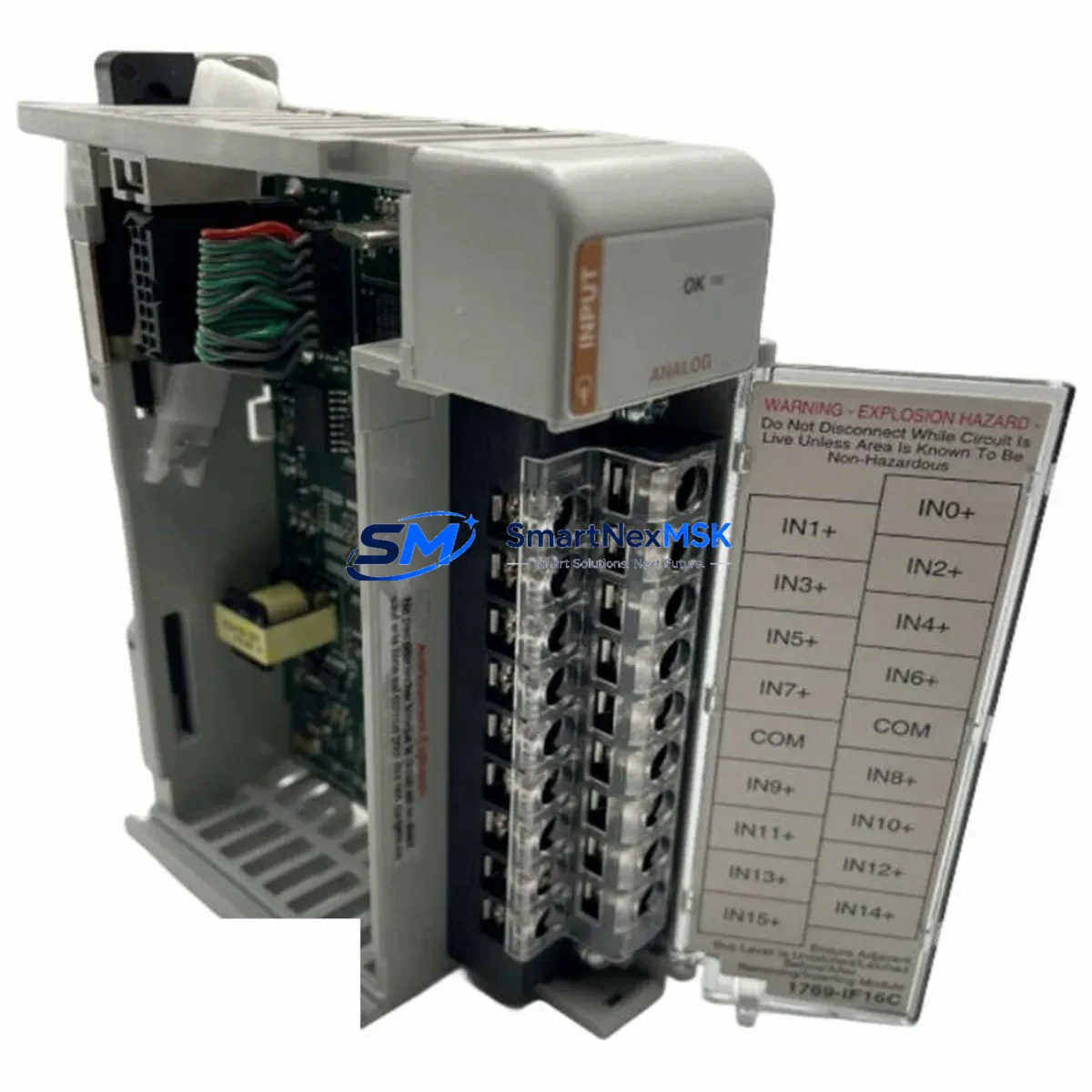
Allen-Bradley 1769-IF16C Retrofit-Ready Analog Input Module: Seamless CompactLogix System Upgrade
The Allen-Bradley 1769-IF16C is a 16-channel current analog input module designed for the CompactLogix 1769 series control platform. As legacy automation systems age and OEM support for discontinued modules becomes increasingly difficult to secure, the 1769-IF16C remains one of the most sought-after retrofit components for engineers tasked with modernizing existing control cabinets without a full system overhaul. Whether you are replacing a failed unit on a running production line, upgrading an aging 1769-series rack, or migrating from an older SLC 500 or MicroLogix platform to a CompactLogix architecture, the 1769-IF16C provides a reliable, specification-matched solution that minimizes re-engineering effort and downtime risk.
Each unit supplied by SMARTNEXMSK is sourced from verified industrial channels, subjected to pre-shipment functional testing, and backed by a 12-month warranty. We maintain ready stock to support urgent replacement orders and planned maintenance shutdowns alike, with fast global shipping to minimize the impact on your production schedule.
Upgrade Compatibility Table
| Parameter | Details |
|---|---|
| Module SKU | 1769-IF16C |
| Brand / Manufacturer | Allen-Bradley (Rockwell Automation) |
| Series Compatibility | CompactLogix 1769 series (L23, L24, L27, L30, L31, L32, L35, L43, L45) |
| Input Channels | 16 channels, current input (4–20 mA) |
| Backplane Interface | 1769 single-width right-end or left-end bus connector |
| Installation Requirement | DIN rail or panel mount; compatible with 1769-ECR / 1769-ECL end caps |
| Communication Compatibility | EtherNet/IP via CompactLogix controller; DeviceNet and ControlNet via bridge modules |
| Common Replacement Paths | SLC 500 analog → CompactLogix 1769; MicroLogix 1500 → CompactLogix L3x series |
| Commissioning Notes | Verify module address slot assignment in RSLogix 5000 / Studio 5000; re-map I/O tags if replacing from a different module type |
| Warranty | 12 months from date of shipment |
Retrofit Planning for Existing Automation Systems
Successful integration of the 1769-IF16C into an existing control system requires careful pre-installation planning across several dimensions. Before removing the legacy module, engineers should document the current terminal wiring layout — particularly the field-side 4–20 mA loop connections — and photograph the existing terminal block assignments to avoid re-wiring errors during the swap. The 1769-IF16C uses a removable terminal block (RTB), which simplifies field replacement without disturbing the wiring harness, provided the RTB pinout matches the predecessor module.
Power budget verification is a critical step often overlooked in retrofit projects. The 1769 backplane distributes 5 VDC and 24 VDC across all installed modules, and adding or replacing analog input modules can shift the total current draw. Confirm that the 1769-PA2 or 1769-PB2 power supply installed in the rack has sufficient headroom to support the 1769-IF16C alongside other modules such as the 1769-OB16 digital output module or the 1769-IF4 analog input module already present in the system.
For systems that include communication modules such as the 1769-L32E CompactLogix controller with an integrated EtherNet/IP port, or those using a 1769-SDN DeviceNet scanner module, no additional communication configuration is typically required for the analog input module itself — the 1769-IF16C communicates exclusively over the 1769 backplane to the local controller. However, if the retrofit involves migrating from a remote I/O rack connected via a 1756-DHRIO ControlLogix bridge or a 1747-SN SLC remote I/O scanner, the I/O mapping and program logic will require revision in Studio 5000 Logix Designer to reflect the new module’s slot address and channel configuration.
HMI screen updates are frequently required when replacing analog input modules. If the existing SCADA or PanelView Plus HMI display references specific tag names tied to the old module’s I/O address, those tag bindings must be updated to reflect the new 1769-IF16C channel assignments. This is particularly relevant in systems where the 1769-IF16C replaces a 1769-IF8 (8-channel) module, as the channel count difference will affect how process values are mapped and displayed. Coordinate with the HMI programmer to update PanelView 800 or PanelView Plus 7 screens before returning the system to production.
For sites migrating from older SLC 500 platforms, the transition typically involves installing a new CompactLogix rack alongside the existing SLC rack during a parallel-run commissioning phase. During this period, the 1769-IF16C can be pre-configured and tested offline using RSLogix 5000 emulation before the final cutover, reducing live commissioning time significantly. A 1761-CBL-PM02 programming cable or a USB-to-serial adapter may be required for initial controller connection if the site does not yet have an EtherNet/IP infrastructure in place.
Downtime Control During System Migration
Minimizing unplanned downtime is the primary concern for any control system retrofit. When replacing the 1769-IF16C in a live production environment, the recommended approach is to perform a full program backup using Studio 5000 Logix Designer before any hardware changes are made. Save the .ACD project file to a secure location and document the current module configuration, including the channel scaling parameters, filter frequencies, and alarm setpoints configured for each of the 16 analog input channels.
Where possible, schedule the physical module swap during a planned maintenance window. Power down the 1769 rack in the correct sequence — disable field power first, then remove the backplane power supply — before extracting the module. The 1769-IF16C’s removable terminal block allows the field wiring to remain connected to the RTB while the module body is exchanged, which is the single most effective technique for reducing re-wiring time and the risk of wiring errors during the swap.
After installing the replacement 1769-IF16C, restore power and allow the CompactLogix controller to perform its I/O module recognition sequence. In Studio 5000, verify that the module identity matches the configured module type in the I/O tree. If the controller was previously configured for the same 1769-IF16C catalog number, the program will resume execution without requiring a full download. Perform a live channel verification by injecting a known 4 mA and 20 mA signal into each channel and confirming the corresponding process value in the controller tag database before releasing the system back to automatic control. This end-to-end verification step, combined with pre-shipment testing on every unit we supply, ensures that field commissioning time is kept to a minimum.
Retrofit Support FAQ
Q1: Is the 1769-IF16C a direct drop-in replacement for the 1769-IF8?
The 1769-IF16C and 1769-IF8 share the same 1769 backplane interface and physical form factor, but they differ in channel count (16 vs. 8 channels) and terminal block pinout. A direct swap requires updating the module definition in Studio 5000 and remapping the I/O tags. The RTB wiring will need to be extended to cover the additional 8 channels if all 16 are to be used. For a like-for-like replacement of a failed 1769-IF16C, no program changes are required beyond restoring the saved configuration.
Q2: What commissioning steps are required after installing a replacement 1769-IF16C?
After physical installation, power up the rack and confirm module recognition in Studio 5000. Verify channel scaling (engineering units, low/high range) matches the original configuration. Inject test signals at 4 mA and 20 mA on each active channel and confirm the corresponding tag values in the controller. Check that any alarm limits and filter settings are correctly restored from the backup project file before returning the system to automatic mode.
Q3: Can the 1769-IF16C be used in a system that also includes ControlLogix 1756 modules?
The 1769-IF16C is a CompactLogix 1769-series module and is not directly compatible with the 1756 ControlLogix backplane. However, in distributed architectures where a 1756-L7x ControlLogix controller communicates with a remote CompactLogix rack via EtherNet/IP using a 1769-L32E as a remote adapter, the 1769-IF16C can function as a remote I/O module visible to the ControlLogix controller through the network. Consult your system architecture documentation before proceeding.
Q4: What does the 12-month warranty cover, and what is the pre-shipment testing process?
Every 1769-IF16C unit supplied by SMARTNEXMSK undergoes pre-shipment functional testing to verify backplane communication, channel integrity, and signal accuracy across the full 4–20 mA input range. The 12-month warranty covers manufacturing defects and functional failures under normal operating conditions from the date of shipment. Warranty claims are supported by our technical team, and replacement units are dispatched promptly to minimize any impact on your production continuity.
© 2026 SMARTNEXMSK. All rights reserved.
Original Source: https://smartnexmsk.com
Contact: [email protected] | +86 18259474341



