
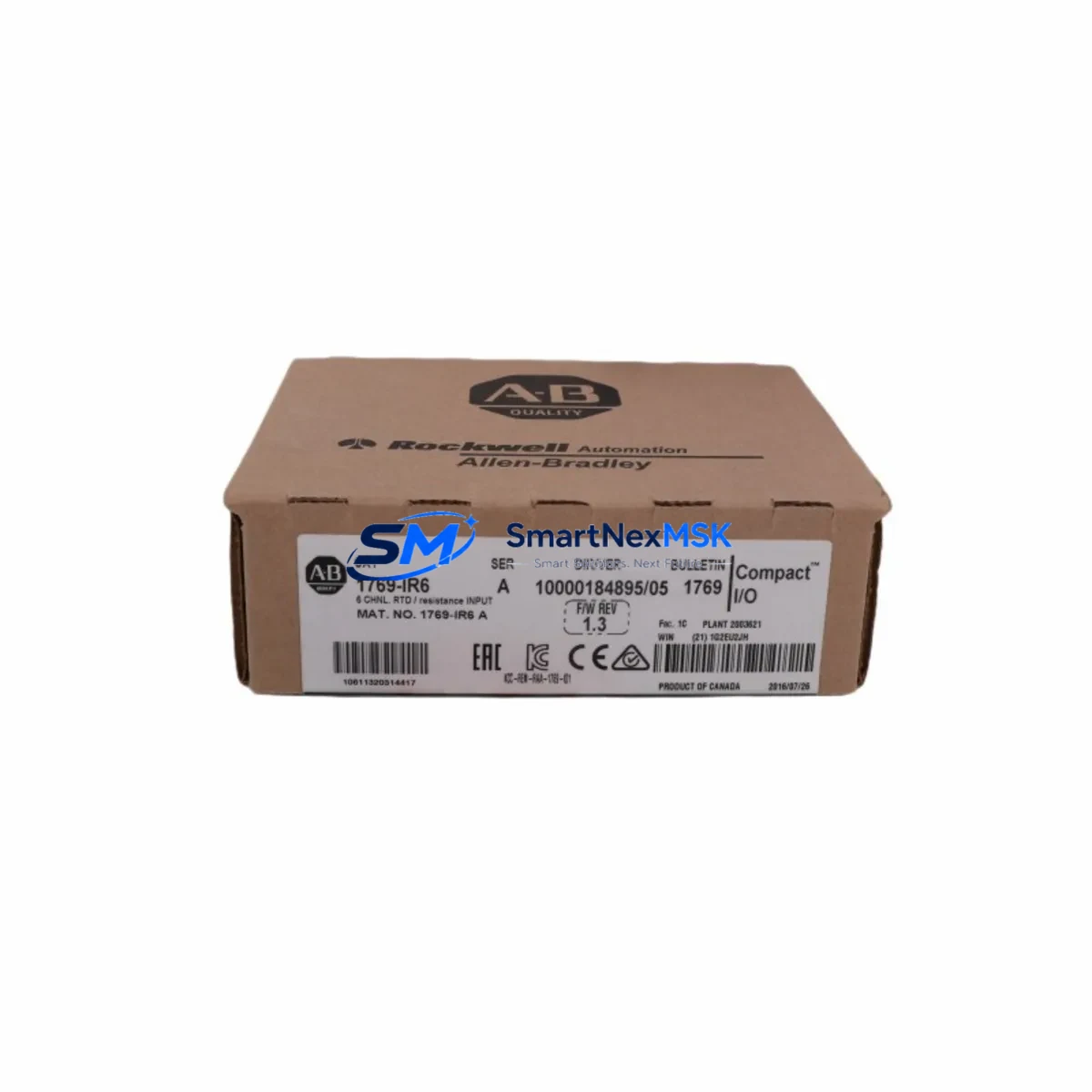
Allen-Bradley 1769-IR6 Retrofit-Ready RTD Input Module for CompactLogix Control Systems
The Allen-Bradley 1769-IR6 is a 6-channel RTD (Resistance Temperature Detector) input module designed for the Compact I/O platform and fully compatible with CompactLogix controllers including the 1769-L16ER, 1769-L18ER, 1769-L24ER, 1769-L30ER, and 1769-L33ER series. As legacy temperature measurement modules reach end-of-life or become increasingly difficult to source, the 1769-IR6 serves as the definitive retrofit-ready replacement for aging RTD input assemblies in process control, HVAC automation, food and beverage lines, and industrial furnace management systems.
This module supports PT100, PT1000, Ni120, and 10Ω copper RTD sensor types across all six channels, with individual channel configuration via Logix Designer (Studio 5000). Each channel is independently configurable for sensor type, filter frequency, and open-wire detection, making it highly adaptable to existing field wiring without requiring sensor replacement during a retrofit project. The 1769-IR6 occupies a single slot on the 1769 Compact I/O backplane and draws power directly from the backplane bus, eliminating the need for an external 24 VDC supply at the module level.
When replacing an older 1769-IR6 or a discontinued third-party RTD module in an existing CompactLogix rack, engineers should verify the available backplane current budget. The 1769-PA2 or 1769-PB2 power supply modules are commonly paired with Compact I/O banks, and their current capacity must be confirmed before adding or swapping modules. In multi-bank configurations connected via the 1769-BA bus adapter, the total current draw across all modules in each bank must remain within the power supply’s rated output.
Terminal wiring on the 1769-IR6 uses a removable 20-pin RTB (Removable Terminal Block), which allows the field wiring harness to be disconnected from the module without disturbing individual wire terminations — a critical advantage during hot-swap maintenance windows. The RTB pinout is compatible with standard 2-wire, 3-wire, and 4-wire RTD configurations. When migrating from a legacy system that used 2-wire RTDs, technicians should assess whether upgrading to 3-wire or 4-wire sensors is feasible to improve measurement accuracy and reduce lead resistance error.
Module addressing is handled automatically by the CompactLogix controller through the I/O tree in Studio 5000 Logix Designer. After physical installation, the module appears in the controller’s I/O configuration and its channel data is mapped to controller tags in the program. If the replacement module is installed in the same slot as the original, the existing tag structure and HMI faceplates — typically built in FactoryTalk View ME or FactoryTalk View SE — will continue to function without modification, provided the module type and slot number remain unchanged in the I/O configuration.
For systems migrating from SLC 500 or MicroLogix platforms to CompactLogix, the 1769-IR6 is a key component in the I/O modernization path. The legacy 1746-NR4 or 1746-NR8 RTD modules from the SLC 500 rack do not have a direct physical equivalent in the Compact I/O family, so a re-mapping of channel assignments and a review of the converted ladder logic — typically performed using the Logix Designer import/export tools or the RSLogix 5000 migration utility — is required. The 1769-ADN DeviceNet adapter or 1769-SDN scanner may also be involved if the existing network topology uses DeviceNet for distributed I/O communication.
In distributed control architectures where the CompactLogix acts as a remote I/O adapter connected to a ControlLogix backplane via EtherNet/IP, the 1769-IR6 data is consumed by the parent controller through a produced/consumed tag relationship or a standard I/O connection. The 1756-EN2T or 1756-EN2TR EtherNet/IP communication modules in the ControlLogix chassis handle the network-layer communication, and their connection parameters must be verified to ensure the RTD module’s RPI (Requested Packet Interval) is set appropriately for the process loop update rate.
Upgrade Compatibility Table
| Parameter | Detail |
|---|---|
| Module SKU | 1769-IR6 |
| Platform | Allen-Bradley Compact I/O (1769 Series) |
| Compatible Controllers | CompactLogix 1769-L16ER, L18ER, L24ER, L30ER, L33ER, L36ERM |
| Channels | 6 RTD Input Channels (individually configurable) |
| Supported Sensor Types | PT100, PT1000, Ni120, 10Ω Copper (2/3/4-wire) |
| Backplane Interface | 1769 Compact I/O single-slot |
| Terminal Block | Removable 20-pin RTB |
| Power Source | Backplane bus (no external 24 VDC required) |
| Communication | EtherNet/IP via CompactLogix controller |
| Programming Software | Studio 5000 Logix Designer v20+ |
| Legacy Replacement Path | 1746-NR4, 1746-NR8 (SLC 500 RTD modules) |
| Installation Requirement | Same slot position preserves HMI tags and I/O tree |
| Commissioning Tool | RSLinx Classic / Studio 5000 online mode |
| Warranty | 12 Months — covers hardware defects, DOA replacement |
Retrofit Planning for Existing Automation Systems
A successful 1769-IR6 retrofit begins with a thorough audit of the existing Compact I/O bank. Start by documenting the current slot layout, including the positions of the 1769-OB16 digital output modules, 1769-IF4 analog input modules, and any 1769-ASCII or 1769-SM2 specialty modules occupying adjacent slots. Confirm that the 1769-PA2 power supply has sufficient residual current capacity to support the 1769-IR6’s backplane draw. If the bank is at or near capacity, a 1769-BA bus adapter can be used to extend the rack and distribute the load across a second power supply.
Field wiring should be documented before disconnecting the old module. Photograph or sketch the RTB terminal assignments, noting sensor type, wire gauge, and shield grounding points. The 1769-IR6’s removable RTB allows the new module to be pre-wired on the bench and then snapped onto the installed module body, minimizing live-wire exposure time during the changeover. After installation, use Studio 5000 Logix Designer in online mode to verify that each channel is reading within the expected engineering unit range before releasing the system back to production.
For systems that include a 1769-L30ER CompactLogix controller communicating with a SCADA host via EtherNet/IP, the 1769-IR6 channel data will appear in the controller’s tag database immediately after the I/O connection is established. FactoryTalk View ME panels or third-party HMI terminals connected via the 1761-NET-ENI or directly over Ethernet will display the updated temperature values without requiring HMI program changes, provided the tag names are preserved. If the slot number changes during the retrofit, the I/O tree must be updated in Studio 5000 and the HMI tag database re-exported and re-imported.
Downtime Control During System Migration
Minimizing unplanned downtime during a 1769-IR6 swap requires pre-staging the replacement module, verifying firmware compatibility, and preparing a rollback plan before the maintenance window begins. The CompactLogix controller supports inhibiting individual I/O modules in the I/O tree, which allows the 1769-IR6 slot to be taken offline in software before the physical swap — preventing nuisance faults from propagating to the control program and triggering unnecessary shutdowns.
Before removing the original module, export the controller program from Studio 5000 as an .ACD file and save a copy of the current I/O configuration. This ensures that if the replacement module exhibits unexpected behavior, the original configuration can be restored within minutes. The 1769-IR6’s channel configuration is stored in the controller program, not in the module itself, so no module-level parameter backup is required — the controller will automatically download the channel configuration to the new module upon establishing the I/O connection.
For critical process loops where temperature feedback directly controls a PID instruction or a safety interlock, consider placing the affected loop in manual mode and holding the output at a safe value during the swap interval. This protects the process from reacting to the momentary loss of RTD feedback during module removal and re-insertion. Once the new 1769-IR6 is installed and all six channels are confirmed in range, the loop can be returned to automatic mode and the inhibit flag cleared in the I/O tree.
Retrofit Support FAQ
Q: Is the 1769-IR6 a direct drop-in replacement for the original module in the same slot?
A: Yes. If the replacement 1769-IR6 is installed in the same backplane slot as the original, the CompactLogix controller will recognize it automatically using the existing I/O configuration in the program. No changes to the Studio 5000 project, HMI tag database, or field wiring are required, provided the RTB terminal assignments are preserved.
Q: What commissioning checks are required after installation?
A: After installation, go online with Studio 5000 Logix Designer and verify that the module status indicator shows a solid green Run light. Check each of the six channels in the module’s tag data to confirm readings are within the expected engineering unit range. Verify that no open-wire or over-range faults are active. For PID-controlled loops, confirm the process variable is tracking correctly before returning the loop to automatic mode.
Q: Can the 1769-IR6 replace RTD modules from SLC 500 systems such as the 1746-NR4?
A: The 1769-IR6 is not a direct physical replacement for the 1746-NR4, as the SLC 500 and Compact I/O platforms use different backplane architectures. However, in a platform migration project where the SLC 500 rack is being replaced with a CompactLogix system, the 1769-IR6 is the correct RTD input module for the new Compact I/O bank. Channel re-mapping and ladder logic conversion are required as part of the migration.
Q: What does the 12-month warranty cover?
A: The 12-month warranty covers hardware defects and dead-on-arrival (DOA) units. If the module fails to function correctly upon receipt or develops a hardware fault within 12 months of the ship date under normal operating conditions, a replacement unit will be dispatched. The warranty does not cover damage resulting from incorrect wiring, overvoltage, or installation outside the module’s rated environmental specifications.
© 2026 SMARTNEXMSK. All rights reserved.
Original Source: https://smartnexmsk.com
Contact: [email protected] | +86 18259474341



