
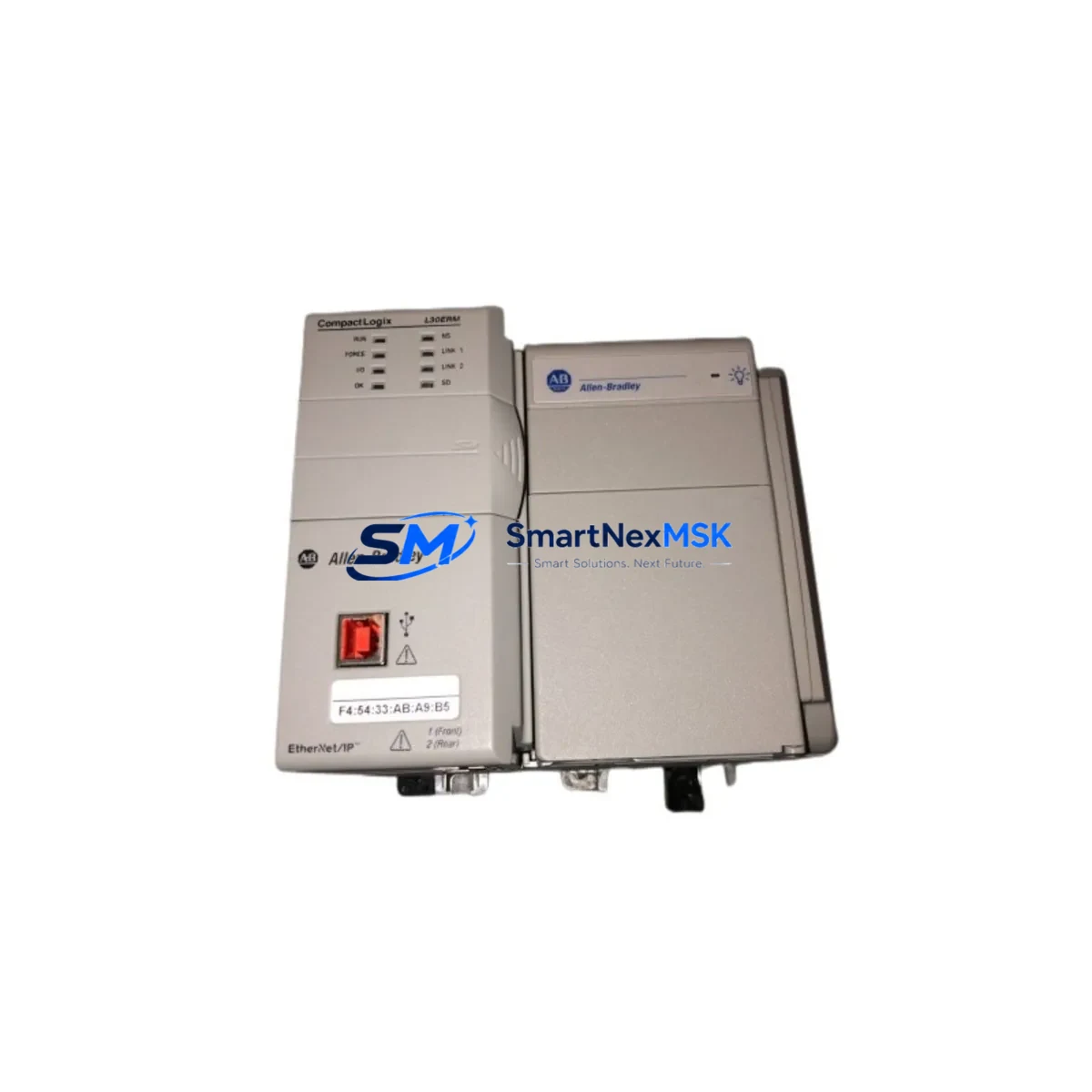
Allen-Bradley 1769-L30 Retrofit-Ready Processor for CompactLogix Control Systems
The Allen-Bradley 1769-L30 is a high-performance CompactLogix 5300 series PLC processor engineered for seamless integration into legacy and modern control architectures. Whether you are replacing an end-of-life controller, upgrading a discontinued automation platform, or modernizing a multi-axis control cabinet, the 1769-L30 delivers the processing power, communication flexibility, and I/O scalability required for demanding industrial environments. With verified compatibility across the CompactLogix 1769 backplane ecosystem, this processor is a proven retrofit solution for system integrators, maintenance engineers, and OEM rebuild teams operating under tight downtime constraints.
Sourced from authorized distribution channels and subject to full functional testing prior to shipment, every 1769-L30 unit supplied by SMARTNEXMSK is backed by a 12-month warranty covering hardware defects and operational failures under normal service conditions. Stock is maintained for immediate dispatch, supporting both planned upgrade projects and emergency replacement scenarios.
Upgrade Compatibility Table
| Parameter | Details |
|---|---|
| Compatible Series | CompactLogix 5300 (1769 series) |
| Backplane Interface | 1769 standard backplane, left/right expansion |
| Communication Ports | EtherNet/IP (dual-port), USB programming port |
| I/O Capacity | Up to 16 local 1769 I/O modules |
| Memory | 1 MB user program + 1 MB user data |
| Programming Software | Studio 5000 Logix Designer v21 and above |
| Replaces / Upgrades From | 1769-L20, 1769-L23, 1769-L27, SLC 5/04, MicroLogix 1500 |
| Power Supply Compatibility | 1769-PA2, 1769-PB2 and equivalent 1769 power supplies |
| Commissioning Requirement | RSLinx Classic or Studio 5000 for IP assignment and program download |
| Warranty | 12 months from date of shipment |
Retrofit Planning for Existing Automation Systems
Successful deployment of the 1769-L30 in a retrofit scenario begins with a thorough audit of the existing control cabinet. Engineers replacing a legacy SLC 5/04 or an earlier CompactLogix 1769-L20 must first verify that the installed 1769 backplane and power supply — typically a 1769-PA2 or 1769-PB2 — can support the current draw of the new processor alongside all installed I/O modules. The 1769-L30 draws marginally more power than the L20 variant, so a power budget review is mandatory before energizing the upgraded rack.
Terminal wiring on the existing 1769 digital and analog I/O modules — such as the 1769-IQ16, 1769-OB16, and 1769-IF4 — remains unchanged during a processor swap, which significantly reduces field rewiring time. Module addressing is preserved through the Studio 5000 project file, provided the I/O tree structure is maintained. Engineers should export and archive the original .ACD project file before initiating any hardware change.
For systems communicating over DeviceNet or ControlNet, a protocol migration step is required. The 1769-L30 natively supports EtherNet/IP, so legacy DeviceNet scanner cards such as the 1769-SDN must be retained in the rack or replaced with an appropriate EtherNet/IP adapter bridge. Where PROFIBUS or Modbus RTU devices are present on the field bus, a 1769-ASCII or third-party gateway module may be required to maintain communication continuity during the transition period.
HMI panels connected via DH-485 or RS-232 — including PanelView 550 and PanelView Plus 600 terminals — will require communication path reconfiguration. Updating the PanelView application to reference the new processor node address and verifying all tag bindings in FactoryTalk View ME is a critical pre-commissioning step. Where the HMI application references obsolete SLC data file addresses, a tag remapping exercise in Studio 5000 is necessary to align legacy integer and binary files with the Logix tag-based data model.
I/O expansion beyond the local 1769 rack can be achieved using 1734 POINT I/O adapters over EtherNet/IP, or by adding a second 1769 expansion rack connected via the 1769-ARM right-end cap and expansion cable. This approach allows the 1769-L30 to manage distributed I/O across multiple physical enclosures without requiring a separate controller, making it well suited for conveyor systems, packaging lines, and process skids undergoing phased modernization.
Downtime Control During System Migration
Minimizing production interruption during a PLC processor replacement requires a structured cutover plan. The recommended approach is to perform a full program backup from the existing controller using RSLogix 5000 or Studio 5000 before any hardware is removed. Verify that the backup .ACD file opens without errors and that all force conditions and I/O configurations are documented.
Where a hot-standby or redundant configuration is not available, schedule the processor swap during a planned maintenance window. Pre-configure the replacement 1769-L30 offline — assign the correct IP address using BOOTP/DHCP or the USB port, download the verified program, and confirm that all I/O modules are recognized in the I/O tree before closing the cabinet. This offline preparation reduces live cutover time to under 30 minutes in most standard rack configurations.
After power-up, verify all analog input scaling on 1769-IF4 and 1769-IF8 modules, confirm digital output states on 1769-OB16 modules match pre-shutdown conditions, and test all interlocks before releasing the system to production. Communication links to SCADA systems via EtherNet/IP should be verified using RSLinx Classic or Wireshark to confirm cyclic data exchange is re-established within expected scan cycle tolerances.
Retrofit Support FAQ
Q: Is the 1769-L30 a direct drop-in replacement for the 1769-L20 or 1769-L23?
A: Yes, the 1769-L30 is physically and electrically compatible with the same 1769 backplane slot. The program must be converted and re-downloaded using Studio 5000. I/O module wiring and addressing remain unchanged.
Q: What commissioning steps are required after installing the 1769-L30?
A: Assign the processor IP address via USB or BOOTP, download the converted .ACD project file, verify the I/O tree, test all analog scaling and digital outputs, and confirm EtherNet/IP communication with connected HMI and SCADA systems before returning to auto mode.
Q: Can the 1769-L30 communicate with legacy DeviceNet or ControlNet devices?
A: The 1769-L30 does not include native DeviceNet or ControlNet ports. Existing 1769-SDN scanner cards can be retained in the rack to maintain DeviceNet connectivity. For ControlNet, a 1769-L30 with a 1756-CN2 bridge or equivalent adapter is required.
Q: What does the 12-month warranty cover?
A: The warranty covers hardware defects and functional failures under normal operating conditions from the date of shipment. Each unit undergoes pre-shipment functional testing. Warranty claims are processed directly through SMARTNEXMSK with replacement or repair turnaround within agreed lead times.
© 2026 SMARTNEXMSK. All rights reserved.
Original Source: https://smartnexmsk.com
Contact: [email protected] | +86 18259474341



