
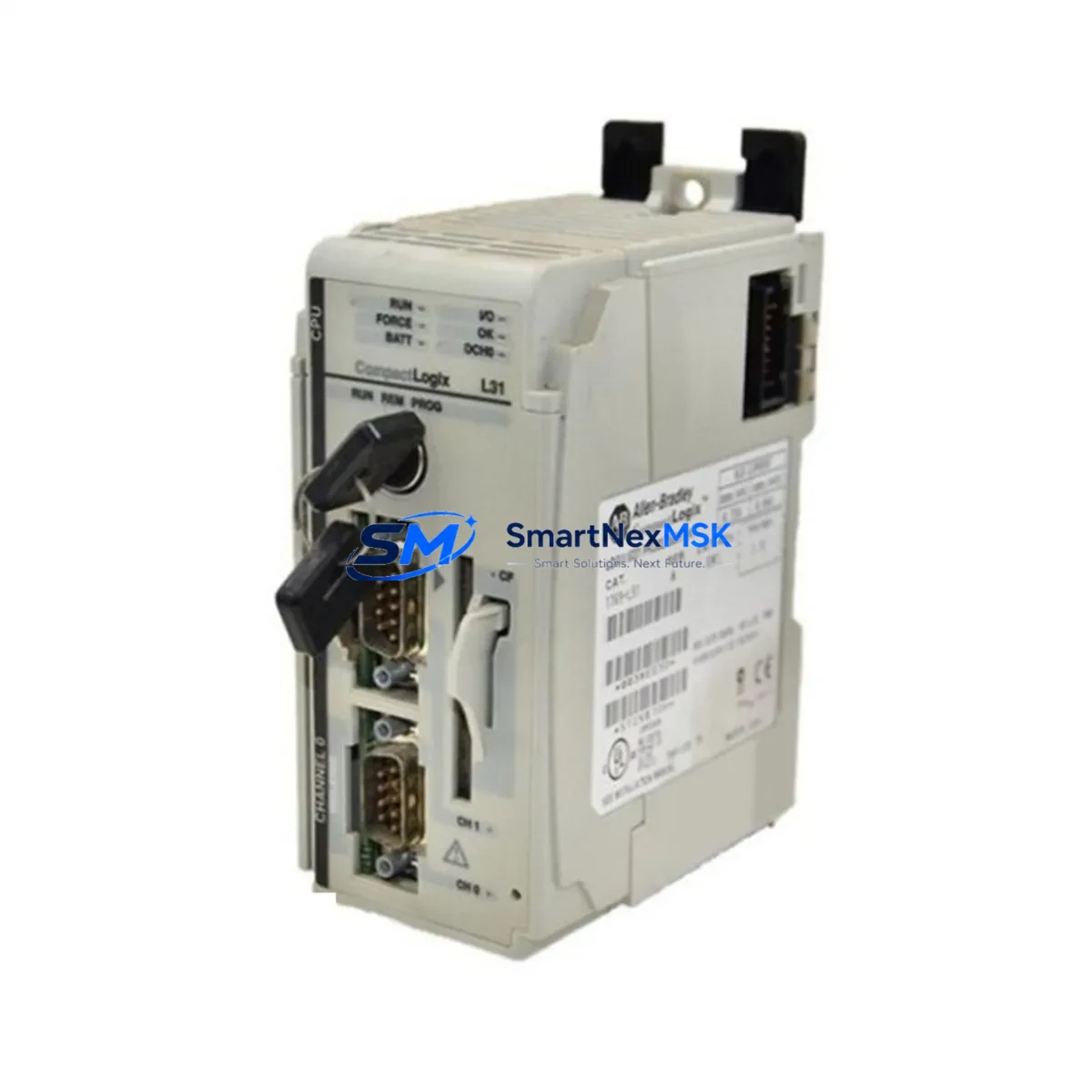
Allen-Bradley 1769-L31 Retrofit-Ready PLC for CompactLogix Control Systems
The Allen-Bradley 1769-L31 is a CompactLogix 5370 L3 series programmable logic controller designed for seamless integration into existing small-to-mid-range automation architectures. As legacy CompactLogix L3x platforms approach end-of-life, the 1769-L31 serves as the primary retrofit-ready replacement for discontinued models such as the 1769-L30, 1769-L32E, and 1769-L35E, offering engineers a validated upgrade path without requiring a full control system redesign.
This controller supports EtherNet/IP as its primary communication protocol, enabling direct integration with existing SCADA systems, HMI panels, and distributed I/O networks. For facilities currently operating on legacy DeviceNet or ControlNet backbones, the 1769-L31 supports protocol migration through the addition of communication bridge modules, preserving existing field device wiring while modernizing the control layer. Engineers migrating from older 1747 SLC 500 or 1785 PLC-5 platforms will find the 1769-L31 a practical intermediate step, particularly when combined with a 1769-SDN DeviceNet scanner or 1769-CNB ControlNet bridge module installed in the same 1769 compact I/O rack.
When planning a retrofit, the first verification step is confirming the existing backplane’s power budget. The 1769-L31 draws from the 1769-PA2 or 1769-PB2 power supply module, and the total I/O module current draw across the rack must remain within the supply’s rated output. Engineers should audit each installed 1769 I/O module — including 1769-IQ16, 1769-OB16, 1769-IF4, and 1769-OF2 analog modules — to calculate aggregate backplane current consumption before commissioning the replacement controller.
Terminal wiring compatibility is a critical checkpoint during any CompactLogix retrofit. The 1769-L31 uses the same 1769 compact I/O bus interface as its predecessors, meaning existing terminal block wiring on installed I/O modules does not require modification. However, engineers must verify that the module slot addressing in the existing RSLogix 5000 or Studio 5000 Logix Designer project file matches the physical slot layout of the replacement rack configuration. Any slot reassignment will require corresponding tag path updates in the controller program.
Program compatibility between the outgoing controller and the 1769-L31 depends on the firmware revision of the source project. Projects developed on firmware revision 16 or earlier may require conversion using the Logix Designer project migration utility. After migration, all AOI (Add-On Instructions), UDT (User-Defined Data Types), and produced/consumed tag relationships should be validated against the original program logic before live commissioning. The 1756-CP3 or 1747-CP3 programming cable is not compatible with the 1769-L31’s USB port; a standard USB-A to USB-B cable or direct EtherNet/IP connection via RSLinx Classic or FactoryTalk Linx is required for program download.
HMI screen compatibility should be assessed early in the retrofit planning cycle. PanelView Plus 6 and PanelView Plus 7 terminals communicating via EtherNet/IP to the legacy controller will require tag database re-mapping if controller tag names have changed during the program migration. FactoryTalk View Studio ME projects should be backed up and version-checked against the target runtime firmware on the HMI terminal before the cutover window begins.
For facilities with distributed I/O architectures, the 1769-L31 supports up to 16 expansion I/O modules on the local 1769 bus, with additional remote I/O accessible via EtherNet/IP adapter modules such as the 1734-AENT POINT I/O adapter or the 1756-EN2T ControlLogix EtherNet/IP bridge for cross-platform integration. This flexibility allows engineers to retain existing remote I/O panels and field wiring while centralizing control logic in the upgraded CompactLogix platform.
Upgrade Compatibility Table
| Parameter | Details |
|---|---|
| SKU / Part Number | 1769-L31 |
| Series | CompactLogix 5370 L3 |
| Replaces / Compatible With | 1769-L30, 1769-L32E, 1769-L35E, 1769-L31 (all revisions) |
| Communication Protocol | EtherNet/IP (primary); DeviceNet / ControlNet via bridge modules |
| Backplane Interface | 1769 Compact I/O bus — direct drop-in, no adapter required |
| Power Supply Compatibility | 1769-PA2 (120/240VAC), 1769-PB2 (24VDC) |
| Programming Software | Studio 5000 Logix Designer v21+; RSLogix 5000 v16+ (with migration) |
| Programming Connection | USB-B port or EtherNet/IP via RSLinx Classic / FactoryTalk Linx |
| Max Local I/O Modules | 16 modules on 1769 compact bus |
| Installation Requirement | DIN rail or panel mount; left-end cap 1769-ECR required |
| Commissioning Note | Verify slot addressing, tag paths, and firmware revision before download |
| Warranty | 12-Month Warranty — covered against manufacturing defects |
Retrofit Planning for Existing Automation Systems
A successful 1769-L31 retrofit begins with a complete audit of the existing control cabinet. Engineers should document every installed module in the 1769 compact I/O rack — including digital input modules such as the 1769-IQ16, digital output modules such as the 1769-OB16P, and any analog signal modules including the 1769-IF4 four-channel analog input and 1769-OF2 two-channel analog output. Each module’s catalog number, firmware revision, and slot position must be recorded before the outgoing controller is removed.
The power supply module — typically a 1769-PA2 for AC-powered panels or a 1769-PB2 for 24VDC systems — should be load-tested against the aggregate current draw of all installed I/O modules. If the existing power supply is operating near its rated capacity, the retrofit plan should include a power supply replacement or rack segmentation using a 1769-AENTR EtherNet/IP adapter to offload remote I/O to a separate bus segment.
Communication module inventory is equally important. Facilities using a 1769-SDN DeviceNet scanner to manage field devices such as variable frequency drives, smart sensors, or distributed I/O blocks must verify that the scanner’s node address table and electronic data sheet (EDS) files are backed up before the controller swap. Similarly, any 1769-CNB ControlNet bridge modules in the rack require a network topology map to ensure that node addresses and scheduled connection parameters are preserved through the migration.
For systems that include a PanelView Plus 6 or PanelView Plus 7 HMI communicating directly with the CompactLogix controller, the FactoryTalk View ME application file should be exported and archived before the cutover. After the 1769-L31 is installed and the migrated program is downloaded, the HMI communication path must be re-established by updating the RSLinx Enterprise or FactoryTalk Linx shortcut to point to the new controller’s IP address. All display tags referencing controller data should be tested screen-by-screen during the commissioning phase to confirm correct data binding.
Downtime Control During System Migration
Minimizing unplanned downtime during a CompactLogix controller replacement requires a structured cutover plan executed within a defined maintenance window. The recommended sequence begins with a full backup of the existing controller program using Studio 5000 Logix Designer or RSLogix 5000, saved to both a local engineering workstation and a network-accessible archive location. The backup file should include all controller properties, task configurations, I/O module definitions, and produced/consumed tag relationships.
Before the physical swap, the engineering team should perform a dry-run program migration on an offline workstation, resolving any firmware compatibility warnings and verifying that all AOI definitions and UDT structures import cleanly into the target project. This offline validation step eliminates the most common source of extended downtime — discovering migration errors only after the production controller has been removed.
During the physical replacement, the 1769-L31 should be installed in the same slot position as the outgoing controller, with the 1769-ECR right end cap and 1769-ECL left end cap confirmed in place to complete the backplane bus. The power supply should be de-energized before module removal and re-energized only after the replacement controller is fully seated and secured. Once power is restored, the controller’s status indicators should be checked before initiating the program download — a solid green RUN indicator on the 1769-L31 confirms successful backplane communication with all installed I/O modules.
After program download, the recommended commissioning sequence is: (1) verify all I/O module status in the controller’s I/O tree within Studio 5000; (2) confirm analog input scaling on 1769-IF4 channels against known field signal references; (3) test all discrete output channels on 1769-OB16P modules against field actuators in manual mode before enabling automatic control; (4) restore HMI communication and validate all critical display pages; (5) perform a controlled production restart under engineering supervision. This structured approach consistently achieves full system restoration within a single planned maintenance window, protecting original program logic and maintaining field control continuity throughout the migration.
Retrofit Support FAQ
Q: Is the 1769-L31 a direct drop-in replacement for the 1769-L30 and 1769-L32E?
A: Yes. The 1769-L31 uses the same 1769 compact I/O backplane interface and is physically compatible with existing rack configurations. Existing I/O module wiring does not require modification. However, the controller program must be migrated and re-downloaded, and slot addressing in the project file should be verified against the physical rack layout before commissioning.
Q: What commissioning steps are required after installing the 1769-L31?
A: After physical installation and program download, engineers should verify I/O module status in Studio 5000, confirm analog signal scaling, test discrete output channels in manual mode, restore HMI communication paths, and perform a supervised production restart. All steps should be completed within the planned maintenance window to minimize downtime.
Q: How is wiring compatibility handled during the retrofit?
A: The 1769-L31 connects to the same 1769 compact I/O bus as predecessor models, so existing terminal block wiring on installed I/O modules remains unchanged. The power supply wiring to the 1769-PA2 or 1769-PB2 is also unaffected. Only the controller module itself is replaced; no field wiring modifications are required in a standard like-for-like retrofit.
Q: Does the 1769-L31 come with a warranty, and has it been tested before shipment?
A: Yes. Every 1769-L31 unit supplied by SMARTNEXMSK includes a 12-month warranty covering manufacturing defects and is subject to pre-shipment functional testing, including power-on verification and communication port checks, before dispatch. In-stock units typically ship within 1–2 business days of order confirmation.
© 2026 SMARTNEXMSK. All rights reserved.
Original Source: https://smartnexmsk.com
Contact: [email protected] | +86 18259474341



