
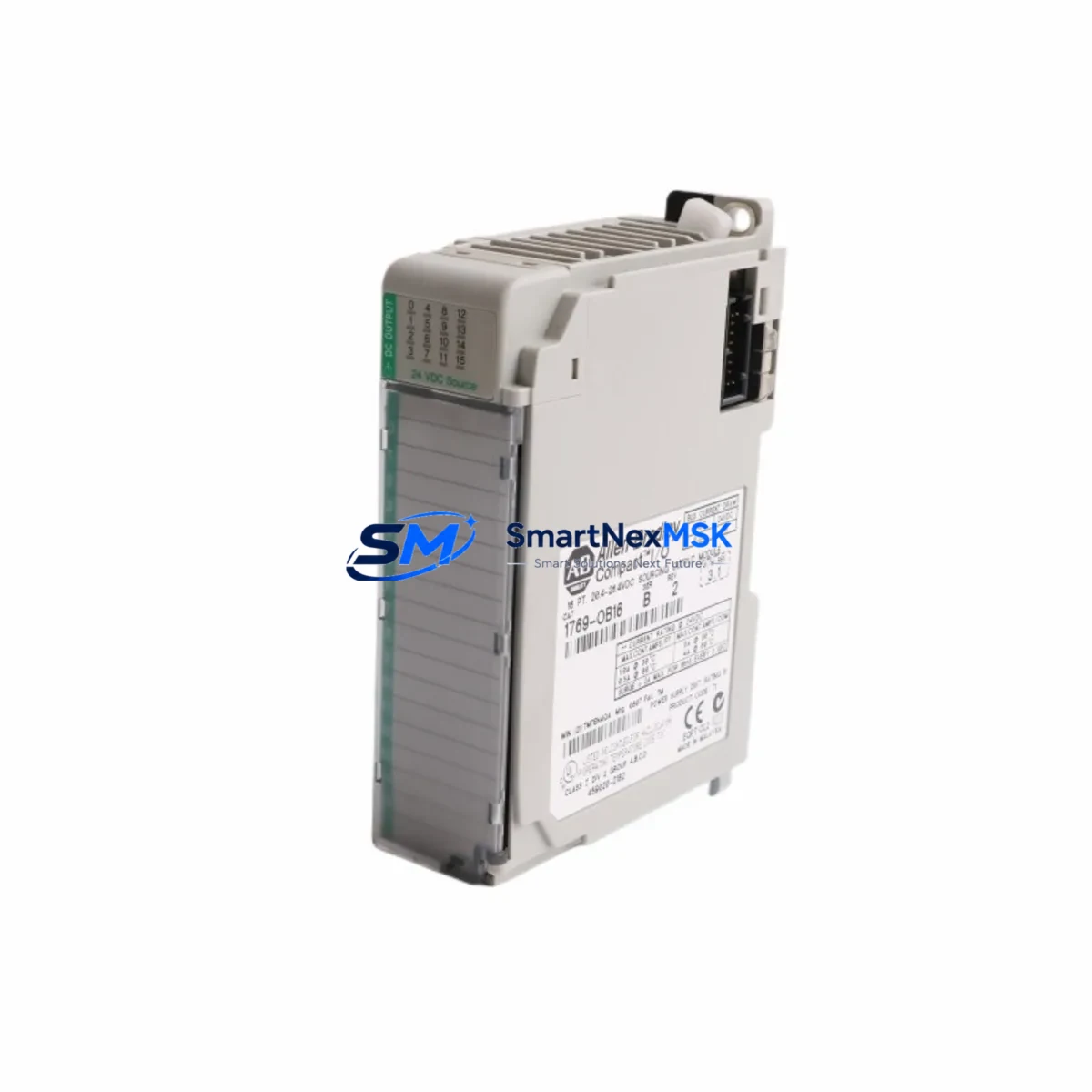
Allen-Bradley 1769-OB16 Spare for CompactLogix 1769 Automation
The Allen-Bradley 1769-OB16 is a 16-point 24VDC sourcing digital output module designed for the CompactLogix 1769 I/O system. As a maintenance-ready original spare, it enables rapid field replacement to minimize unplanned downtime in discrete manufacturing, process control, and machine automation environments. Whether you are managing a planned shutdown, responding to an emergency fault, or building a strategic spare parts inventory, the 1769-OB16 delivers verified compatibility, tested performance, and a 12-month warranty from point of shipment.
Industrial maintenance engineers and procurement teams rely on original spare modules — not field-repaired or counterfeit substitutes — to maintain system integrity and avoid cascading failures across the control cabinet. The 1769-OB16 ships with full functional testing documentation and is ready for immediate installation into any CompactLogix 1769 backplane.
Spare Maintenance Table
| Parameter | Specification |
|---|---|
| SKU / Part Number | 1769-OB16 |
| Brand | Allen-Bradley (Rockwell Automation) |
| Series | CompactLogix 1769 |
| Module Type | Digital Output Module (Sourcing) |
| Output Points | 16 Points |
| Output Voltage | 24VDC |
| Output Current per Point | 0.5A (max) |
| Total Module Current | 4A (max) |
| Backplane Compatibility | 1769 CompactLogix I/O Bus |
| Controller Compatibility | CompactLogix L1x, L2x, L3x, L4x, L5x series |
| Operating Temperature | 0°C to 60°C (32°F to 140°F) |
| Storage Temperature | -40°C to 85°C |
| Relative Humidity | 5% to 95% (non-condensing) |
| Mounting | DIN Rail / Panel Mount via 1769 backplane |
| Protection Rating | IP20 (installed in enclosure) |
| Origin | United States |
| Condition | Original, New or Tested Surplus |
| Warranty | 12 Months from Shipment Date |
| Pre-shipment Testing | Full Functional Test Performed |
| Lead Time | In Stock — Ships within 1–3 Business Days |
Maintenance Planning for Continuous Operation
When a 1769-OB16 output module fails or shows signs of degradation — such as stuck outputs, blown output transistors, or intermittent channel faults — the replacement process should be treated as part of a broader control cabinet inspection. Experienced maintenance engineers know that a single module failure often signals stress on adjacent components sharing the same power rail or I/O bus segment.
Before or during replacement of the 1769-OB16, the following components in the same control cabinet or electrical circuit should be inspected and verified:
- 1769-PA2 / 1769-PB2 Power Supply Module — Verify output voltage stability and check for thermal stress or capacitor aging. An undersized or degraded power supply is a common root cause of output module failures.
- 1769-IQ16 Digital Input Module — Inspect the corresponding input module for the same I/O loop. Input-side wiring faults can cause output overloads.
- 1769-ECR / 1769-ECL End Cap — Confirm the bus termination end cap is properly seated; a loose end cap can cause intermittent communication faults across all 1769 modules.
- 1769-L30ER / 1769-L33ER CompactLogix Controller — Review controller diagnostics and I/O tree for any latched faults associated with the output module slot.
- Output Field Wiring and Terminal Blocks — Inspect screw terminals, ferrules, and field wiring for loose connections, corrosion, or insulation breakdown, especially in high-vibration or high-humidity environments.
- Fuse Protection on Output Circuits — Check individual output channel fuses or group fuses on the load side. A blown fuse protecting a solenoid or relay coil is often the first sign of an overloaded output channel.
- Interposing Relays and Solid-State Relays (SSR) — If the 1769-OB16 drives relay coils or SSRs, inspect these for contact wear, coil resistance drift, or thermal damage.
- 1769-SDN DeviceNet Scanner or 1769-ASCII Communication Module — If the cabinet includes communication modules on the same 1769 bus, verify their status LEDs and confirm no bus fault has propagated from the failed output module.
- Signal Isolation Barriers — For outputs connected to field instruments in hazardous areas or across long cable runs, verify signal isolators are functioning within specification.
- HMI Panel Link (PanelView or third-party HMI) — After module replacement, confirm that any HMI screens displaying output status are refreshing correctly and that no stale fault indicators remain.
Maintaining a minimum of one 1769-OB16 spare per production line — alongside spares for the power supply and at least one input module — is a widely adopted strategy in lean maintenance programs. This approach supports a target mean-time-to-repair (MTTR) of under two hours for I/O-related faults.
Site Replacement Workflow
Replacing the 1769-OB16 in the field is a straightforward procedure when the correct spare is on hand and the replacement workflow is followed systematically:
- Isolate and De-energize: Place the CompactLogix controller in Program mode via the keyswitch or RSLogix 5000 / Studio 5000 software. De-energize the 24VDC field power supply feeding the output module’s load circuits. Do not rely solely on the controller’s inhibit function.
- Document Slot Configuration: Record the module’s slot number, I/O configuration, and any module-specific parameters from the controller project file before removal.
- Remove the Faulty Module: Disconnect field wiring from the module’s terminal block. Release the module locking tab and slide it out of the 1769 backplane. Inspect the backplane connector for bent pins or contamination.
- Install the Replacement 1769-OB16: Slide the new module into the same slot until the locking tab engages. Reconnect field wiring per the original wiring diagram. Verify terminal torque specifications.
- Restore Power and Verify: Re-energize field power. Switch the controller back to Run mode. Monitor the I/O tree in Studio 5000 to confirm the module is communicating and all 16 output channels are responding correctly.
- Functional Test: Force each output channel individually (with appropriate safety precautions) to verify field device response before returning the system to automatic operation.
- Update Maintenance Records: Log the replacement date, module serial number, and any observations about the failed module’s condition. Return the failed module for failure analysis if required.
This workflow is compatible with both hot-swap-capable 1769 configurations and standard power-down replacement procedures, depending on your site’s safety requirements and controller firmware version.
Spare Parts Support FAQ
Q1: Is the 1769-OB16 supplied here an original Allen-Bradley module or a compatible substitute?
All 1769-OB16 units supplied by SMARTNEXMSK are original Allen-Bradley (Rockwell Automation) modules — either new factory stock or tested surplus units that have passed full functional verification. We do not supply third-party compatible substitutes or field-repaired modules. Each unit is inspected and tested prior to shipment.
Q2: What does the 12-month warranty cover, and how is it claimed?
The 12-month warranty covers manufacturing defects and functional failures under normal operating conditions from the date of shipment. If a module fails within the warranty period, contact [email protected] with your order number and a description of the fault. We will arrange a replacement or refund after failure verification. Physical damage caused by incorrect installation, overvoltage, or environmental exposure is not covered.
Q3: How do I verify compatibility with my existing CompactLogix system before installation?
The 1769-OB16 is compatible with all CompactLogix 1769 I/O bus systems, including controllers in the L1x through L5x families. Compatibility can be confirmed by checking your controller’s I/O configuration in Studio 5000 Logix Designer. The module does not require firmware updates and is recognized automatically by the controller upon installation. If you are replacing an older revision of the 1769-OB16, the module is backward-compatible across all hardware revisions.
Q4: Can you support long-term or blanket orders for ongoing spare parts inventory programs?
Yes. SMARTNEXMSK supports long-term supply agreements, blanket purchase orders, and scheduled delivery programs for maintenance teams managing large installed bases of CompactLogix systems. Contact [email protected] or call +86 18259474341 to discuss volume pricing, reserved stock arrangements, and delivery scheduling tailored to your planned maintenance calendar.
© 2026 SMARTNEXMSK. All rights reserved.
Original Source: https://smartnexmsk.com
Contact: [email protected] | +86 18259474341



