
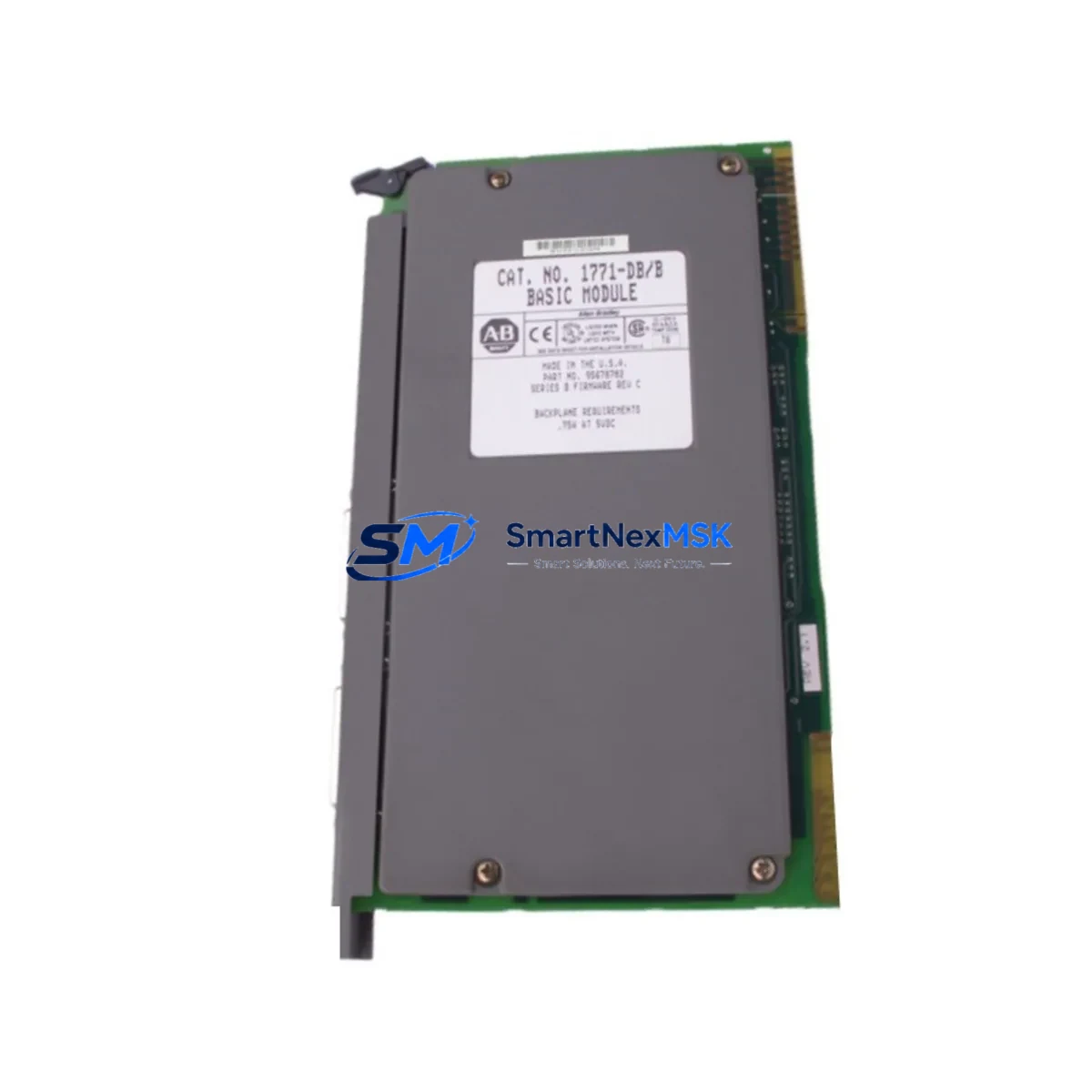
Allen-Bradley 1771-DB Maintenance-Ready Spare for PLC-5 Automation
The Allen-Bradley 1771-DB is a Basic Module designed for the PLC-5 programmable controller platform — one of the most widely deployed control architectures in discrete manufacturing, process control, and utility automation. As a maintenance-ready spare, the 1771-DB addresses the critical need for rapid fault recovery when a Basic Module failure causes an unplanned shutdown. Every unit supplied by SMARTNEXMSK is sourced from verified channels, functionally tested prior to dispatch, and backed by a 12-month warranty to support your spare parts lifecycle strategy.
For maintenance engineers managing aging PLC-5 systems, the 1771-DB occupies a central role in the control cabinet. It interfaces directly with the 1771 I/O chassis backplane and coordinates communication between the processor and field I/O modules. When this module fails — whether due to firmware corruption, backplane connector wear, or power transient damage — the entire rack may go offline. Having a verified replacement unit on the shelf eliminates the lead-time risk that turns a two-hour repair into a two-day production loss.
Procurement engineers sourcing 1771-DB units for long-term MRO inventory should note that Allen-Bradley has transitioned its primary automation platform to the ControlLogix and CompactLogix families. However, the PLC-5 platform remains operational in thousands of installed base facilities worldwide, and replacement modules continue to be required for system life extension programs. SMARTNEXMSK maintains stock of 1771-series modules to support these legacy system commitments.
Spare Maintenance Table
| Parameter | Specification |
|---|---|
| Part Number / SKU | 1771-DB |
| Brand | Allen-Bradley (Rockwell Automation) |
| Series | PLC-5 / 1771 I/O Platform |
| Module Type | Basic Module (BASIC language co-processor) |
| Backplane Interface | 1771 I/O Chassis (compatible with 1771-A1B, 1771-A2B, 1771-A3B, 1771-A4B chassis) |
| Power Requirement | Supplied via 1771 backplane; chassis power supply must be verified (e.g., 1771-P4S, 1771-P7) |
| Communication | DH+ / RS-232 serial port for programming and data exchange |
| Operating Temperature | 0°C to 60°C (32°F to 140°F) |
| Relative Humidity | 5% to 95% non-condensing |
| Mounting | Single-slot 1771 I/O chassis installation |
| Compatibility | PLC-5/11, PLC-5/20, PLC-5/30, PLC-5/40, PLC-5/60, PLC-5/80 processors |
| Origin | USA (Allen-Bradley / Rockwell Automation) |
| Condition | Original spare; functionally tested before shipment |
| Warranty | 12 Months — covers functional defects under normal operating conditions |
| Maintenance Recommendation | Inspect backplane connectors, verify chassis power supply, confirm DH+ network integrity before installation |
Maintenance Planning for Continuous Operation
When replacing the 1771-DB in a PLC-5 control cabinet, a disciplined maintenance engineer will not stop at the module itself. The 1771-DB failure is frequently a symptom of upstream or downstream stress on the control system. A thorough site inspection should include the following associated components:
Begin with the chassis power supply — the 1771-P4S or 1771-P7 power supply unit should be load-tested to confirm it is delivering stable backplane voltage. A degraded power supply is a common root cause of Basic Module failures and will damage a replacement unit if not addressed. Next, inspect the 1771 I/O chassis backplane (1771-A2B or 1771-A4B) for bent connector pins, corrosion, or mechanical damage from repeated module insertions.
Check all 1771 digital I/O modules in the rack — including 1771-IAD input modules and 1771-OAD output modules — for blown fuses, failed output drivers, or input signal anomalies that may have contributed to the processor fault. If the system uses 1771 analog I/O modules such as the 1771-IFE or 1771-OFE, verify signal calibration and confirm that signal isolators on 4–20 mA loops are functioning correctly, as signal transients can propagate into the processor through poorly isolated analog channels.
For systems using DH+ communication, inspect the 1784-KTX or 1784-PKTX Data Highway Plus interface card and verify network termination resistors at both ends of the DH+ trunk. A degraded DH+ network can cause repeated Basic Module communication faults. If the cabinet includes a 1771-SDN DeviceNet Scanner or 1771-ASB Remote I/O Adapter, confirm that these modules are still communicating correctly after the 1771-DB replacement, as a processor restart may require re-initialization of remote I/O trees.
Finally, if the control system includes an HMI terminal — such as a PanelView 550 or PanelView 900 connected via DH+ — verify that tag addresses and data file mappings remain intact after the module swap. Confirm that any relay output modules (1771-OW16) controlling motor starters or solenoid valves are operating within rated load, and inspect associated terminal blocks and wiring for signs of heat damage or loose connections that may have contributed to the original fault.
Site Replacement Workflow
Replacing the 1771-DB on a live PLC-5 system requires a structured approach to minimize downtime and avoid introducing new faults. Follow this sequence for a safe and efficient swap:
1. Pre-Replacement Verification: Confirm the replacement 1771-DB SKU matches the installed unit. Check the firmware revision label on the existing module and compare with the replacement. Back up the PLC-5 processor program using RSLogix 5 or PLC-5 programming software before any hardware change. Document the current slot assignment of the 1771-DB in the chassis.
2. Safe Shutdown: Place the PLC-5 processor in PROGRAM mode. Notify operations of the planned outage window. De-energize the chassis power supply following your site LOTO (Lockout/Tagout) procedure. Do not remove the 1771-DB with the chassis powered — backplane damage may result.
3. Module Removal and Installation: Remove the faulty 1771-DB by releasing the module locking tabs and sliding it out of the chassis slot. Inspect the backplane connector on the chassis for damage before inserting the replacement. Seat the new 1771-DB firmly until the locking tabs engage. Restore chassis power.
4. Post-Installation Commissioning: Place the processor in RUN mode and monitor the 1771-DB status LEDs. Verify DH+ communication is re-established. Confirm that all I/O modules in the rack are communicating correctly. Run a functional test of the controlled process before returning the system to full production.
5. Documentation: Record the replacement date, new module serial number, and any observations in your maintenance log. Update your spare parts inventory to trigger reorder of a replacement 1771-DB unit to maintain buffer stock.
Spare Parts Support FAQ
Q1: Is the 1771-DB supplied by SMARTNEXMSK an original Allen-Bradley component?
Yes. All 1771-DB units are sourced from verified supply channels and are original Allen-Bradley / Rockwell Automation components. Each unit undergoes functional testing prior to shipment to confirm backplane communication, module initialization, and basic operational integrity.
Q2: What does the 12-month warranty cover?
The 12-month warranty covers functional defects arising under normal operating conditions — including backplane communication failure, module initialization errors, and hardware faults not caused by external damage, incorrect installation, or overvoltage events. Warranty claims are supported by SMARTNEXMSK’s technical team with replacement or refund options.
Q3: Can the 1771-DB be used as a direct replacement for all PLC-5 processor variants?
The 1771-DB is compatible with the full range of PLC-5 processors that support the 1771 I/O platform, including PLC-5/11, PLC-5/20, PLC-5/30, PLC-5/40, PLC-5/60, and PLC-5/80. Compatibility with specific firmware revisions should be confirmed against the Allen-Bradley 1771-DB User Manual (Publication 1771-6.5.106) before installation in safety-critical applications.
Q4: How quickly can SMARTNEXMSK ship a 1771-DB for an emergency breakdown?
SMARTNEXMSK maintains buffer stock of high-demand PLC-5 spare modules to support emergency breakdown scenarios. Orders confirmed before the daily cut-off are prioritized for same-day or next-business-day dispatch. Contact our sales team directly for urgent requirements: [email protected] | +86 18259474341.
© 2026 SMARTNEXMSK. All rights reserved.
Original Source: https://smartnexmsk.com
Contact: [email protected] | +86 18259474341



