
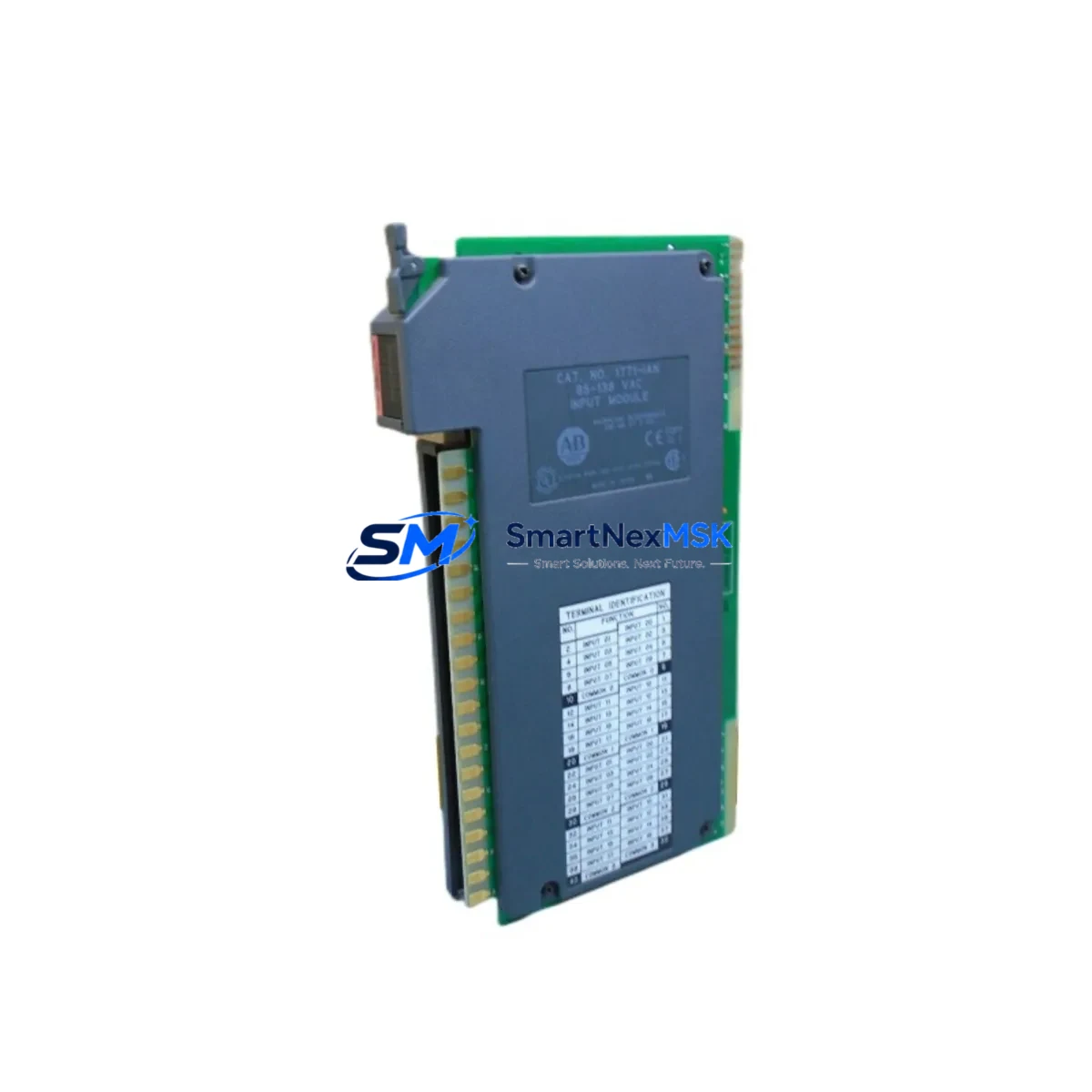
Allen-Bradley 1771-IAN Retrofit-Ready AC Input for PLC-5 Systems: Compatible Modernization for Legacy 1771 I/O Platforms
The Allen-Bradley 1771-IAN is a 16-point, 100–120V AC digital input module designed for the PLC-5 family and the 1771 I/O chassis platform. As Rockwell Automation has progressively discontinued legacy PLC-5 hardware, the 1771-IAN has become a critical retrofit component for facilities operating aging control systems that cannot yet justify a full migration to ControlLogix or CompactLogix architectures. This module accepts field-side AC signals from sensors, pushbuttons, limit switches, and proximity devices, converting them to logic-level signals readable by the PLC-5 processor. Its 16-point density and standard 1771 backplane interface make it a direct drop-in replacement for failed or end-of-life units in existing control cabinets.
For engineers managing brownfield automation environments, sourcing a verified 1771-IAN replacement is often the fastest path to restoring production without triggering a full system redesign. This module is fully compatible with the 1771 I/O chassis, including the 1771-A1B, 1771-A2B, 1771-A3B, and 1771-A4B rack configurations. It slots directly into any standard 1771 single-slot position and communicates over the 1771 backplane without requiring processor firmware changes or I/O map reconfiguration, provided the module address and rack/group settings are preserved from the original installation.
Upgrade Compatibility Table
| Parameter | Specification / Recommendation |
|---|---|
| Module SKU | 1771-IAN |
| Input Voltage | 100–120V AC, 47–63 Hz |
| Input Points | 16 points (single-slot) |
| Backplane Interface | 1771 I/O backplane (single-slot) |
| Compatible Racks | 1771-A1B, 1771-A2B, 1771-A3B, 1771-A4B |
| Compatible Processors | PLC-5/10, PLC-5/15, PLC-5/20, PLC-5/30, PLC-5/40, PLC-5/60, PLC-5/80 |
| Direct Replacement For | 1771-IAN (same series), failed or EOL units in existing 1771 I/O installations |
| Installation Requirement | Single-slot; preserve original rack/group/module address settings |
| Communication Protocol | 1771 backplane (DH+, RIO compatible via PLC-5 processor) |
| Commissioning Note | Verify I/O map, force lists, and ladder logic addressing before energizing |
| Warranty | 12-Month Warranty — tested and verified before shipment |
Retrofit Planning for Existing Automation Systems
A successful 1771-IAN retrofit begins well before the module arrives on site. The first step is a thorough audit of the existing control cabinet to document the current rack layout, power supply loading, and wiring termination scheme. The 1771-P4S or 1771-P7 power supply units feeding the chassis must be verified to have sufficient current capacity to support the replacement module, particularly if the cabinet has been expanded since its original commissioning. Terminal block wiring on the field-side connector should be photographed and labeled before removal to ensure accurate reconnection of the 16 AC input circuits.
Engineers should also confirm the module’s slot address within the 1771 chassis. The PLC-5 processor references I/O by rack number, I/O group, and slot position. If the replacement 1771-IAN is installed in the same physical slot as the failed unit, the I/O addressing in the RSLogix 5 program will remain valid without modification. However, if the slot position changes for any reason — such as a rack reconfiguration or the addition of a 1771-SDN DeviceNet Scanner or a 1771-ASB Remote I/O Adapter — the ladder logic file must be updated to reflect the new address before the processor is placed in Run mode.
In systems where the PLC-5 communicates over a Data Highway Plus (DH+) network to an operator interface such as a PanelView 550 or PanelView 900 HMI terminal, the input status bits mapped to screen indicators must be verified after module replacement. Any force conditions active in the I/O force table should be cleared and documented before the new module is energized. If the facility uses a 1785-KE or 1784-KTX communication card for programming access, ensure the RSLogix 5 project file is backed up to a secure location before beginning the swap.
For sites running mixed I/O configurations — combining the 1771-IAN with analog modules such as the 1771-IFE or 1771-OFE, or with specialty modules like the 1771-IX thermocouple input — the backplane current budget must be recalculated to confirm the power supply is not overloaded after the replacement. This is especially important in fully populated 1771-A4B chassis where all 16 slots are occupied.
Downtime Control During System Migration
Minimizing unplanned downtime during a 1771-IAN replacement requires a structured pre-swap checklist. Before taking the system offline, capture a full online backup of the PLC-5 processor program using RSLogix 5, including all data files, force tables, and program documentation. Record the current status of all 16 input points — whether energized or de-energized — so that post-swap verification can confirm the field wiring is correctly restored.
The physical swap itself is straightforward: the 1771 I/O chassis uses a keyed backplane connector, and the 1771-IAN can be removed and reinserted with the chassis powered down in under five minutes. After reinsertion, power the chassis and allow the PLC-5 processor to complete its I/O scan before transitioning from Program mode to Run mode. Monitor the module’s status LED — a steady green indicates normal operation, while a flashing or red LED indicates a fault condition that must be diagnosed before resuming production.
For facilities where continuous operation is critical, a staged approach is recommended: install the replacement 1771-IAN in a spare slot on a test rack connected to the same PLC-5 processor, verify all 16 input points respond correctly to field signals, then perform the live swap during a scheduled maintenance window. This approach eliminates uncertainty about module condition and reduces the live outage window to the minimum time required for the physical slot swap and a single I/O scan verification cycle. With a pre-tested, pre-configured replacement module on hand, total controlled downtime can typically be held to under 15 minutes.
Retrofit Support FAQ
Q: Is the 1771-IAN a direct drop-in replacement for my existing failed module?
A: Yes, provided the replacement is installed in the same rack slot position and the chassis rack/group address switches are set identically to the original unit. No changes to the PLC-5 program are required if the slot address is preserved. Verify the field-side wiring connector pinout against your original documentation before energizing.
Q: What commissioning steps are required after installing the replacement module?
A: After physical installation, power up the chassis and place the PLC-5 processor in Program mode. Verify that the module appears correctly in the I/O configuration and that no I/O fault bits are set in the processor status file (S:). Manually exercise each of the 16 input circuits from the field side and confirm the corresponding input bits toggle correctly in the data table. Clear any residual force conditions before transitioning to Run mode.
Q: Can the 1771-IAN be used in a system that is being partially migrated to ControlLogix?
A: Yes. During a phased migration, the existing PLC-5 and 1771 I/O infrastructure can remain operational while ControlLogix hardware is introduced in parallel. A 1756-DHRIO module in the ControlLogix chassis can bridge the DH+ network, allowing both platforms to coexist. The 1771-IAN continues to serve its original function until the I/O points it serves are formally remapped to a 1756-IB16 or equivalent ControlLogix digital input module.
Q: What does the 12-month warranty cover, and how is the module tested before shipment?
A: Every 1771-IAN unit is functionally tested prior to shipment, including backplane communication verification and input circuit continuity checks across all 16 points. The 12-month warranty covers defects in materials and workmanship under normal operating conditions. Units are shipped with protective packaging to prevent ESD damage and physical shock during transit. Contact our technical team for warranty claims or pre-shipment test report requests.
© 2026 SMARTNEXMSK. All rights reserved.
Original Source: https://smartnexmsk.com
Contact: [email protected] | +86 18259474341



