
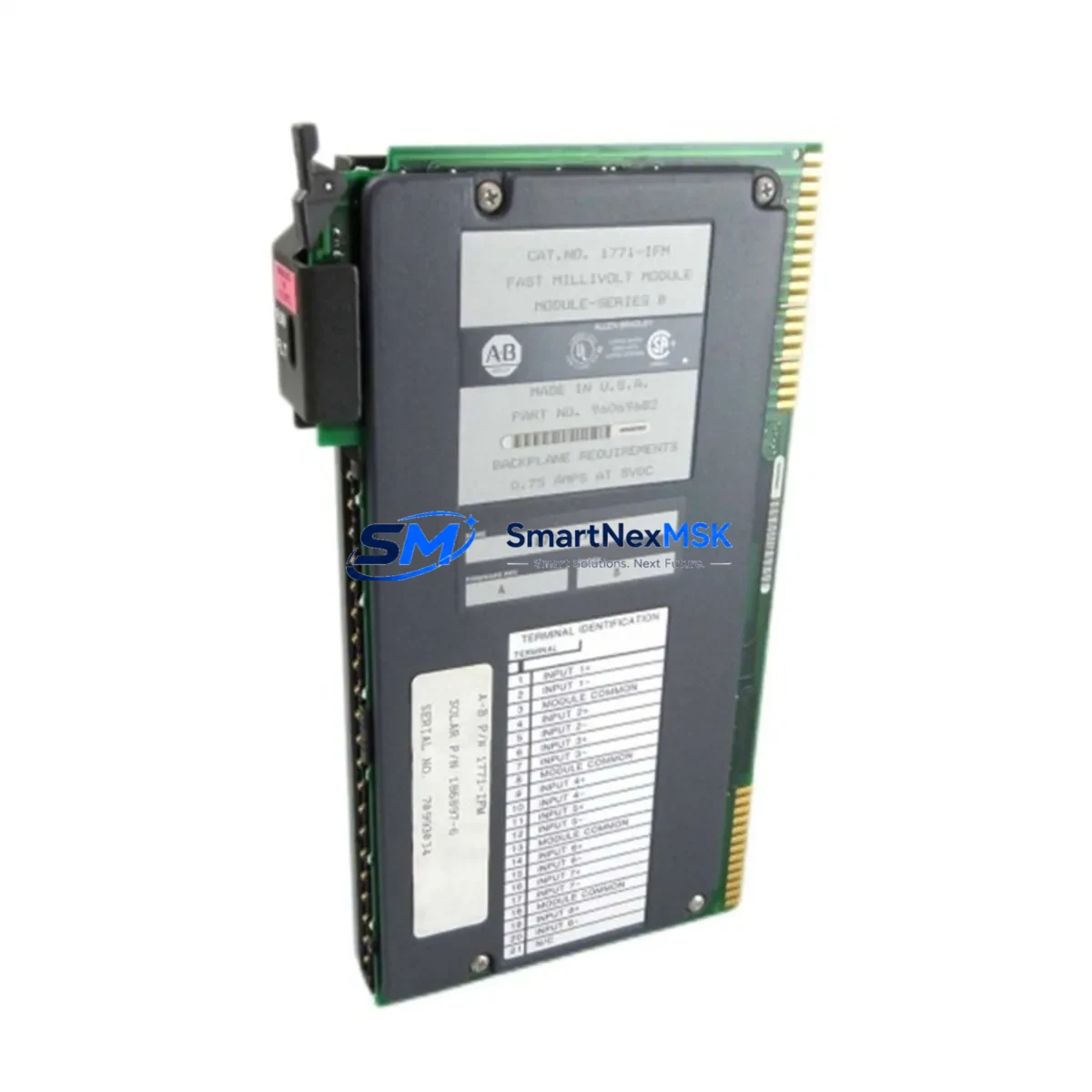
Allen-Bradley 1771-IFM Spare for PLC-5 Automation: Minimizing Downtime with Verified Replacement Parts
The Allen-Bradley 1771-IFM is an 8-channel isolated analog input module designed for the PLC-5 programmable controller platform — one of the most widely deployed legacy control systems in process manufacturing, material handling, and discrete automation. When a 1771-IFM fails or degrades, the impact is immediate: analog signal loops go blind, process variables become unreadable, and operators lose visibility into critical field instrumentation. Sourcing a verified, tested replacement is not optional — it is the fastest path back to controlled operation.
At SMARTNEXMSK, every 1771-IFM unit is inspected, functionally tested, and shipped with a 12-month warranty. We maintain standing inventory to support both emergency breakdown orders and planned maintenance replenishment cycles. Whether you are a maintenance engineer executing a corrective work order or a procurement engineer building a strategic spare parts buffer, this listing provides the supply continuity your PLC-5 system depends on.
Spare Maintenance Table
| Parameter | Specification / Detail |
|---|---|
| Part Number (SKU) | 1771-IFM |
| Brand | Allen-Bradley (Rockwell Automation) |
| Series / Platform | PLC-5 / 1771 I/O Chassis |
| Module Type | Analog Input Module (8-Channel Isolated) |
| Input Channels | 8 differential analog inputs |
| Signal Range | 4–20 mA / 0–10 VDC (configurable per channel) |
| Resolution | 12-bit |
| Isolation | Channel-to-channel and channel-to-backplane isolation |
| Backplane Compatibility | 1771 I/O chassis (all standard rack sizes) |
| Operating Temperature | 0°C to 60°C |
| Power Consumption | Supplied via 1771 backplane |
| Country of Origin | United States |
| Condition | Original / Refurbished — Functionally Tested |
| Warranty | 12 Months from date of shipment |
| Lead Time | In-stock — ships within 1–3 business days |
| Compatibility Verification | Cross-referenced against PLC-5 system configuration prior to shipment |
| Application Environment | Process control, discrete manufacturing, utilities, oil & gas, water treatment |
Maintenance Planning for Continuous Operation
Replacing a 1771-IFM in a live PLC-5 system is rarely an isolated task. Maintenance engineers experienced with the 1771 I/O platform know that analog input failures are often symptomatic of broader electrical stress in the control cabinet. A thorough corrective maintenance procedure should extend beyond the module swap itself.
Begin by inspecting the 1771-P4 or 1771-P7 power supply module that feeds the affected chassis. Voltage sag or ripple on the backplane rail is a common root cause of analog module degradation and premature failure. If the power supply is original to the installation and has not been replaced in the past five to seven years, treat it as a co-suspect and include a 1771-P4S or equivalent replacement in your spare parts requisition.
Next, verify the 1771 I/O chassis backplane itself. Connector oxidation and backplane slot damage are frequently overlooked during module-level troubleshooting. A damaged slot can cause intermittent faults even after a new 1771-IFM is installed. While the chassis is open, inspect adjacent modules — particularly any 1771-OFE analog output modules sharing the same rack — for signs of heat stress or connector wear.
On the field wiring side, check the terminal block assemblies and field wiring arms (1771-WN or 1771-WB) connected to the 1771-IFM. Loose terminations, corroded conductors, or undersized wire gauge are leading causes of signal drift and channel-level faults. Replace any suspect termination hardware as part of the same work order to avoid repeat call-outs.
For systems where the 1771-IFM interfaces with transmitters over 4–20 mA loops, consider adding or verifying signal isolators or loop-powered signal conditioners on high-noise circuits. Ground loops introduced by field instrumentation are a well-documented source of analog input errors in older PLC-5 installations.
If your PLC-5 system includes a 1785-L80E or 1785-L60L processor, confirm that the I/O configuration file (IOC) correctly maps the replacement module’s channel assignments before returning the system to automatic mode. Configuration mismatches after a module swap are a common cause of post-maintenance alarms. Also review the 1771-SDN DeviceNet Scanner or 1771-ASB Remote I/O Adapter if the affected chassis is a remote rack — communication module health should be confirmed as part of the restoration checklist.
For facilities running parallel PLC-5 and ControlLogix migration projects, maintaining a cross-compatible spare inventory that includes both 1771-series I/O modules and 1756-IF8 or 1756-IF16 ControlLogix analog input modules provides a strategic bridge during phased system upgrades, reducing the risk of a single-point-of-failure during the transition period.
Site Replacement Workflow
Step 1 — Pre-Replacement Verification: Confirm the failed module’s slot address, chassis number, and I/O configuration file entry in RSLogix 5. Document the current channel scaling, filter settings, and alarm thresholds before removal. Take a photograph of the field wiring connections for reference during reinstallation.
Step 2 — Safe Isolation: Place the PLC-5 processor in Program mode. If the chassis does not support hot-swap for the 1771-IFM, de-energize the chassis power supply. Disconnect the field wiring arm before removing the module to protect both the module and the field instrumentation.
Step 3 — Module Swap: Insert the replacement 1771-IFM into the correct slot. Reconnect the field wiring arm. Verify that the module’s DIP switch settings (if applicable) match the original configuration — particularly the input range selection switches for current vs. voltage mode.
Step 4 — Functional Test: Return the processor to Run mode. Monitor each channel’s raw count and engineering unit value against known process conditions or a calibrated signal source. Confirm that all 8 channels are reading within expected tolerance before releasing the system to operations.
Step 5 — Documentation and Spare Replenishment: Update the maintenance management system (CMMS) with the replacement record, including the new module’s serial number and the date of installation. Immediately initiate a purchase order to replenish the consumed spare — a single-unit spare buffer for a critical analog input module is insufficient for facilities with multiple PLC-5 racks.
Spare Parts Support FAQ
Q1: Is the 1771-IFM you supply an original Allen-Bradley module or a third-party equivalent?
All 1771-IFM units supplied by SMARTNEXMSK are original Allen-Bradley manufactured modules — not clones, not third-party equivalents. Each unit is sourced from verified industrial channels, inspected for physical integrity, and functionally tested prior to shipment. We do not supply counterfeit or unbranded substitutes.
Q2: What does the 12-month warranty cover, and how is a warranty claim processed?
The 12-month warranty covers functional failure under normal operating conditions from the date of shipment. If a module fails within the warranty period, contact [email protected] with your order reference and a description of the fault. We will arrange a replacement shipment or issue a credit — whichever resolves your downtime situation fastest. Warranty does not cover damage caused by incorrect installation, overvoltage, or physical impact.
Q3: Can the 1771-IFM be used as a direct replacement for the 1771-IFE or 1771-IFMS?
The 1771-IFM, 1771-IFE, and 1771-IFMS are distinct catalog numbers with different channel counts, isolation architectures, and wiring arm compatibility. They are not interchangeable without verifying the I/O configuration file and field wiring arm assignment. Contact our technical team before substituting between these part numbers — we can cross-reference your system’s I/O configuration to confirm compatibility before shipment.
Q4: Do you maintain ongoing inventory of 1771-series modules for long-term supply agreements?
Yes. SMARTNEXMSK maintains standing inventory of 1771-series I/O modules to support both spot purchases and long-term supply agreements. For facilities managing extended PLC-5 system life beyond the original end-of-life timeline, we recommend establishing a blanket order or annual supply agreement to guarantee allocation priority and fixed pricing. Contact us to discuss volume pricing and reserved inventory arrangements.
© 2026 SMARTNEXMSK. All rights reserved.
Original Source: https://smartnexmsk.com
Contact: [email protected] | +86 18259474341



