
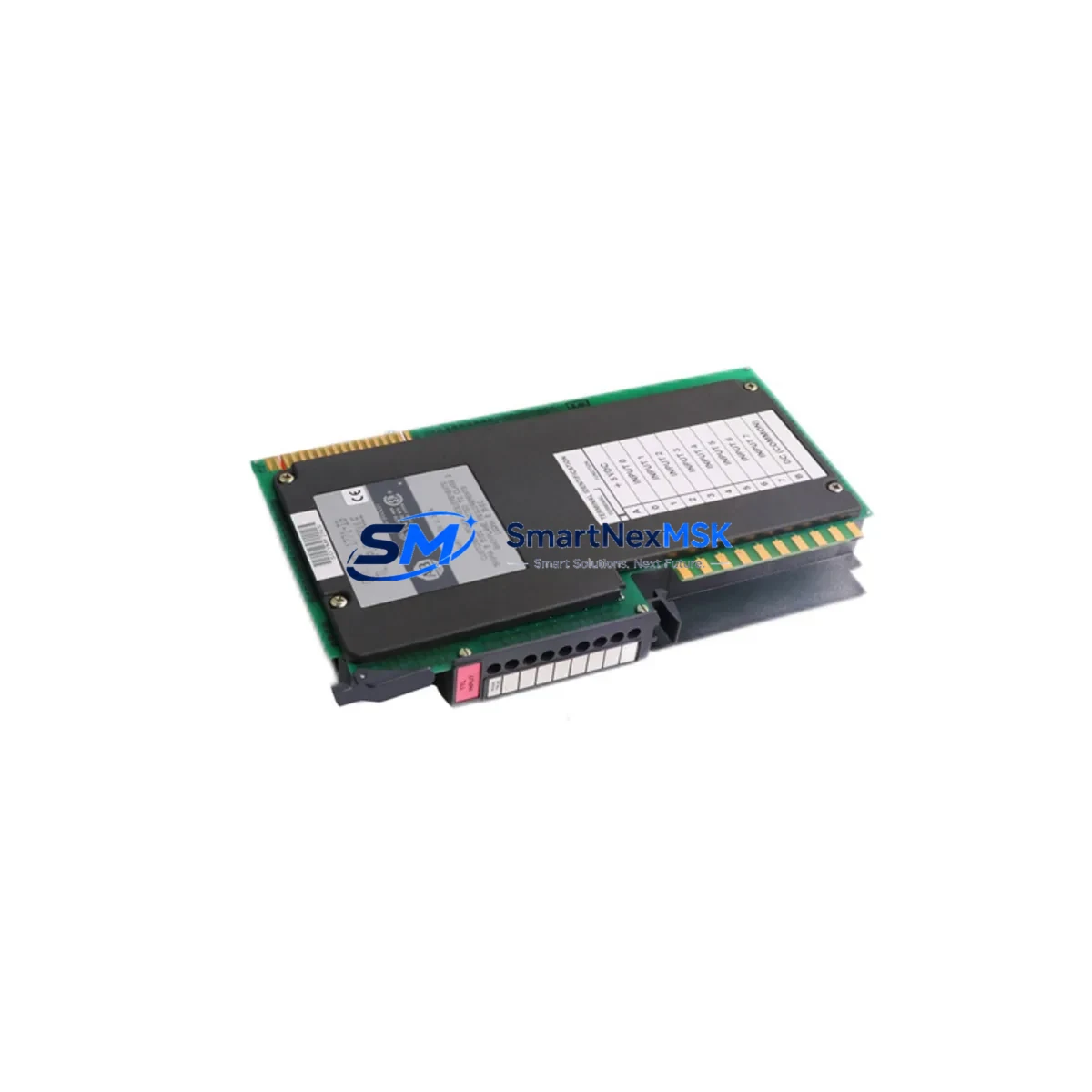
Allen-Bradley 1771-IG Spare for PLC-5 Automation: Spare Replacement & Downtime Risk Control
The Allen-Bradley 1771-IG is a 16-point TTL-compatible digital input module designed for use in the PLC-5 1771 Series I/O chassis. As a maintenance-ready original spare, the 1771-IG plays a critical role in sustaining continuous operation across legacy process control, discrete manufacturing, and utility automation systems. Whether you are managing a planned shutdown, responding to an unscheduled fault, or building a strategic spare parts inventory, having a verified 1771-IG on hand directly reduces mean time to repair (MTTR) and protects production uptime.
This module accepts TTL-level (0–5 VDC) digital input signals and interfaces directly with the PLC-5 backplane via the 1771 I/O chassis. It is widely deployed in applications requiring high-density discrete signal acquisition from sensors, proximity switches, encoders, and field devices operating at TTL logic levels. The 1771-IG is compatible with the full range of 1771 Series I/O chassis configurations, including single-slot and double-slot addressing modes.
Spare Maintenance Table
| Parameter | Specification |
|---|---|
| SKU / Part Number | 1771-IG |
| Brand | Allen-Bradley (Rockwell Automation) |
| Series | PLC-5 / 1771 I/O Series |
| Module Type | 16-Point TTL Digital Input Module |
| Input Voltage Range | 0–5 VDC (TTL Logic Level) |
| Input Points | 16 (single-slot addressing) |
| Backplane Interface | 1771 I/O Chassis (PLC-5 compatible) |
| Addressing Mode | Single-slot / Double-slot selectable |
| Operating Temperature | 0°C to 60°C (32°F to 140°F) |
| Storage Temperature | -40°C to 85°C |
| Relative Humidity | 5–95% non-condensing |
| Compatibility | PLC-5/10, PLC-5/15, PLC-5/20, PLC-5/25, PLC-5/30, PLC-5/40, PLC-5/60, PLC-5/80 |
| Mounting | 1771 I/O Chassis slot (keyed module) |
| Application Environment | Industrial control panels, process automation, discrete manufacturing |
| Maintenance Recommendation | Inspect connector pins, verify TTL signal integrity, check chassis backplane seating annually |
| Condition | Original / New Surplus / Tested Refurbished (as specified at order) |
| Warranty | 12 Months |
| Shipping | Tested before dispatch; ESD-safe packaging; global shipping available |
Maintenance Planning for Continuous Operation
When replacing the 1771-IG TTL Digital Input Module during a scheduled or emergency maintenance event, a thorough inspection of the surrounding control system components is essential to prevent repeat failures and ensure full system restoration. Maintenance engineers should treat the 1771-IG replacement as an opportunity to audit the entire I/O subsystem.
Begin by verifying the 1771 I/O chassis backplane for signs of corrosion, bent connector pins, or intermittent contact — a faulty backplane is a common root cause of repeated module failures. Inspect the 1771-P4 or 1771-P7 power supply module supplying the I/O chassis; an under-voltage or ripple condition on the 5 VDC bus will cause TTL input modules to misread signal states or fail prematurely.
Check the 1771-OBD or 1771-OW output modules in adjacent slots for signs of thermal stress or contact wear, particularly if the control cabinet has experienced overtemperature events. Review the 1785-L40B or 1785-L80B PLC-5 processor module diagnostic LEDs and fault log — persistent I/O faults logged against the 1771-IG slot may indicate a processor communication issue rather than a module defect.
Inspect all 1492-series terminal blocks and wiring assemblies connected to the 1771-IG field wiring arm. Loose terminations, oxidized contacts, or undersized conductors are frequent contributors to intermittent TTL signal errors. If the system uses 1771-WA or 1771-WB wiring arms, verify that the arm is fully seated and that the keying band matches the replacement module.
For systems with signal conditioning requirements, check any signal isolators or TTL-to-24VDC converters in the field wiring circuit. Degraded isolation barriers can introduce ground loops that corrupt TTL input readings. If the cabinet includes a 1747-SN Remote I/O Scanner or 1771-ASB Adapter for distributed I/O, verify scanner configuration and node addressing after module replacement to ensure the new 1771-IG is correctly mapped in the PLC-5 I/O table.
Finally, review the 1771 chassis slot configuration and keying before inserting the replacement module. Incorrect keying or slot assignment will prevent the PLC-5 processor from recognizing the module and may generate a major fault. Document the replacement in the site maintenance log and update the spare parts inventory to maintain minimum stock levels for the next maintenance cycle.
Site Replacement Workflow
Step 1 — Pre-Replacement Verification: Confirm the failed module SKU (1771-IG) against the PLC-5 I/O configuration printout or RSLogix 5 project file. Verify the chassis slot number, addressing mode (single/double slot), and keying band configuration before ordering or installing the replacement.
Step 2 — Safe Isolation: Place the PLC-5 processor in Program mode or Remote Program mode via the keyswitch. If the process permits, de-energize the I/O chassis power supply. Follow site LOTO (Lockout/Tagout) procedures before accessing the control cabinet.
Step 3 — Module Removal: Disconnect the 1771-WA/WB wiring arm from the failed 1771-IG module. Release the module locking tab and slide the module out of the chassis slot. Inspect the backplane connector for damage before inserting the replacement.
Step 4 — Replacement Installation: Verify the keying band on the replacement 1771-IG matches the original configuration. Slide the module firmly into the chassis slot until the locking tab engages. Reconnect the wiring arm and verify all field wiring terminations are secure.
Step 5 — System Restoration and Verification: Return the PLC-5 processor to Run mode. Monitor the I/O status indicators on the 1771-IG and verify that all 16 input points are reading correctly in the RSLogix 5 data monitor or HMI display. Clear any latched faults in the processor fault log and document the replacement event.
This workflow is compatible with all PLC-5 variants (PLC-5/10 through PLC-5/80) and supports direct replacement of legacy 1771-IG modules without processor reprogramming, minimizing downtime to under 30 minutes for experienced maintenance personnel.
Spare Parts Support FAQ
Q1: Is the 1771-IG still available as a new or tested spare, and what is the lead time?
Yes. The 1771-IG is available as new surplus (original Allen-Bradley production stock) or as a fully tested and refurbished unit. Standard lead time is 1–5 business days for in-stock units, with expedited shipping options available for emergency downtime situations. All units are tested for electrical functionality and TTL signal integrity before dispatch.
Q2: How do I verify compatibility between the 1771-IG and my existing PLC-5 system?
The 1771-IG is compatible with all PLC-5 processors (1785-Lxx series) using a 1771 I/O chassis. Confirm the chassis slot keying, addressing mode (single or double slot), and that your field devices output TTL-level (0–5 VDC) signals. Cross-reference the module catalog number against your RSLogix 5 project I/O configuration or the original system wiring diagram to confirm a direct replacement.
Q3: What does the 12-month warranty cover, and what is the return process?
The 12-month warranty covers manufacturing defects, electrical failure under normal operating conditions, and DOA (dead on arrival) units. It does not cover damage caused by incorrect installation, overvoltage, or physical mishandling. To initiate a warranty claim, contact our sales team with the order number and a description of the fault. Replacement or refund is processed within 5 business days of receiving the returned unit.
Q4: How should I manage 1771-IG spare parts inventory for a multi-line facility?
For facilities operating multiple PLC-5 systems, we recommend maintaining a minimum of 2–3 spare 1771-IG modules per production line, stored in ESD-safe packaging in a climate-controlled spare parts room. Establish a rotation policy to cycle older stock into service first and replenish inventory after each use. For critical 24/7 operations, consider a consignment stock arrangement to ensure zero lead time for emergency replacements.
© 2026 SMARTNEXMSK. All rights reserved.
Original Source: https://smartnexmsk.com
Contact: [email protected] | +86 18259474341



