
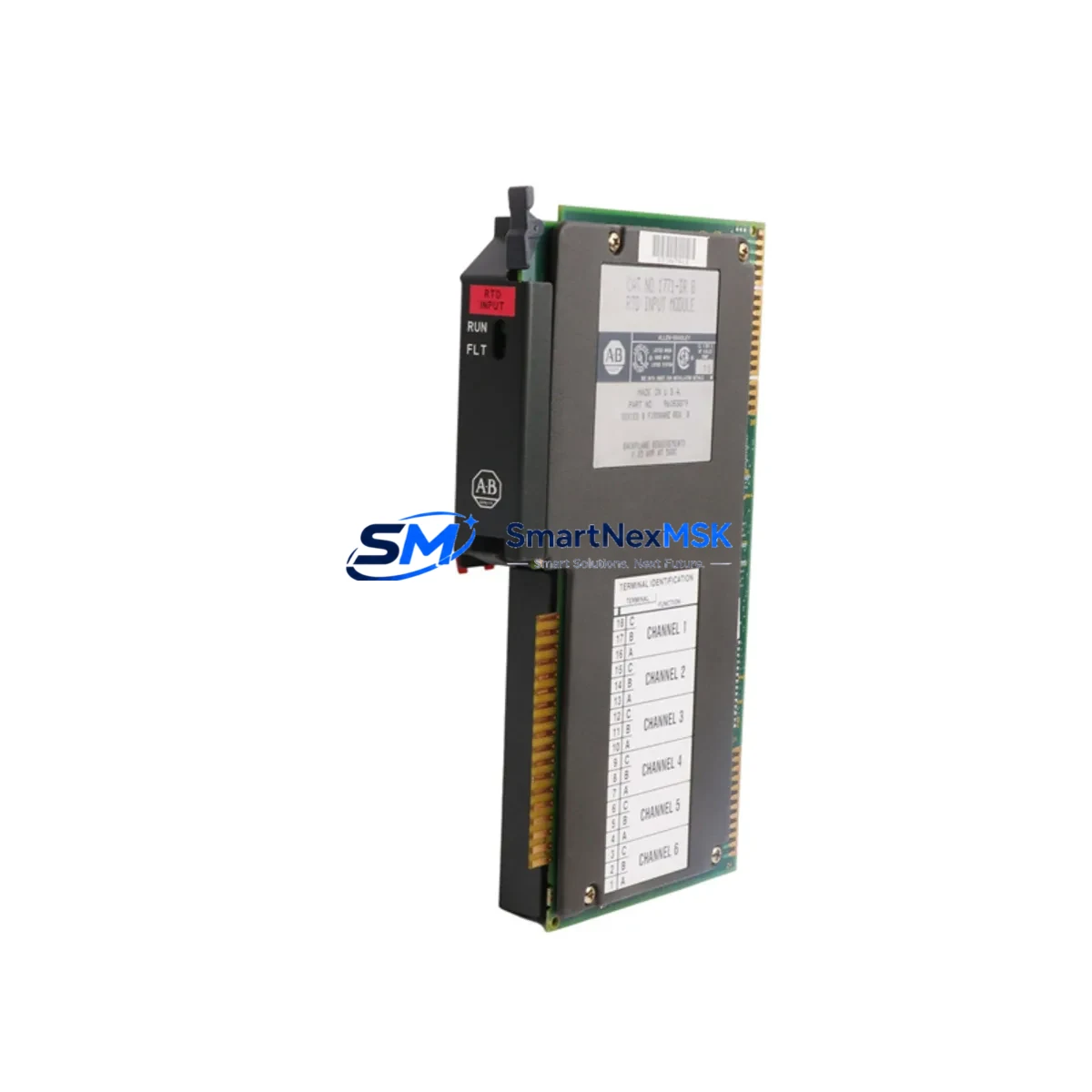
Allen-Bradley 1771-IR Maintenance-Ready Spare for PLC-5 Automation
The Allen-Bradley 1771-IR is a 6-channel RTD (Resistance Temperature Detector) Input Module designed for the Allen-Bradley PLC-5 programmable controller platform. As a critical analog input component within the 1771 I/O chassis, this module provides accurate temperature measurement from RTD sensors including Pt100, Pt1000, Ni120, and copper RTD types. For maintenance engineers managing aging PLC-5 installations, the 1771-IR represents one of the most frequently required spare parts in the analog input category — its failure directly impacts process temperature monitoring, loop control, and safety interlock functions.
Sourced as an original Allen-Bradley spare, each 1771-IR unit available through SMARTNEXMSK undergoes pre-shipment functional verification to confirm channel integrity, signal accuracy, and backplane communication. With a 12-month warranty and documented test records, this module is suitable for both emergency breakdown replacement and planned maintenance stock replenishment in continuous-process, batch, and discrete manufacturing environments.
Spare Maintenance Table
| Parameter | Specification |
|---|---|
| Part Number / SKU | 1771-IR |
| Brand | Allen-Bradley (Rockwell Automation) |
| Series | PLC-5 / 1771 I/O |
| Module Type | RTD Analog Input Module |
| Input Channels | 6 Channels (differential) |
| RTD Types Supported | Pt100, Pt1000, Ni120, 10Ω Copper, 100Ω Copper |
| Measurement Range | -200°C to +850°C (type-dependent) |
| Resolution | 0.1°C |
| Backplane Compatibility | 1771 I/O Chassis (all standard slots) |
| Power Consumption | Supplied via 1771 backplane |
| Operating Temperature | 0°C to 60°C |
| Storage Temperature | -40°C to +85°C |
| Relative Humidity | 5% to 95% non-condensing |
| Mounting | 1771 I/O Chassis slot (keyed module) |
| Wiring Termination | Removable wiring arm (1771-WN or equivalent) |
| Compatibility | PLC-5/10, PLC-5/15, PLC-5/20, PLC-5/30, PLC-5/40, PLC-5/60, PLC-5/80 |
| Origin | USA (Original Allen-Bradley manufacture) |
| Condition | Original spare — tested prior to shipment |
| Warranty | 12 Months |
| Typical Lead Time | Ships within 1–3 business days |
Maintenance Planning for Continuous Operation
When a 1771-IR module fails or is flagged during a scheduled control cabinet inspection, the replacement workflow extends beyond the module itself. Maintenance engineers should treat this event as an opportunity to audit the broader analog input subsystem and associated power infrastructure within the 1771 chassis.
Begin by verifying the 1771 I/O chassis backplane for signs of corrosion, bent connector pins, or intermittent slot contact — a degraded backplane can cause recurring module faults even after a new 1771-IR is installed. Inspect the 1771-P4S or 1771-P4S1 power supply serving the chassis; inadequate or unstable backplane power is a common root cause of analog module read errors and should be load-tested before the replacement module is commissioned.
Check the 1771-WN wiring arm (or the equivalent field wiring assembly) for terminal corrosion, loose RTD leads, and correct 2-wire, 3-wire, or 4-wire RTD wiring configuration. Incorrect wiring topology is the leading cause of offset errors after module replacement. If the installation uses 2-wire RTDs, confirm that lead resistance compensation is correctly configured in the PLC-5 processor data table.
For installations where the 1771-IR feeds temperature data into a PID loop, verify the PLC-5 processor module (such as the 1785-L40B or 1785-L80B) is operating without fault codes related to I/O communication. A simultaneous review of any 1771-OFE analog output modules in the same chassis is advisable — analog output faults often accompany analog input degradation in aging systems.
In multi-chassis configurations, inspect the 1771-ASB remote I/O adapter or 1771-DCM data communication module for communication health. Remote I/O link errors can mask analog module faults and complicate fault isolation. Where the PLC-5 system interfaces with an operator station, confirm that the PanelView 550 or PanelView 900 HMI is correctly displaying temperature tag values post-replacement to validate end-to-end signal integrity.
Finally, review the 1771-SDN DeviceNet Scanner or any 1771-KFC15 ControlNet interface modules if the chassis participates in a networked control architecture — firmware compatibility and node addressing should be confirmed whenever a module slot is disturbed. Maintaining a minimum of two 1771-IR units in on-site spare stock is recommended for facilities with continuous-process temperature loops where unplanned downtime carries significant production cost.
Site Replacement Workflow
Step 1 — Pre-replacement documentation: Record the current module slot address, keyswitch position, and all RTD channel configurations from the PLC-5 processor data file (typically File N7 or a user-defined integer file). Export or photograph the I/O configuration from RSLogix 5 before removing the module.
Step 2 — Safe isolation: Place the PLC-5 processor in Program mode. De-energize the 1771 chassis power supply following site LOTO (Lockout/Tagout) procedures. Disconnect the wiring arm from the module — do not disconnect individual RTD field wires from the terminal block unless rewiring is required.
Step 3 — Module removal and inspection: Extract the 1771-IR from its slot. Inspect the backplane connector and slot for damage. Compare the module key position on the replacement unit to the original — rekey if necessary to match the original slot configuration.
Step 4 — Replacement installation: Insert the new 1771-IR into the same slot. Reconnect the wiring arm. Restore chassis power and return the processor to Run mode. Monitor the I/O fault status bits and confirm all six RTD channels report valid temperature values within expected process range.
Step 5 — Functional verification: Compare live temperature readings against independent reference instruments (handheld RTD calibrator or thermocouple reference) on at least two channels. Document the replacement in the site maintenance log with the new module serial number and test results.
This workflow minimizes downtime to under 30 minutes for a prepared maintenance team and ensures system compatibility is maintained without processor re-programming.
Spare Parts Support FAQ
Q1: Is the 1771-IR compatible with all PLC-5 processor variants?
Yes. The 1771-IR is compatible with all standard PLC-5 processors (PLC-5/10 through PLC-5/80) that use the 1771 I/O chassis platform. It occupies a single I/O slot and communicates via the standard 1771 backplane protocol. No firmware update to the processor is required for a like-for-like replacement.
Q2: What pre-shipment testing is performed on each 1771-IR unit?
Each unit is powered and tested for backplane communication integrity and channel signal response prior to shipment. Units that fail any test parameter are quarantined and not offered for sale. A test record is available upon request for quality-critical applications.
Q3: How should the 1771-IR be stored as a long-term spare?
Store in original anti-static packaging in a climate-controlled environment (10°C–30°C, <70% RH, non-condensing). Avoid storage near strong magnetic fields or high-vibration areas. Inspect annually for connector oxidation. Units stored under these conditions maintain full functionality for 5+ years.
Q4: What does the 12-month warranty cover?
The 12-month warranty covers manufacturing defects and functional failures under normal operating conditions. It includes free replacement or full refund for units that fail within the warranty period due to verified module defects. Warranty claims require return of the defective unit with a fault description. Physical damage caused by incorrect installation, overvoltage, or ESD is excluded.
© 2026 SMARTNEXMSK. All rights reserved.
Original Source: https://smartnexmsk.com
Contact: [email protected] | +86 18259474341



