
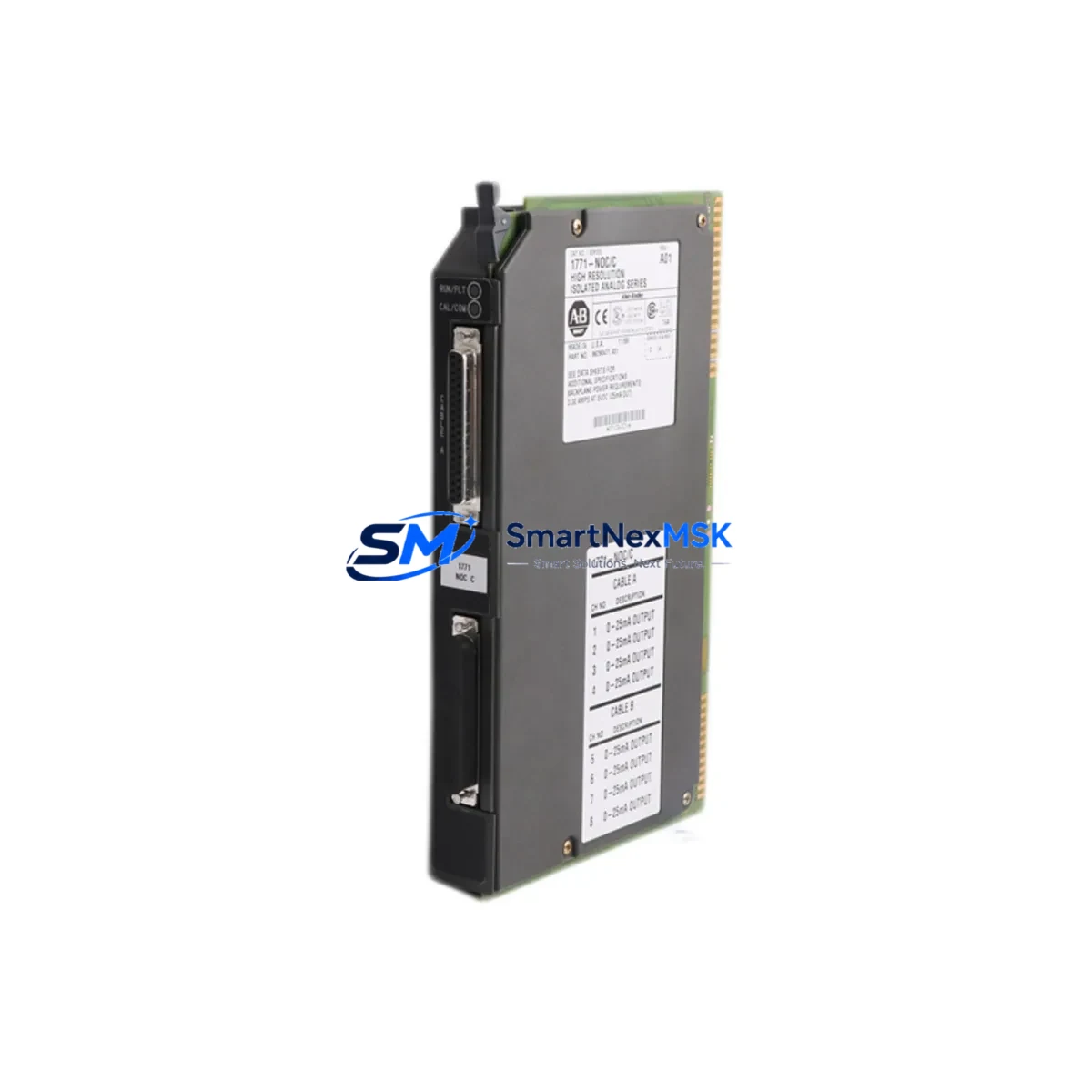
Allen-Bradley 1771-NOC Maintenance-Ready Spare for 1771 I/O Automation
The Allen-Bradley 1771-NOC is an original analog output module designed for the 1771 I/O Series PLC platform — one of the most widely deployed programmable controller architectures in heavy industrial environments. For maintenance engineers managing aging control systems, the 1771-NOC represents a critical spare: its failure directly impacts analog signal output to field devices such as control valves, variable frequency drives, and positioners. Sourcing a verified, tested replacement is essential to minimizing unplanned downtime and restoring process control quickly.
This module outputs analog signals in standard industrial ranges and is slot-compatible with the 1771 I/O chassis. It integrates directly with Allen-Bradley PLC-5 processors and legacy SLC-series controllers operating in mixed I/O configurations. For procurement engineers, maintaining at least one 1771-NOC in the spare parts inventory is a recognized best practice for any facility running 1771-series hardware — particularly where the control system is no longer under active vendor support and replacement lead times from OEM channels can extend to weeks or months.
Each unit supplied by SMARTNEXMSK is individually inspected, function-tested, and shipped with a 12-month warranty covering manufacturing defects and operational failure under normal service conditions. All units are sourced from verified industrial supply channels and are not refurbished or reconditioned unless explicitly stated.
Spare Maintenance Table
| Parameter | Specification / Detail |
|---|---|
| Part Number | 1771-NOC |
| Brand | Allen-Bradley (Rockwell Automation) |
| Module Type | Analog Output Module |
| Compatible Platform | 1771 I/O Series (PLC-5, SLC-500 with 1771 chassis) |
| Output Signal Range | 4–20 mA / 0–10 VDC (channel-configurable) |
| Number of Output Channels | 4 channels (industry standard for NOC series) |
| Backplane Interface | 1771 I/O chassis slot-compatible |
| Operating Temperature | 0°C to 60°C (32°F to 140°F) |
| Relative Humidity | 5% to 95% non-condensing |
| Power Consumption | Supplied via 1771 I/O chassis backplane |
| Installation | Direct slot insertion into 1771 I/O chassis; no external wiring adapter required |
| Compatibility Verification | Cross-reference with 1771 chassis model and PLC-5 processor firmware revision recommended before installation |
| Condition | Original, unused or fully tested pull — specified at time of order |
| Warranty | 12 months from shipment date |
| Pre-shipment Testing | Function-tested; output signal verification performed |
| Origin | USA (Allen-Bradley / Rockwell Automation) |
| Application Environment | Industrial process control, manufacturing automation, utilities, oil & gas, water treatment |
Maintenance Planning for Continuous Operation
When a 1771-NOC analog output module fails or is flagged during a scheduled inspection, the replacement workflow should extend beyond the module itself. Maintenance engineers are advised to treat this event as a trigger for a broader control cabinet audit. The 1771 I/O chassis backplane should be inspected for corrosion, bent connector pins, and secure module seating — a degraded backplane can cause intermittent faults that persist even after a module swap.
The 1771 power supply module (such as the 1771-P4S or 1771-P7) supplying the affected chassis should be load-tested, as undervoltage conditions are a common root cause of analog output drift and module lockup. If the chassis shares a power rail with digital I/O modules — including 1771-IAD input modules or 1771-OBD output modules — verify that total current draw remains within rated limits after the replacement module is installed.
Wiring integrity at the 1771-WB wiring arm or equivalent terminal block should be confirmed: loose field wiring at analog output terminals introduces signal noise that can be misdiagnosed as a module fault. For installations using signal isolators between the 1771-NOC output and field devices, the isolator modules should be checked for calibration drift — particularly in high-temperature or high-vibration environments.
If the facility uses a 1785 PLC-5 processor communicating over Data Highway Plus (DH+), the 1785-KA5 communication adapter and associated cabling should be inspected as part of the same maintenance window. Communication faults can mask analog output errors and complicate fault isolation. For systems with an HMI panel — such as a PanelView 550 or PanelView 900 — verify that analog output tag values are updating correctly after module replacement before returning the system to automatic mode.
Facilities managing multiple 1771 chassis should consider stocking the 1771-NOC alongside complementary spares: the 1771-NIC analog input module for closed-loop control circuits, the 1771-ASB remote I/O adapter for distributed chassis, and appropriate fuse blocks for the field wiring side. A structured spare parts list that covers both the analog I/O layer and the communication and power infrastructure significantly reduces mean time to repair (MTTR) during unplanned outages.
Site Replacement Workflow
Step 1 — Isolate and document: Before removing the 1771-NOC, record the current slot address, module configuration (output range, scaling), and any active fault codes displayed on the PLC-5 processor. Take a photograph of the wiring arm terminal connections for reference during reinstallation.
Step 2 — De-energize safely: Follow site lockout/tagout (LOTO) procedures. Remove the 1771 wiring arm first, then extract the module from the chassis slot. Inspect the backplane connector on both the module and the chassis for damage or contamination.
Step 3 — Configure the replacement module: Verify that the replacement 1771-NOC is configured to match the original output range and channel assignments. Configuration is typically set via hardware jumpers or DIP switches on the module face — consult the 1771-NOC installation manual (Pub. 1771-6.5.109) for switch settings.
Step 4 — Reinstall and verify: Seat the replacement module firmly into the chassis slot, reattach the wiring arm, and re-energize the chassis. Monitor the PLC-5 processor for I/O fault indicators. Use the programming terminal (RSLogix 5 or equivalent) to force analog output values and confirm correct signal levels at field device terminals using a calibrated loop tester or multimeter.
Step 5 — Return to service: Clear any latched faults in the processor, restore automatic control mode, and document the replacement in the site maintenance log. Update the spare parts inventory to reflect the consumed unit and initiate a reorder if stock falls below the minimum threshold.
This workflow applies equally when replacing an aging 1771-NOC that has not yet failed but is approaching end-of-service life — a proactive swap during a planned shutdown is always preferable to an emergency replacement during production.
Spare Parts Support FAQ
Q: Is the 1771-NOC still available as a new unit, or only as a tested pull?
A: The 1771-NOC is a legacy product and is no longer manufactured by Rockwell Automation. SMARTNEXMSK supplies original units sourced from verified industrial surplus channels. Each unit is individually function-tested before shipment. The condition (unused surplus or tested pull) is specified at the time of order confirmation.
Q: How do I verify compatibility with my existing 1771 chassis and PLC-5 processor?
A: Compatibility is determined by chassis model (1771-A1B through 1771-A4B series) and processor firmware. The 1771-NOC is compatible with all standard 1771 I/O chassis. Cross-reference your processor catalog number and firmware revision against the 1771-NOC product compatibility matrix in Rockwell publication 1771-6.5.109. Contact our technical team with your chassis and processor details for pre-order compatibility confirmation.
Q: What does the 12-month warranty cover, and how is a warranty claim processed?
A: The 12-month warranty covers functional failure under normal operating conditions — correct voltage, temperature within rated range, and proper installation per the manufacturer’s documentation. It does not cover damage from incorrect wiring, overvoltage, physical impact, or unauthorized modification. To initiate a warranty claim, contact [email protected] with the order number, a description of the fault, and any available diagnostic data. Replacement or repair is arranged within 5 business days of claim verification.
Q: What is the recommended inventory strategy for 1771-NOC modules in a multi-chassis facility?
A: For facilities operating 3 or more 1771 I/O chassis, maintaining a minimum of 2 spare 1771-NOC modules is recommended. Given the legacy status of the product and variable market availability, procurement engineers should treat this module as a long-lead item and review stock levels during each annual maintenance planning cycle. Pairing the 1771-NOC spare with a 1771-NIC (analog input) and a 1771-P4S (power supply) creates a compact emergency spare kit that covers the most common analog I/O failure scenarios in a single chassis.
© 2026 SMARTNEXMSK. All rights reserved.
Original Source: https://smartnexmsk.com
Contact: [email protected] | +86 18259474341



