
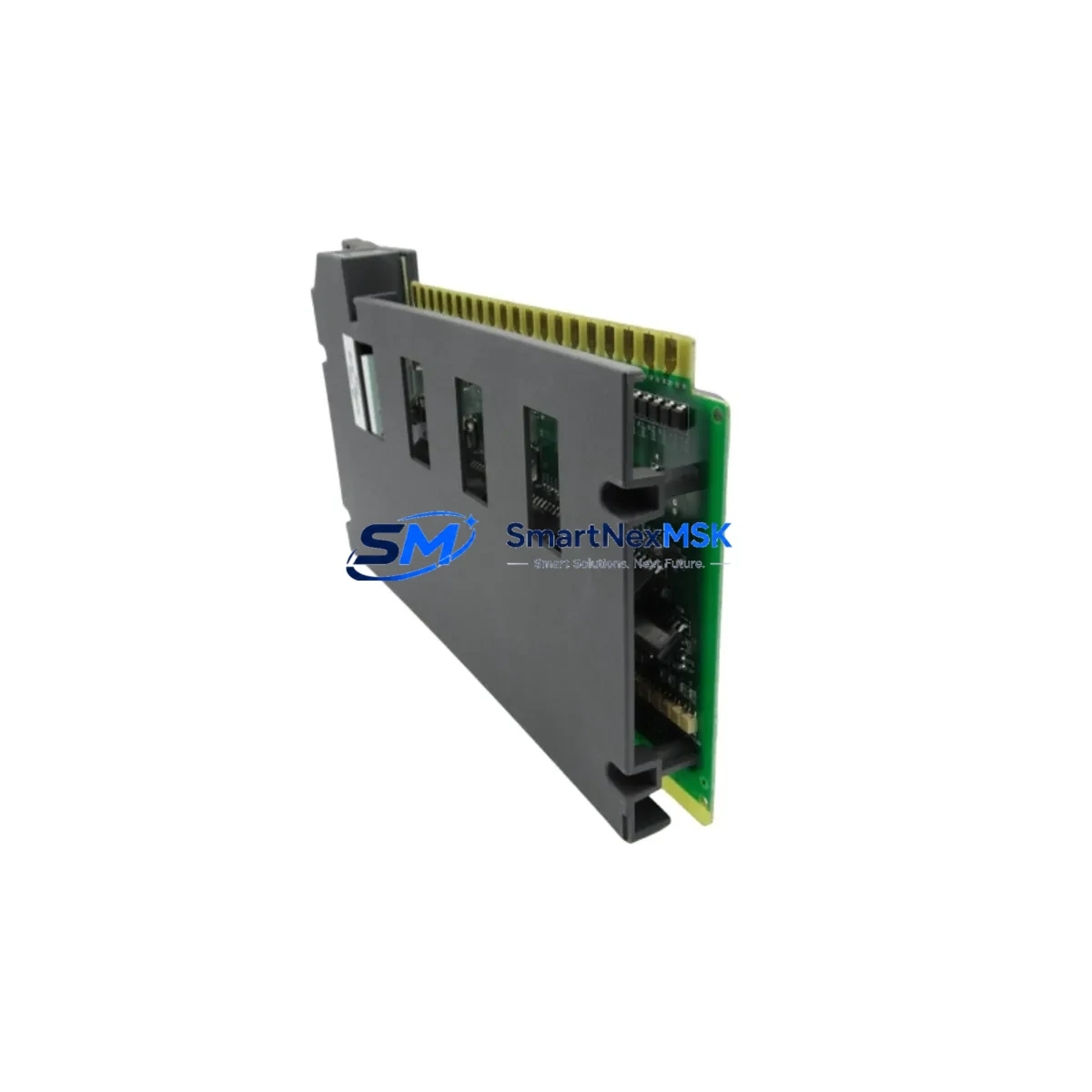
Allen-Bradley 1771-OVN Spare for PLC-5 Automation: Spare Replacement & Industrial Downtime Risk Control
The Allen-Bradley 1771-OVN is a 4-channel analog output module designed for the PLC-5 programmable controller platform, operating within the 1771 I/O chassis backplane. Delivering 4–20 mA current loop outputs, this module is a critical interface between the PLC-5 processor and field instrumentation including control valves, variable frequency drives, and process transmitters. When this module fails or degrades, the consequences extend beyond a single output channel — entire process loops can be disrupted, triggering unplanned shutdowns in continuous manufacturing, chemical processing, water treatment, and energy generation facilities.
Sourced as an original Allen-Bradley spare, the 1771-OVN is tested prior to shipment and backed by a 12-month warranty. Stocking this module as a maintenance-ready spare is a proven strategy for reducing mean time to repair (MTTR) in aging PLC-5 installations where new replacement hardware may no longer be available through standard distribution channels.
Spare Maintenance Table
| Parameter | Specification |
|---|---|
| Part Number | 1771-OVN |
| Brand | Allen-Bradley (Rockwell Automation) |
| Series | PLC-5 / 1771 I/O |
| Module Type | Analog Output Module |
| Output Channels | 4 channels |
| Output Signal | 4–20 mA current loop |
| Resolution | 12-bit |
| Chassis Compatibility | 1771 I/O chassis (all slot sizes) |
| Backplane Interface | 1771 parallel I/O backplane |
| Power Requirement | Supplied via 1771 chassis backplane |
| Operating Temperature | 0°C to 60°C |
| Application Environment | Industrial process control, manufacturing automation |
| Condition | Original / Surplus New / Tested |
| Origin | USA |
| Warranty | 12 Months |
| Pre-shipment Testing | Functional test performed before dispatch |
Maintenance Planning for Continuous Operation
Replacing a 1771-OVN in a live PLC-5 system requires more than a module swap. Maintenance engineers and procurement teams should treat this replacement as an opportunity to audit the surrounding control architecture and reduce the risk of cascading failures.
Before or during a 1771-OVN replacement, the following components in the same control cabinet or I/O chassis should be inspected and, where appropriate, stocked as spares:
- 1771-P4S / 1771-P7 Chassis Power Supply: Degraded backplane power is a leading cause of analog module instability. Verify output voltage stability under load before reinstalling the replacement module.
- 1771-IFE / 1771-IFE16 Analog Input Modules: In closed-loop control systems, analog input and output modules are paired. If the 1771-OVN has failed, inspect the corresponding analog input module for signal drift or calibration errors.
- 1771-ASB Remote I/O Adapter: In distributed I/O configurations, the ASB adapter governs communication between the PLC-5 processor and remote 1771 chassis. A failing adapter can cause intermittent analog output errors that mimic module failure.
- 1771-OW / 1771-OWN Output Relay Modules: Often installed in the same chassis alongside analog output modules for discrete control of contactors and solenoids. Inspect for contact wear and coil resistance during planned maintenance windows.
- 1785-L40B / 1785-L60L PLC-5 Processor Modules: If multiple I/O modules are exhibiting faults simultaneously, the processor itself may be the root cause. Check processor diagnostics and battery status.
- 1771-WB / 1771-WG Wiring Arms and Terminal Blocks: Corroded or loose field wiring connections at the wiring arm are a frequent source of analog signal errors. Replace wiring arms when replacing the module to eliminate wiring-related faults.
- Signal Isolators (e.g., MTL or P+F 4–20 mA Isolators): In installations where field devices are located far from the control cabinet, signal isolators protect the analog output module from ground loops and transient voltages. Verify isolator integrity during replacement.
- Fuse Blocks and DIN Rail Fuse Holders: Blown fuses on the field power supply rail can cause 4–20 mA loops to go open-circuit, producing fault indications on the 1771-OVN. Inspect and replace fuses as part of the corrective maintenance procedure.
- 1784-KTX / 1784-PCMK Communication Cards: If the replacement module requires re-configuration via RSLogix 5, ensure the programming interface card and cable are functional before beginning the configuration session.
- 1771-SDN DeviceNet Scanner (if applicable): In hybrid architectures where DeviceNet field devices are integrated with PLC-5 systems, verify scanner module health and node addressing after any I/O chassis maintenance.
Stocking these components alongside the 1771-OVN in a dedicated spare parts cabinet significantly reduces the diagnostic time required during emergency callouts and supports a structured preventive maintenance program.
Site Replacement Workflow
The 1771-OVN is a direct plug-in replacement for earlier analog output modules in the 1771 I/O family. The following workflow is recommended for site engineers performing an emergency or planned replacement:
- Pre-replacement verification: Confirm the replacement module’s catalog number, series letter, and firmware revision match or are compatible with the installed module. Document the existing channel configuration and scaling parameters from the PLC-5 data table before removal.
- Safe isolation: Place the PLC-5 processor in Program mode. De-energize the field power supply feeding the 4–20 mA loops connected to the module. Do not remove the module under power.
- Module removal and inspection: Remove the wiring arm first, then extract the module from the chassis slot. Inspect the backplane connector for bent pins or corrosion. Clean the slot if contamination is present.
- Replacement installation: Insert the new 1771-OVN into the same chassis slot. Reconnect the wiring arm. Verify that the module’s configuration switches (if applicable) match the original settings.
- Configuration restore: Using RSLogix 5 or an equivalent programming tool, verify that the analog output block transfer configuration in the PLC-5 program correctly addresses the new module. Restore scaling and engineering unit parameters as required.
- Commissioning and loop test: Return the processor to Run mode. Perform a loop test on each of the four output channels, verifying 4 mA (0%) and 20 mA (100%) output values at the field device. Document results.
- System handover: Update the maintenance log with the replacement date, module serial number, and test results. Return the failed module for failure analysis or responsible disposal.
This workflow minimizes downtime, maintains system compatibility, and provides a documented audit trail for ISO and safety compliance requirements.
Spare Parts Support FAQ
Q1: Is the 1771-OVN still available as a new or surplus-new part, and what is its warranty coverage?
The 1771-OVN has been discontinued by Rockwell Automation as part of the broader PLC-5 platform end-of-life. However, original surplus-new and fully tested units remain available through specialist industrial spare parts suppliers. Each unit supplied by SMARTNEXMSK is covered by a 12-month warranty against manufacturing defects and functional failure, with pre-shipment functional testing performed on every unit.
Q2: How do I verify compatibility between a replacement 1771-OVN and my existing PLC-5 system?
Compatibility is determined by chassis type (1771 I/O), slot assignment, and the block transfer configuration in the PLC-5 application program. The 1771-OVN is compatible with all standard 1771 I/O chassis sizes. Verify the series letter of the replacement module against Rockwell Automation’s compatibility matrix, and confirm that the PLC-5 program’s block transfer write (BTW) instruction correctly addresses the module’s slot position. If in doubt, contact our technical team with your processor catalog number and chassis configuration.
Q3: What is the recommended inventory strategy for 1771-OVN modules in a facility with multiple PLC-5 systems?
For facilities operating three or more PLC-5 systems with 1771-OVN modules installed, a minimum stock of two units per site is recommended. Given the discontinuation of this product line, lead times for sourcing replacement units on the open market can extend to several weeks. Maintaining on-site stock eliminates this lead time risk and supports a maximum 4-hour recovery target for critical process loops. Annual stock audits should verify that stored modules remain within their storage temperature and humidity specifications.
Q4: What pre-shipment testing is performed on 1771-OVN units, and how are they packaged for transport?
Every 1771-OVN unit undergoes functional testing on a live 1771 I/O chassis prior to dispatch, verifying all four analog output channels across the full 4–20 mA range. Units are packaged in anti-static bags, placed in foam-lined boxes, and shipped with a test report. Export packaging meets ISTA 2A transit testing standards to ensure the module arrives in the same condition it left our facility.
© 2026 SMARTNEXMSK. All rights reserved.
Original Source: https://smartnexmsk.com
Contact: [email protected] | +86 18259474341



