
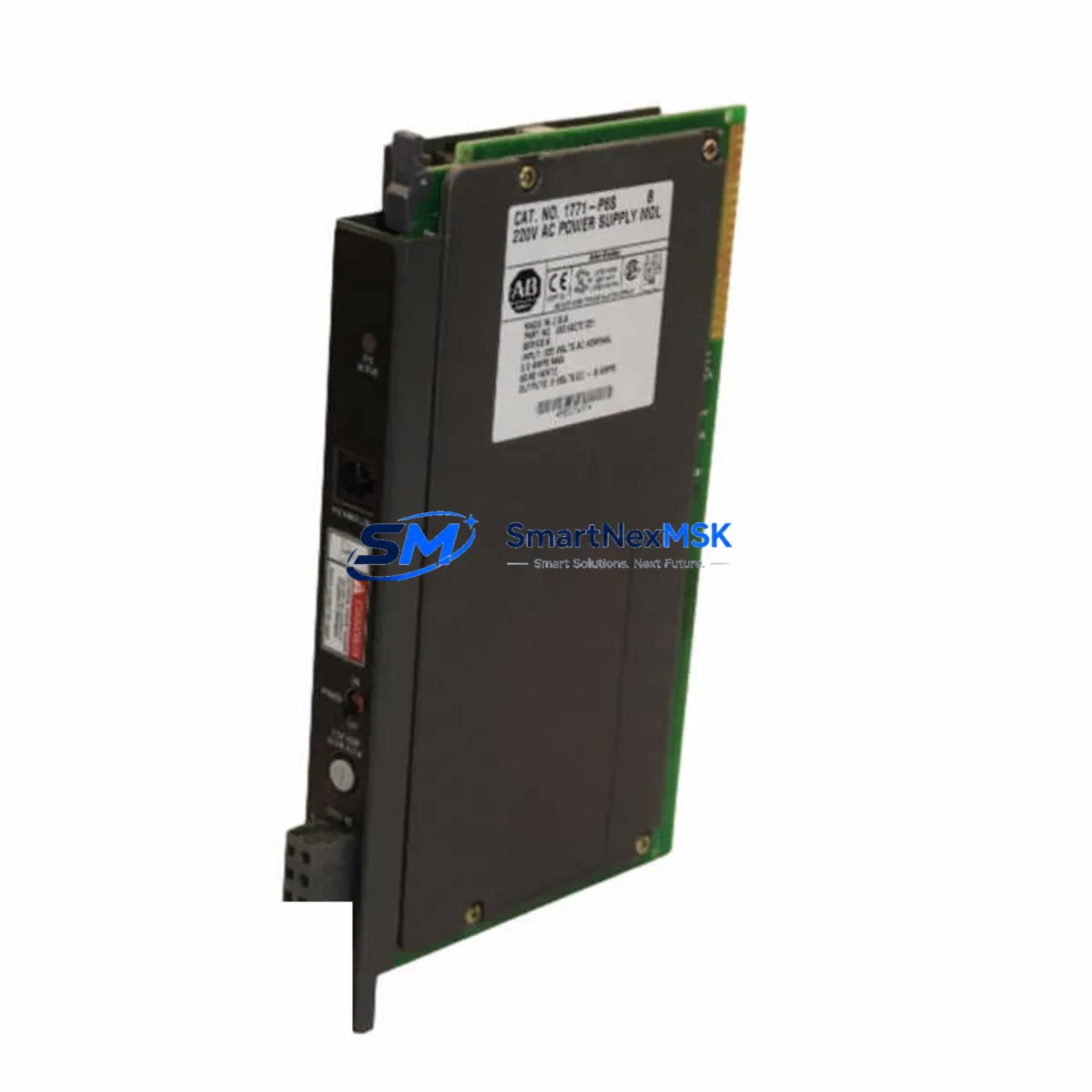
Allen-Bradley 1771-P6S Maintenance-Ready Spare for PLC-5 Automation
The Allen-Bradley 1771-P6S is a rack-mounted power supply module engineered for the PLC-5 programmable controller family and the 1771 I/O chassis platform. In industrial environments where unplanned downtime translates directly into production loss, having a verified, original-specification spare on hand is not optional — it is a core element of any responsible maintenance strategy. This unit delivers regulated DC power to the 1771 backplane, supporting the full range of 1771 I/O modules including digital input, digital output, analog, and specialty communication cards. Whether you are managing a legacy DCS migration, extending the service life of an aging control cabinet, or building a critical-spare inventory for a continuous-process facility, the 1771-P6S represents a reliable, drop-in replacement that eliminates compatibility risk and accelerates fault recovery.
Sourced as an original industrial spare, each 1771-P6S unit undergoes pre-shipment functional verification to confirm output voltage stability, inrush current behavior, and backplane connector integrity. This ensures that when a field replacement is required — whether during a scheduled outage window or an emergency shutdown — the module performs to original Allen-Bradley specifications from the moment it is installed.
Spare Maintenance Table
| Parameter | Specification / Detail |
|---|---|
| Part Number | 1771-P6S |
| Brand | Allen-Bradley (Rockwell Automation) |
| Series | PLC-5 / 1771 I/O |
| Module Type | Rack-Mounted Power Supply |
| Compatible Chassis | 1771 I/O Chassis (all slot configurations) |
| Compatible Controllers | PLC-5/10, PLC-5/15, PLC-5/20, PLC-5/30, PLC-5/40, PLC-5/60, PLC-5/80 |
| Input Voltage | 120/240 VAC, 50/60 Hz (auto-ranging) |
| Output | Regulated DC backplane power for 1771 I/O modules |
| Installation | Left-slot rack mount; no tools required for module seating |
| Operating Temperature | 0°C to 60°C (32°F to 140°F) |
| Application Environment | Industrial control panels, process automation, discrete manufacturing |
| Condition | Original spare; pre-shipment tested |
| Origin | United States |
| Warranty | 12 Months |
| Lead Time | In-stock; ships within 1–3 business days |
Maintenance Planning for Continuous Operation
When a 1771-P6S power supply fails or shows signs of degradation — such as intermittent backplane faults, unexpected module resets, or erratic I/O behavior — the replacement process should be treated as an opportunity for a broader control cabinet inspection. Maintenance engineers familiar with PLC-5 architecture know that a power supply fault rarely occurs in isolation. The following components should be evaluated concurrently during any 1771-P6S replacement event:
The 1771-A4B or 1771-A3B I/O chassis backplane connectors should be inspected for oxidation or mechanical wear, as a degraded backplane can stress the replacement power supply immediately after installation. The 1771-OBD digital output module and 1771-IBD digital input module should be checked for blown fuse indicators or LED fault states that may have been masked by the power supply fault. If the cabinet includes a 1771-ASB remote I/O adapter, verify that the remote I/O cable termination resistors are intact and that the adapter is receiving clean power after the supply swap.
For systems using a 1785-L40B or 1785-L60B PLC-5 processor, confirm that the processor battery (typically a 1770-XYC or equivalent lithium cell) is within its service life, as a power interruption during the supply replacement may trigger a memory-loss condition if the battery is marginal. The 1771-P7 or 1771-P4S companion power supply, if installed in a redundant configuration, should also be load-tested to confirm it can carry the full chassis load independently.
Communication continuity is equally important. If the system uses a 1771-KGM or 1771-KE serial communication module for DH+ or RS-232 connectivity to an HMI or SCADA system, verify that the module re-initializes correctly after power restoration. For cabinets with a PanelView 550 or PanelView 900 HMI connected via DH+ or DH-485, confirm that the HMI re-establishes its node address and communication path without manual intervention. Finally, inspect all terminal block wiring on the I/O modules for loose connections that may have been disturbed during the physical replacement procedure — a common source of post-maintenance nuisance faults.
Site Replacement Workflow
Replacing a 1771-P6S in a live production environment requires a structured approach to minimize downtime and avoid secondary faults. Begin by documenting the current I/O status and any active fault codes from the PLC-5 processor using your programming terminal (RSLogix 5 or equivalent). Place the processor in REM (Remote) mode and initiate a controlled shutdown before de-energizing the chassis. This preserves the ladder logic program in processor memory and prevents uncontrolled output states during the power transition.
Remove the faulty 1771-P6S by releasing the top and bottom locking tabs and sliding the module out of the left chassis slot. Inspect the slot connector for debris or damage before inserting the replacement unit. Seat the new module firmly until both locking tabs engage, then restore AC input power. Monitor the power supply status LED and backplane OK indicator before returning the processor to RUN mode. A full I/O force-check is recommended before resuming automated production to confirm that all modules have re-initialized correctly.
This workflow is compatible with all 1771 chassis variants and does not require firmware updates or software reconfiguration, making the 1771-P6S one of the most straightforward field replacements in the PLC-5 ecosystem. For facilities managing multiple PLC-5 racks, maintaining at least one 1771-P6S as a critical spare reduces mean time to repair (MTTR) from hours to minutes.
Spare Parts Support FAQ
Q1: Is the 1771-P6S still available as a new or original spare, and what is the expected service life?
The 1771-P6S is part of the Allen-Bradley PLC-5 platform, which Rockwell Automation has placed in end-of-life status. However, original spare units remain available through authorized industrial distributors and specialist spare parts suppliers. When sourced from a reputable supplier with pre-shipment testing and a 12-month warranty, these units provide reliable service life consistent with original specifications. For long-term planning, facilities should consider stocking 2–3 units per active chassis to cover both scheduled maintenance and emergency replacement scenarios.
Q2: How do I verify compatibility before installation?
Compatibility verification for the 1771-P6S is straightforward: confirm that your chassis is a 1771-series I/O rack (1771-A1B, A2B, A3B, or A4B) and that your controller is a PLC-5 family processor. The 1771-P6S is not compatible with SLC 500 or ControlLogix chassis. If you are unsure of your chassis model, the catalog number is printed on the chassis label, typically located on the left side panel of the rack enclosure.
Q3: What pre-shipment testing is performed on each unit?
Each 1771-P6S unit is functionally tested prior to shipment to verify AC input acceptance, DC output voltage regulation, backplane connector continuity, and status LED operation. Units that do not meet original Allen-Bradley output specifications are rejected. A test report is available upon request for quality-critical applications.
Q4: What does the 12-month warranty cover, and how is a warranty claim processed?
The 12-month warranty covers manufacturing defects and functional failures under normal operating conditions. It does not cover damage resulting from incorrect installation, overvoltage events, or physical mishandling. To initiate a warranty claim, contact our technical support team with the order number and a description of the fault symptom. Replacement units are dispatched within 3 business days of claim approval, and defective units are returned via prepaid shipping label.
© 2026 SMARTNEXMSK. All rights reserved.
Original Source: https://smartnexmsk.com
Contact: [email protected] | +86 18259474341



