
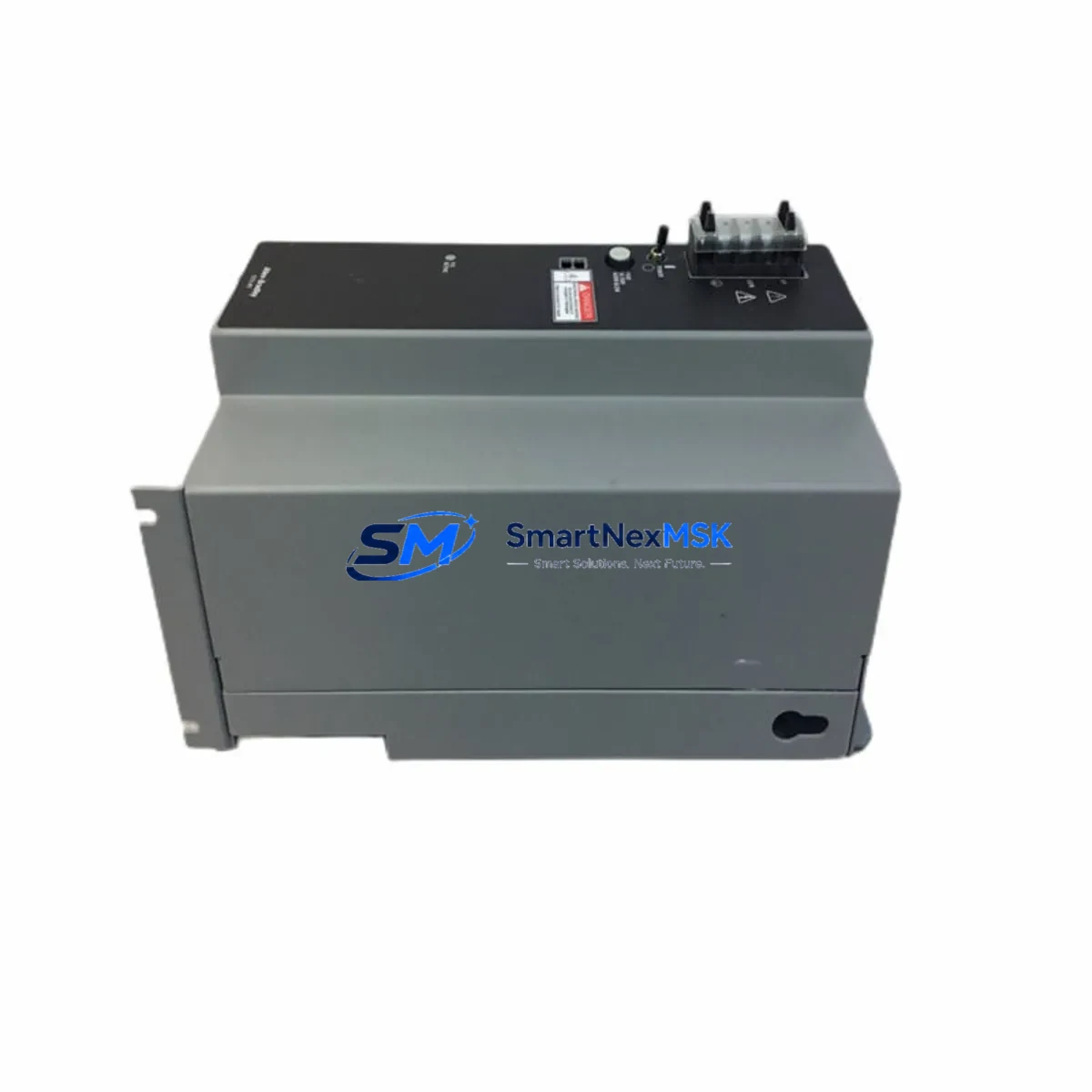
Allen-Bradley 1771-P7 Maintenance-Ready Spare for PLC-5 Automation
Unplanned downtime in PLC-5-based control systems remains one of the most costly disruptions in industrial automation environments. The Allen-Bradley 1771-P7 is a chassis-mounted power supply module designed for the 1771 I/O chassis family, delivering regulated DC power to I/O modules within PLC-5 rack configurations. Sourced as an original Allen-Bradley component, this spare is tested prior to shipment and backed by a 12-month warranty, making it a reliable choice for maintenance engineers managing aging PLC-5 infrastructure.
Whether you are executing a planned shutdown, responding to an emergency fault, or building a strategic spare parts buffer for a legacy control system, the 1771-P7 provides a direct, compatible replacement that eliminates the need for costly rack redesigns or controller migrations. Its compatibility with the full 1771 I/O chassis range — including 4-slot, 8-slot, and 16-slot configurations — means it integrates seamlessly into existing cabinet layouts without rewiring or firmware changes.
Spare Maintenance Table
| Parameter | Specification / Detail |
|---|---|
| SKU / Part Number | 1771-P7 |
| Brand | Allen-Bradley (Rockwell Automation) |
| Series | 1771 I/O Chassis / PLC-5 |
| Module Type | Chassis Power Supply Module |
| Input Voltage | 120/240 VAC, 50/60 Hz (selectable) |
| Output | Regulated DC power to 1771 I/O backplane |
| Compatible Chassis | 1771-A1B, 1771-A2B, 1771-A3B, 1771-A4B series |
| Mounting | Left-most slot of 1771 I/O chassis |
| Operating Temperature | 0°C to 60°C (32°F to 140°F) |
| Application Environment | Industrial control panels, PLC-5 automation systems |
| Condition | Original Allen-Bradley, tested before shipment |
| Warranty | 12 Months |
| Origin | USA |
| Maintenance Recommendation | Inspect capacitors and output rails annually; replace at first sign of voltage instability or thermal discoloration |
Maintenance Planning for Continuous Operation
When a 1771-P7 power supply fails or shows signs of degradation — such as erratic I/O behavior, nuisance faults on the PLC-5 processor module (e.g., 1785-L40B or 1785-L80B), or intermittent rack communication errors — the root cause is rarely isolated to the power supply alone. A thorough maintenance inspection should extend to the entire power distribution and I/O chain within the control cabinet.
Start by verifying the incoming AC supply quality at the 1771 chassis terminal block and checking for voltage sags or harmonic distortion that may have contributed to premature power supply wear. Inspect the 1771-ASB remote I/O adapter if the chassis is operating as a remote rack — communication faults on the remote I/O link can mimic power supply instability. Review the condition of 1771-series digital input modules (such as the 1771-IB or 1771-IA) and digital output modules (1771-OB, 1771-OW) for signs of overload or short-circuit damage that may have stressed the power supply over time.
For systems using 1771-series analog I/O modules (e.g., 1771-IFE or 1771-OFE), verify signal integrity and calibration after the power supply replacement, as voltage fluctuations can introduce offset errors in analog channels. If the cabinet includes a 1771-SDN DeviceNet Scanner or 1771-KF2 DH+ communication module, confirm that these modules re-initialize correctly after power restoration. Inspect terminal block wiring on the chassis backplane connectors for loose connections or corrosion, which can cause intermittent faults that are often misdiagnosed as power supply failures.
For cabinets with a PanelView HMI (e.g., PanelView 550 or PanelView 900) connected via DH+ or RS-232, verify that the HMI communication link re-establishes cleanly after the power cycle. Finally, check any signal isolators or surge protection devices on field wiring inputs — these components absorb transient energy and may require replacement alongside the power supply in high-noise industrial environments. Maintaining a stocked spare of the 1771-P7 alongside key I/O modules and communication adapters is the most effective strategy for minimizing mean time to repair (MTTR) in PLC-5 systems.
Site Replacement Workflow
Replacing the 1771-P7 in the field is a straightforward procedure when the correct spare is on hand. Begin by documenting the current rack configuration — record all module slot assignments, I/O addresses, and any jumper or DIP switch settings on installed modules before de-energizing the chassis. This documentation is critical for restoring the system to its pre-fault state without requiring a full PLC-5 program download.
De-energize the chassis by disconnecting the AC input at the upstream circuit breaker or disconnect switch. Remove the 1771-P7 by releasing the chassis locking tab and sliding the module out of the left-most slot. Install the replacement 1771-P7, ensuring the voltage selector switch (120V/240V) matches the site supply before re-energizing. Re-apply AC power and verify that the power supply status indicator illuminates correctly and that all I/O modules in the rack return to their normal operating state.
After restoration, perform a functional test of all I/O points associated with the chassis before returning the system to automatic operation. For systems where the PLC-5 processor is in the same chassis, confirm that the processor re-enters Run mode and that no new fault codes are present in the fault log. This workflow is compatible with all 1771 chassis variants and does not require any software changes to the PLC-5 program, making it one of the most efficient spare part replacements available for legacy Allen-Bradley systems.
Spare Parts Support FAQ
Q1: Is the 1771-P7 still available as a new original part, or is it only available as refurbished?
The 1771-P7 is part of the Allen-Bradley 1771 series, which has been discontinued by Rockwell Automation. However, original new-surplus and fully tested units remain available through authorized industrial spare parts suppliers. All units we supply are tested prior to shipment and covered by a 12-month warranty, providing equivalent assurance to new stock for maintenance applications.
Q2: How do I verify compatibility with my existing 1771 chassis before ordering?
The 1771-P7 is compatible with the standard 1771 I/O chassis family (1771-A1B through 1771-A4B). Confirm your chassis catalog number from the chassis nameplate or your system documentation. If your chassis uses a different power supply slot configuration or a high-capacity power supply variant, contact our technical team with your chassis catalog number for compatibility confirmation before ordering.
Q3: What is your recommended spare parts inventory strategy for PLC-5 systems?
For PLC-5 systems that are critical to production continuity, we recommend maintaining at minimum one 1771-P7 power supply spare per chassis type in use, alongside spares for your highest-density I/O modules and the PLC-5 processor module itself. Given the discontinued status of the 1771 series, sourcing spares proactively — rather than reactively — significantly reduces the risk of extended downtime due to parts unavailability.
Q4: What testing and quality checks are performed before shipment?
Each 1771-P7 unit undergoes functional power-on testing to verify output voltage regulation and stability before dispatch. Units are inspected for physical damage, capacitor condition, and connector integrity. A test report is available upon request. All units ship with a 12-month warranty covering defects in materials and workmanship under normal operating conditions.
© 2026 SMARTNEXMSK. All rights reserved.
Original Source: https://smartnexmsk.com
Contact: [email protected] | +86 18259474341



