
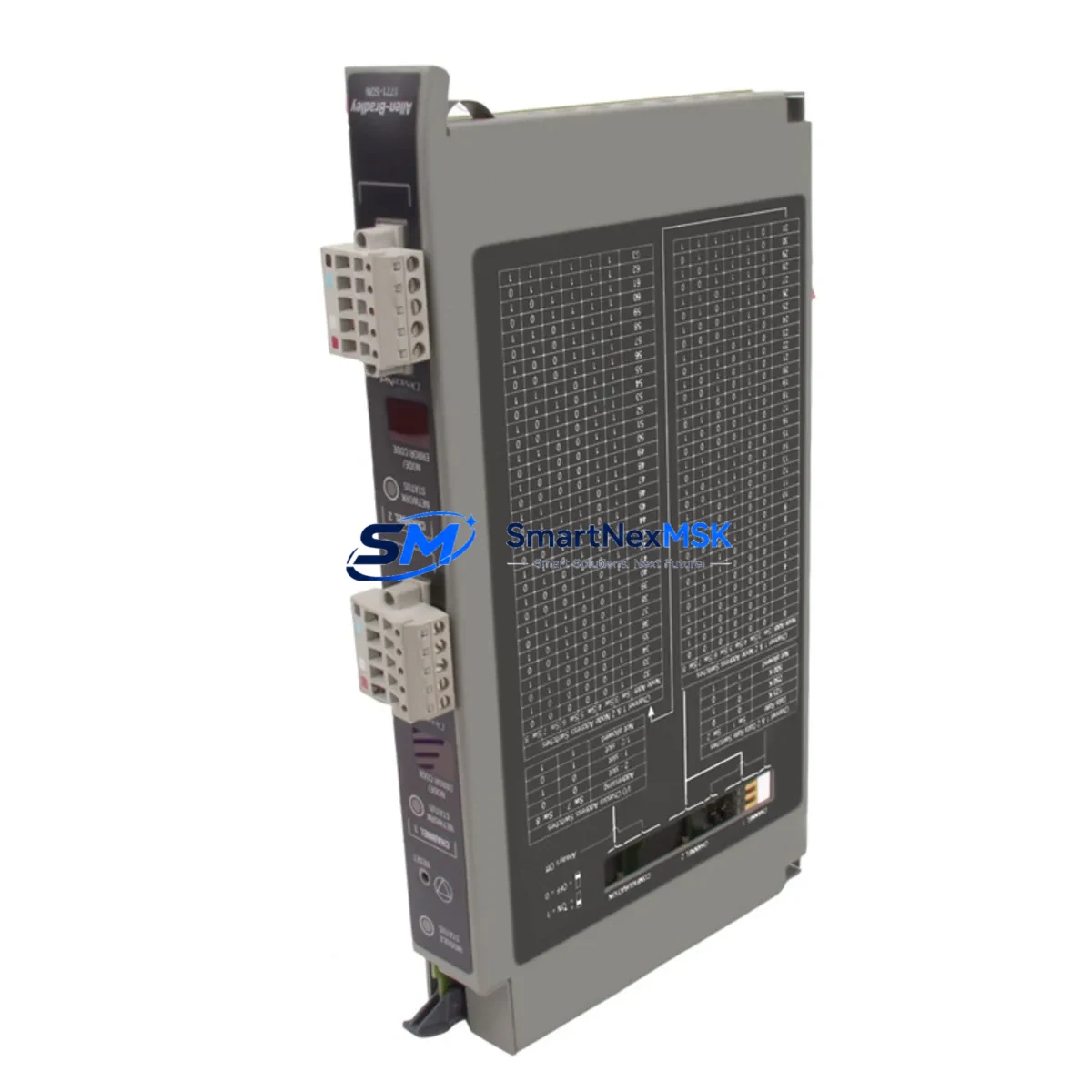
Allen-Bradley 1771-SDN Spare for 1771 PLC-5 Automation: Spare Replacement & Industrial Downtime Risk Control
The Allen-Bradley 1771-SDN DeviceNet Scanner Module is a critical communication interface within the PLC-5 / 1771 I/O platform, enabling the controller to manage DeviceNet field devices including drives, sensors, valve manifolds, and distributed I/O blocks. When this module fails or reaches end-of-life, the entire DeviceNet network segment goes offline — halting production, triggering safety shutdowns, and forcing unplanned maintenance windows. Stocking a verified replacement 1771-SDN is the most effective strategy to minimize mean time to repair (MTTR) and protect continuous operation in legacy automation environments.
This listing provides an original, tested Allen-Bradley 1771-SDN spare module, sourced for maintenance engineers and procurement teams managing PLC-5-based control systems. Each unit undergoes functional verification prior to shipment and is backed by a 12-month warranty, giving your maintenance team confidence in every replacement cycle.
Spare Maintenance Table
| Parameter | Specification / Detail |
|---|---|
| SKU / Part Number | 1771-SDN |
| Brand | Allen-Bradley (Rockwell Automation) |
| Series / Platform | PLC-5 / 1771 I/O Chassis |
| Module Type | DeviceNet Scanner Module |
| Network Protocol | DeviceNet (CAN-based, ISO 11898) |
| Max DeviceNet Nodes | 63 nodes per scanner |
| Backplane Interface | 1771 I/O Chassis (single slot) |
| Power Consumption | Supplied via 1771 I/O backplane |
| Operating Temperature | 0°C to 60°C (32°F to 140°F) |
| Compatibility | PLC-5/11, PLC-5/20, PLC-5/30, PLC-5/40, PLC-5/60, PLC-5/80; 1771 I/O chassis |
| Configuration Tool | RSNetWorx for DeviceNet |
| Origin | USA |
| Condition | Original spare; functionally tested before shipment |
| Warranty | 12 months from date of shipment |
| Application Environment | Industrial automation, process control, discrete manufacturing, material handling |
| Maintenance Recommendation | Inspect DeviceNet trunk cable, drop cables, and termination resistors during replacement; verify node addresses before power-up |
Maintenance Planning for Continuous Operation
Replacing the 1771-SDN is rarely an isolated task. A thorough maintenance engineer will treat this event as an opportunity to audit the broader control cabinet and DeviceNet segment. Begin by inspecting the 1771 I/O chassis backplane and its power supply — the 1771-P4S or 1771-P7 chassis power supply should be checked for output voltage stability, as a degraded supply can cause intermittent scanner faults that mimic module failure. Verify that the 1771-ASB (Adapter/Scanner Backplane) remote I/O adapter, if present in the same cabinet, is operating without fault indicators.
On the DeviceNet network side, inspect the trunk cable for continuity and check both 121-ohm termination resistors at each end of the segment. Loose or corroded DeviceNet drop cable connectors (Micro or Mini style) are a common root cause of intermittent node dropouts that are often misdiagnosed as scanner module failure. While the cabinet is open, verify the 1771-OFE1 or 1771-IFE analog I/O modules for any drift or calibration flags — these modules share the same backplane and can be affected by power transients during a scanner fault event.
For systems using a PLC-5 processor (e.g., 1785-L40B or 1785-L80B), confirm that the processor firmware revision is compatible with the replacement 1771-SDN and that the RSNetWorx for DeviceNet configuration file matches the node list. If the site uses a 1771-DCM (Data Communication Module) for DH+ or remote I/O bridging, verify its status LEDs and communication health during the restart sequence. Additionally, check any PowerFlex 40 or PowerFlex 70 drives connected as DeviceNet slaves — their node addresses and EDS file registrations should be confirmed before bringing the network back online.
Procurement engineers should consider maintaining at least one 1771-SDN as a cold spare alongside a spare 1771-P4S power supply and a set of DeviceNet termination resistors. For sites with multiple 1771 chassis, a standardized spare parts kit covering the scanner, power supply, and one representative I/O module per type significantly reduces emergency procurement lead times and protects against obsolescence risk in aging PLC-5 installations.
Site Replacement Workflow
Step 1 — Pre-replacement preparation: Download and save the existing 1771-SDN configuration from RSNetWorx for DeviceNet before powering down. Record all node addresses, I/O sizes, and explicit messaging connections. This file is essential for restoring the network after module swap.
Step 2 — Safe power-down: Follow site lockout/tagout (LOTO) procedures. Remove the 1771 chassis keying band if present, then extract the 1771-SDN from its slot. Note the slot number — the PLC-5 program references the scanner by chassis/slot address.
Step 3 — Physical inspection: Before inserting the replacement module, inspect the backplane connector for bent pins or corrosion. Clean with contact cleaner if necessary. Verify the chassis slot keying matches the replacement module’s keying band configuration.
Step 4 — Module installation: Insert the replacement 1771-SDN firmly into the correct slot. Restore power and observe the module’s LED indicators — the Network Status (NS) and Module Status (MS) LEDs should both illuminate green after successful initialization.
Step 5 — Configuration restore: Using RSNetWorx for DeviceNet, download the saved configuration to the replacement module. Verify all nodes are detected and online. Confirm I/O data exchange is active in the PLC-5 processor’s I/O tree before releasing the system to production.
Step 6 — System validation: Run a controlled test cycle to confirm all DeviceNet slave devices (drives, sensors, valve manifolds) respond correctly. Document the replacement in the site maintenance log with the new module’s serial number and the date of installation.
This workflow minimizes downtime to under two hours for a prepared maintenance team and eliminates the risk of configuration mismatch — the most common cause of extended restart delays after a scanner module replacement.
Spare Parts Support FAQ
Q1: Is this 1771-SDN an original Allen-Bradley module or a third-party compatible?
This is an original Allen-Bradley 1771-SDN module. We do not supply counterfeit or third-party compatible substitutes. Each unit is sourced from verified industrial channels and undergoes functional testing before shipment to confirm DeviceNet communication capability and backplane interface integrity.
Q2: What is the warranty coverage and what does it include?
All 1771-SDN modules supplied by SMARTNEXMSK carry a 12-month warranty from the date of shipment. The warranty covers functional failure under normal operating conditions. It does not cover damage caused by incorrect installation, overvoltage, or physical impact. Warranty claims are processed with a replacement unit dispatched after fault confirmation.
Q3: How do I verify compatibility with my existing PLC-5 system before ordering?
Provide your PLC-5 processor catalog number (e.g., 1785-L40B), chassis catalog number (e.g., 1771-A4B), and your current RSNetWorx for DeviceNet version. Our technical team will confirm compatibility and advise on any firmware considerations before the order is placed. You can reach us at [email protected].
Q4: What is your typical lead time and do you maintain stock for urgent orders?
We maintain buffer stock of high-demand PLC-5 era spare modules including the 1771-SDN to support emergency replacement scenarios. Standard orders ship within 2–3 business days. For urgent downtime recovery situations, contact us directly at +86 18259474341 to confirm same-day or next-day dispatch availability.
© 2026 SMARTNEXMSK. All rights reserved.
Original Source: https://smartnexmsk.com
Contact: [email protected] | +86 18259474341



