
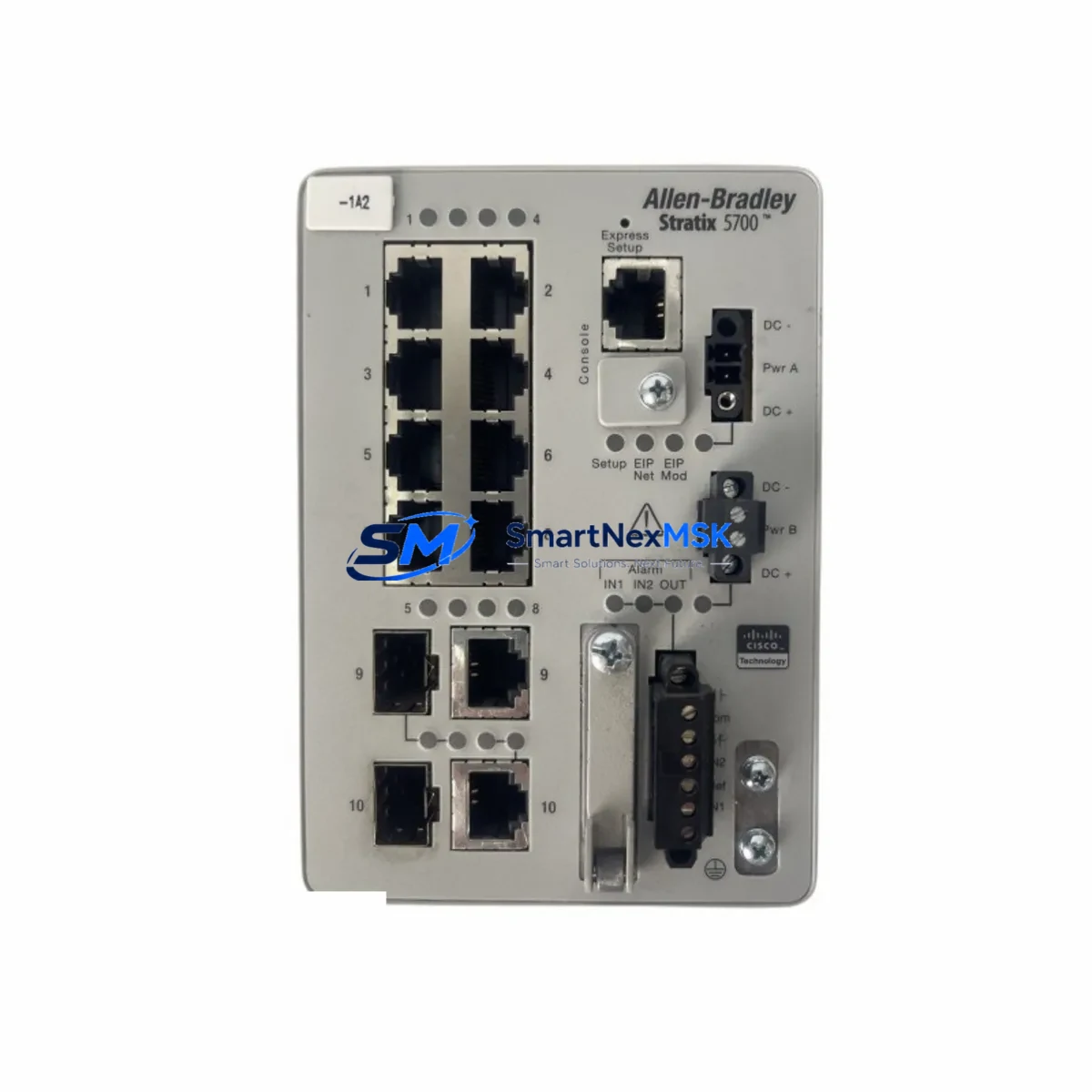
Allen-Bradley 1783-BMS10CA Spare for Stratix 5700 Automation
The Allen-Bradley 1783-BMS10CA is a 10-port managed Ethernet switch from the Stratix 5700 series, purpose-built for industrial automation networks. As a maintenance-ready original spare, it is the direct replacement for aging or failed units in ControlLogix, CompactLogix, and GuardLogix control architectures. Unplanned network downtime in an automation environment can cascade rapidly — a failed managed switch can isolate entire I/O subsystems, disrupt EtherNet/IP communications, and halt production lines. Stocking a verified 1783-BMS10CA spare is a fundamental element of any proactive maintenance strategy for Rockwell Automation-based control systems.
At SMARTNEXMSK, every 1783-BMS10CA unit is sourced as an original Allen-Bradley component, subjected to pre-shipment functional testing, and backed by a 12-month warranty. Our supply chain is structured for long-term availability, ensuring that maintenance engineers and procurement teams can source this critical spare reliably — even for legacy systems approaching end-of-life support from the OEM.
Spare Maintenance Table
| Parameter | Specification |
|---|---|
| Part Number / SKU | 1783-BMS10CA |
| Brand / Manufacturer | Allen-Bradley (Rockwell Automation) |
| Series | Stratix 5700 |
| Product Type | Industrial Managed Ethernet Switch |
| Number of Ports | 10 (8 × 10/100 copper + 2 × combo SFP/copper) |
| Network Protocol | EtherNet/IP, PROFINET-compatible topology |
| Power Supply Input | 24 VDC nominal (18–32 VDC range) |
| Operating Temperature | 0°C to 60°C (32°F to 140°F) |
| Mounting | DIN rail |
| Enclosure Rating | IP20 |
| Compatibility | ControlLogix (1756 series), CompactLogix (1769 series), GuardLogix, Studio 5000 / RSLogix 5000 |
| Managed Features | VLAN, QoS, IGMP Snooping, RSTP, Port Mirroring, SNMP |
| Origin | USA |
| Condition | Original New / Tested Surplus |
| Pre-Shipment Testing | Yes — functional verification before dispatch |
| Warranty | 12 Months |
| Typical Application | Control cabinet network backbone, PLC-to-I/O ring topology, SCADA/HMI communication layer |
| Maintenance Recommendation | Inspect port LEDs, verify VLAN config, check 24 VDC rail integrity at each scheduled PM cycle |
Maintenance Planning for Continuous Operation
When a 1783-BMS10CA fails or is scheduled for replacement during planned maintenance, the scope of inspection should extend well beyond the switch itself. The Stratix 5700 sits at the center of the EtherNet/IP communication layer, and its health is directly tied to the reliability of every connected node. Maintenance engineers should treat a switch replacement as an opportunity for a full control cabinet network audit.
Begin by verifying the 24 VDC power supply rail — a marginal or noisy supply is a common root cause of intermittent switch resets. If the cabinet uses a dedicated 24 VDC power supply module such as the Allen-Bradley 1606-XLP series or a 1783-ETAP EtherNet/IP tap, inspect these units for output voltage stability and thermal stress. Next, check all Cat5e/Cat6 Ethernet patch cables and RJ45 connectors at each port — connector oxidation and cable damage are frequent causes of intermittent link loss that are often misdiagnosed as switch failure.
On the I/O side, confirm that all 1734 POINT I/O adapters and 1756 ControlLogix I/O modules connected through the switch are communicating correctly after the replacement. Re-verify EtherNet/IP connection counts in Studio 5000 to ensure no connections were lost during the switchover. If the system uses 1783-ETAP or 1783-NATR NAT router modules for network segmentation, confirm their configurations are intact.
For systems with PanelView Plus HMI terminals (such as the 2711P series) connected through the Stratix 5700, verify that the HMI communication path is restored and that no IP address conflicts exist post-replacement. If signal isolators or 1492 terminal blocks are used in the same cabinet, inspect for loose wiring that may have been disturbed during the switch swap. Finally, if the system includes PowerFlex drives communicating over EtherNet/IP, confirm drive-to-controller connections are re-established and no fault codes are present before returning the line to production.
Site Replacement Workflow
Replacing a 1783-BMS10CA in a live industrial environment requires a structured approach to minimize downtime and avoid configuration loss. Before removing the failed unit, export the switch configuration using Cisco IOS CLI or the Device Manager web interface — the Stratix 5700 runs an embedded IOS image, and the configuration file can be saved to a USB drive or TFTP server for rapid restoration on the replacement unit.
Power down the 24 VDC supply to the switch before disconnecting cables. Label all Ethernet connections by port number before removal to ensure accurate reconnection. Install the replacement 1783-BMS10CA on the DIN rail, reconnect all cables in the original port sequence, and restore power. Import the saved configuration file to the new unit. Verify all port link LEDs are active and confirm EtherNet/IP connections in the controller’s I/O tree are re-established within Studio 5000.
For legacy systems where the original IOS configuration is unavailable, SMARTNEXMSK can provide baseline configuration templates for common Stratix 5700 topologies — linear, ring (DLR), and star — to accelerate commissioning. This approach reduces mean time to repair (MTTR) and supports older automation systems that may no longer receive OEM configuration support, effectively extending the operational life of the control architecture without requiring a full system upgrade.
Spare Parts Support FAQ
Q1: Is the 1783-BMS10CA still available as a new original part, or only as surplus?
A: SMARTNEXMSK maintains stock of both original new and tested surplus 1783-BMS10CA units. All surplus units undergo functional testing prior to shipment and are covered by the same 12-month warranty as new stock. Availability is confirmed at time of inquiry — contact us for current stock status.
Q2: How do I verify compatibility with my existing ControlLogix or CompactLogix system before ordering?
A: The 1783-BMS10CA is compatible with all ControlLogix (1756) and CompactLogix (1769) controllers running EtherNet/IP. Confirm your Studio 5000 / RSLogix 5000 firmware version and existing switch IOS version. SMARTNEXMSK can assist with compatibility verification — provide your controller catalog number and current network topology for a pre-order confirmation.
Q3: What does the 12-month warranty cover, and what is the claims process?
A: The 12-month warranty covers functional failure under normal operating conditions. It does not cover physical damage caused by incorrect installation, overvoltage, or environmental exposure beyond rated specifications. To initiate a warranty claim, contact [email protected] with your order number and a description of the fault. Replacement or repair is processed within standard lead times.
Q4: Can SMARTNEXMSK support long-term or blanket purchase orders for this spare part?
A: Yes. For maintenance teams managing multiple Stratix 5700 installations or planning annual spare parts budgets, SMARTNEXMSK supports blanket PO arrangements and reserved stock agreements. This ensures priority allocation and price stability for critical spares over a 12–24 month horizon. Contact our sales team to discuss terms.
© 2026 SMARTNEXMSK. All rights reserved.
Original Source: https://smartnexmsk.com
Contact: [email protected] | +86 18259474341



