
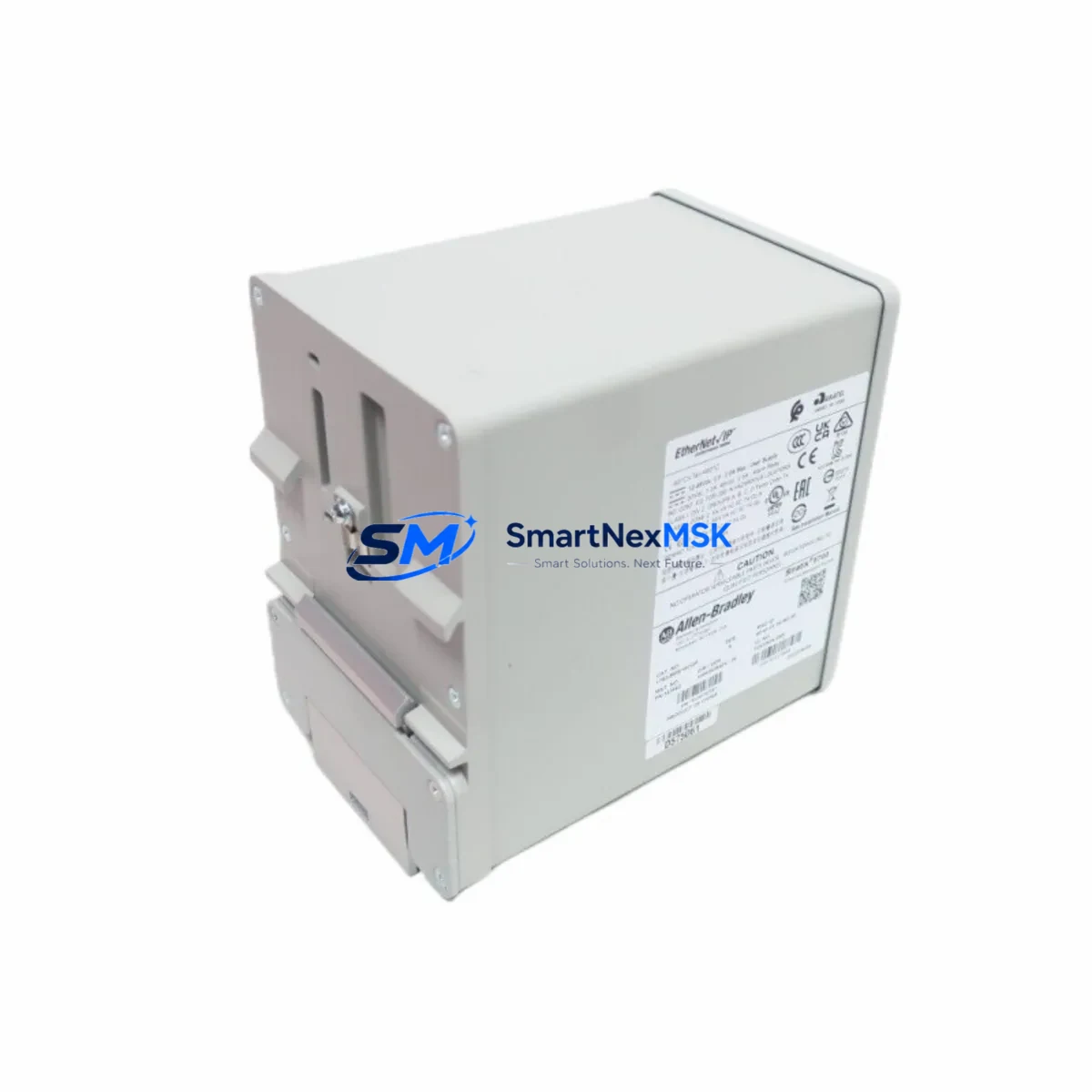
Allen-Bradley 1783-BMS10CGP Maintenance-Ready Spare Stratix 5700 Automation
The Allen-Bradley 1783-BMS10CGP is a 10-port Gigabit managed Ethernet switch from the Stratix 5700 series, engineered for demanding industrial automation environments. As a maintenance-ready original spare, this unit is sourced, inspected, and dispatched to support rapid replacement in production lines, control cabinets, and distributed I/O networks where unplanned downtime carries significant operational cost.
For maintenance engineers managing Rockwell Automation infrastructure, the 1783-BMS10CGP serves as the network backbone connecting PLCs, HMIs, drives, and remote I/O across the plant floor. When this switch fails or degrades, the entire communication fabric of a ControlLogix or CompactLogix system can be disrupted. Holding a verified spare on-site — or securing fast-ship supply from a qualified distributor — is the most effective strategy to contain mean time to repair (MTTR) and protect production continuity.
Procurement engineers sourcing this unit should confirm firmware revision compatibility with their existing Stratix 5700 stack and verify that the replacement unit supports the same VLAN, QoS, and IGMP snooping configurations deployed in the live system. Our units ship with full functional testing documentation and are backed by a 12-month warranty.
Spare Maintenance Table
| Parameter | Specification |
|---|---|
| Part Number | 1783-BMS10CGP |
| Brand | Allen-Bradley (Rockwell Automation) |
| Series | Stratix 5700 |
| Product Type | Industrial Managed Ethernet Switch |
| Port Configuration | 8 × 10/100/1000 copper + 2 × SFP Gigabit fiber uplinks |
| Management | Cisco IOS-based, Studio 5000 / RSLogix 5000 integrated |
| Power Supply | 24 VDC nominal (18–32 VDC range), dual redundant input |
| Operating Temperature | 0°C to 60°C (32°F to 140°F) |
| Protection Rating | IP30, DIN-rail mount |
| Protocols Supported | EtherNet/IP, PROFINET (passive), IGMP, RSTP, QoS |
| Compatibility | ControlLogix, CompactLogix, GuardLogix, PanelView Plus, PowerFlex drives |
| Origin | USA |
| Condition | Original spare, functionally tested |
| Warranty | 12 Months |
| Shipping | Tested before dispatch, secure industrial packaging |
Maintenance Planning for Continuous Operation
When a 1783-BMS10CGP is scheduled for replacement during planned maintenance or emergency recovery, a thorough inspection of the surrounding control cabinet components is strongly recommended. The switch’s 24 VDC power feed should be verified at the terminal block — a failing 1606-XLP power supply or 1606-XLE series unit can cause intermittent switch resets that mimic network faults. Dual-redundant power input wiring should be checked for loose ferrules and correct polarity before the new switch is energized.
On the I/O side, the fiber SFP uplink modules (such as the 1783-SFP1GSX or 1783-SFP1GLX) seated in the switch’s expansion slots should be inspected for contamination and replaced if insertion loss has increased. Downstream, any 1734-AENT or 1734-AENTR POINT I/O Ethernet adapter modules connected through this switch should be confirmed online in RSLinx or Studio 5000 before the maintenance window is closed.
For cabinet-level inspection, the 1492-J terminal blocks and 1492-CABLE wiring harnesses feeding the switch and adjacent devices should be torque-checked. If the control cabinet also houses a 1783-ETAP EtherNet/IP tap or a 1783-US5T unmanaged switch for local device drops, these should be verified as part of the same inspection cycle. PanelView Plus 7 HMI terminals communicating through this switch should be tested for screen response and tag update rates post-replacement to confirm network latency has returned to baseline.
Where the Stratix 5700 stack integrates with a ControlLogix chassis, the 1756-EN2T or 1756-EN2TR EtherNet/IP communication modules in the backplane should be checked for firmware currency and connection count headroom. If the system uses Device Level Ring (DLR) topology, ring supervisor status should be confirmed after the switch is brought online to ensure no ring break condition persists.
Site Replacement Workflow
Replacing a 1783-BMS10CGP in a live Stratix 5700 network follows a structured sequence to minimize disruption. First, export the switch configuration using Cisco IOS CLI or the Logix Designer Add-On Profile (AOP) before powering down the failed unit — this preserves VLAN assignments, port security settings, and QoS maps. If the configuration backup is unavailable, the replacement unit should be pre-configured offline using the same firmware version as the rest of the Stratix 5700 stack to avoid version mismatch alarms in Studio 5000.
Label all fiber and copper patch cables before disconnection. Seat the replacement unit on the DIN rail, reconnect power and ground, then bring up copper ports before fiber uplinks to allow spanning tree to stabilize. Import the saved configuration or apply the AOP profile, then verify all EtherNet/IP connections in the controller’s I/O tree are established before releasing the line. Document the replacement with the unit serial number, firmware version, and test results for the maintenance log.
This workflow applies equally to legacy Stratix 5700 installations running older firmware and to current deployments. The 1783-BMS10CGP is a direct form-fit-function replacement for earlier Stratix 5700 variants with the same port count, making it suitable for extending the service life of existing control system architectures without requiring panel redesign or PLC program changes.
Spare Parts Support FAQ
Q1: What is the recommended spare parts lifecycle strategy for the 1783-BMS10CGP?
For critical production lines, maintain at least one on-site spare per Stratix 5700 stack. For multi-line facilities, a shared pool of two to three units is typically sufficient. Switches in continuous 24/7 operation should be considered for proactive replacement at the 7–10 year mark regardless of apparent condition, as capacitor aging and fan wear (where applicable) can cause intermittent failures that are difficult to diagnose under load.
Q2: How do I verify compatibility before installing the replacement unit?
Confirm the firmware version of the existing Stratix 5700 switches in your network using the Cisco IOS show version command or the Logix Designer AOP. The replacement 1783-BMS10CGP should be updated to match before installation. Also verify that the port configuration (copper vs. fiber uplink) matches your cabling infrastructure, particularly if SFP modules are being reused from the failed unit.
Q3: What testing is performed before shipment?
Each 1783-BMS10CGP spare is powered on and subjected to port-level link testing across all copper and fiber interfaces. Management access via CLI is verified, and the unit is confirmed free of hardware fault indicators. A test report is available upon request. Units are packed in anti-static, shock-resistant packaging suitable for international freight.
Q4: Is a 12-month warranty included, and what does it cover?
Yes. All units carry a 12-month warranty from the date of shipment covering hardware defects and functional failure under normal operating conditions. Warranty claims are supported by our technical team with advance replacement options available for critical applications. Contact [email protected] or +86 18259474341 to initiate a warranty claim or request a replacement unit.
© 2026 SMARTNEXMSK. All rights reserved.
Original Source: https://smartnexmsk.com
Contact: [email protected] | +86 18259474341



