
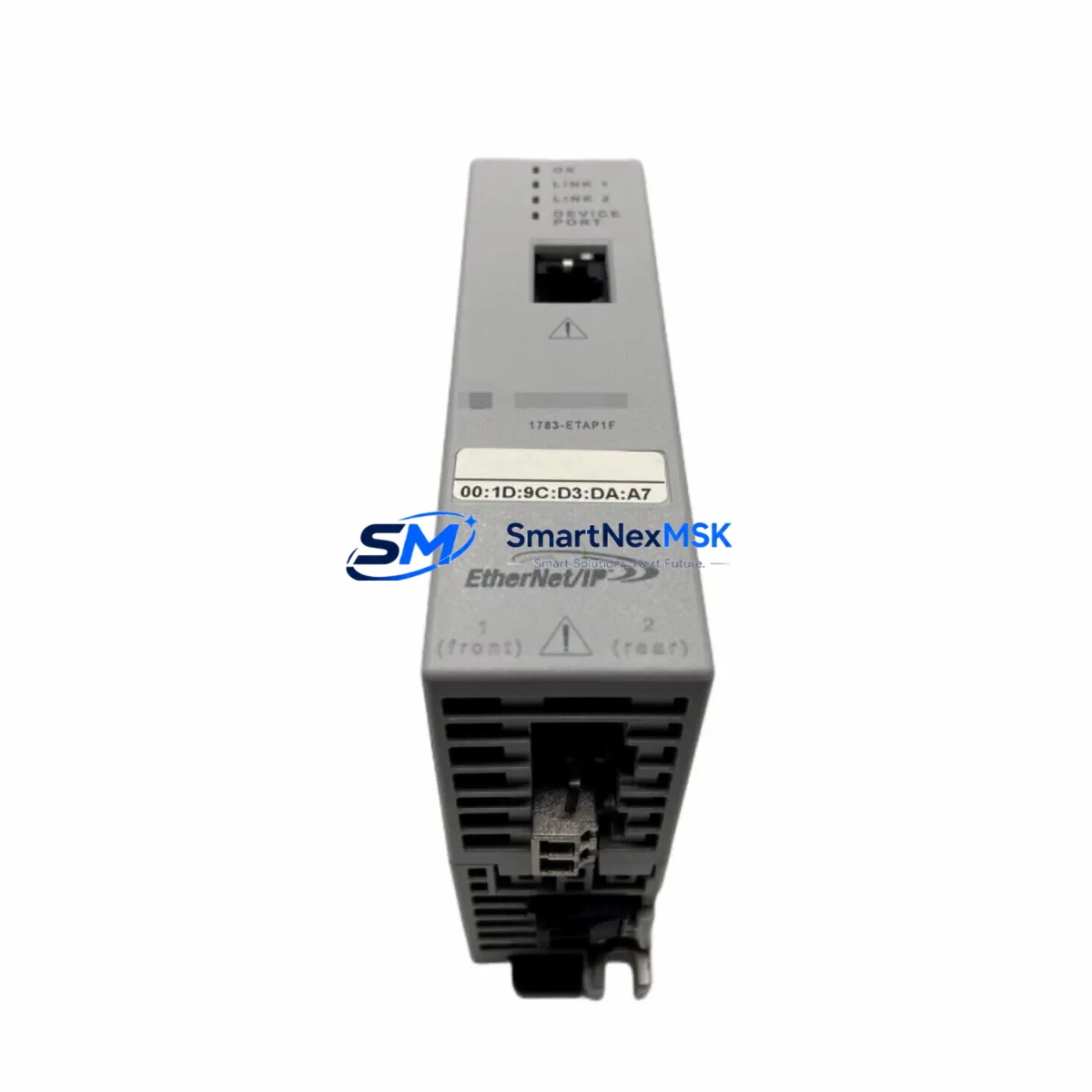
Allen-Bradley 1783-ETAP1F Maintenance-Ready Spare Stratix Automation
The Allen-Bradley 1783-ETAP1F is an EtherNet/IP in-line network tap designed for passive network monitoring and diagnostics within Stratix-based industrial Ethernet architectures. As a critical infrastructure component in Rockwell Automation control systems, the 1783-ETAP1F enables maintenance engineers to monitor live network traffic without interrupting production — making it an essential spare for any facility running Allen-Bradley PLCs, Stratix managed switches, or ControlLogix/CompactLogix-based automation systems.
Unplanned network downtime in industrial environments can cascade rapidly: a failed or degraded network tap can disrupt I/O communication between the PLC backplane and field devices, trigger nuisance faults on drives and safety relays, and ultimately halt production lines. Stocking a verified original 1783-ETAP1F spare eliminates this risk. Our units are sourced from authorized supply chains, individually tested prior to shipment, and backed by a 12-month warranty — ensuring you receive a production-ready component, not a refurbished or counterfeit substitute.
Spare Maintenance Table
| Parameter | Specification |
|---|---|
| Part Number | 1783-ETAP1F |
| Brand | Allen-Bradley / Rockwell Automation |
| Series | Stratix EtherNet/IP Tap |
| Product Type | EtherNet/IP In-Line Network Tap |
| Network Protocol | EtherNet/IP (IEEE 802.3) |
| Port Configuration | 1× Fiber (100BASE-FX) + 2× Copper (10/100BASE-T) |
| Tap Mode | Passive in-line monitoring (non-intrusive) |
| Power Supply | 24V DC (via DIN rail power module) |
| Operating Temperature | 0°C to 60°C (32°F to 140°F) |
| Mounting | DIN rail (35 mm) |
| Enclosure Rating | IP20 |
| Compatibility | Stratix 5700, Stratix 5400, ControlLogix, CompactLogix, GuardLogix |
| Certifications | UL, CE, cUL |
| Origin | United States |
| Warranty | 12 Months (SMARTNEXMSK) |
| Condition | Original, New / Tested-Before-Shipment |
| Lead Time | In Stock — Ships within 1–3 business days |
Maintenance Planning for Continuous Operation
When a maintenance or procurement engineer schedules replacement of the 1783-ETAP1F, the surrounding network and control infrastructure should be inspected simultaneously to prevent repeat failures and maximize uptime. The 1783-ETAP1F sits at the intersection of the physical network layer and the PLC communication stack, so its replacement is an ideal trigger for a broader control cabinet audit.
Begin by verifying the 24V DC DIN rail power supply feeding the tap and adjacent Stratix switch modules — power ripple or voltage sag is a common root cause of intermittent network faults. Inspect the Stratix 5700 or Stratix 5400 managed switch ports connected to the tap for CRC errors or port flapping events logged in the switch diagnostics. Check the 1783-ETAP2F (dual-fiber variant) if your topology requires redundant fiber paths, as both tap models share the same DIN rail footprint and power requirements.
On the PLC side, confirm that the ControlLogix 1756-EN2T or 1756-EN2TR EtherNet/IP communication module is operating without I/O connection timeouts. If the system uses a CompactLogix 5380 or 5069-L3 controller, verify the embedded Ethernet port link status and check for any RPI (Requested Packet Interval) violations in the controller task monitor. For safety-rated systems, the GuardLogix 1756-L8S safety controller should be confirmed as maintaining its safety network connection without any SNN (Safety Network Number) conflicts.
Inspect 1492-IFM industrial interface modules and terminal blocks on the I/O side for loose wiring or oxidized contacts that could introduce signal noise onto the network. If the cabinet includes a PowerFlex 525 or PowerFlex 755 drive communicating over EtherNet/IP, verify the drive’s embedded adapter is not generating excessive broadcast traffic that could saturate the tap’s monitoring port. For facilities using PanelView Plus 7 HMI terminals, confirm the HMI’s Ethernet connection to the Stratix switch is stable and that no IP address conflicts exist on the subnet.
Finally, review the 1783-MS10T Stratix 2000 unmanaged switch if present in the same cabinet segment — unmanaged switches cannot suppress broadcast storms and may contribute to network instability that accelerates tap wear. Replacing aging unmanaged switches with managed Stratix units during the same maintenance window is a cost-effective long-term reliability improvement.
Site Replacement Workflow
The 1783-ETAP1F is a direct plug-and-play replacement for earlier Allen-Bradley EtherNet/IP tap models sharing the same DIN rail form factor. No firmware configuration is required for the tap itself — it operates passively and does not require an IP address assignment. Follow this field workflow to minimize downtime:
Step 1 — Isolation: Notify the control room and place the affected PLC I/O tree in Program mode or inhibit the relevant I/O connection to prevent nuisance faults during the swap. Document the current network link status on the Stratix switch port connected to the tap.
Step 2 — Physical Removal: Disconnect the fiber and copper patch cables from the existing 1783-ETAP1F. Label each cable with its port assignment before removal. Release the DIN rail locking tab and slide the unit out. Inspect the DIN rail segment for corrosion or mechanical damage.
Step 3 — Installation: Clip the new 1783-ETAP1F onto the DIN rail. Reconnect the 24V DC power wiring, ensuring correct polarity. Reconnect fiber and copper cables per the original port labeling. Verify the power LED illuminates green.
Step 4 — Verification: Restore the PLC I/O connection and confirm all EtherNet/IP devices re-establish communication within the expected RPI window. Check the Stratix switch port statistics for zero CRC errors on the first 60 seconds of traffic. Log the replacement in the site maintenance record with the new unit’s serial number and warranty start date.
This workflow is compatible with all Stratix-based topologies including linear, ring (DLR), and star configurations, and does not require a network engineer to be on-site for execution by a qualified maintenance technician.
Spare Parts Support FAQ
Q1: Is the 1783-ETAP1F still in production, and can I source it long-term?
The 1783-ETAP1F has an established supply chain through authorized distributors and specialist industrial spare parts suppliers. SMARTNEXMSK maintains stock of this model and can support long-term procurement agreements for facilities requiring guaranteed availability over multi-year maintenance contracts. Contact our team to discuss blanket order arrangements.
Q2: How do I verify compatibility before installation?
The 1783-ETAP1F is compatible with all EtherNet/IP topologies supported by Rockwell Automation Stratix switches, including Stratix 5700 (1783-BMS series), Stratix 5400 (1783-HMS series), and Stratix 2000 (1783-MS series). Confirm your fiber cable type (multi-mode 100BASE-FX) matches the tap’s fiber port specification. No firmware version dependency exists on the tap itself.
Q3: What testing is performed before shipment?
Each 1783-ETAP1F unit shipped by SMARTNEXMSK undergoes pre-shipment functional verification including power-on LED status check, port continuity test, and visual inspection for physical damage. Units are packed in anti-static ESD-safe packaging with original documentation where available. A test report is available upon request for quality-critical procurement.
Q4: What does the 12-month warranty cover?
The 12-month warranty covers manufacturing defects and functional failures under normal operating conditions as specified in the Allen-Bradley 1783-ETAP1F product documentation. It does not cover damage resulting from incorrect installation, overvoltage, or environmental conditions outside the rated operating range. Warranty claims are processed directly through SMARTNEXMSK with a target response time of 2 business days.
© 2026 SMARTNEXMSK. All rights reserved.
Original Source: https://smartnexmsk.com
Contact: [email protected] | +86 18259474341



