
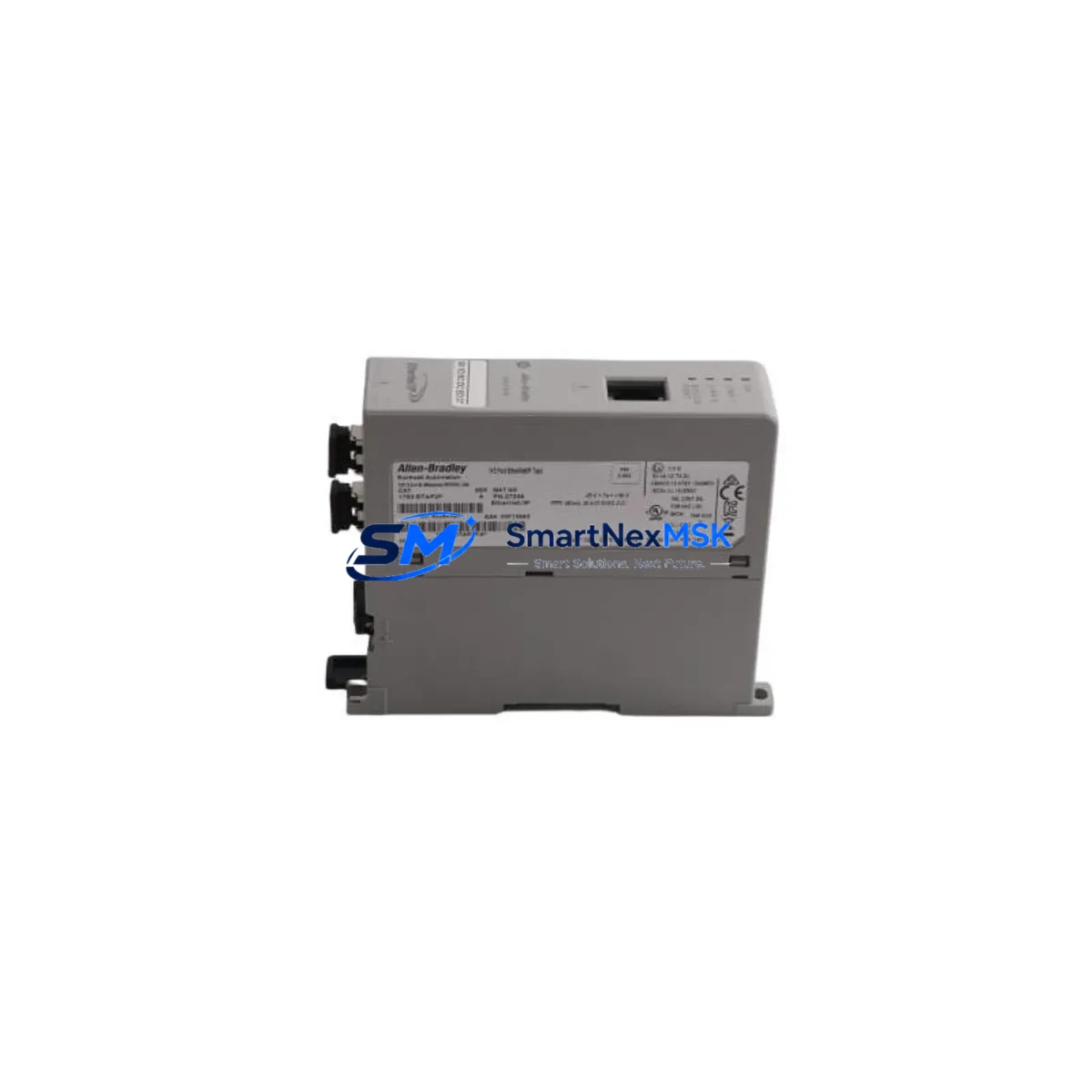
Allen-Bradley 1783-ETAP2F Retrofit-Ready EtherNet/IP Network Tap for Stratix 1783 Control Systems
The Allen-Bradley 1783-ETAP2F is a purpose-built EtherNet/IP Network Tap designed for seamless integration into existing Rockwell Automation control architectures. As legacy Stratix 1783 series infrastructure reaches end-of-life or requires expansion, the 1783-ETAP2F serves as a verified drop-in replacement and upgrade path for engineers managing aging automation networks across manufacturing, oil & gas, water treatment, and discrete process industries.
This module enables non-intrusive network monitoring and diagnostics on EtherNet/IP segments without disrupting live production traffic. It is fully compatible with the Stratix 1783 managed switch family and integrates directly into ControlLogix and CompactLogix controller environments via standard EtherNet/IP backplane communication. When replacing a failed or discontinued tap module, engineers can restore network visibility with minimal reconfiguration — no firmware re-flash required in most retrofit scenarios.
Upgrade Compatibility Table
| Parameter | Details |
|---|---|
| SKU / Part Number | 1783-ETAP2F |
| Brand / Manufacturer | Allen-Bradley (Rockwell Automation) |
| Compatible Series | Stratix 1783, ControlLogix, CompactLogix |
| Communication Protocol | EtherNet/IP (IEEE 802.3) |
| Port Configuration | 2 × Fiber (SFP) + 1 × Copper RJ45 |
| Installation Type | DIN Rail / Panel Mount |
| Power Supply Input | 24 VDC (verify existing PSU capacity before swap) |
| Replacement Compatibility | Direct replacement for 1783-ETAP, 1783-ETAP1F |
| Commissioning Requirement | IP address assignment via RSLinx or Studio 5000 |
| Firmware Compatibility | Compatible with existing Logix Designer project files |
| Warranty | 12 Months — covers hardware defects and DOA units |
Retrofit Planning for Existing Automation Systems
Successful integration of the 1783-ETAP2F into a legacy control system requires a structured pre-installation audit. Begin by reviewing the existing network topology documented in your Studio 5000 Logix Designer project. Confirm that the upstream Stratix 5700 or Stratix 8000 managed switch has sufficient port capacity and that the fiber SFP transceivers in use are compatible with the 1783-ETAP2F’s SFP slots — multimode LC connectors are standard, but verify against your installed fiber plant.
Power budget is a critical checkpoint. The 1783-ETAP2F draws power from a dedicated 24 VDC rail. Before installation, verify that the existing 1606-XLP or 1606-XLS power supply module in the control cabinet has sufficient headroom. If the cabinet is already near capacity, a supplemental power supply may be required before the tap can be safely commissioned.
Terminal wiring for the 24 VDC input follows standard Allen-Bradley conventions. Label and photograph all existing wiring before disconnection. If the retrofit involves replacing a 1783-ETAP or 1783-ETAP1F, the wiring footprint is nearly identical, reducing re-termination time significantly. Confirm the module address assignment in the I/O tree within your ControlLogix or CompactLogix controller — the 1783-ETAP2F must be assigned a unique IP address on the EtherNet/IP subnet before it will appear in RSLinx Classic or FactoryTalk Linx.
For systems that also include a 1783-BMS10CGP or 1783-BMS20CGL managed switch, the tap module can be configured to mirror traffic from a specific switch port for diagnostic purposes using SPAN (Switched Port Analyzer) functionality. This is particularly valuable during migration from older DeviceNet or ControlNet segments to EtherNet/IP, where parallel monitoring of both legacy and new network segments is required during the cutover window.
If the control system includes a PanelView Plus 7 or PanelView Plus 6 HMI, verify that the HMI communication path is not routed through the tap segment being replaced. HMI screen updates and alarm acknowledgment must remain uninterrupted during the swap. In most architectures, the HMI connects directly to the Stratix switch rather than through the tap, but this should be confirmed in the network diagram before work begins.
For systems using a 1756-EN2T or 1756-EN2TR EtherNet/IP communication module in the ControlLogix chassis, ensure the module’s IP configuration and connection parameters are preserved in the controller project. After installing the 1783-ETAP2F, perform a go-online operation in Studio 5000 to verify that all I/O connections — including remote 1734 POINT I/O or 1769 CompactLogix expansion modules — are re-established without faults. A 1585J Ethernet patch cable is recommended for the copper RJ45 connection during initial commissioning and loop-back testing.
Downtime Control During System Migration
Minimizing production downtime during a network tap replacement requires advance preparation and a disciplined cutover sequence. The recommended approach is to pre-configure the replacement 1783-ETAP2F offline — assign its IP address, configure SPAN port mirroring if required, and verify firmware version compatibility — before the scheduled maintenance window begins.
During the cutover, follow a hot-swap discipline: disconnect fiber and copper connections in sequence, swap the module, reconnect in reverse order, and confirm link-up LEDs before releasing the network segment back to production. The 1783-ETAP2F’s non-intrusive tap architecture means that even if the tap module itself fails, the primary EtherNet/IP data path between the switch and the end device remains intact — this is a key advantage over inline diagnostic devices that can cause network outages on failure.
Preserve the original controller program by uploading a backup from the ControlLogix or CompactLogix processor to an offline project file before beginning any physical work. If the system uses FactoryTalk AssetCentre for automated backup, verify that the most recent backup is current. After the swap, perform a controlled download only if firmware or configuration changes are required — in most like-for-like replacements, no program download is necessary, and the controller can remain in Run mode throughout the physical swap.
Document the post-installation network scan results from RSLinx or FactoryTalk Linx, and retain the commissioning report as part of the maintenance record. All units supplied by SMARTNEXMSK are pre-tested prior to shipment and covered by a 12-month warranty against hardware defects, ensuring that any DOA or early-life failure is resolved without additional cost to the end user.
Retrofit Support FAQ
Q: Is the 1783-ETAP2F a direct replacement for the 1783-ETAP and 1783-ETAP1F?
A: Yes. The 1783-ETAP2F is backward compatible with the 1783-ETAP and 1783-ETAP1F in most Stratix 1783 series applications. The primary difference is the dual fiber (SFP) port configuration on the 2F variant. Verify your existing fiber plant and SFP transceiver type before ordering.
Q: Do I need to modify my Studio 5000 project after installing the 1783-ETAP2F?
A: In a like-for-like replacement scenario, no program changes are required. The tap module does not appear as an I/O device in the controller project — it operates transparently on the network. Only IP address assignment via RSLinx or FactoryTalk Linx is required during commissioning.
Q: What pre-shipment testing is performed on this unit?
A: Every 1783-ETAP2F supplied by SMARTNEXMSK undergoes functional power-on testing and port link verification before dispatch. Units are shipped with original or equivalent packaging and include a 12-month warranty covering hardware defects and DOA conditions. Replacement or refund is processed within the warranty period without requiring return of the defective unit in most cases.
Q: Can this module be used in a fiber-to-copper media conversion application?
A: The 1783-ETAP2F supports fiber (SFP) and copper (RJ45) ports simultaneously, making it suitable for segments where fiber backbone connects to copper-based end devices. However, it is designed as a network tap, not a standalone media converter — confirm your network architecture with your controls engineer before deploying in a pure media conversion role.
© 2026 SMARTNEXMSK. All rights reserved.
Original Source: https://smartnexmsk.com
Contact: [email protected] | +86 18259474341



