
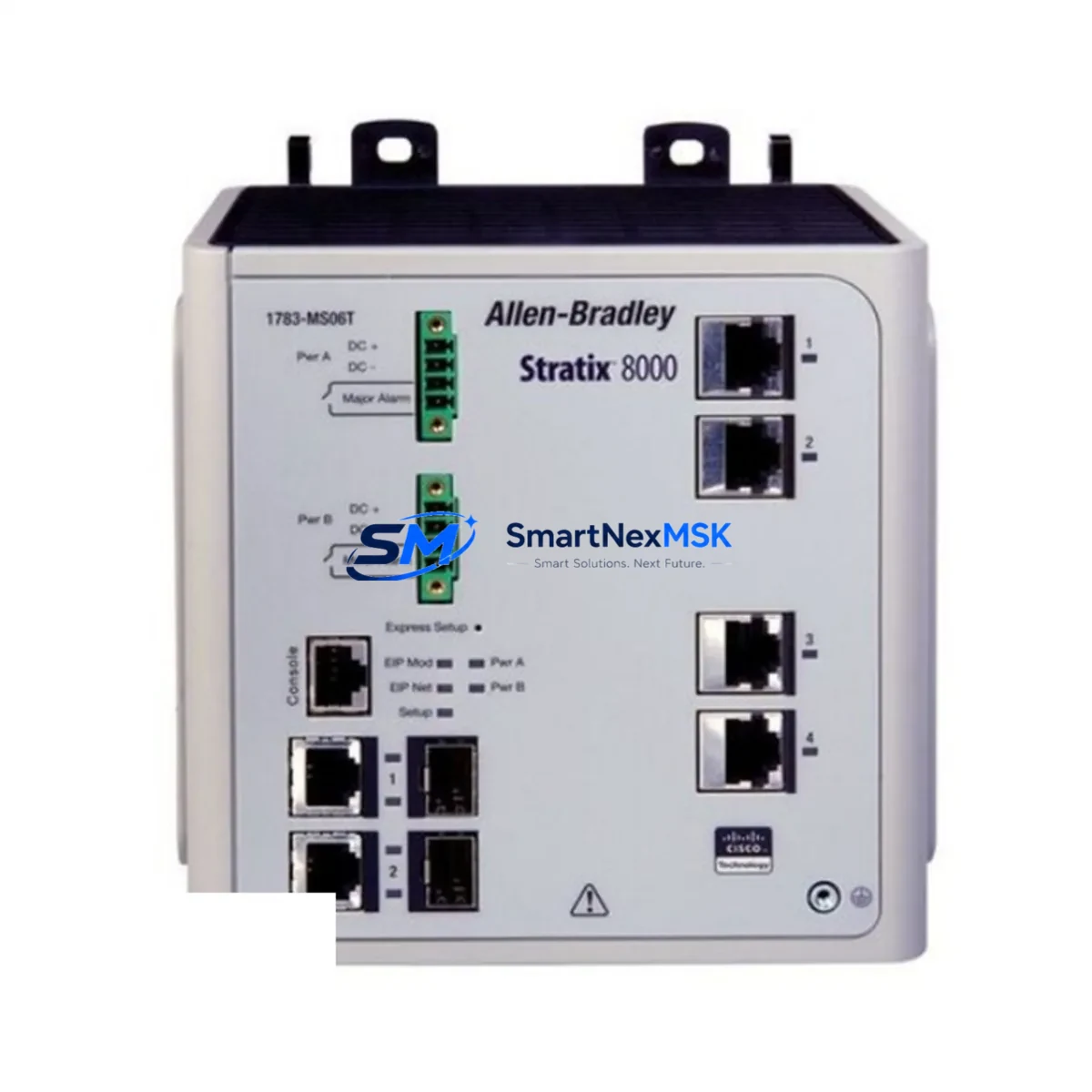
Allen-Bradley 1783-MS10T Maintenance-Ready Spare Stratix 2000 Automation
The Allen-Bradley 1783-MS10T is a 10-port unmanaged industrial Ethernet switch from the Stratix 2000 series, designed for device-level network connectivity in factory automation environments. As a maintenance-ready original spare, this unit supports rapid replacement in production lines, control cabinets, and machine-level networks where unplanned downtime carries significant operational cost. Whether you are managing a scheduled shutdown, responding to a network fault, or building out your critical spare inventory, the 1783-MS10T provides a direct, tested replacement that restores Stratix 2000 network topology without reconfiguration.
For maintenance engineers and procurement teams operating Allen-Bradley or Rockwell Automation control architectures, having a verified spare of the 1783-MS10T on the shelf is a foundational element of any downtime-reduction strategy. The switch operates across the full industrial temperature range, supports standard RJ45 copper ports, and integrates seamlessly into existing EtherNet/IP device-level ring or star topologies. Its plug-and-play design means replacement technicians do not require advanced network configuration skills, reducing mean time to repair (MTTR) and minimizing the risk of configuration errors during emergency maintenance windows.
This unit has been inspected, function-tested, and is shipped with full packaging. Each unit carries a 12-month warranty covering manufacturing defects and operational failures under normal industrial use conditions. Long-term supply continuity is supported for customers managing aging Stratix 2000 infrastructure or extending the service life of legacy Allen-Bradley control systems.
Spare Maintenance Table
| Parameter | Specification |
|---|---|
| Part Number | 1783-MS10T |
| Brand / Manufacturer | Allen-Bradley (Rockwell Automation) |
| Series | Stratix 2000 |
| Product Type | Unmanaged Industrial Ethernet Switch |
| Port Count | 10 × RJ45 10/100 Mbps Copper Ports |
| Protocol Support | EtherNet/IP, IEEE 802.3 |
| Operating Voltage | 24 VDC (Nominal) |
| Operating Temperature | 0°C to 60°C (32°F to 140°F) |
| Mounting | DIN Rail |
| Enclosure Rating | IP20 |
| Origin | United States |
| Compatibility | Stratix 2000 series; EtherNet/IP device-level networks; Allen-Bradley PLC/PAC systems |
| Replacement Scope | Direct drop-in for 1783-MS10T in existing Stratix 2000 topologies |
| Condition | Original, Function-Tested |
| Warranty | 12 Months |
| Shipping | Tested & Ready to Ship |
Maintenance Planning for Continuous Operation
When replacing the 1783-MS10T in a control cabinet or machine network, a thorough maintenance inspection of the surrounding electrical environment is essential to prevent repeat failures and ensure system stability. Maintenance engineers should begin by verifying the 24 VDC power supply feeding the switch — a failing or undersized power supply module, such as a 1606-XLP or equivalent Allen-Bradley power supply, is a common root cause of premature switch failure and should be load-tested before the new unit is commissioned.
Inspect all RJ45 patch cables and industrial Ethernet cables connected to the switch. Damaged, kinked, or improperly terminated cables can cause intermittent link faults that are often misdiagnosed as switch failures. Replace any cables showing signs of wear, particularly in high-vibration or high-temperature zones. Check the cable management within the control cabinet and ensure cables are not routed near high-voltage conductors or variable frequency drives (VFDs) without adequate shielding.
For systems using EtherNet/IP communication, verify the upstream managed switch — such as a Stratix 5700 or Stratix 5400 — is correctly configured for the device-level ring or star topology. If the 1783-MS10T was part of a ring segment, confirm that the ring supervisor settings on the managed switch are intact after replacement. Review the I/O module connections on the downstream PLCs or PACs, including 1756-EN2T or 1756-EN3TR EtherNet/IP communication modules, to confirm that all I/O connections re-establish correctly after the switch is restored.
During planned maintenance windows, it is also advisable to inspect terminal blocks and wiring on any connected I/O modules, relay output modules such as the 1756-OW16I, and analog input modules that feed signals through the EtherNet/IP network. Signal isolators and surge protection devices installed on field signal cables should be checked for degradation. If the control system includes a PanelView HMI terminal communicating over EtherNet/IP, verify that the HMI connection re-establishes and that all screen tags are updating correctly after the switch replacement. For systems with remote I/O over EtherNet/IP, confirm that all remote adapter modules — such as the 1734-AENT POINT I/O adapter — are online and communicating without faults.
Site Replacement Workflow
The 1783-MS10T is designed for straightforward field replacement with minimal downtime. Begin by documenting the existing cable port assignments before disconnecting any cables — a simple photograph or port map is sufficient. Power down the switch by disconnecting the 24 VDC supply, then remove the unit from the DIN rail. Mount the replacement 1783-MS10T on the DIN rail, reconnect the power supply, and reattach all Ethernet cables in their original port positions.
Because the 1783-MS10T is an unmanaged switch, no software configuration or firmware upload is required. The unit is operational immediately upon power-up. Verify link LEDs on all active ports and confirm that connected devices — PLCs, I/O adapters, HMI terminals, and VFD drives with EtherNet/IP cards — are communicating normally. For systems where the switch feeds a Logix 5000 controller, check the controller’s I/O tree in Studio 5000 Logix Designer to confirm all modules show a green status.
This replacement workflow is compatible with legacy Stratix 2000 installations and supports the transition from end-of-life network hardware to maintained spare inventory without requiring topology redesign. Keeping one or two 1783-MS10T units in your critical spare stock eliminates the lead time risk associated with sourcing this component during an unplanned outage, particularly for older production lines where the Stratix 2000 series remains the installed standard.
Spare Parts Support FAQ
Q: Is the 1783-MS10T still available as a new original spare?
A: Yes. We maintain stock of original Allen-Bradley 1783-MS10T units sourced from authorized supply chains. Each unit is function-tested prior to shipment and covered by a 12-month warranty. Contact us to confirm current availability and lead time.
Q: Can the 1783-MS10T replace an older or different-revision Stratix 2000 switch?
A: The 1783-MS10T is the standard 10-port copper variant of the Stratix 2000 series. It is compatible with existing Stratix 2000 network topologies and can replace earlier revisions of the same model without reconfiguration. For cross-model compatibility (e.g., replacing a fiber-port variant), please confirm port type requirements before ordering.
Q: What testing is performed before shipment?
A: Each 1783-MS10T unit undergoes power-on functional testing, port link verification, and visual inspection before packaging. Units that do not pass testing are not shipped. A test report is available upon request for quality-critical procurement processes.
Q: What does the 12-month warranty cover?
A: The warranty covers manufacturing defects and operational failures under normal industrial operating conditions for 12 months from the date of shipment. It does not cover damage resulting from incorrect installation, overvoltage, or physical impact. Warranty claims are processed promptly with replacement or refund options.
—
© 2026 SMARTNEXMSK. All rights reserved.
Original Source: https://smartnexmsk.com
Contact: [email protected] | +86 18259474341



