
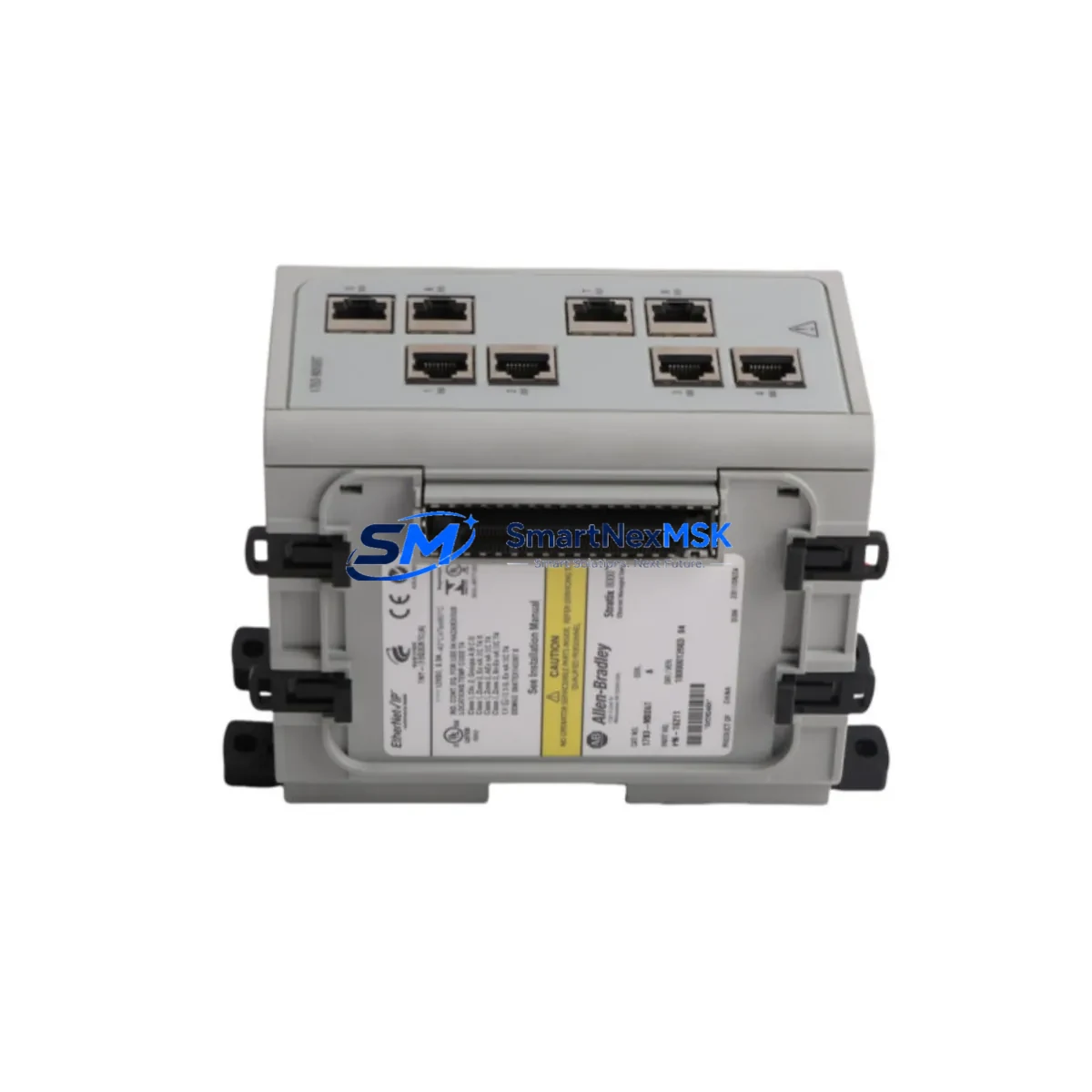
Allen-Bradley 1783-MX08T Maintenance-Ready Spare for Stratix 2000 Automation
The Allen-Bradley 1783-MX08T is an 8-port managed Ethernet switch from the Stratix 2000 series, engineered for deterministic industrial network performance in demanding automation environments. As a maintenance-ready original spare, the 1783-MX08T is a direct replacement for aging or failed units in Stratix 2000-based control architectures, enabling rapid restoration of network connectivity across PLC, DCS, HMI, and I/O subsystems without requiring firmware reconfiguration or topology redesign.
For maintenance engineers managing Allen-Bradley control systems, unplanned switch failure is a high-impact event. The 1783-MX08T supports 10/100 Mbps auto-negotiation across all eight ports, making it compatible with a wide range of connected devices including ControlLogix and CompactLogix PLCs, PanelView HMI terminals, and distributed I/O adapters. Holding a certified spare in your maintenance inventory eliminates the lead-time risk associated with sourcing managed switches during emergency downtime events.
Each unit is tested prior to shipment and covered by a 12-month warranty, giving procurement and maintenance teams confidence in both quality and long-term supply continuity.
Spare Maintenance Table
| Part Number | 1783-MX08T |
| Brand / Series | Allen-Bradley / Stratix 2000 |
| Product Type | Industrial Managed Ethernet Switch |
| Port Configuration | 8 × RJ45, 10/100 Mbps Auto-Negotiation |
| Power Supply | 24 VDC nominal (18–30 VDC range) |
| Operating Temperature | 0 °C to +60 °C |
| Mounting | DIN Rail |
| Protection Rating | IP30 |
| Compatibility | Stratix 2000 series; ControlLogix, CompactLogix, PanelView, 1734 POINT I/O |
| Certifications | UL, CE, cUL |
| Origin | United States |
| Condition | Original Spare — Tested Before Shipment |
| Warranty | 12 Months |
| Maintenance Recommendation | Inspect port LEDs, verify cable integrity, and confirm VLAN configuration after installation |
Maintenance Planning for Continuous Operation
When replacing the 1783-MX08T in a Stratix 2000 network segment, a thorough inspection of the surrounding electrical and communication infrastructure is essential to prevent repeat failures and ensure stable resumption of operations. Maintenance engineers should begin by verifying the 24 VDC power supply feeding the switch — a degraded or undersized power module such as the 1606-XLP power supply can cause intermittent resets that mimic switch hardware failure. Confirm input voltage is within the 18–30 VDC operating range before powering the replacement unit.
Inspect all Cat5e or Cat6 Ethernet cables connected to the switch, paying particular attention to connectors in high-vibration zones. Damaged or poorly terminated cables are a leading cause of port-level faults in industrial Ethernet networks. If the control cabinet houses a 1783-US5T or 1783-US8T unmanaged switch in a parallel segment, verify its port status as well, since a fault in one segment can propagate link-down events across the broader network topology.
For systems integrating ControlLogix or CompactLogix PLCs via EtherNet/IP, confirm that the 1756-EN2T or 1769-L33ER communication module is correctly addressed and that the I/O tree has re-established connections after the switch replacement. If the cabinet includes a 1734-AENT POINT I/O adapter, verify that its IP address and RPI settings are intact. PanelView Plus HMI terminals connected through the switch should be power-cycled to re-establish their FactoryTalk View connections.
Where signal isolation is required between the control network and field devices, inspect any installed 1492-IFM interface modules or signal isolators for continuity. Terminal blocks and wiring ferrules in the Ethernet patch panel area should be checked for looseness, corrosion, or thermal stress — particularly in environments with wide temperature cycling. If the system uses a 1783-BMS10CGP Stratix 5700 as the backbone switch, confirm that the uplink port connecting to the 1783-MX08T segment is operating at the correct speed and duplex setting.
For aging systems where the 1783-MX08T is approaching end-of-service, consider stocking a secondary spare alongside related components: the 1783-MX08F fiber variant for long-distance segments, and 1783-US5T for non-managed drop points. Proactive spare inventory across the full network layer significantly reduces mean time to repair (MTTR) during unplanned outages.
Site Replacement Workflow
Step 1 — Isolate and document: Before removing the failed 1783-MX08T, photograph the existing cable layout and label each port connection. Record the switch’s managed configuration if accessible via the web interface, including VLAN assignments, port speed settings, and any QoS policies applied to EtherNet/IP traffic.
Step 2 — Power down safely: De-energize the 24 VDC supply to the switch. Do not hot-swap managed switches in active EtherNet/IP networks without first placing the PLC in a safe state, as abrupt link loss can trigger I/O faults in the ControlLogix or CompactLogix controller.
Step 3 — Install the replacement unit: Mount the new 1783-MX08T on the DIN rail, reconnect all Ethernet cables in the documented port order, and restore 24 VDC power. The switch will auto-negotiate port speeds with connected devices.
Step 4 — Restore and verify: Confirm all port link LEDs are active. From the PLC programming terminal, verify that all EtherNet/IP I/O connections have re-established and that no faulted modules remain in the I/O tree. Test HMI communication and confirm that any SCADA or historian connections have resumed data collection.
Step 5 — Update maintenance records: Log the replacement date, unit serial number, and any configuration changes. Schedule the next inspection interval based on the site’s preventive maintenance calendar.
This workflow is compatible with direct replacement of earlier Stratix 2000 variants and does not require firmware updates for standard port-switching applications, minimizing downtime to under 30 minutes in most field scenarios.
Spare Parts Support FAQ
Q: Is the 1783-MX08T still available as a new original spare?
A: Yes. We maintain stock of original Allen-Bradley 1783-MX08T units sourced through authorized industrial distribution channels. Each unit is inspected and tested before shipment. Long-term supply continuity is supported for system operators who need to maintain Stratix 2000 networks beyond the product’s standard lifecycle.
Q: How do I verify compatibility before installation?
A: The 1783-MX08T is compatible with all Stratix 2000 series deployments using standard 10/100 Mbps Ethernet. Confirm your cabinet’s power supply output is within 18–30 VDC and that connected devices (PLCs, HMIs, I/O adapters) use RJ45 copper interfaces. No firmware matching is required for basic switching operation.
Q: What testing is performed before shipment?
A: Every 1783-MX08T undergoes port-level connectivity testing, power-on self-test verification, and visual inspection for physical damage prior to dispatch. Units are packaged in anti-static materials with protective foam to prevent transit damage.
Q: What does the 12-month warranty cover?
A: The 12-month warranty covers hardware defects and functional failures under normal operating conditions. If a unit fails within the warranty period, we provide a replacement or full refund. Warranty claims are processed within 5 business days of receiving the returned unit.
© 2026 SMARTNEXMSK. All rights reserved.
Original Source: https://smartnexmsk.com
Contact: [email protected] | +86 18259474341



