
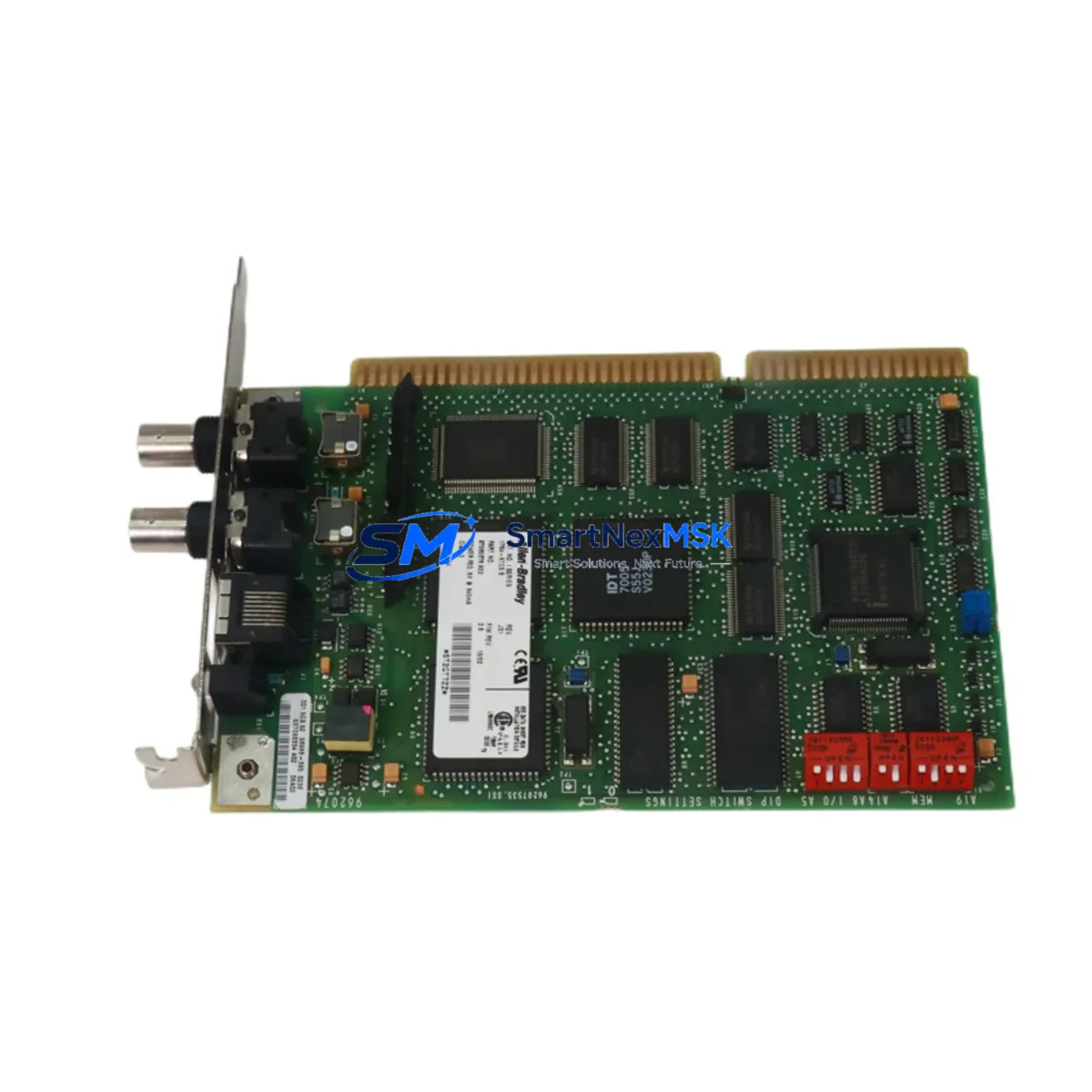
Allen-Bradley 1784-KTCS Spare for 1784 Series Automation: Spare Parts Replacement & Industrial Downtime Control
The Allen-Bradley 1784-KTCS is an original ControlNet ISA scanner card designed for integration into PLC-5 and SLC 500 control systems operating on the 1784 Series communication platform. For maintenance engineers managing aging automation infrastructure, this card represents a critical spare that directly impacts network uptime, I/O scan integrity, and real-time data exchange across the ControlNet backbone. Sourcing a verified original 1784-KTCS from a reliable supplier eliminates the risk of counterfeit components entering your control cabinet and causing cascading communication failures.
Industrial facilities running legacy Rockwell Automation architectures frequently encounter ControlNet scanner card degradation due to ISA bus wear, thermal cycling, and extended service life beyond the original design envelope. When the 1784-KTCS fails or begins exhibiting intermittent communication faults, the impact is immediate: PLC-5 rack communication drops, SLC 500 I/O modules lose synchronization, and HMI screens go blank. Planned replacement with a pre-tested original spare is the most effective strategy to prevent unplanned shutdowns and protect production continuity.
At SMARTNEXMSK, every 1784-KTCS unit is inspected, function-tested, and shipped with a 12-month warranty. Our inventory is sourced from verified channels, ensuring full compatibility with existing 1784 Series ControlNet networks without requiring firmware reconfiguration or network re-addressing.
Spare Maintenance Table
| Parameter | Specification |
|---|---|
| Part Number | 1784-KTCS |
| Brand | Allen-Bradley (Rockwell Automation) |
| Series | 1784 ControlNet Communication |
| Form Factor | ISA Bus Card |
| Network Protocol | ControlNet (Coax, RG-6) |
| Compatible Systems | PLC-5, SLC 500, ControlNet 1784 Series |
| Bus Interface | ISA 16-bit |
| Operating Voltage | 5 VDC (ISA bus supplied) |
| Operating Temperature | 0°C to 60°C |
| Humidity | 5% to 95% non-condensing |
| Origin | USA |
| Condition | Original / Tested Spare |
| Installation | ISA slot in industrial PC or programming terminal |
| Warranty | 12 Months |
| Shipping | Tested & inspected before dispatch |
Maintenance Planning for Continuous Operation
When replacing the 1784-KTCS in a ControlNet-based control system, a thorough inspection of the surrounding electrical environment is essential to ensure the root cause of failure is addressed and not just the symptom. Maintenance engineers should begin by verifying the integrity of the ControlNet coaxial cable and BNC connectors, as signal degradation from damaged coax is a leading cause of premature scanner card failure. The 1784-PCICS PCI ControlNet scanner card should be evaluated as a modern replacement path if the host PC no longer supports ISA slots.
Within the PLC-5 rack, inspect the 1771-P4S or 1771-P7 power supply modules for output voltage stability, as undervoltage conditions on the backplane can corrupt scanner card firmware and cause erratic ControlNet node behavior. The 1785-L80B or 1785-L60B PLC-5 processor modules should be checked for firmware revision compatibility with the ControlNet network map. If the system includes SLC 500 remote I/O racks, verify that the 1747-SN scanner module and associated 1746-A13 chassis backplane are free from corrosion and loose seating.
For systems using 1784-KTX or 1784-KTXD DeviceNet scanner cards in the same industrial PC, confirm that IRQ and DMA channel assignments do not conflict with the 1784-KTCS ControlNet card. Terminal blocks and wiring on the ControlNet tap should be inspected for oxidation, particularly in high-humidity environments. Signal isolators on analog I/O loops connected to the ControlNet network should be tested for drift, as faulty isolation can introduce ground loops that affect scanner card diagnostics.
If the facility uses a 2711P PanelView Plus HMI communicating over ControlNet, verify that the HMI node address and scheduled connection parameters are correctly mapped after the scanner card replacement. Fuse holders on the 24 VDC control power rail feeding the industrial PC should be inspected and replaced if showing signs of heat discoloration. Maintaining a minimum spare inventory of one 1784-KTCS card per ControlNet segment is recommended for facilities with zero-tolerance downtime requirements.
Site Replacement Workflow
Step 1 – Pre-Replacement Verification: Document the existing ControlNet network map, node addresses, and scheduled connection parameters using RSNetWorx for ControlNet before powering down. Export the PLC-5 program from the 1785-series processor to a backup file.
Step 2 – Safe Shutdown: Place the PLC-5 processor in Program mode. Notify operators and confirm all controlled processes are in a safe state. Power down the industrial PC hosting the 1784-KTCS card.
Step 3 – Card Removal & Inspection: Remove the failed 1784-KTCS from the ISA slot. Inspect the ISA bus connector for bent pins or carbon deposits. Clean the slot with compressed air before installing the replacement card.
Step 4 – Install Replacement 1784-KTCS: Seat the new card firmly in the ISA slot. Reconnect the ControlNet coaxial tap. Secure the card bracket and verify the BNC connection is finger-tight.
Step 5 – Network Re-commissioning: Power up the industrial PC. Launch RSNetWorx for ControlNet and verify that the 1784-KTCS node appears on the network. Confirm all scheduled and unscheduled connections are restored. Place the PLC-5 processor back in Run mode and verify I/O status.
Step 6 – Post-Replacement Test: Monitor the ControlNet diagnostic LEDs on the 1784-KTCS for a minimum of 30 minutes. Verify HMI communication, I/O scan times, and alarm status before returning the system to full production.
This workflow minimizes mean time to repair (MTTR) and ensures system compatibility is maintained without requiring network re-addressing or PLC program modification.
Spare Parts Support FAQ
Q1: Is the 1784-KTCS still available as a new original spare?
The 1784-KTCS has reached end-of-life status from Rockwell Automation, but original tested units remain available through authorized spare parts suppliers. SMARTNEXMSK maintains verified stock of original 1784-KTCS cards, each inspected and function-tested before shipment. All units are covered by a 12-month warranty.
Q2: What is the recommended spare inventory strategy for ControlNet scanner cards?
For facilities with critical ControlNet segments, maintaining one spare 1784-KTCS per ControlNet network segment is the industry-standard recommendation. Given the end-of-life status of ISA-based scanner cards, procurement engineers should consider securing a multi-unit buffer stock to cover a 3–5 year maintenance horizon, particularly for systems where migration to newer PCI or PCIe ControlNet platforms is not yet planned.
Q3: How is compatibility verified before shipment?
Each 1784-KTCS unit undergoes functional testing on a ControlNet test bench prior to dispatch. Compatibility with PLC-5 and SLC 500 ControlNet architectures is verified against the original Rockwell Automation specification. Units that do not pass the full test protocol are not shipped. A test report is available upon request.
Q4: What is covered under the 12-month warranty?
The 12-month warranty covers manufacturing defects and functional failures under normal operating conditions. It does not cover damage resulting from incorrect installation, overvoltage events, or physical mishandling. In the event of a warranty claim, SMARTNEXMSK provides a replacement unit or full refund, with return shipping coordinated by our support team.
© 2026 SMARTNEXMSK. All rights reserved.
Original Source: https://smartnexmsk.com
Contact: [email protected] | +86 18259474341



