
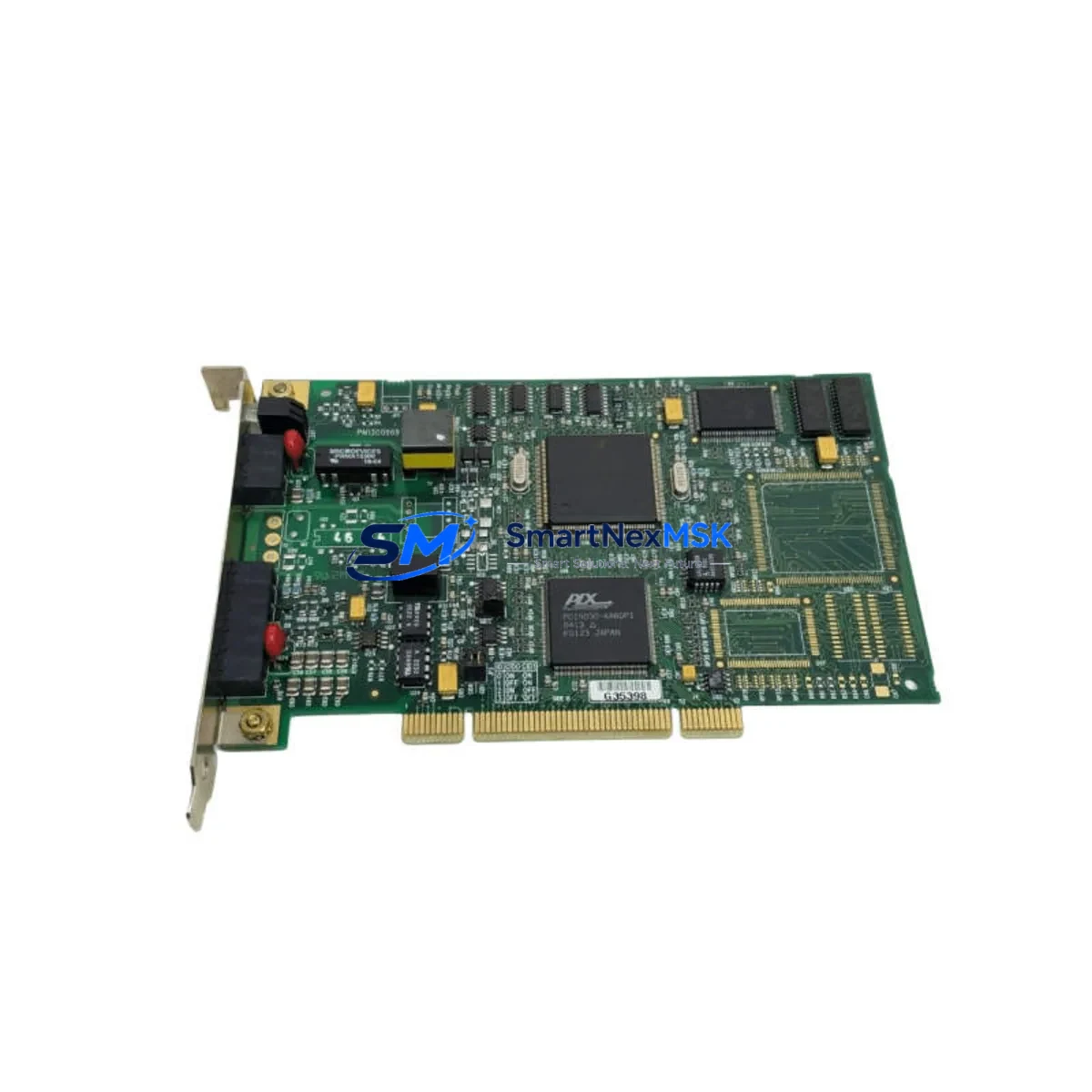
Allen-Bradley 1784-PKTX/B Maintenance-Ready Spare for ControlNet Automation
The Allen-Bradley 1784-PKTX/B is a Series B ControlNet PCI Network Interface Card designed for industrial automation environments where network reliability and uptime are non-negotiable. As a maintenance-ready original spare, this card enables maintenance and procurement engineers to execute rapid board-level replacements in ControlNet-based control architectures — minimizing unplanned downtime and restoring production continuity with confidence. Whether you are managing a planned shutdown, responding to a network fault, or building a strategic spare parts inventory for aging Rockwell Automation systems, the 1784-PKTX/B is a proven, field-tested component that supports long-term system availability.
ControlNet is a deterministic, high-speed industrial network widely deployed in process control, discrete manufacturing, and hybrid automation environments. The 1784-PKTX/B provides a direct PCI-bus interface between a host workstation or programming terminal and the ControlNet network, enabling RSLogix 5000, RSNetWorx for ControlNet, and FactoryTalk-based communication. When this card fails or degrades, the entire programming and supervisory communication path to the ControlNet segment is interrupted — making a verified, tested spare immediately critical to recovery operations.
Spare Maintenance Table
| Parameter | Specification |
|---|---|
| Part Number | 1784-PKTX/B |
| Series | Series B |
| Brand | Allen-Bradley / Rockwell Automation |
| Product Type | ControlNet PCI Network Interface Card |
| Bus Interface | PCI (32-bit, 33 MHz) |
| Network Protocol | ControlNet (IEC 61158) |
| Data Rate | 5 Mbps |
| Connector Type | BNC (coaxial), dual-port redundant media |
| Operating Temperature | 0°C to 60°C |
| Compatible Software | RSLinx Classic, RSNetWorx for ControlNet, FactoryTalk |
| Compatible Systems | ControlLogix, PLC-5, SLC 500 via ControlNet bridge |
| Installation | PCI slot in programming workstation or HMI PC |
| Origin | USA |
| Condition | Original, tested before shipment |
| Warranty | 12 Months |
Maintenance Planning for Continuous Operation
When replacing the 1784-PKTX/B in a ControlNet-connected workstation, a thorough maintenance inspection of the surrounding system components is essential to prevent repeat failures and ensure full network restoration. Maintenance engineers should begin by verifying the integrity of the ControlNet coaxial cabling and BNC connectors — degraded cable or loose terminations are a common root cause of intermittent NIC faults that are often misdiagnosed as card failures.
The ControlNet network tap and repeater modules (such as the 1786-RPCD or 1786-TPS) should be inspected for physical damage and signal integrity. If the workstation hosting the 1784-PKTX/B also runs RSLinx Classic as a communication server for other devices on the network, verify that the 1756-CNB or 1756-CNBR ControlNet Bridge Module in the ControlLogix chassis is operating normally and that its network address and scheduled connection parameters are intact after the card swap.
For systems where the 1784-PKTX/B interfaces with a PLC-5 or SLC 500 platform via ControlNet, check the 1785-CHBM or 1747-SCNR scanner modules for firmware version compatibility and connection status. Power supply stability in the workstation chassis is equally important — an unstable 5V or 3.3V PCI rail can cause premature NIC failure; verify the PC power supply output with a multimeter before installing the replacement card.
Procurement engineers building a spare parts list around the 1784-PKTX/B should also consider stocking the 1784-PCIDS (ControlNet PCI card for DeviceNet integration), 1756-EN2T Ethernet/IP communication modules, and 1769-L30ER CompactLogix processors as complementary spares for mixed-network control cabinets. For HMI-connected systems, the PanelView Plus 6 communication module and associated Ethernet patch cables should be included in the cabinet inspection checklist. Signal isolators on analog I/O loops and 24VDC power distribution fuses in the control panel should also be verified during any planned maintenance window that involves network card replacement.
Site Replacement Workflow
Step 1 — Pre-replacement verification: Before removing the existing 1784-PKTX/B, document the current RSLinx Classic driver configuration, including the network address, scheduled connection list, and any unscheduled connection mappings. Export the RSNetWorx for ControlNet network configuration file as a backup.
Step 2 — Safe shutdown: Place the ControlNet network in an unscheduled state if possible, or coordinate with the control room to suspend scheduled transfers. Power down the workstation following proper ESD precautions.
Step 3 — Physical swap: Remove the faulty 1784-PKTX/B from the PCI slot. Install the replacement Series B card, ensuring the BNC connectors are firmly seated and the coaxial cable terminations are secure. Verify that the card is fully seated in the PCI slot and secured with the bracket screw.
Step 4 — Driver reinstallation: Boot the workstation and install the appropriate RSLinx Classic driver for the 1784-PKTX/B. Restore the previously exported network configuration using RSNetWorx for ControlNet. Verify that all scheduled connections are re-established and that the network health indicator shows normal status.
Step 5 — Functional test: Confirm communication with all ControlNet nodes, verify I/O data exchange, and run a brief production cycle to validate full system restoration before returning the line to normal operation.
This replacement workflow is compatible with both new and legacy ControlNet topologies and supports a smooth transition from end-of-life hardware without requiring network reconfiguration or PLC program changes.
Spare Parts Support FAQ
Q1: Is the 1784-PKTX/B compatible with both ControlLogix and PLC-5 ControlNet systems?
Yes. The 1784-PKTX/B supports ControlNet communication with ControlLogix (via 1756-CNB bridge), PLC-5/C (native ControlNet), and SLC 500 systems equipped with a 1747-SCNR scanner. Compatibility is determined by the RSLinx Classic driver version and the RSNetWorx for ControlNet software installed on the host workstation.
Q2: How is the card tested before shipment?
Each 1784-PKTX/B unit undergoes functional verification prior to dispatch, including PCI bus communication testing and ControlNet port integrity checks. Units are shipped with anti-static packaging and include a test report upon request.
Q3: What is the spare parts lifecycle strategy for end-of-life ControlNet hardware?
Allen-Bradley has announced end-of-life for several ControlNet interface products. We recommend maintaining a minimum of one hot-spare 1784-PKTX/B per ControlNet-connected workstation in your facility. For plants with multiple ControlNet segments, a centralized spare parts cabinet with documented card-to-node mapping significantly reduces mean time to repair (MTTR) during unplanned outages.
Q4: What warranty and after-sales support is provided?
All units are covered by a 12-month warranty from the date of shipment. Warranty covers manufacturing defects and functional failures under normal operating conditions. Our technical team provides pre-sale compatibility verification and post-sale installation support via email and phone.
© 2026 SMARTNEXMSK. All rights reserved.
Original Source: https://smartnexmsk.com
Contact: [email protected] | +86 18259474341



