
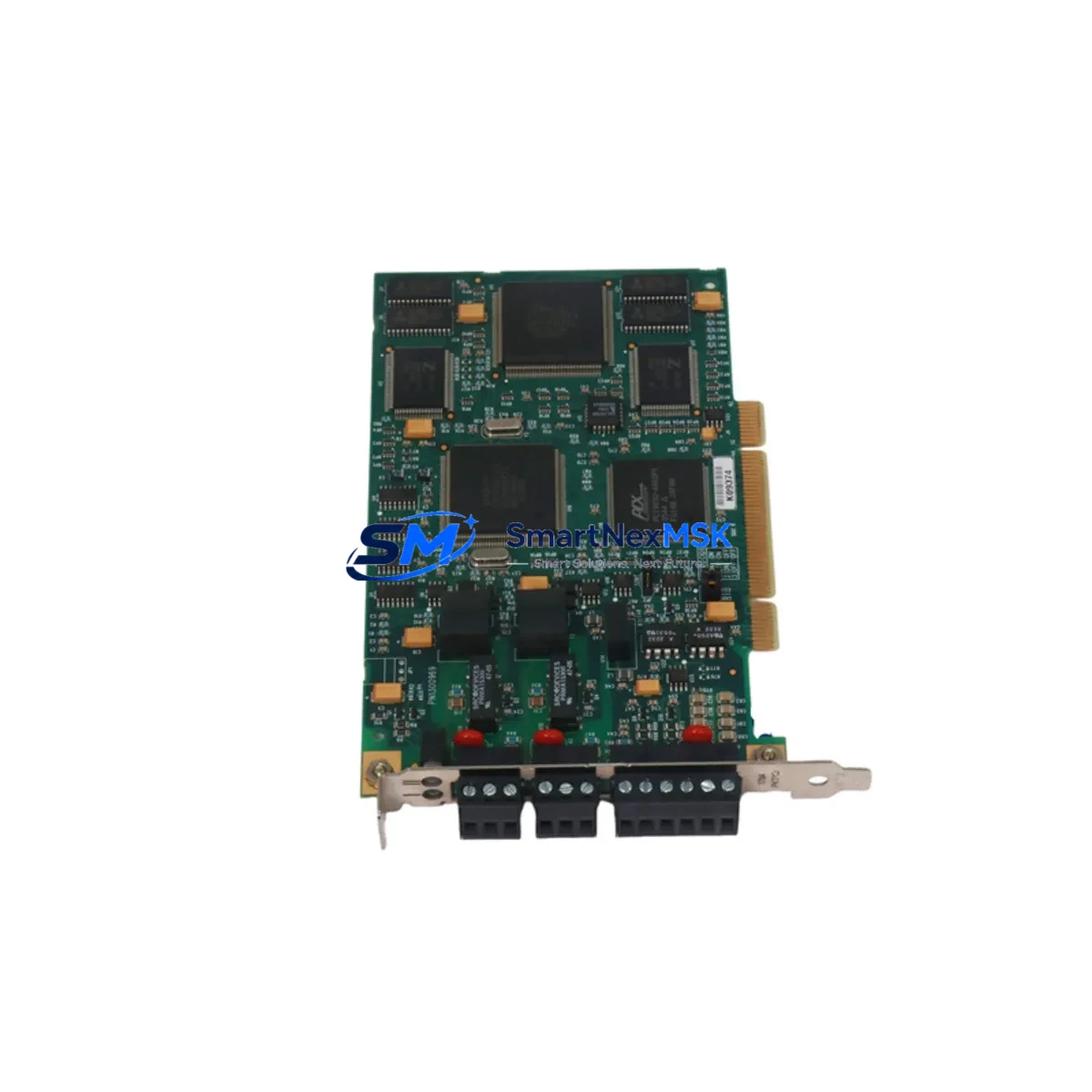
Allen-Bradley 1784-PKTXD Retrofit-Ready ControlNet Card for 1784 Series Control Systems
The Allen-Bradley 1784-PKTXD is a PCI-bus ControlNet interface card designed for seamless integration into legacy and modernized industrial control architectures. As a retrofit-ready replacement for discontinued 1784 Series communication cards, the 1784-PKTXD enables engineers to restore or upgrade ControlNet connectivity in existing control cabinets without requiring a full platform migration. Whether you are recovering a failed communication link, upgrading an aging workstation, or migrating from an older 1784-PCIC or 1784-PCICS card, the 1784-PKTXD provides a verified, drop-in compatible upgrade path backed by a 12-month warranty and pre-shipment functional testing.
Upgrade Compatibility Table
| Parameter | Details |
|---|---|
| SKU / Part Number | 1784-PKTXD |
| Brand / Manufacturer | Allen-Bradley (Rockwell Automation) |
| Series | 1784 ControlNet Interface Series |
| Bus Interface | PCI (32-bit, 33 MHz) |
| Network Protocol | ControlNet (IEC 61158) |
| Replaces / Upgrades | 1784-PCIC, 1784-PCICS, 1784-PKTX |
| Host OS Compatibility | Windows XP / 7 / 10 (32/64-bit with RSLinx Classic) |
| Software Requirement | RSLinx Classic 2.5x or later; RSNetWorx for ControlNet |
| Installation Type | PCI slot (standard desktop or industrial PC chassis) |
| Communication Channels | Dual BNC coaxial connectors (redundant media support) |
| Commissioning Notes | Node address set via RSNetWorx; verify network schedule after swap |
| Warranty | 12-Month Warranty — all units tested before shipment |
Retrofit Planning for Existing Automation Systems
Integrating the 1784-PKTXD into an existing ControlNet-based system requires careful pre-installation planning to ensure continuity of the control network and minimize disruption to production. Before removing the legacy card, engineers should document the current node address assignment using RSNetWorx for ControlNet and export the existing network schedule. This schedule governs the deterministic communication timing between the 1784-PKTXD and connected devices such as the 1756-CNB or 1756-CNBR ControlNet bridge modules installed in the ControlLogix 1756 chassis.
In systems where the host PC communicates with a ControlLogix L6x or L7x controller via ControlNet, the replacement card must be assigned the same node address as the outgoing unit to avoid disrupting the scheduled connection table. After physical installation in the PCI slot, RSLinx Classic must be configured with the correct driver — select “1784-PKTXD” from the driver list and confirm the card is detected before proceeding to RSNetWorx for schedule verification.
For older systems still running SLC 500 or PLC-5 controllers connected via ControlNet, the 1784-PKTXD maintains backward compatibility with legacy scheduled and unscheduled messaging. Engineers migrating from a 1784-PCIC should note that the PKTXD uses a different driver model and requires RSLinx Classic rather than the older RSLinx 32 driver stack. Confirm that the 1747-SCNR (SLC ControlNet scanner) or 1771-ACN15 (PLC-5 ControlNet adapter) firmware is current before re-establishing the network schedule.
In control cabinet upgrades where the industrial PC is being replaced alongside the ControlNet card, verify that the new chassis supports a standard PCI slot — many modern industrial PCs use PCIe exclusively, in which case the 1784-PKTXD/E (PCIe variant) should be specified instead. Also confirm that the 1786-RPA or 1786-RPFRL ControlNet repeater modules in the field wiring segment are functioning correctly, as a degraded repeater can cause intermittent communication faults that may be misattributed to the new card.
For I/O expansion projects where additional 1794-ACNR15 FLEX I/O ControlNet adapters are being added to the network, the 1784-PKTXD supports the additional scheduled bandwidth required, provided the network schedule is recalculated in RSNetWorx after adding new nodes. Always perform a full network health check — including coaxial cable continuity, BNC terminator resistance (75 Ω), and tap integrity — before commissioning the upgraded system.
Downtime Control During System Migration
Minimizing unplanned downtime during a ControlNet card replacement is achievable with structured preparation. The recommended approach is to perform the swap during a scheduled maintenance window, with the following sequence: first, back up the RSLinx Classic driver configuration and export the RSNetWorx network schedule file (.xc); second, power down the host PC and replace the 1784-PKTXD in the PCI slot; third, power up and confirm driver recognition in RSLinx before reconnecting to the ControlNet segment.
If the system uses a redundant ControlNet media configuration — with both BNC ports of the 1784-PKTXD connected to separate coaxial trunks — verify that both channels are active in RSNetWorx after commissioning. The original PLC or ControlLogix program logic does not require modification for a like-for-like card replacement; however, if the host PC’s RSLogix 5000 or Studio 5000 project references a specific driver path, update the communication path in the project properties to reflect the new driver instance. HMI screens connected via RSLinx Enterprise or FactoryTalk View SE should be verified for live data after the swap to confirm tag subscriptions are intact.
For sites where continuous production cannot be interrupted, consider staging the replacement on a parallel test bench using a spare 1756 chassis and a duplicate ControlNet segment before executing the live cutover. This approach allows full commissioning and schedule verification offline, reducing live cutover time to under 30 minutes in most installations.
Retrofit Support FAQ
Q: Is the 1784-PKTXD a direct replacement for the 1784-PCIC?
A: Yes, the 1784-PKTXD is the current recommended replacement for the discontinued 1784-PCIC and 1784-PCICS. Both cards provide ControlNet connectivity via a PCI slot, but the PKTXD requires RSLinx Classic and a updated driver configuration. Node address and network schedule settings must be re-applied after installation.
Q: What commissioning steps are required after installing the 1784-PKTXD?
A: After physical installation, install or confirm the RSLinx Classic driver, assign the correct node address via RSNetWorx for ControlNet, reload the saved network schedule, and verify all scheduled connections are active. Check both BNC ports if redundant media is in use.
Q: Will my existing ControlLogix or SLC 500 program need to be modified?
A: No program modifications are required for a like-for-like replacement. The controller program and I/O configuration remain unchanged. Only the RSLinx driver path and RSNetWorx schedule may need to be re-confirmed on the host PC side.
Q: What does the 12-month warranty cover?
A: All 1784-PKTXD units are functionally tested prior to shipment. The 12-month warranty covers hardware defects and communication failures under normal operating conditions. Units are shipped with full documentation and are eligible for technical support during the commissioning process.
© 2026 SMARTNEXMSK. All rights reserved.
Original Source: https://smartnexmsk.com
Contact: [email protected] | +86 18259474341



