
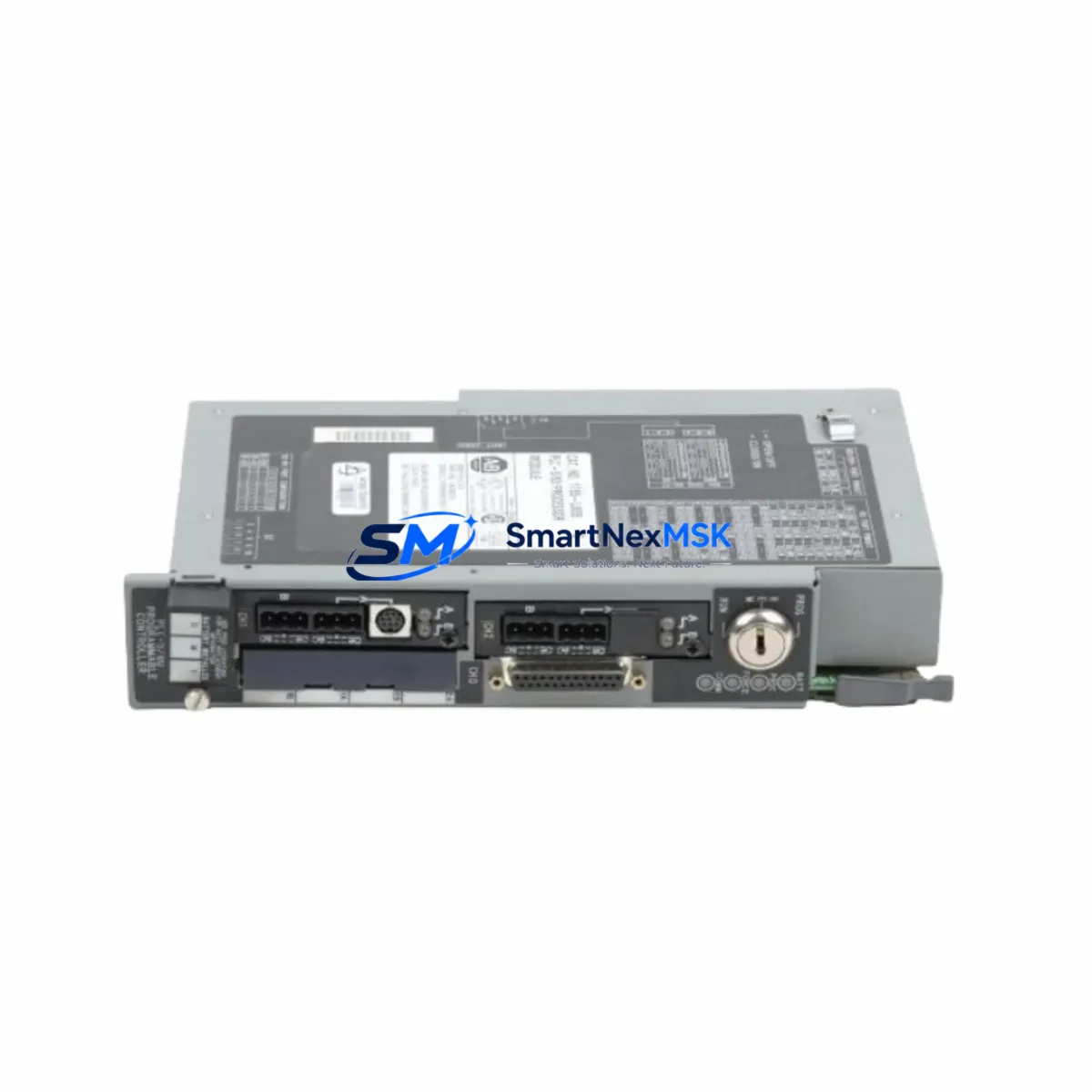
Allen-Bradley 1785-L20C15/E Maintenance-Ready Spare PLC-5 Automation
The Allen-Bradley 1785-L20C15/E is an original Rockwell Automation PLC-5/20C ControlNet processor module designed for continuous industrial operation in demanding automation environments. As a maintenance-ready spare, this unit supports rapid replacement in legacy PLC-5 control systems, minimizing unplanned downtime and protecting production continuity. Whether held in a critical-spares cabinet or sourced for emergency field replacement, the 1785-L20C15/E delivers verified compatibility with the full PLC-5/20C platform, backed by a 12-month warranty and pre-shipment functional testing.
Maintenance engineers and procurement teams managing aging Rockwell PLC-5 infrastructure rely on this processor module as a cornerstone of their spare-parts strategy. The 1785-L20C15/E integrates directly into existing ControlNet backplane architectures, preserving program memory, I/O mapping, and network node addressing without requiring re-engineering of the control cabinet. Its availability as a tested original spare reduces the risk of compatibility failures that commonly arise with counterfeit or refurbished alternatives.
Spare Maintenance Table
| Parameter | Specification |
|---|---|
| Part Number / SKU | 1785-L20C15/E |
| Brand | Allen-Bradley (Rockwell Automation) |
| Series | PLC-5/20C |
| Product Type | PLC Processor Module |
| Communication | ControlNet (Coax) |
| Memory | 64K Words User Memory |
| I/O Capacity | Up to 512 I/O Points |
| Power Supply Compatibility | 1771-P4S / 1771-P6S Series |
| Backplane Compatibility | 1771 I/O Chassis |
| Operating Voltage | 5 VDC (via backplane) |
| Operating Temperature | 0°C to 60°C |
| Mounting | 1771 Chassis Slot (Left-most) |
| Country of Origin | United States |
| Condition | Original / Surplus New |
| Pre-Shipment Testing | Yes — Functional verification included |
| Warranty | 12 Months |
| Typical Application | Discrete manufacturing, process control, material handling |
| Replacement Compatibility | Direct replacement for 1785-L20C15 Series A–D |
Maintenance Planning for Continuous Operation
When replacing the 1785-L20C15/E in a live control cabinet, a thorough inspection of surrounding components is essential to prevent repeat failures and ensure system stability. Maintenance engineers should begin by verifying the condition of the 1771-P4S or 1771-P6S power supply module — a degraded power supply is a leading cause of processor faults in aging PLC-5 systems. Confirm output voltage rails are within specification before inserting the replacement processor.
Next, inspect the 1771 I/O chassis backplane for signs of corrosion, bent connector pins, or heat damage. Faulty backplane connections can cause intermittent processor faults that are difficult to diagnose without physical inspection. Check all installed I/O modules — including 1771-OAD output modules and 1771-IAD input modules — for proper seating and verify that terminal block wiring is secure and correctly labeled.
ControlNet communication integrity is critical for the 1785-L20C15/E. Inspect the coaxial ControlNet trunk cable, BNC connectors, and any 1786-BNC taps for physical damage or impedance mismatch. A faulty ControlNet segment can prevent the replacement processor from establishing network communication even when the hardware itself is functional. If the system uses a 1786-RPCD ControlNet repeater, verify its status as part of the commissioning checklist.
For systems with remote I/O racks, confirm that the 1771-ASB remote I/O adapter modules are operational and that the remote I/O cable is properly terminated. Review the 1785-L20C15/E program file for any I/O force conditions or fault routines that may have been active prior to the failure. Clear all forces before returning the system to automatic operation.
Where HMI integration is present — such as a PanelView 550 or PanelView 900 terminal communicating via DH+ — verify that the 1785-KA5 or 1784-KTX communication card is functioning correctly and that the DH+ node address is correctly configured on the replacement processor. Signal isolators on analog I/O loops should also be checked for drift, particularly in high-temperature or high-vibration environments.
Maintaining a minimum spare-parts inventory that includes at least one 1785-L20C15/E processor, one compatible power supply, and a set of critical I/O modules is strongly recommended for facilities operating legacy PLC-5 systems. This inventory posture supports a target recovery time of under four hours for most unplanned outages.
Site Replacement Workflow
Step 1 — Pre-Replacement Preparation: Back up the existing PLC-5 program using RSLogix 5 or a compatible programming terminal. Save the program file, I/O configuration, and ControlNet schedule to a secure location. Document the current processor series revision and firmware version.
Step 2 — Safe De-energization: Follow site lockout/tagout (LOTO) procedures. Remove power from the 1771 chassis via the main disconnect. Allow capacitors in the power supply to discharge for a minimum of 30 seconds before handling the processor module.
Step 3 — Module Removal and Inspection: Remove the 1785-L20C15/E from the left-most slot of the 1771 chassis. Inspect the slot connector and backplane for damage. Clean with compressed air if contamination is present.
Step 4 — Replacement Installation: Insert the new 1785-L20C15/E firmly into the processor slot. Verify the module locking tab is fully engaged. Reconnect the ControlNet coaxial cable and any DH+ or RS-232 programming port connections.
Step 5 — Program Restore and Commissioning: Re-energize the chassis and download the saved program file to the replacement processor. Verify ControlNet node scheduling, I/O configuration, and communication status. Perform a controlled I/O test before returning the system to automatic mode.
This workflow is compatible with direct replacement of earlier 1785-L20C15 series revisions (A through D), reducing re-engineering time and maintaining full system compatibility without hardware modifications.
Spare Parts Support FAQ
Q1: Is the 1785-L20C15/E compatible with all PLC-5/20C chassis configurations?
Yes. The 1785-L20C15/E is designed for the 1771 I/O chassis platform and is compatible with all standard PLC-5/20C configurations using ControlNet communication. It is a direct replacement for earlier series revisions (A–D) of the same part number. Confirm the ControlNet schedule and I/O map match your existing configuration before going online.
Q2: What pre-shipment testing is performed on this unit?
Each 1785-L20C15/E unit undergoes functional verification prior to shipment, including power-on testing, memory integrity checks, and communication port validation. Units are shipped with protective packaging to prevent ESD damage and physical shock during transit. A test report is available upon request.
Q3: What does the 12-month warranty cover?
The 12-month warranty covers manufacturing defects and functional failures under normal operating conditions. It does not cover damage resulting from incorrect installation, overvoltage events, or physical mishandling. Warranty claims are processed with priority support, and replacement units are dispatched within 3 business days of claim approval.
Q4: How should this spare be stored if not immediately installed?
Store the 1785-L20C15/E in its original ESD-protective packaging in a dry environment between 0°C and 40°C with relative humidity below 85% (non-condensing). Avoid storage near strong magnetic fields or high-vibration equipment. Inspect the unit annually if held in long-term storage, and verify functionality on a test chassis before deploying in a live system.
© 2026 SMARTNEXMSK. All rights reserved.
Original Source: https://smartnexmsk.com
Contact: [email protected] | +86 18259474341



