
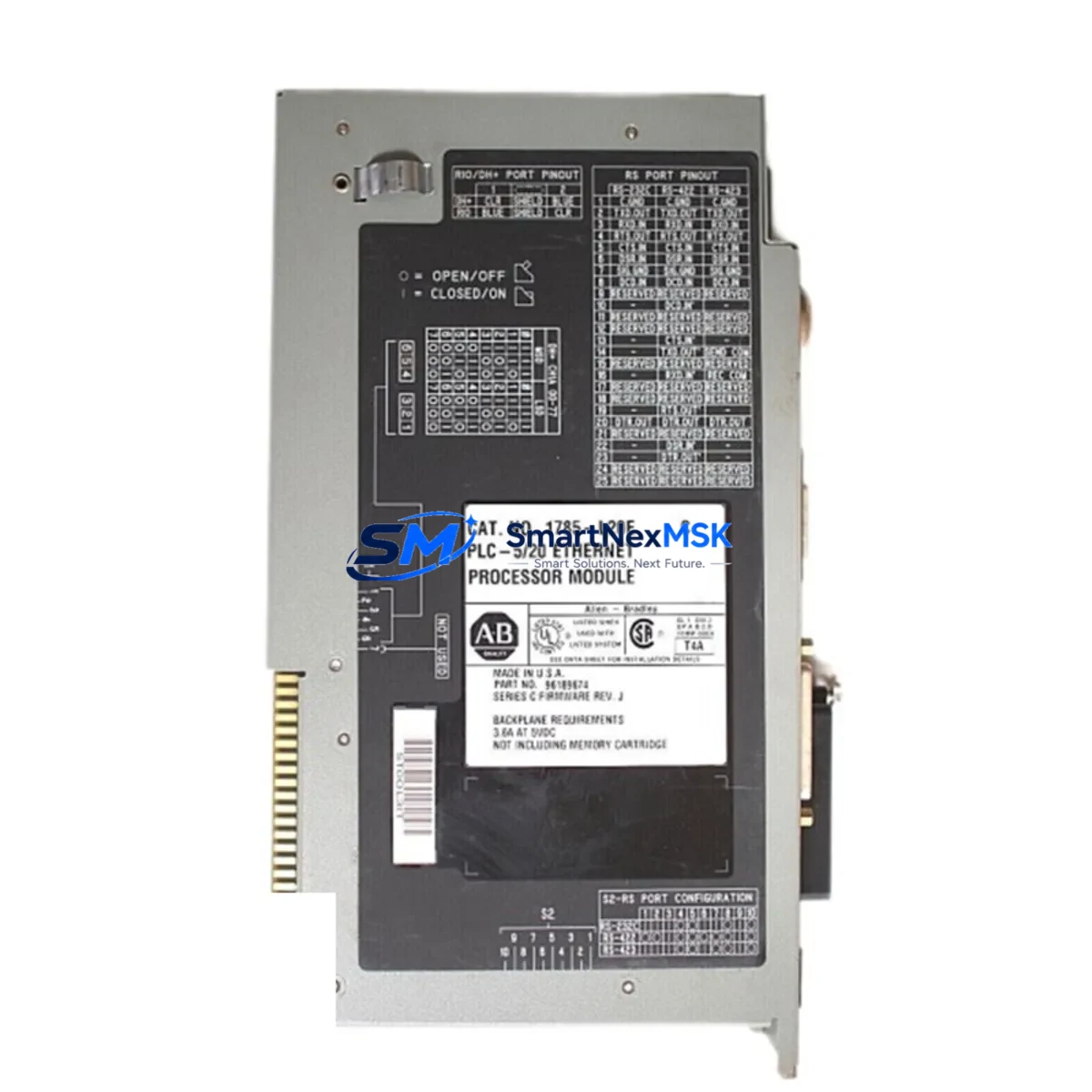
Allen-Bradley 1785-L20E Spare for PLC-5 Automation: Minimizing Downtime with Maintenance-Ready Inventory
The Allen-Bradley 1785-L20E is a PLC-5/20E Ethernet processor module manufactured by Rockwell Automation, designed for demanding industrial control environments where continuous operation is non-negotiable. As a maintenance-ready spare, the 1785-L20E supports rapid fault recovery in legacy PLC-5 systems still operating across manufacturing lines, process plants, utilities, and material handling facilities worldwide. Holding a verified original spare in your maintenance inventory is the single most effective strategy for reducing mean time to repair (MTTR) when a processor fault triggers an unplanned shutdown.
For maintenance engineers managing aging PLC-5 infrastructure, the 1785-L20E represents a critical node in the control architecture. Its integrated Ethernet interface allows direct connection to plant networks without an additional communication bridge, simplifying both diagnostics and firmware management during planned maintenance windows. Procurement engineers sourcing this module should confirm compatibility with the existing 1785-series backplane, verify the firmware revision against the site’s RSLogix 5 project file, and ensure the replacement unit has been fully tested and powered prior to shipment.
Every 1785-L20E unit supplied by SMARTNEXMSK undergoes pre-shipment functional verification, is backed by a 12-month warranty, and is available for long-term supply to support multi-site maintenance programs and scheduled capital replacement plans.
Spare Maintenance Table
| Parameter | Specification / Detail |
|---|---|
| SKU / Part Number | 1785-L20E |
| Brand | Allen-Bradley (Rockwell Automation) |
| Series | PLC-5 |
| Product Type | PLC Processor Module with Ethernet Interface |
| Memory Capacity | 16K Data / 16K Program Words |
| Communication | 10/100 Ethernet (EtherNet/IP), DH+, Remote I/O |
| I/O Capacity | Up to 512 discrete I/O points |
| Power Supply Compatibility | 1785-series chassis power supply (e.g., 1771-P4S, 1771-P7) |
| Backplane Compatibility | 1771-series I/O chassis |
| Operating Temperature | 0°C to 60°C |
| Programming Software | RSLogix 5 |
| Origin | USA |
| Condition | Original, New or Refurbished-to-Spec |
| Pre-Shipment Test | Yes — powered and functionally verified |
| Warranty | 12 Months from date of shipment |
| Long-Term Supply | Available for multi-unit and scheduled procurement |
Maintenance Planning for Continuous Operation
When replacing the 1785-L20E processor in a live PLC-5 control cabinet, a disciplined maintenance workflow requires more than a direct module swap. Maintenance engineers should treat the processor replacement as a full cabinet audit opportunity. Begin by inspecting the 1771-series chassis power supply — units such as the 1771-P4S or 1771-P7 are common companions to the PLC-5/20E and should be checked for output voltage stability and capacitor aging before the new processor is installed.
Next, verify the condition of all 1771-series I/O modules seated in the chassis. Analog input modules (e.g., 1771-IFE), digital output modules (e.g., 1771-OBD), and thermocouple input modules should be inspected for terminal corrosion, loose wiring, and LED fault indicators. A processor fault is sometimes a symptom of an upstream I/O module failure rather than the processor itself — replacing the 1785-L20E without auditing the I/O rack risks repeat faults.
Communication integrity is equally critical. Inspect the 1785-KA5 or 1785-KE communication adapter if the system uses a Data Highway Plus (DH+) network. Verify that the 1784-PCMK or 1784-U2DHP programming cable used for RSLogix 5 connectivity is functional and that the Ethernet port on the replacement 1785-L20E is correctly configured with the site IP address before going live.
For systems with remote I/O drops, check the 1771-ASB remote I/O adapter at each drop for proper termination and cable continuity. Faulty remote I/O cabling is a frequent source of intermittent faults that can be misdiagnosed as processor failures. Additionally, inspect terminal blocks and wiring ferrules throughout the cabinet — loose connections on 24VDC control circuits can cause spurious I/O faults that stress the processor’s scan cycle.
If the system includes an HMI panel communicating via DH+ or Ethernet (such as a PanelView 550 or PanelView 1000), confirm that the HMI program references match the tag database in the replacement processor’s RSLogix 5 project. Mismatched tag addresses after a processor swap are a common cause of post-maintenance HMI communication errors. Finally, verify that any signal isolators or surge protection devices on analog I/O circuits are intact, as these components protect the processor from field-side transients and are often overlooked during emergency replacements.
Site Replacement Workflow
Step 1 — Pre-Replacement Backup: Using RSLogix 5, upload and save the current processor program, data files, and configuration to a secure engineering workstation. Confirm the firmware revision of the existing 1785-L20E and match it to the replacement unit where possible.
Step 2 — Safe De-energization: Follow site LOTO (Lockout/Tagout) procedures. De-energize the 1771 chassis and allow capacitors in the power supply to discharge before removing the processor module from slot 0.
Step 3 — Module Swap: Seat the replacement 1785-L20E firmly into the chassis slot. Verify the keyswitch position matches the operational mode required (RUN/PROG). Reconnect the Ethernet cable and confirm the IP address configuration via the processor’s front-panel switches or via RSLogix 5 after power-up.
Step 4 — Program Download and Verification: Download the saved RSLogix 5 project to the replacement processor. Perform a full I/O force test on critical outputs before returning the system to automatic operation. Confirm all remote I/O drops are communicating and all HMI screens are displaying correctly.
Step 5 — Return to Service: Document the replacement in the site maintenance log, record the new module’s serial number, and update the spare parts inventory. Schedule the next planned inspection within 6 months to monitor the health of adjacent components in the same chassis.
Spare Parts Support FAQ
Q1: Is the 1785-L20E still available as a new original spare, and what is its lifecycle status?
The 1785-L20E is a legacy product from Rockwell Automation’s PLC-5 series, which has reached end-of-life for new production. However, original and refurbished-to-specification units remain available through specialist industrial spare parts suppliers. SMARTNEXMSK maintains stock of verified 1785-L20E modules to support sites that cannot yet migrate to ControlLogix or CompactLogix platforms. Long-term supply agreements are available for multi-site maintenance programs.
Q2: How is compatibility verified before shipment?
Each 1785-L20E unit is tested under power prior to shipment. Compatibility verification includes confirming the module seats correctly in a 1771-series chassis, that the Ethernet port initializes correctly, and that the processor enters RUN mode without fault. Customers are encouraged to provide their firmware revision requirement and chassis configuration details at the time of order to ensure the closest possible match.
Q3: What does the 12-month warranty cover, and how is a warranty claim handled?
The 12-month warranty covers manufacturing defects and functional failures under normal operating conditions from the date of shipment. It does not cover damage caused by incorrect installation, overvoltage events, or physical mishandling. To initiate a warranty claim, contact [email protected] with the order reference, fault description, and site conditions. A replacement or repair will be arranged promptly to minimize your system downtime.
Q4: How many spare units should a maintenance team stock for a multi-line facility?
For facilities running 3 or more PLC-5/20E-based control systems, a minimum of 1–2 spare 1785-L20E processors per site is recommended. For critical production lines where downtime cost exceeds USD 10,000 per hour, holding a dedicated hot-spare in the control room is best practice. SMARTNEXMSK offers volume pricing and scheduled delivery programs to support annual spare parts budgeting cycles.
© 2026 SMARTNEXMSK. All rights reserved.
Original Source: https://smartnexmsk.com
Contact: [email protected] | +86 18259474341



