
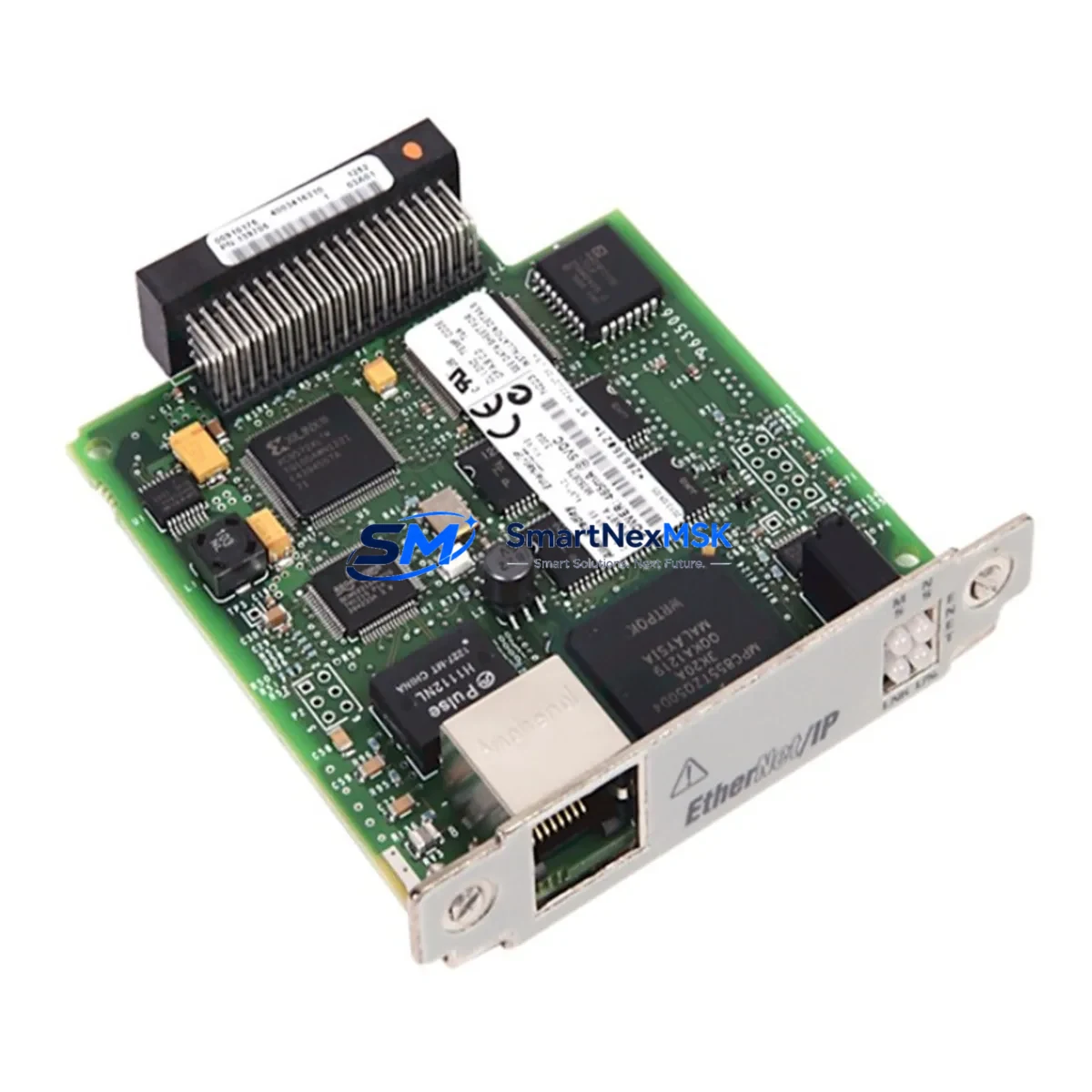
Allen-Bradley 1788-ENBT Retrofit-Ready EtherNet/IP Module for ControlLogix Control Systems
The Allen-Bradley 1788-ENBT is an EtherNet/IP daughterboard communication module designed for integration with ControlLogix chassis-based control systems. As legacy automation infrastructure reaches end-of-life, the 1788-ENBT has become a critical retrofit component for engineers tasked with modernizing distributed control architectures without replacing entire control cabinets. Whether you are migrating from a legacy SLC 500 or PLC-5 platform, expanding an existing ControlLogix rack, or restoring a discontinued communication link, the 1788-ENBT provides a proven, drop-in upgrade path that preserves existing program logic and minimizes production downtime.
This module mounts directly onto compatible 1756 series processor cards, enabling EtherNet/IP connectivity on controllers that were originally deployed without onboard Ethernet capability. It supports standard TCP/IP addressing, CIP messaging, and producer/consumer communication models, making it fully compatible with Studio 5000 Logix Designer programming environments and existing RSLogix 5000 project files. Engineers upgrading from older 1756-L55 or 1756-L60 series processors will find the 1788-ENBT particularly valuable for extending network reach without requiring a full processor swap.
Upgrade Compatibility Table
| Parameter | Details |
|---|---|
| Compatible Processors | 1756-L55, 1756-L60, 1756-L61, 1756-L62, 1756-L63 series ControlLogix CPUs |
| Communication Protocol | EtherNet/IP (CIP over TCP/IP), 10/100 Mbps |
| Installation Interface | Daughterboard slot on compatible 1756 processor modules |
| Chassis Compatibility | 1756-A4, 1756-A7, 1756-A10, 1756-A13, 1756-A17 ControlLogix backplanes |
| Replacement Recommendation | Direct replacement for failed or discontinued 1788-ENBT units; compatible upgrade path from serial-only processor configurations |
| Programming Software | Studio 5000 Logix Designer v20+, RSLogix 5000 v16+ |
| Commissioning Notes | IP address assignment via BOOTP/DHCP or RSLinx Classic; verify slot addressing in I/O tree after installation |
| Warranty | 12-Month Warranty — covers hardware defects and functional verification |
Retrofit Planning for Existing Automation Systems
Successful integration of the 1788-ENBT into an existing control system requires careful pre-installation planning. Before removing the legacy processor or communication card, engineers should document the current I/O tree configuration in RSLogix 5000 or Studio 5000, export all controller tags, and back up the full project file to a secure location. This is especially important in systems where the 1756-L55 processor is paired with a 1756-DNB DeviceNet bridge module or a 1756-DHRIO Data Highway Plus/Remote I/O module, as these communication paths must remain uninterrupted during the Ethernet upgrade.
When planning the physical installation, confirm that the target processor’s daughterboard slot is unoccupied and that the 1756 chassis backplane — whether a 1756-A7 or 1756-A13 — has sufficient power budget to support the additional module. The 1756-PA72 or 1756-PB72 power supply units commonly used in ControlLogix cabinets should be verified against the updated load calculation, particularly in high-density I/O configurations where 1756-IB16 digital input modules and 1756-OB16E digital output modules are stacked across multiple slots.
For systems that include remote I/O racks connected via 1756-CNB ControlNet bridge modules, the migration to EtherNet/IP via the 1788-ENBT may involve updating the network topology in RSNetWorx for EtherNet/IP. Engineers should also verify that any existing PanelView Plus HMI terminals — such as the 2711P-T10C4D8 — are configured with the correct Ethernet IP address and CIP path to the upgraded controller. HMI screen logic referencing controller tags should be validated in FactoryTalk View Studio before going live to avoid runtime faults.
In applications involving motion control, confirm that any 1756-M02AE or Kinetix servo drive communication paths are preserved. If the system uses a 1756-L63 processor with an integrated motion axis, the EtherNet/IP network scan rate must be configured appropriately in the controller properties to maintain deterministic motion performance after the 1788-ENBT is installed.
Downtime Control During System Migration
Minimizing unplanned downtime is the primary concern for any retrofit project involving active production lines. When replacing or upgrading communication modules in a live ControlLogix system, the recommended approach is to perform a controlled shutdown during a scheduled maintenance window, export the current controller program, and verify the backup file integrity before beginning hardware changes.
After installing the 1788-ENBT, restore power to the chassis and allow the processor to complete its self-test sequence before attempting to download the program. Use RSLinx Classic or the Studio 5000 communications driver to establish the Ethernet connection, assign the module’s IP address via BOOTP, and verify that the module appears correctly in the I/O configuration tree. If the system previously relied on a 1756-ENET or 1756-ENBT bridge module for Ethernet connectivity, the 1788-ENBT daughterboard installation may allow that slot to be freed for additional I/O expansion — a significant advantage in space-constrained control cabinets.
For critical processes where even brief interruptions are unacceptable, consider staging the upgrade on a duplicate rack with identical hardware configuration, validating the program download and HMI communication offline, and then performing a rapid swap during the shortest available production break. This approach, combined with pre-tested 1788-ENBT units verified against factory acceptance test (FAT) criteria, consistently reduces live commissioning time to under 30 minutes for experienced automation engineers.
Retrofit Support FAQ
Q: Is the 1788-ENBT a direct drop-in replacement for a failed unit on my existing 1756-L60 processor?
A: Yes. The 1788-ENBT installs directly into the daughterboard slot of compatible 1756-series processors including the L55, L60, L61, L62, and L63. No chassis slot is consumed, and the existing controller program does not require modification. After installation, reassign the IP address using BOOTP or RSLinx and verify the module status LED before resuming operations.
Q: Will my existing RSLogix 5000 program and HMI configuration remain compatible after installing the 1788-ENBT?
A: In the vast majority of retrofit scenarios, yes. The 1788-ENBT does not alter the controller’s tag database or program logic. HMI configurations in FactoryTalk View or PanelView terminals should be verified to ensure the Ethernet path and controller IP address are correctly updated, but no tag remapping is typically required.
Q: What pre-shipment testing is performed on the 1788-ENBT units you supply?
A: Every 1788-ENBT unit undergoes functional verification testing prior to shipment, including power-on self-test, Ethernet link establishment, and CIP communication validation. Units are supplied with a 12-month warranty covering hardware defects and functional performance. Test records are available upon request for quality-critical procurement processes.
Q: Can the 1788-ENBT be used to add EtherNet/IP connectivity to a processor that currently only has a serial programming port?
A: Yes, this is one of the most common retrofit applications for the 1788-ENBT. Processors originally deployed with only a 1756-CP3 serial programming cable connection can be upgraded to full EtherNet/IP network participation by installing the 1788-ENBT daughterboard, eliminating the need for a dedicated 1756-ENBT bridge module and freeing a chassis slot for additional I/O or communication expansion.
© 2026 SMARTNEXMSK. All rights reserved.
Original Source: https://smartnexmsk.com
Contact: [email protected] | +86 18259474341



